
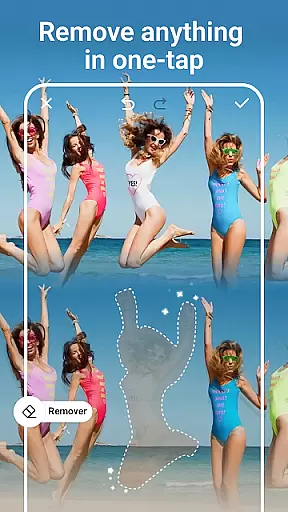
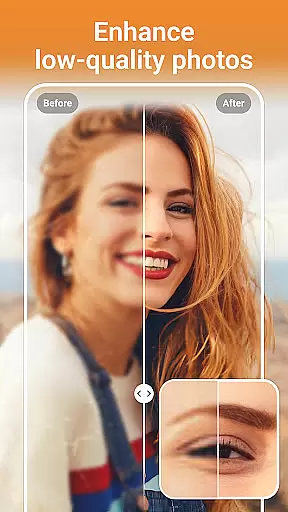


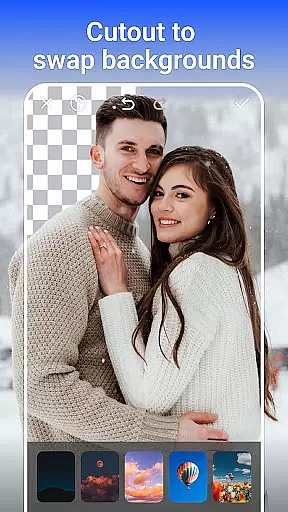
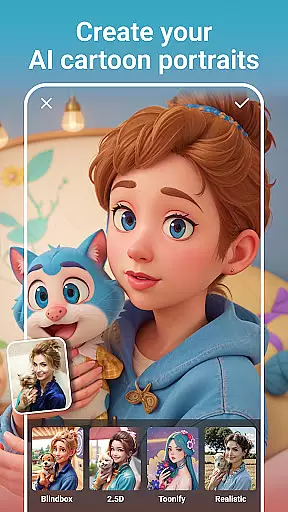
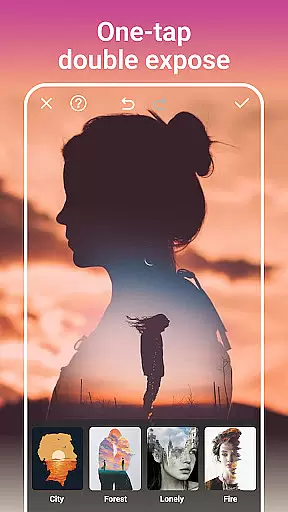
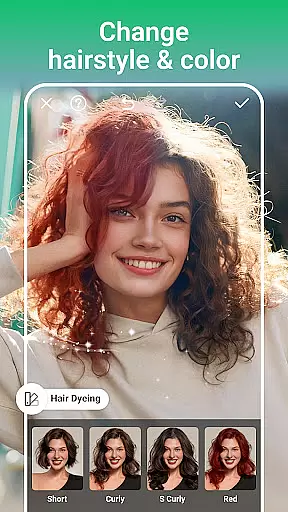
PhotoArt is an advanced AI-powered photo editing application that caters to a wide range of users, from beginners to professionals. This all-in-one tool offers comprehensive features such as One-Tap Enhance, Magic Eraser, AI Face Swap, and creative effects like Double Exposure. With over 100 filters and effects, it allows users to embrace their signature style while providing professional tools for color adjustment, resolution enhancement, and background removal.
The app's intuitive interface makes complex edits accessible to everyone. Whether you're looking to restore old photos, create stunning collages, or experiment with artistic portrait enhancements, PhotoArt delivers exceptional results without requiring advanced technical skills. Its seamless integration with social media platforms enables instant sharing of high-quality, watermark-free creations, making it perfect for photographers, influencers, and casual users alike.
PhotoArt stands out with its innovative AI-driven functionalities designed to simplify and elevate photo editing. The One-Tap Enhance feature automatically adjusts lighting, contrast, and colors, ensuring polished results with minimal effort. Advanced tools like HSL, Curves, and Split Tone provide granular control over color grading, allowing users to achieve vibrant and harmonious visuals tailored to their preferences.
Unique offerings such as AI Cartoon Filters, Age Changer, and Sky Replacement push creative boundaries. Users can transform portraits into whimsical art pieces, relive childhood memories through aging simulations, or replace dull skies with breathtaking alternatives. Additionally, the Magic Eraser intelligently removes unwanted objects while preserving image integrity, and the Background Removal tool isolates subjects with precision. These robust features empower users to produce professional-grade edits effortlessly.
Real-time capture and preview functionality is essential for ensuring that users can see the results of their photo edits instantly. This feature allows photographers and casual users alike to make adjustments on the fly, ensuring that every modification meets their expectations before finalizing the image.
PhotoArt's real-time capture and preview system leverages advanced AI algorithms to process changes immediately as they are applied. Whether it's adjusting lighting, applying filters, or removing unwanted objects, users can witness transformations in real time, providing a seamless editing experience.
The benefit of this feature is significant; it empowers users to experiment with different styles and effects without any lag, enhancing creativity and allowing for precise control over the final output. With instant feedback, users can fine-tune their edits until they achieve the perfect look.
Ultimately, real-time capture and preview not only streamline the editing process but also elevate the overall user experience by making professional-grade tools accessible to everyone. This ensures that PhotoArt remains a top choice for those seeking an intuitive yet powerful photo editing solution.
AI beauty and enhancement features focus on improving the natural appearance of photos without making them look overly processed. In today's digital age, maintaining authenticity while enhancing images is crucial for creating visually appealing content that resonates with audiences.
PhotoArt employs sophisticated AI technology to enhance facial features subtly and naturally. From smoothing skin textures to brightening eyes, these enhancements are designed to preserve the subject's original characteristics while elevating their best traits. The AI intelligently identifies key facial landmarks to apply enhancements that complement the useru2019s unique features.
Users benefit from this approach as it allows them to create stunning portraits that still feel genuine. By avoiding the pitfalls of excessive retouching, PhotoArt ensures that each edited photo retains its emotional impact and relatability, which is especially important for social media sharing.
This commitment to natural enhancement sets PhotoArt apart from other photo editors, offering a balanced approach that caters to both amateur photographers looking to enhance personal snapshots and professionals needing reliable editing tools. The result is consistently high-quality images that captivate viewers while staying true to the original moment captured.
User-friendly interface
Extensive filter library
Powerful AI tools
Social media integration
Free to download
Some features may require in-app purchases
Advanced tools might overwhelm beginners
Occasional performance lags on older devices
Limited offline functionality
Ads in free version

Photo editor: face & body editor, beauty cam, filters and quality enhancer.
 4.00
4.00
Search, tag and rate your way to an organized image gallery
4.40
1M influencer's special filter
4.60
Over 800 film simulation recipes for Fujifilm. Black Friday Offer!
4.0
The #1 app for B&W film developing featuring an advanced darkroom timer.
4.10
Smart, light, and fast photo and video gallery
4.30
Fit multiple photos on one post. Create carousels & scroll layouts for Instagram
4.50
A light meter for true photographers.
4.20
The original Rarevision VHS look seen everywhere!
4.70
Enhance, retouch & create your story - Share the moment with Photoshop Express.
4.60
Easily create custom gifts, cards, photo books & more on the Shutterfly app!
4.60
HD Camera Pro with HD Video shooting, Panorama, Photo editor , Beauty Camera.
4.50
Photo editor & gallery. Crop pictures & edit photos offline, no wifi!
4.50
Create AI photos & videos with Enhancer; restore, fix, beautify, enhance photos
4.50
RAW video capture with advanced controls
4.40
Natural Beauty, Selfie Retouch
4.30
Create & Edit with AI: AI Remove, Enhance, Retouch, Filter
4.10
Be your best in every shot! Fix, edit and retouch your face in selfies & photos.
3.70
Snap photos remotely using your Garmin watch as the camera trigger
4.0


User Reviews