
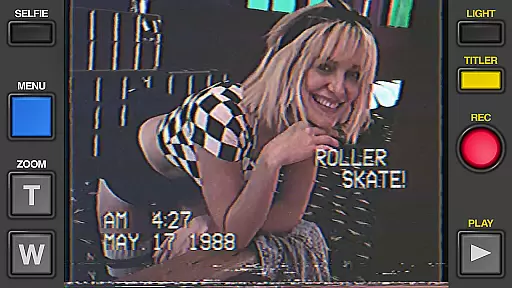
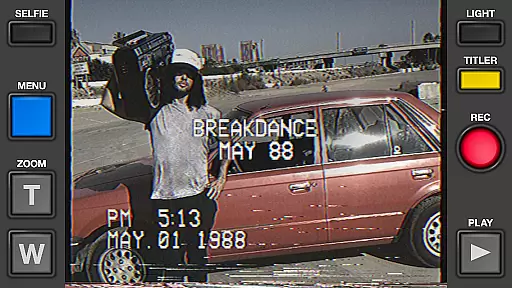
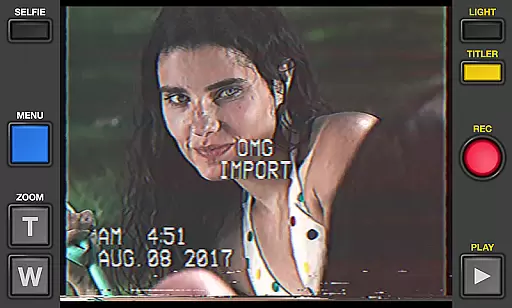
Rarevision VHS is a unique photography app that allows users to create authentic retro-style videos reminiscent of the 1980s. With its advanced VHS simulation technology, the app brings back the nostalgic look and feel of old videotape recordings, complete with glitches, on-screen dates, and cheesy custom titles.
The app offers a range of creative features including adjustable picture settings, animated title creation, and real-time video effects like shaking-induced glitches and zoom functions. Whether you're looking to capture themed party moments or simply want to add a vintage touch to your videos, Rarevision VHS delivers an immersive experience that transforms ordinary footage into rad throwback content.
Perfect for content creators and nostalgia enthusiasts, this app has been widely praised by celebrities and featured in major media outlets. Its ability to produce realistic retro videos makes it an ideal tool for creating found-footage style films or adding a humorous twist to everyday moments.
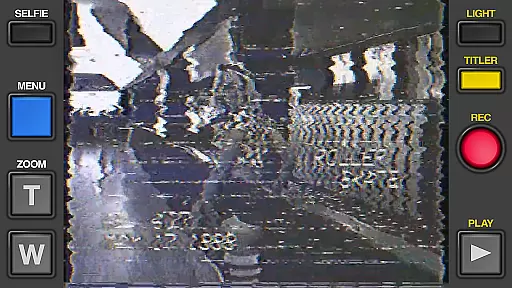
Rarevision VHS stands out with its comprehensive set of retro video-making tools. The app's core feature is its highly realistic VHS effect simulation, which accurately replicates the imperfections and characteristics of analog video recordings from the 1980s. Users can import existing videos and transform them with the signature VHS look, complete with tracking errors, color distortions, and audio artifacts.
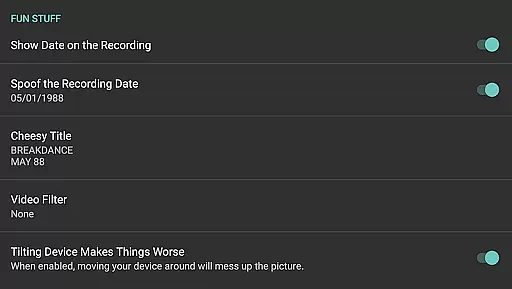
One of the app's most innovative aspects is its interactive glitch system. During recording, users can manipulate video quality by shaking their device or using touch controls, creating dynamic distortion effects. The built-in date stamp feature allows for creative deception, while the zoom function adds dramatic emphasis to key moments. Additionally, the app includes professional-grade tools such as old-school picture adjustment menus and widescreen recording options.
What sets Rarevision VHS apart is its attention to detail in audio processing. The app doesn't just focus on visual effects - it also simulates the characteristic sound degradation of VHS tapes, completing the authentic retro experience. With support for up to 60p recording (device-dependent) and various customization options, the app provides both casual users and serious creators with everything they need to produce convincing retro content.
Real-time capture and preview functionality is essential for ensuring that the retro VHS-style videos you create with Rarevision VHS are exactly what you envision. This app allows users to record videos while instantly applying its unique 1980s VHS filter effects.
The application simulates the look and feel of old videotape recordings, complete with on-screen glitches and date stamps. Users can manipulate these features in real time, adjusting settings such as color balance, contrast, and brightness through an old-school picture adjustment menu to achieve their desired retro aesthetic.
One of the standout features is the ability to shake your device or use your finger during recording to introduce visual distortions known as glitches. These add authenticity to the vintage video appearance, making it seem like footage from decades past.
With up to 60p recording capability depending on device specifications, this app provides a more accurate representation of how VHS cameras captured moving images. The immediacy of seeing these effects applied in real time ensures that creators can fine-tune every detail before sharing their throwback masterpieces.
While Rarevision VHS does not focus on traditional AI beauty enhancements typical in modern photography apps, it excels in enhancing videos by adding nostalgic filters that mimic the imperfections of VHS tapes. This approach offers a different kind of enhancementu2014one rooted in nostalgia rather than conventional beauty standards.
The app's charm lies in its ability to transform ordinary footage into something reminiscent of home movies from the 1980s. By importing existing videos and giving them the VHS treatment, users can relive memories or create entirely new ones with a vintage twist.
Rarevision VHS includes customizable animated titles which allow for creative expression without compromising the natural feel of aged videotape. Users can craft cheesy yet endearing title cards that enhance storytelling without overshadowing the raw authenticity provided by simulated tracking errors and static lines.
Furthermore, audio processing within the app ensures that sound matches the visual experienceu2014retro terrible sounds included. This holistic method guarantees that both sight and sound contribute equally towards creating immersive, believable blasts from the past.
User-friendly interface
Highly realistic VHS effects
Interactive glitch features
Customizable title options
Professional audio simulation
No support for rooted devices
Some features device-dependent
Occasional performance issues
Limited modern editing tools
Requires careful storage management

Find time and duration of different sunlight phases at any location
 4.90
4.90
Pet Camera
3.70
Transform photos into videos! Create realistic or anime-style images easily!
4.50
Turn your phone into a professional camera - full DSLR manual photography
4.30
AI Photo Editor with 100+ Filters, Effects! Remove BG, Retouch & Photo Enhancer.
4.80
AI photo enhancer with Sora 2! Enhance, descratch, and colorize your old photos.
4.50
Use AI Video Generator to turn your words to ai generated videos.
4.50
Enhance, upscale, and transform your images — on your device, without limits
4.70
Photo & Video Gallery app to manage albums and save WA Status easily.
4.70
Pro version: AR sun/moon tracker for any date. Tool for photographers & planners
4.90
Gallery show photo, video, slideshow, is perfect 3D effect private photo albums.
4.80
Perfect body tune & face app - photo retouch, makeup, slim body & beautify face.
4.80
Photo prints, cards, & gifts at Walgreens. Easy ordering & fast local pickup !
4.80
Android Native system HD camera app. Never been so simple and faster.
4.70
1M influencer's special filter
4.60
HD Camera Pro with HD Video shooting, Panorama, Photo editor , Beauty Camera.
4.50
Future baby face generator: AI kids generator, kid face! What my baby look like?
4.40
[3DSteroid Pro] is a stereoscopic application for Android.
4.30
Long exposure camera with computational photography
2.60


User Reviews