
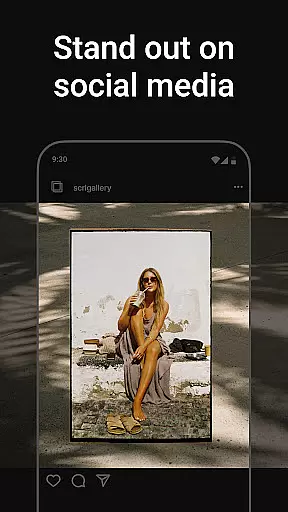
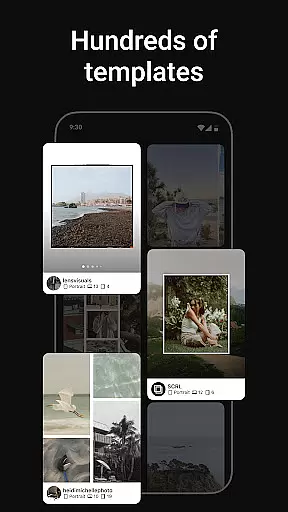
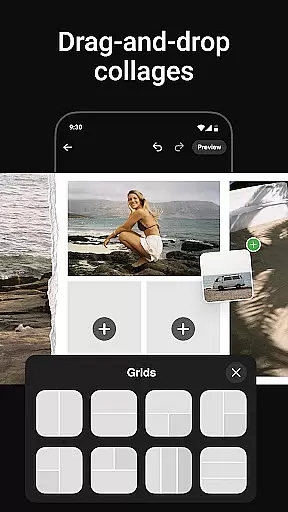
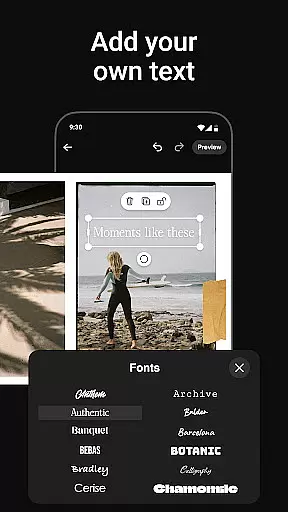
Photo Collage Maker by SCRL is the leading app for creating visually stunning photo collages and Instagram carousel posts. Designed for influencers, artists, and photography enthusiasts, this app offers a versatile platform to express creativity through images. With hundreds of hand-picked templates, users can design everything from travel memories to wedding albums with ease.
The app's standout feature is its seamless swipe-through carousel functionality, which allows users to captivate audiences with engaging visual stories. The freeform canvas provides ultimate creative freedom, enabling users to zoom in on details or create expansive layouts that combine photos, stickers, overlays, and text. Whether you're crafting a simple collage or an intricate multi-photo carousel, Photo Collage Maker ensures professional-quality results every time.
This app is particularly valuable for social media marketers and content creators who want to enhance their Instagram presence. By allowing more than 10 photos in a single post and offering instant posting capabilities, it streamlines the content creation process while maintaining high aesthetic standards.
Photo Collage Maker stands out with its robust set of features tailored for creative professionals. The app includes hundreds of professionally designed templates suitable for various occasions, ensuring users have access to high-quality starting points for their projects. These templates are regularly updated, providing fresh options for every design need.
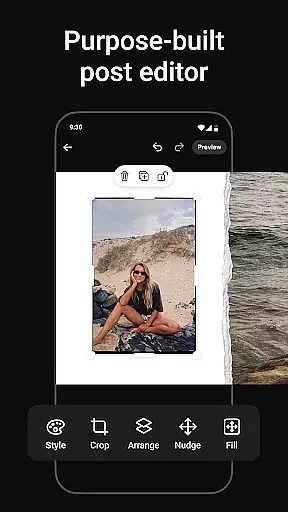
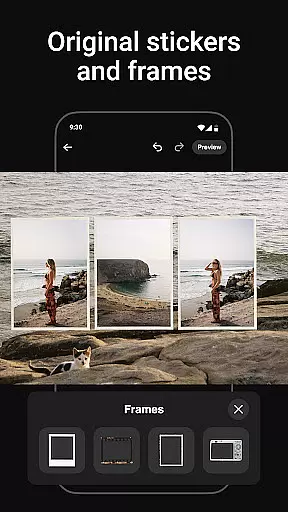
A key highlight is the freeform canvas, which gives users complete control over their designs. This feature allows precise adjustments, zooming capabilities, and the ability to layer multiple elements like stickers, overlays, and text. Additionally, the app supports advanced functionalities such as gradient backgrounds and video integration within grids, available through the SCRL Premium subscription.
For Instagram-focused users, the app simplifies the creation of swipe-through carousel posts. Its intuitive tools ensure smooth transitions between images, keeping followers engaged. Instant posting directly to Instagram eliminates extra steps, making it easier than ever to share polished, professional-looking content quickly.
Real-time capture and preview functionality is essential for ensuring that every photo collage or carousel post created with Photo Collage Maker meets the user's expectations. This feature allows users to see exactly how their final design will look before they finalize it.
The app provides an intuitive interface where users can instantly view changes as they add or modify elements in their collage. Whether adjusting templates, adding stickers, or experimenting with overlays, the real-time preview ensures accuracy and saves time by eliminating guesswork.
For influencers and creatives who rely on visual perfection, this capability enhances productivity. It enables them to fine-tune each detail while maintaining a seamless workflow, resulting in professional-quality outputs every time they create.
AI beauty and enhancement features in Photo Collage Maker elevate the quality of images by offering natural-looking improvements without compromising authenticity. These tools are designed to enhance photos subtly, ensuring that edits appear realistic rather than overly processed.
Users can leverage advanced AI algorithms to adjust lighting, smooth imperfections, or apply color corrections that bring out the best in their pictures. The emphasis on naturalness means that enhancements complement the original image, preserving its genuine essence while making it more visually appealing.
This balance between enhancement and authenticity is particularly valuable for social media content creators. By delivering polished yet believable results, Photo Collage Maker empowers users to produce captivating visuals that resonate with their audience, boosting engagement and aesthetic appeal across platforms like Instagram.
User-friendly interface
Extensive template library
Freeform canvas flexibility
Instant Instagram posting
Premium upgrade options
Limited free features
Premium subscription cost
Occasional bugs reported
Advanced tools require learning
Heavy app size

Safe & smart flight with Go Fly drone controller for 40+ drone camera, zone map
 4.50
4.50
Create collages easily! Nice pic collage maker & background eraser for Instagram
4.50
Photo editor: AI filters, photo enhancer, pic collage maker, AI art generator.
4.80
Gallery Slideshow is slideshow maker app for slideshow from your gallery photos.
3.90
See your baby AI baby face generator AI baby maker Face generator babymaker fun!
4.70
Smart, light, and fast photo and video gallery
4.30
Enhance, upscale, and transform your images — on your device, without limits
4.70
Remote control the phone camera shutter from your smartwatch and take a picture
1.60
Unlock the full potential of your DJI drone with Litchi
4.50
A collection of tools and reference tables for DPs, ACs, DITs and Operators.
4.70
1M influencer's special filter
4.60
Transform photos into videos! Create realistic or anime-style images easily!
4.50
Photo Exif Editor allows to view, add and modify EXIF data of multiple photos
4.50
HD Camera Pro with HD Video shooting, Panorama, Photo editor , Beauty Camera.
4.50
Movie camera, supports pro recording settings for filming. Try it and be amazed!
4.50
Trendy TikTok time warp scan funny filter app brings you unique photos & videos.
4.40
Shooting photos and records video easily and efficient with professional Camera
4.30
Professional camera app that brings DSLR manual photography controls to Android.
4.20
Create amazing frames with up to five photos. Rounded corners, effects and more!
3.60


User Reviews