
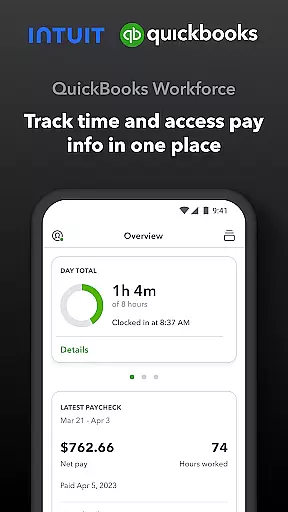
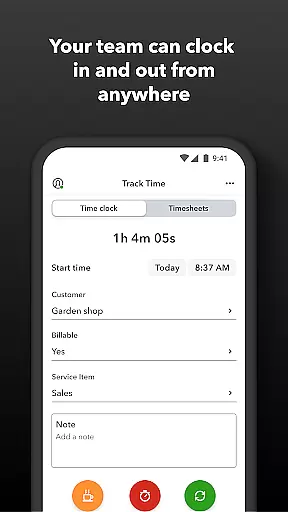
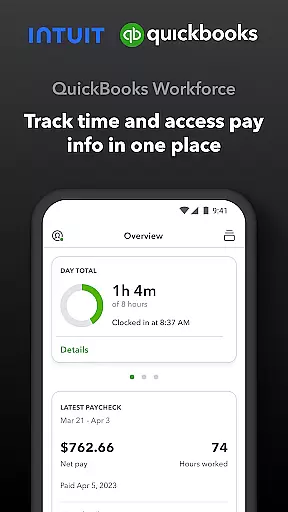
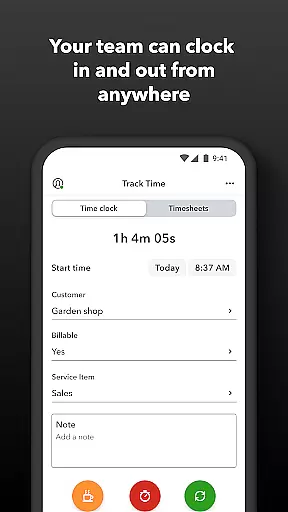
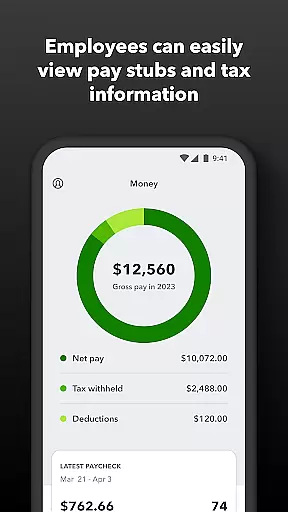
QuickBooks Workforce is a productivity app designed to streamline payroll and time tracking for businesses using QuickBooks Payroll and QuickBooks Time. The app allows employees to access pay information and track work hours conveniently from their mobile devices. With features like GPS-based time tracking, offline clocking, and timesheet management, it ensures accurate timekeeping while enhancing workforce efficiency.
Employers benefit from advanced administrative controls, including real-time reporting, schedule management, and geofencing capabilities available in the Elite version. By integrating seamlessly with QuickBooks Online and Desktop platforms, this app eliminates manual data entry, reduces payroll costs, and provides detailed logs to protect against labor disputes. Its comprehensive functionality makes it ideal for businesses seeking an all-in-one solution for managing employee productivity and financial records.
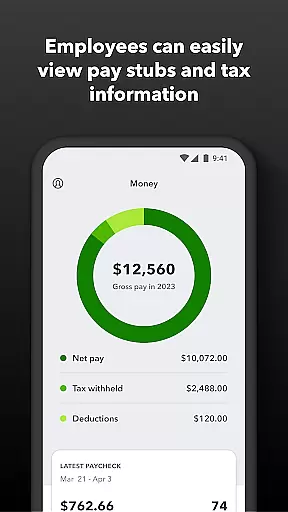
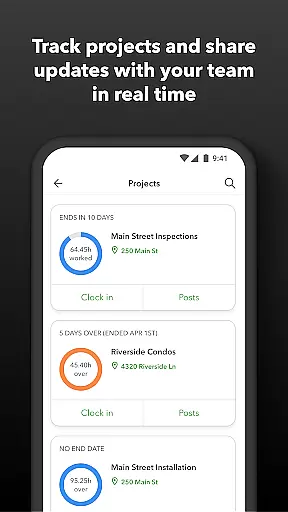
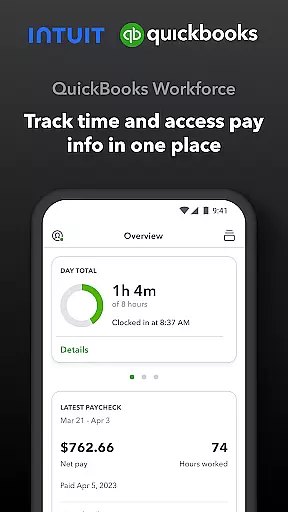
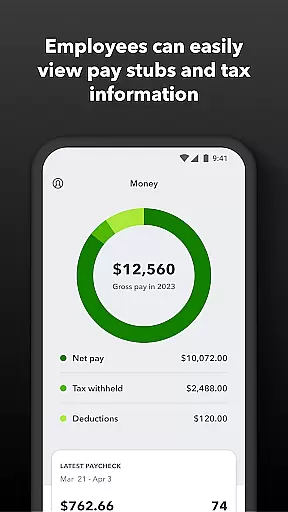
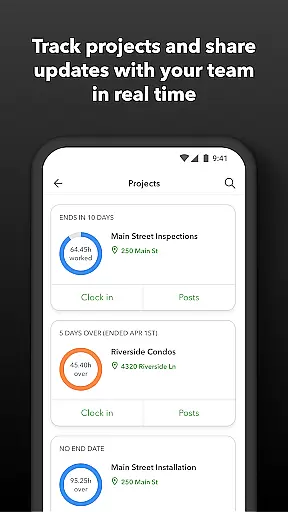
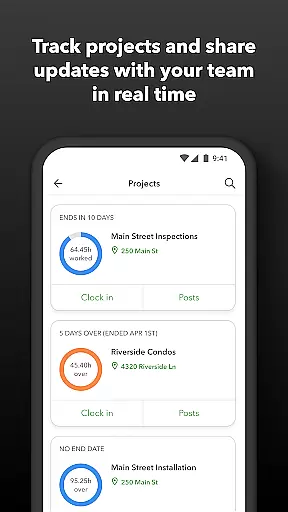
QuickBooks Workforce offers a robust set of features tailored for both employees and administrators. Employees can view pay stubs, W-2s, and other payment details anytime, anywhere. They can also clock in and out even without Wi-Fi, submit requests for paid time off, edit timesheets, and switch between jobs effortlessly. For enhanced project tracking, users on the Elite plan can add photos and updates to a project activity feed.
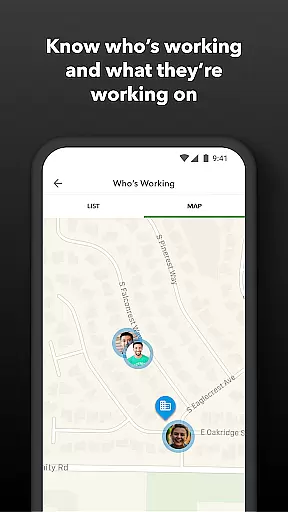
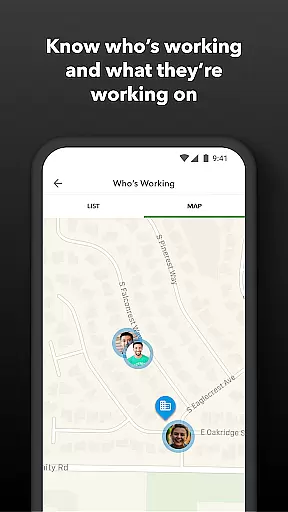
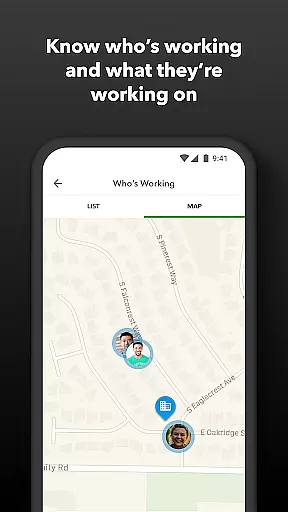
Administrators gain powerful tools such as real-time visibility into who is working and where, automated alerts for missed schedules or potential overtime, and detailed reporting options in multiple formats. The app supports integration with various payroll, accounting, and invoicing systems, ensuring seamless data flow. Additionally, its open API allows developers to customize workflows further, making it adaptable to unique business needs.
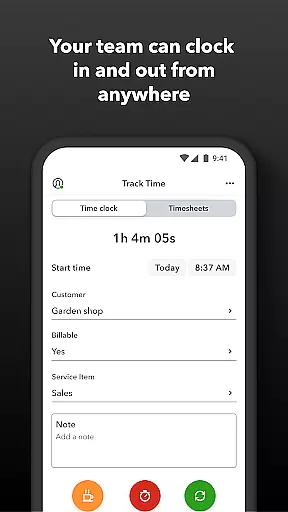
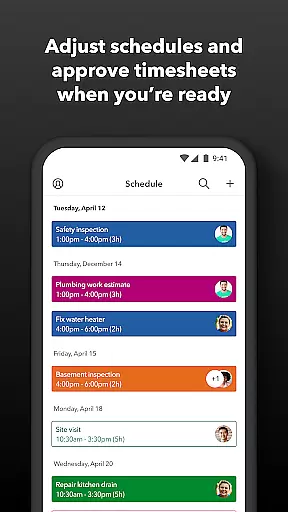
Task management is a cornerstone of productivity applications, and QuickBooks Workforce excels in this area by offering comprehensive tools for both employees and employers. The app allows team members to clock in and out, edit timesheets, manage job schedules, and track various types of leave, all within a unified platform.
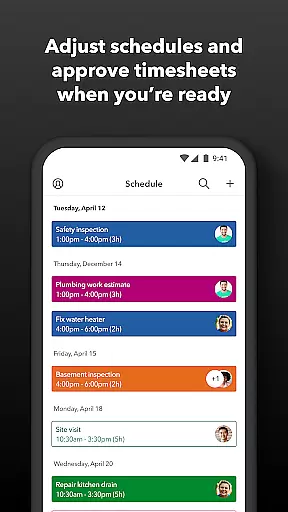
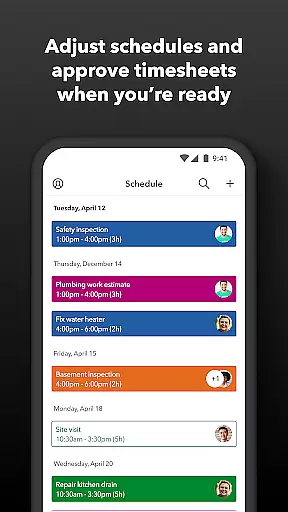
For employers and administrators, the ability to oversee these tasks adds another layer of efficiency. They can approve, modify, or delete timesheets, set up geofences for automatic time tracking, create or adjust schedules, and receive alerts for unscheduled clock-ins or potential overtime. This ensures that businesses maintain accurate records while optimizing workforce management.
The real-time visibility into who is working and where, coupled with instant access to day and week totals as well as other time reports, empowers businesses to make informed decisions swiftly. With features like GPS location-based time tracking and project activity feeds, QuickBooks Workforce not only simplifies task management but also enhances overall operational transparency.
Cross-device synchronization is vital for ensuring that all team members have access to the most current data regardless of their location or device. QuickBooks Workforce guarantees reliable synchronization across multiple platforms, allowing users to view pay stubs, W-2s, and other critical information anytime, anywhere.
This seamless integration extends beyond just viewing documents; it encompasses real-time updates on timesheets, schedules, and even alerts. Whether through push notifications, texts, or emails, the app ensures that no important update goes unnoticed. This reliability fosters a cohesive work environment where everyone stays informed and aligned.
Moreover, the app's compatibility with various payroll, accounting, and invoicing software further solidifies its role as a dependable cross-device solution. By eliminating manual data entry and providing real-time reports in multiple formats, QuickBooks Workforce streamlines workflows and reduces errors, making it an indispensable tool for modern businesses seeking efficient and accurate task management solutions.
User-friendly interface
Real-time reporting
Offline functionality
Seamless QuickBooks integration
Comprehensive admin controls
Limited free features
Premium cost for Elite
Geofencing requires subscription
Occasional sync issues
Steep learning curve

The long-awaited modern gallery app for your Nextcloud server
 4.70
4.70
8 custom complications. Custom Time Fonts. Beautiful color schemes. A++ Design.
5.00
Automates browsing any website and notifies you of important changes or events
4.30
IP Camera Viewer - Android TV : RTSP Surveillance camera viewer for Android TV
4.3
App lock - lock apps with fingerprint, password, pin or pattern, protect privacy
4.70
Cloud storage, automatic phone backup, and more.
4.10
Functional QR scanner and barcode reader that requires little storage space.
4.60
The AI assistant that thinks with you - write, code, and solve complex tasks
4.60
AI Chatbot and AI writing assistant powered by ChatGPT.
4.60
Calendar 2023 widget for Android. Appointment scheduler, planner, and reminder
4.60
Secure, fast, open-source, Remote Desktop Client for Windows and Linux with SSH
4.60
Total remote control for your Android device, PC and cloud services (IFTTT)!
4.20
Device's storage information in a simple and clear graphical form (infographics)
4.10
Font maker keyboard with your own handwriting
4.10
Experience real multitasking on your Android!
4.00
Ultimate Virtual AI Character for immersive Roleplay Chat. Perfect Companion
3.90
All in one sketching tool. Technical and General drawing. Online Maps support.
3.70
Smart PDF reader & editor to view, organize and manage PDF documents easily.
3.70
Remotely view listen control and record cameras.
3.70


User Reviews