
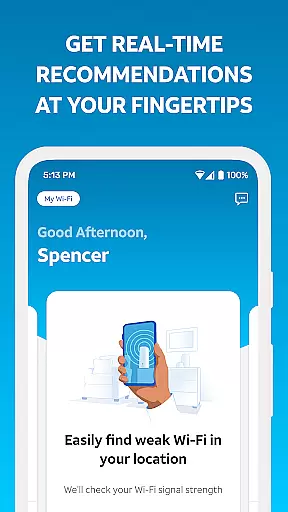
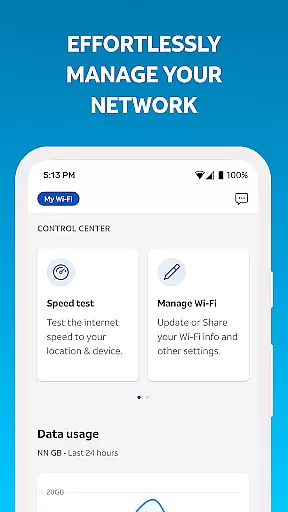
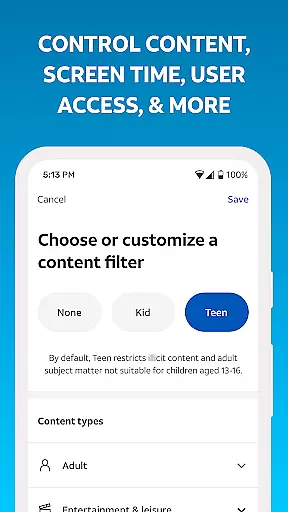
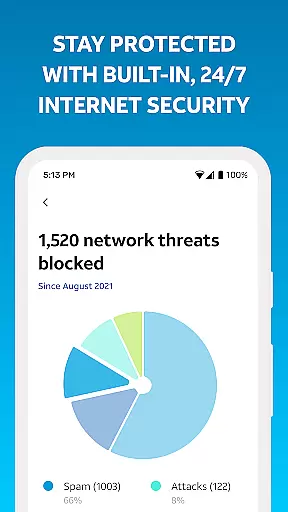
Smart Home Manager is a productivity-focused application designed to simplify the management of your AT&T Internet service. The app offers an intuitive interface that allows users to easily set up and manage their home network without needing technical expertise. With features like Wi-Fi network customization, parental controls, and device management, it provides comprehensive tools for optimizing your home internet experience.
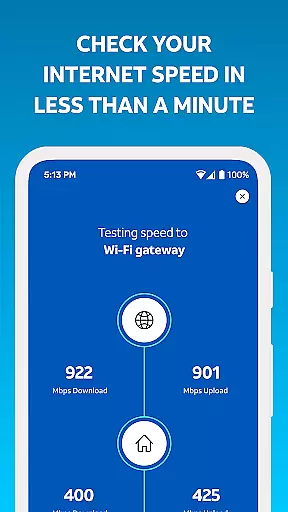
One of the standout capabilities of Smart Home Manager is its troubleshooting functionality, which helps users resolve common network issues without requiring a technician visit. Additionally, the app enables users to test their internet speed, identify weak signal areas, and monitor network health. These features make it an invaluable tool for AT&T customers looking to maintain a reliable and efficient home network.
Smart Home Manager stands out with its robust feature set tailored for home network management. Users can effortlessly customize their Wi-Fi settings, including changing the network name and password directly from the app. This ensures that your network remains secure while being easy to manage.
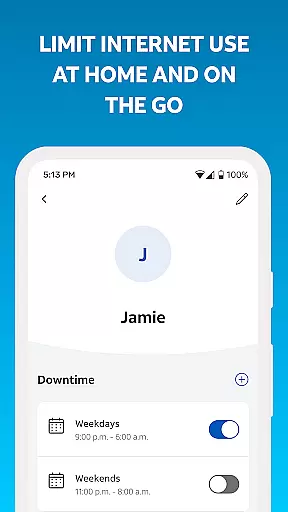
The app also includes advanced features such as parental controls, allowing you to create profiles and set downtime schedules for managing screen time. You can pause Wi-Fi access for specific devices, run speed tests to your Wi-Fi gateway, and receive notifications about network issues or outages. These functionalities empower users to take full control of their home networks, ensuring optimal performance and security.
Smart Home Manager excels in core task management by offering a centralized platform to handle various aspects of your home network. The app allows users to easily view and update their Wi-Fi network name and password, ensuring that security measures are always up-to-date.
With the ability to see what's connected to your network and personalize all your device names, it simplifies the complexity of network management. This functionality is crucial for maintaining an organized and secure smart home environment.
The app goes further by enabling users to create profiles, set parental controls, and establish downtime schedules. These features help manage family screen time effectively, making it an essential tool for modern households.
By providing comprehensive tools such as pausing Wi-Fi access for any device and testing Internet speed, Smart Home Manager ensures users have complete control over their home networks, enhancing both productivity and peace of mind.
Cross-device synchronization is a standout feature of Smart Home Manager, allowing seamless management of your AT&T Internet service across multiple devices. By signing in with your AT&T Internet User ID and password, you can access and control your network from anywhere, at any time.
This reliable synchronization ensures that changes made on one device, such as updating Wi-Fi settings or setting parental controls, are instantly reflected across all other devices connected to your account. This consistency is vital for maintaining a cohesive smart home ecosystem.
Moreover, the app provides notifications of issues and service outages, alongside the ability to restart your Wi-Fi gateway remotely. These proactive measures ensure minimal disruption to your connectivity and enhance overall reliability.
By delivering real-time updates and alerts, Smart Home Manager empowers users to maintain optimal network health and performance, regardless of the device they use, thus significantly boosting cross-device operational efficiency.
User-friendly interface
Comprehensive network tools
Technician-free troubleshooting
Customizable Wi-Fi settings
Advanced parental controls
Limited to AT&T customers
Dependent on compatible gateway
Feature availability varies
Requires account sign-in
Home Wi-Fi network only

 4.20
4.20
Seamlessly integrate data and reports to build your presentation to impress
4.80
App Lock with fingerprint, password: Lock apps & hide photos with lock screens
4.60
The AI assistant that thinks with you - write, code, and solve complex tasks
4.60
Secure, open-source, SPICE and SSH Remote Desktop for QEMU KVM virtual machines
4.00
A comprehensive suite of tools designed specifically for Lactation Consultants
4.4
Best Tool for the professionals Electrician, Electrical contractors, etc.
4.90
A beautiful digital clock with autostart and many other functions
4.70
Lightweight PDF, Word, Excel reader.
4.60
Use powerful, industry-leading AI tools to generate visual charts from any data
4.80
Direct Chat without saving contacts & Dual WA Account on Single Device
4.70
The Pro Version of Android's tiniest Notepad app. Just 0.3MB but feature-packed!
4.60
PDF scanner & converter for files, photos, lottery, QR codes. One swipe away!
4.50
Experience Reading - Night Mode for Documents
4.40
A Pixel Art watchface inspired by other iconic 90s designs for Wear OS devices!
4.40
⏰ Finally a timer app which can run multiple timers simultaneously on your watch
3.90
Mega cloud explorer plugin for Solid Explorer
3.80
Smart PDF reader & editor to view, organize and manage PDF documents easily.
3.70
Simple and reliable communication between inmates, friends and family
3.20


User Reviews