
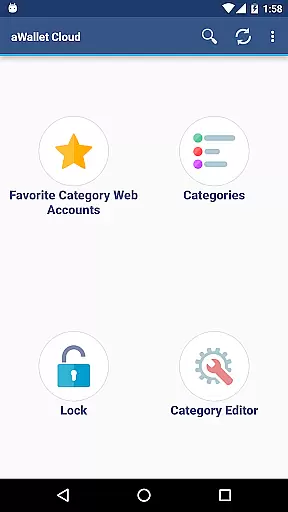
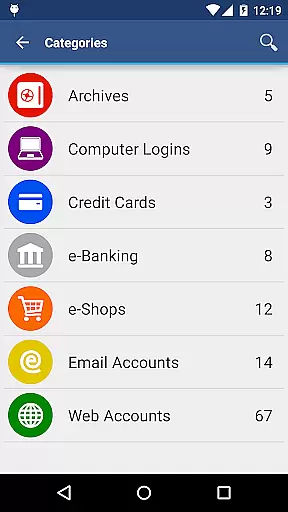
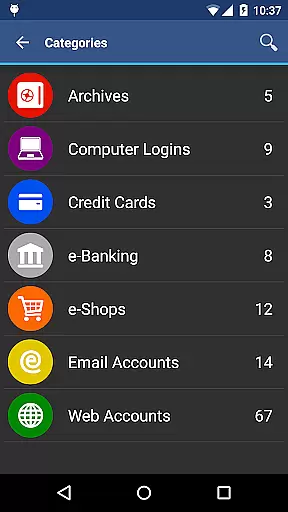
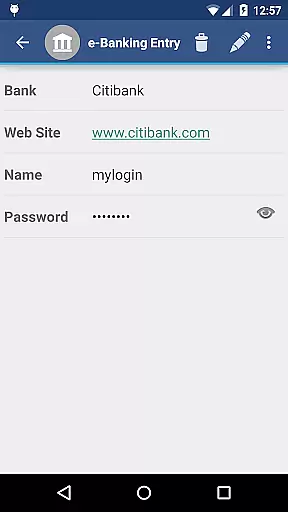
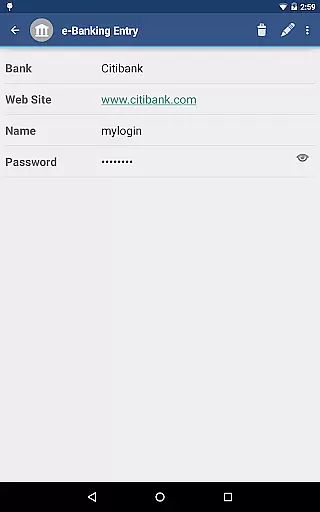
aWallet Cloud Password Manager is a robust productivity tool designed to securely store sensitive information such as passwords, credit card details, and e-banking credentials. The app ensures top-notch security by encrypting all stored data using advanced algorithms like AES or Blowfish with key sizes up to 256 bits.
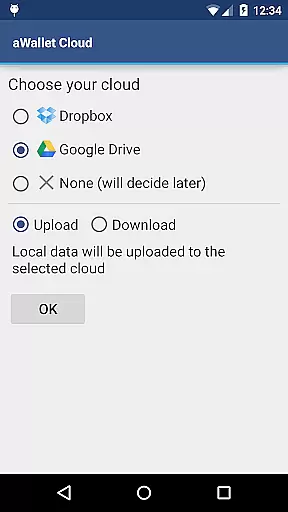
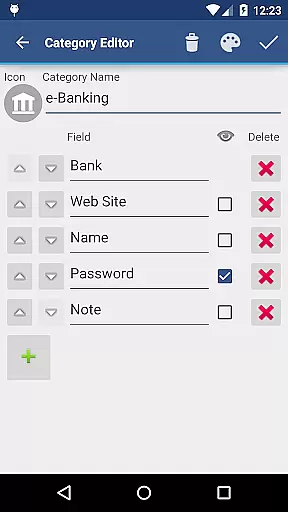
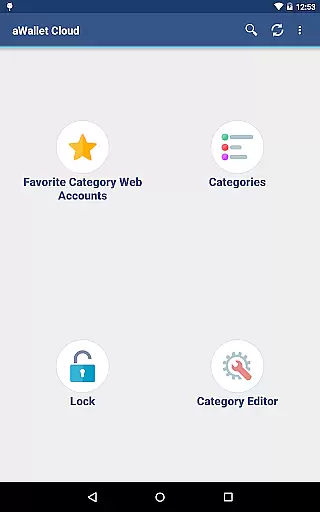
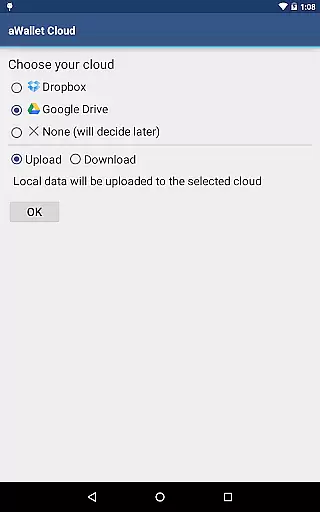
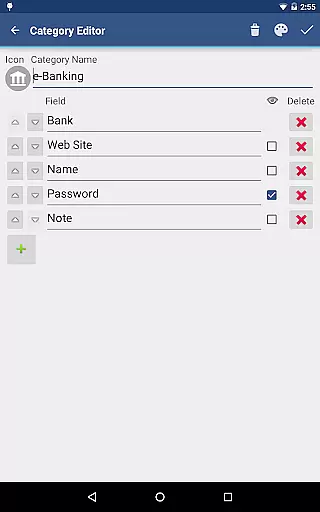
One of the standout features is its ability to synchronize encrypted data with your personal cloud accounts on Dropbox or Google Drive, ensuring that your information is accessible yet secure across multiple devices. Additionally, users can take advantage of the built-in editor to customize data categories and icons, making data management both flexible and intuitive.
The app also includes practical functionalities such as field search, auto-lock, and backup/restore options for USB devices. With no advertisements and pro features like fingerprint and face unlock, aWallet enhances user convenience while maintaining stringent security protocols.
aWallet Cloud Password Manager offers an extensive array of features tailored to boost productivity and ensure data security. One of its core strengths lies in the powerful encryption mechanisms it employs, including AES and Blowfish algorithms with variable key sizes, safeguarding your data against unauthorized access.
Another notable feature is the synchronization capability with cloud services like Dropbox and Google Drive, allowing seamless access to your encrypted data from any device. The inclusion of a customizable editor enables users to create and modify data categories effortlessly, enhancing organizational efficiency.
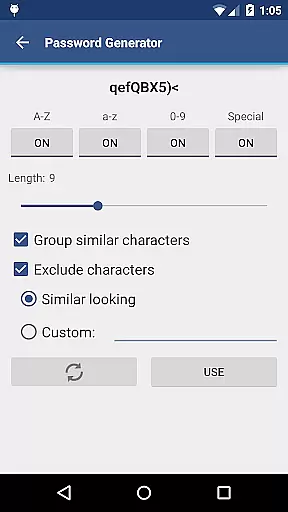
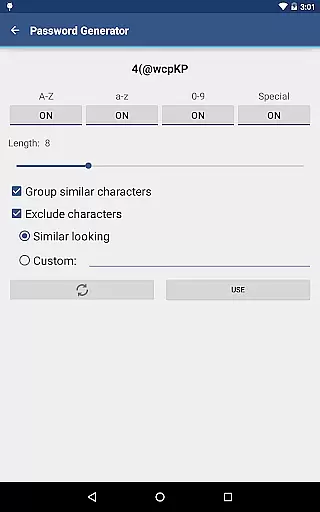
Furthermore, the app provides practical tools such as password generation, CSV import/export, and auto-destruction of data after multiple failed unlock attempts. These features collectively contribute to a highly secure and user-friendly experience, making aWallet an indispensable tool for managing digital credentials.
aWallet Cloud Password Manager excels in core task management by offering a comprehensive suite of features designed to securely handle sensitive information. The app allows users to store various types of data, including passwords, credit card details, and e-banking credentials, all within a structured and organized environment.
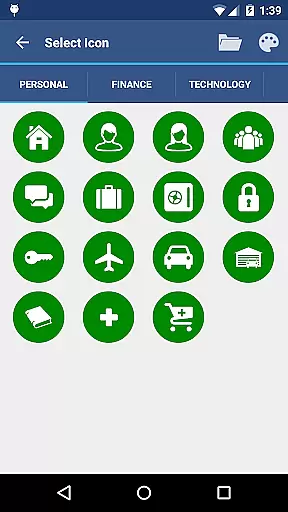
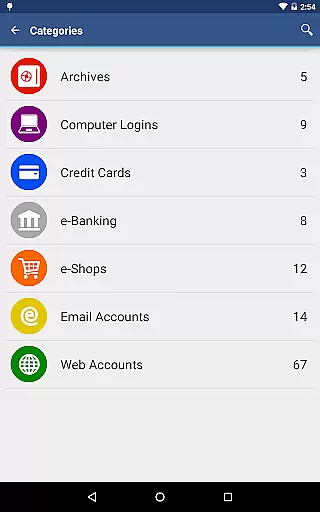
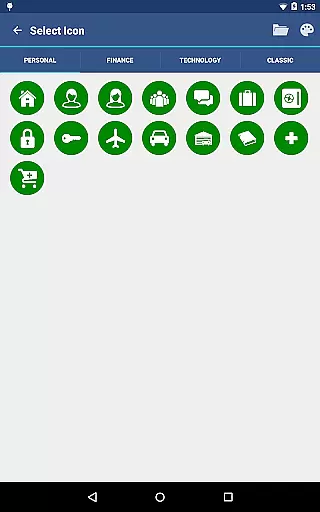
With its built-in Editor, users can customize categories with unique icons, ensuring that all stored information is systematically categorized for easy access. This level of organization extends to the search functionality, which permits searching within fields, thus streamlining the process of retrieving specific pieces of information.
The true power of this app's task management capabilities lies in its synchronization feature. Users can sync their encrypted data with personal cloud accounts such as Dropbox or Google Drive, ensuring that their information is accessible across multiple devices without compromising security.
Furthermore, the app supports backup and restore functions to an Android USB device, providing an additional layer of data protection. With these robust task management features, aWallet Cloud Password Manager ensures users maintain control over their confidential data while simplifying their daily digital routines.
Cross-device synchronization is a pivotal feature of aWallet Cloud Password Manager, allowing users to maintain consistency and accessibility of their encrypted data across different platforms. By leveraging personal cloud services like Dropbox or Google Drive, the app ensures that updates are reliably mirrored on all user devices.
This synchronization process is not only about convenience but also upholds top-notch security standards. All data is encrypted using powerful algorithms such as AES or Blowfish, with key sizes up to 256 bits, ensuring that during transit between devices, sensitive information remains impervious to unauthorized access.
In addition to secure syncing, the app provides peace of mind through its Auto lock feature and auto-destruction policy after several failed unlock attempts. These measures guarantee that even if a device falls into the wrong hands, synchronized data stays protected.
By combining reliable cross-device synchronization with stringent security protocols, aWallet Cloud Password Manager delivers a seamless experience for users who require unfettered yet secure access to their critical information on any device they choose to use.
Advanced encryption
Cloud sync
Customizable categories
No ads
Pro features included
Complex setup
Limited free features
Requires cloud account
No iOS support
Heavy on resources

Wake up & get tasks done! Add alarms & reminders on the Clock Launcher.
 4.00
4.00
Automates browsing any website and notifies you of important changes or events
4.30
Remotely view listen control and record cameras.
3.70
CalenGoo is a very flexible and feature-rich calendar app
4.40
Todo reminder
4.10
Font maker keyboard with your own handwriting
4.10
Enjoy classic gameplay with customizable features and retro-style graphics.
4.30
Great calculator for Android named one of USA TODAY's "25 Essential Apps".
4.90
Browse and view your photos and videos from the phone with photo & video hide.
4.10
A beautiful digital clock with autostart and many other functions
4.70
Secure, fast, open-source, VNC and SSH Remote Desktop for Windows, Linux and Mac
4.70
A customizable calendar for your Wear OS watch
4.20
Device's storage information in a simple and clear graphical form (infographics)
4.10
Activate Two Factor Authentication (2FA or Multi OTP), Password manager and more
4.10
Intelligent AI Assistant
4.10
A Revolutionary All-in-One Artificial Intelligence Tools
3.80
Find and delete junk files & block unwanted notifications & manage files
3.70
Code on-the-go with VScode for Android. Edit,debug and collaborate from mobile!!
3.10
The upgraded version of Name Wheel with AI and the power to add your own wheels.
4.2


User Reviews