
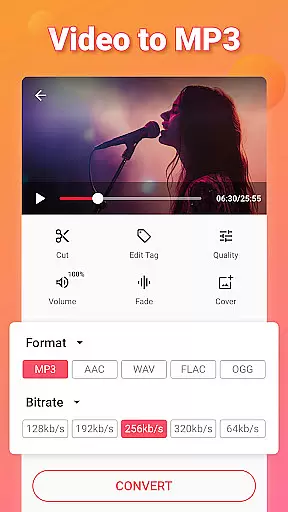
Video to MP3 is a versatile media converter tool that allows users to convert video files to high-quality audio formats. The app supports batch conversion, enabling users to process up to 15 videos at once while offering various output options including MP3, AAC, and M4A. With additional features like fade-in and fade-out effects, sound boosting, and bitrate customization, it ensures professional-grade audio editing.
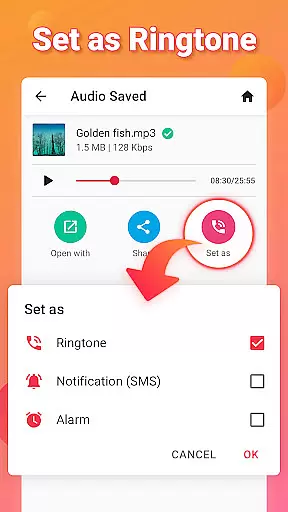
Beyond basic conversion, the app includes advanced tools such as a video trimmer, audio cutter, and ringtone maker. Users can extract music from videos, edit metadata tags, and even set their converted files as ringtones or notification sounds. Its compatibility with multiple formats like MP4, MKV, AVI, and FLAC makes it an all-in-one solution for both casual and professional media needs.
This app is ideal for content creators, podcasters, and everyday users who need to repurpose video content into audio files efficiently. Whether you're trimming clips, merging audio tracks, or converting formats, Video to MP3 provides a seamless experience across Android devices.
Video to MP3 stands out with its comprehensive suite of features tailored for efficient media conversion. One of its core strengths is the ability to handle batch processing, allowing users to convert multiple files simultaneously without compromising speed or quality. This feature is particularly useful for professionals managing large libraries of multimedia content.
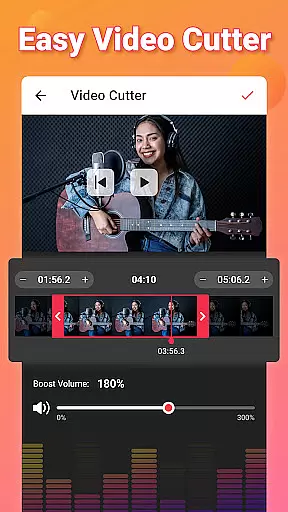
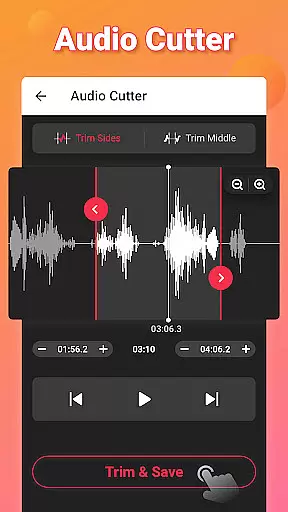
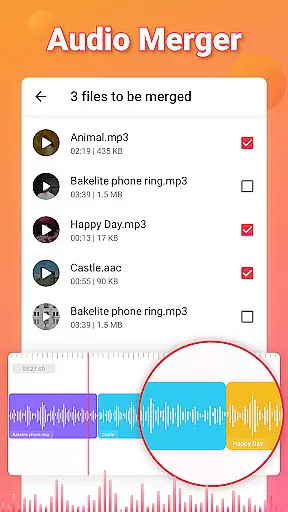
The app also offers specialized tools like a video trimmer and audio cutter, which enable precise editing of both video and audio files. Users can trim unwanted sections, merge audio tracks, and apply effects such as fade-in and fade-out transitions. Additionally, the sound boost function enhances audio clarity, making it suitable for creating polished ringtones or sharing on social platforms.
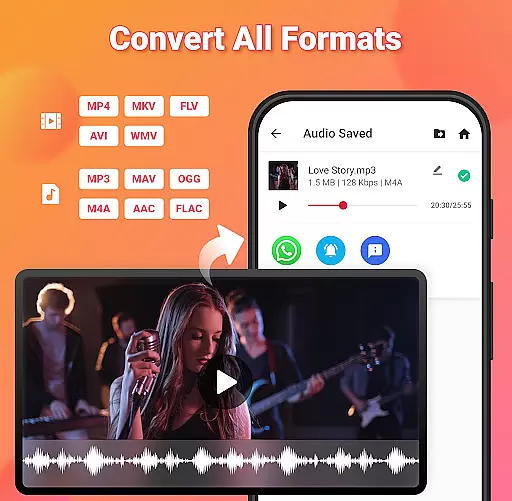
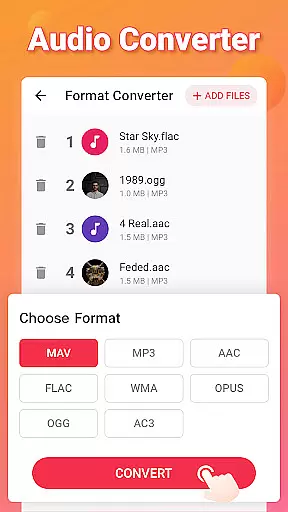
Another notable aspect is its broad format support, accommodating popular video formats like MP4, MOV, and MKV, as well as audio formats such as MP3, WAV, and FLAC. This versatility ensures maximum compatibility across devices and use cases, whether you're converting videos for personal listening or preparing files for professional distribution.
Video to MP3 stands out with its extensive video format compatibility, ensuring users can convert nearly any video file to audio effortlessly. The app supports a wide array of video formats including MP4, MKV, FLV, AVI, and WMV, making it versatile for various user needs.
This broad compatibility is crucial for users who work with different video sources or need to convert legacy video files. By supporting both common and less frequently used formats, the app ensures that no matter the source, conversion is seamless and efficient.
The application's ability to handle such a diverse range of formats not only simplifies the conversion process but also enhances accessibility. Users from different regions and technical backgrounds can easily utilize the app without worrying about format restrictions.
Ultimately, Video to MP3's comprehensive format support empowers users to focus on their content rather than technical limitations, providing a smooth and reliable experience in extracting audio from videos.
Beyond basic conversion, Video to MP3 incorporates AI-powered editing features that elevate the user experience significantly. These include smart tools like automatic video trimming, sound boosting, and fade-in/fade-out effects, which are powered by advanced algorithms designed to enhance audio quality intuitively.
Users benefit from these intelligent features as they simplify complex editing tasks. For instance, the automatic trimming feature detects silent parts in the audio, allowing users to cut and edit their files more efficiently. Similarly, the sound boost option intelligently amplifies audio levels without distortion, ensuring high-quality output.
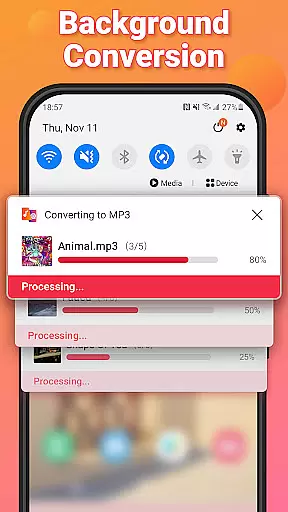
Moreover, the inclusion of AI-driven functionalities like background conversion and batch processing allows users to multitask effectively. This means you can convert multiple files or apply edits without actively managing each step, saving valuable time and effort.
By integrating these sophisticated yet user-friendly AI features, Video to MP3 not only streamlines the editing process but also makes professional-grade tools accessible to everyday users, enhancing overall productivity and satisfaction.
User-friendly interface
Batch conversion support
High-quality audio output
Wide format compatibility
Free to use
Limited advanced editing tools
Occasional ads in free version
No cloud integration
Basic UI design
Few customer support options

Fast, private downloading, video saving, social media
 4.50
4.50
A Quick and Pro Video Editor
4.70
Fast video downloader & private browser. Save HD clips to watch offline.
4.40
HD video maker with no watermark, no ads & vlog maker with music, PIP, text
4.50
Support 1000+ Video Format, Subtitle Download, mp3 & Background Play, Cast On TV
4.60
Pro video editor app for Instagram, edit video with song, AI, effect & slowmo.
4.80
Watch IPTV on your Android device
4.60
Browser for Samsung TV to stream webvideos, online movies and livestreams in HD
4.10
Screen recorder with audio to take live videos & Screenshot in high quality!
4.70
Play ALL formats in 4K & HD. Video downloader, MP3 player, Chromecast & more.
4.80
High-Quality USB Camera Viewer & HDMI Display
4.70
IPTV Loader, loads your own Playlist. DOES NOT CONTAIN ANY LIST OR CHANNELS
4.60
Video player with 4K & 1080P support, popup play, background play and subtitle.
4.20
All format media Player, no need video converter any more!
4.00
Stream Web Videos to Chromecast, Samsung, LG, Sony, Roku, Fire TV, DLNA + more
4.00
AI Video Editor:AI Music, Text to Video,Text to Speech,Auto Caption,Video Effect
4.00
Download videos easily & play them all in one smart, powerful video manager.
3.40
Client application for NextPVR software
3.00
Play and download HD videos from all sources — fast, simple, and all-in-one.
4.4


User Reviews