
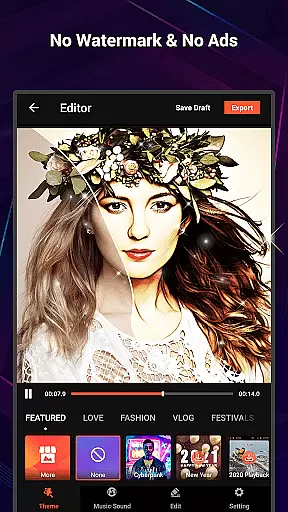
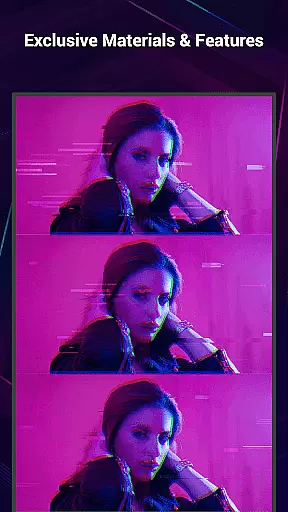
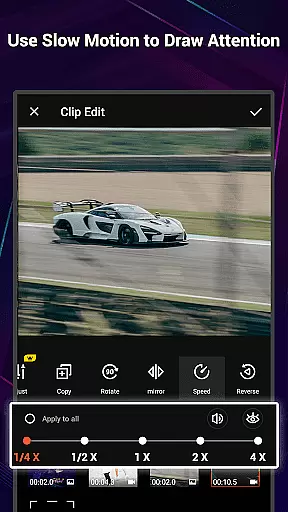
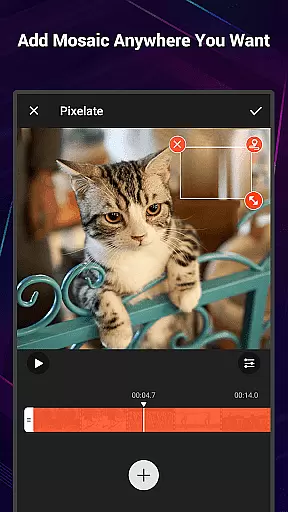
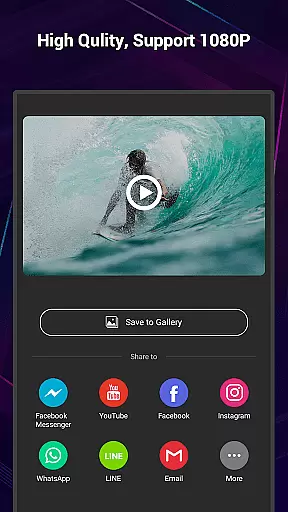
VideoShow Pro is a premium video editing application designed for both amateur and professional content creators. This app offers advanced features such as no watermark, ad-free interface, and support for exporting videos in 1080p and 4K resolutions. With an extensive library of exclusive materials, users can enhance their videos with up to 20 visual effects in a single project.
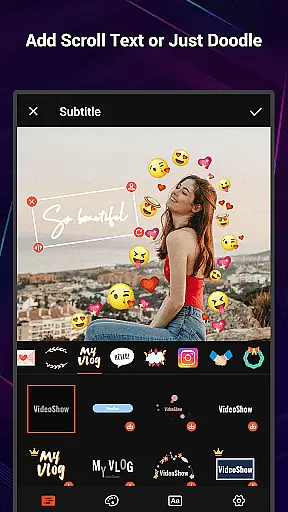
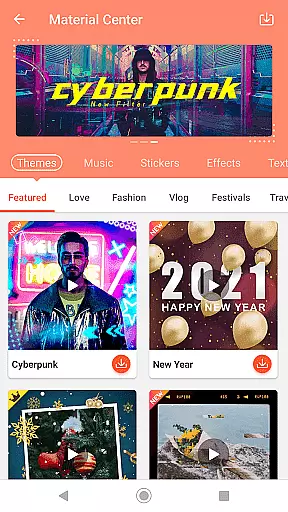
The app provides a streamlined editing experience, allowing users to create stunning videos by integrating photos, music, filters, transitions, and sound effects with minimal effort. Its intuitive interface supports zooming, rotating, and mixing video with photos. Additionally, the built-in Materials Store offers themes, music, text styles, stickers, and fonts to help users express creativity.
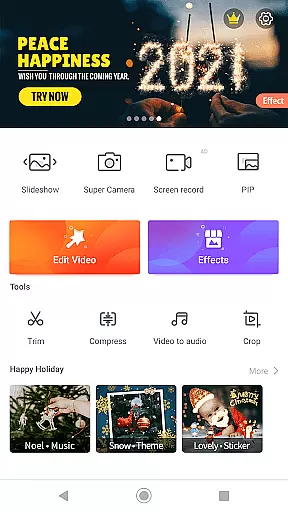
VideoShow Pro is ideal for social media content creators, videographers, and anyone looking to produce high-quality videos without the complexity of desktop editing software. The app's powerful toolbox includes features like Ultra Cut, Fast Trim, Video Compression, and Video to MP3 conversion, making it a versatile solution for all video editing needs.
VideoShow Pro stands out with its rich feature set tailored for efficient and creative video editing. One of its key strengths is the ability to export videos in 1080p and 4K resolutions, ensuring professional-grade output. The app also provides an array of exclusive materials, including unique themes, music tracks, and sound effects, enabling users to craft videos that stand out.
The app simplifies video creation with tools like no pre-transcoding, which allows users to mix videos and photos seamlessly. It also includes a variety of filters, text styles, and fonts to enhance subtitles and visuals. Users can further customize their videos with live dubbing and multi-music support, adding depth and personality to their projects.
Another notable feature is the comprehensive toolbox, which includes Ultra Cut for merging video segments, Fast Trim for quick edits, and Video Compression for reducing file sizes. These practical tools ensure that users can optimize their videos for various platforms while maintaining high quality. Overall, VideoShow Pro empowers users to create polished, professional-looking videos with ease.
VideoShow Pro stands out with its exceptional video format compatibility, ensuring that users can work with a wide range of video types without any hitches. The app supports high-resolution formats, including 1080p and 4K video exports, making it ideal for both amateur and professional video editing.
The versatility in handling different formats provides users the freedom to import various video files and edit them seamlessly within the app. Whether it's a home movie or a professional clip, VideoShow Pro maintains the quality and integrity of the original footage throughout the editing process.
Furthermore, this compatibility extends to incorporating photos and music into video projects, allowing creators to produce rich multimedia content. Users can mix and match media elements from different sources, confident that VideoShow Pro will deliver a polished final product regardless of the initial file formats.
VideoShow Pro incorporates AI-powered editing features that revolutionize the way users enhance their videos. With intelligent tools like automatic beautification filters, sketch effects, and smart text recognition, the app makes sophisticated video editing accessible to everyone.
These AI capabilities enable users to apply stunning visual effects with just one tap, streamlining the editing process while maintaining professional-grade results. The app also offers unique material suggestions powered by AI, which helps users personalize their videos with exclusive themes, stickers, and sound effects tailored to their content.
Beyond basic editing, VideoShow Pro's AI-driven toolbox includes advanced functions such as ultra cut, fast trim, and video compression. These features not only save time but also optimize videos for sharing across various platforms, ensuring that creators can focus on storytelling while the app handles the technical details.
High-quality export options
Extensive material library
User-friendly interface
Versatile editing tools
Ad-free experience
Premium version only
Occasional bugs
Limited free materials
Large file size
Steep learning curve

IPTV-Smarters Player Pro M3U - Watch Live Stream TV Channels with Chromecast
 4.00
4.00
All format media Player, no need video converter any more!
4.00
Turn your phone into a wireless camera!
4.20
Pro video editor app for Instagram, edit video with song, AI, effect & slowmo.
4.80
Download website videos fast&privacy
4.40
Powerful Video Editor & Photo Editing App —— Quick Edits & Stunning Effects!
4.30
AI Video Editor:AI Music, Text to Video,Text to Speech,Auto Caption,Video Effect
4.00
Add date and time watermark to photos and videos
4.50
This app is an emulator of some specific IPTV boxes
3.50
Find, download, and play torrents with the official BitTorrent® Pro app
4.70
Cast Videos from Web Browser, IPTV to Roku, Chromecast, DLNA, Smart TV +more
4.60
Search & download videos from net with all video downloader, auto-detect & safe.
4.60
VLC Remote lets you control your VLC Media Player on Mac, PC or Linux.
4.60
Auto video maker with music & exclusive filters. Video editing made simple.
4.50
Cast to Chromecast, Xbox, Fire Stick, Roku, DLNA, Smart TV & No Feature Limited!
4.50
Video Downloader, Multiple Resolution Options, Video Player
4.50
Save photos and videos from social apps in one tap.
3.60
Watch full episodes of your favorite Cartoon Network and Cartoonito shows!
3.50
Powerful HD video player with support for all formats & subtitles.
4.1


User Reviews