
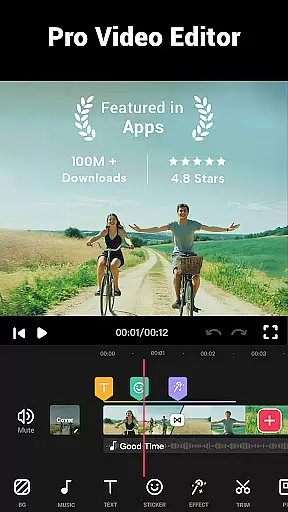

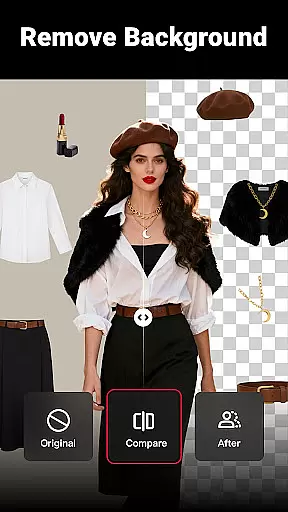
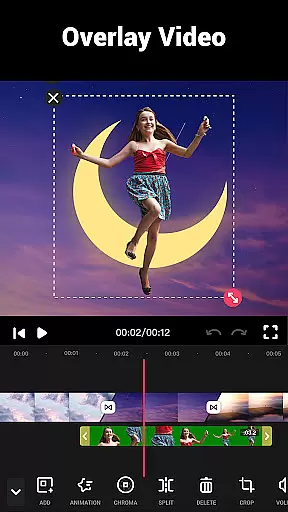
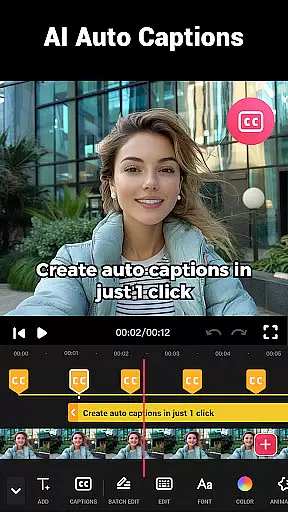
Video Maker is a versatile video editing application that allows users to create professional-quality videos directly from their Android devices. The app offers an extensive range of features including trimming, cutting, and adjusting video speed, as well as adding music, transitions, filters, and effects. With support for 4K video export and no watermark, it ensures high-quality output for sharing across various social media platforms like YouTube, Instagram, and TikTok.
This all-in-one video editor stands out with its user-friendly interface and powerful editing tools. Whether you're a beginner or a seasoned creator, Video Maker provides the necessary resources to edit videos with ease. From multi-layer editing to extracting audio from videos, this app caters to diverse editing needs while maintaining a seamless user experience.
Ideal for vloggers and content creators, Video Maker enables users to enhance their storytelling with customizable video speeds, background options, and a variety of cinematic filters. Its ability to combine photos and music into engaging video content makes it perfect for capturing and sharing life's memorable moments.
Video Maker distinguishes itself through its comprehensive suite of editing features tailored for both novice and experienced users. One of its standout capabilities is the multi-layer editing function, which allows creators to add music, voice-overs, sound effects, and stylish fonts to their projects. This feature empowers users to produce rich, dynamic content that captures viewers' attention.
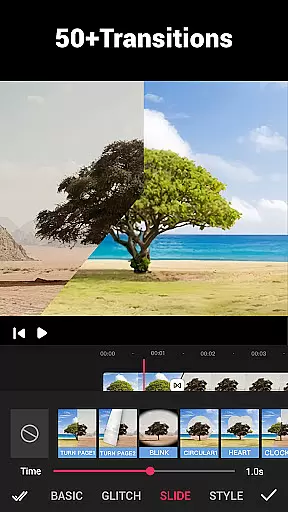
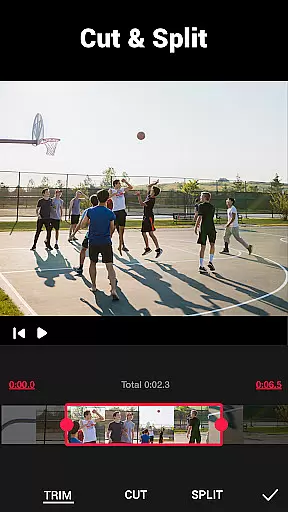
The app also includes advanced video trimming and cutting tools, enabling precise edits that enhance storytelling. With over 50 transition effects available, users can seamlessly merge clips and create visually stunning videos. Additionally, Video Maker supports video speed adjustments, allowing for fast or slow-motion effects that add dramatic flair to any project.
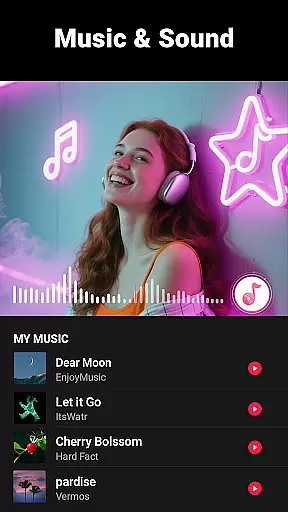
Another remarkable aspect is its ability to extract audio from videos and provide beat markers for rhythm-based editing. Combined with a vast library of HD music tracks and customizable filters, Video Maker ensures that every creation is unique and professionally polished. The absence of watermarks and banner ads further enhances the overall user experience.
Video format compatibility is a crucial feature for any video editing application, ensuring that users can work with a wide range of video files without conversion hassles. Video Maker excels in this area by supporting multiple formats, allowing creators to import and export videos in resolutions up to 4K without watermarks.
The app's powerful compatibility features enable seamless integration with popular platforms like YouTube, Instagram, and TikTok. This ensures that after editing, sharing content directly to social media is hassle-free and maintains high quality across different devices and platforms.
Moreover, Video Maker provides options for custom resolutions, giving users the flexibility to compress and convert videos according to specific requirements. Whether it's for professional use or personal projects, this versatility enhances user experience by catering to diverse needs without compromising on quality.
AI-powered editing features represent the cutting edge of video editing technology, automating complex tasks and enabling creators to produce professional-quality content with minimal effort. Video Maker incorporates advanced AI tools that simplify processes such as audio extraction, rhythm-based editing, and filter application, making sophisticated edits accessible to users of all skill levels.
One standout feature is the automatic adjustment of video speed and background blur, which utilizes AI to analyze and modify footage dynamically. This allows users to create fast or slow-motion effects and optimize video backgrounds for social media seamlessly.
Additionally, the app offers AI-driven music suggestions and volume adjustments, enhancing the overall production value of videos. These smart features not only save time but also inspire creativity, empowering users to craft compelling narratives and engaging visual stories effortlessly.
User-friendly interface
Extensive editing tools
High-quality 4K export
Variety of transition effects
No watermark on exports
Limited advanced features
Occasional performance lags
Fewer tutorials for beginners
Ads in free version
Interface can feel cluttered

Snaptubè Video Downloader app allows to download videos and music in Snaptube. .
 4.60
4.60
Create & edit videos with AI
4.30
Capture images & record videos for USB Camera, Webcam, Microscopes, Endoscopes
3.80
Stream Web Videos to Chromecast, Samsung, LG, Sony, Roku, Fire TV, DLNA + more
4.00
Turn your phone into a wireless camera!
4.20
Download videos easily & play them all in one smart, powerful video manager.
3.40
Movie maker & video editing app with AI effects and green screen
4.30
AI Video Editor:AI Music, Text to Video,Text to Speech,Auto Caption,Video Effect
4.00
Make your own Animations, Video and Photo Edits, Visual Effects, and more!
4.00
Play ALL formats in 4K & HD. Video downloader, MP3 player, Chromecast & more.
4.80
Download Hub, easy and private way to download and enjoy your videos offline
4.80
Download videos and play them offline
4.70
Find, download, and play torrents with the official BitTorrent® Pro app
4.70
Cast Videos from Web Browser, IPTV to Roku, Chromecast, DLNA, Smart TV +more
4.60
Web Browser for LG TV to stream webvideos, online movies and livestreams in HD
4.20
Video player with 4K & 1080P support, popup play, background play and subtitle.
4.20
IPTV-Smarters Player Pro M3U - Watch Live Stream TV Channels with Chromecast
4.00
Fast private browser with secure, seamless access & supported video downloads!
4.00
All in one multi protocols stream receiver for AirPlay, Cast and DLNA.
3.60


User Reviews