
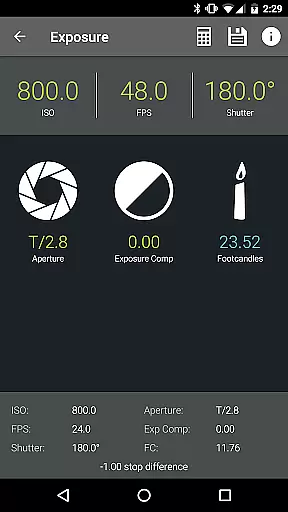
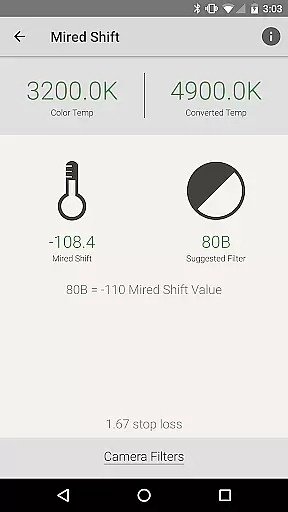
Pocket AC is an essential mobile application tailored for cinematographers and videographers, providing a comprehensive suite of tools and reference materials crucial for film production. The app features over 20 specialized calculators including Depth of Field, Exposure, and Flicker Free Shutter, alongside vital reference tables such as Camera Specifications and Lens Catalogs. These resources are designed to streamline pre-production planning and on-set execution.
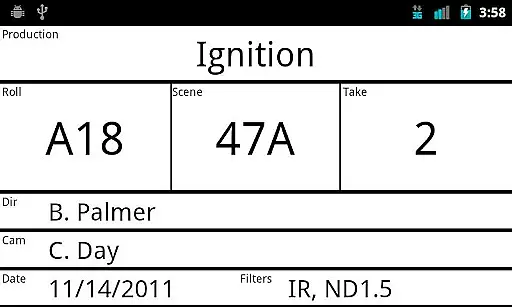
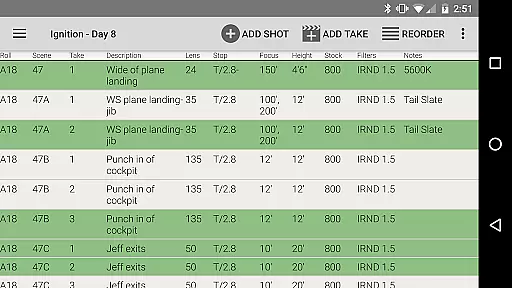
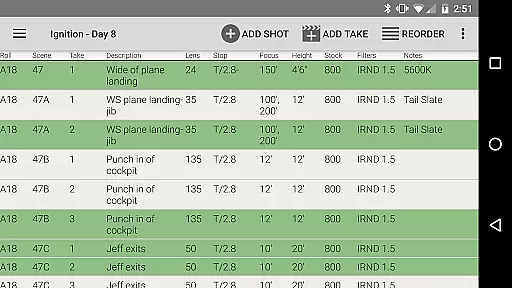
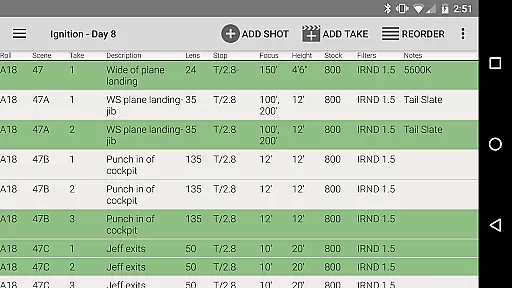
One standout feature is the integrated camera log functionality, which allows users to efficiently document shooting setups and export detailed reports in multiple formats like PDF or CSV. This tool proves invaluable when collaborating with teams in real-time or managing multi-camera productions. With support for over 140 camera models and 2000 lenses, Pocket AC ensures that professionals have access to accurate data at their fingertips, enhancing both efficiency and creativity on set.
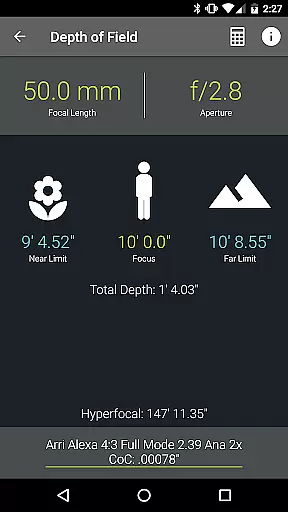
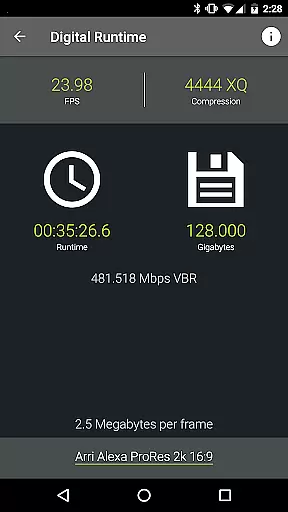
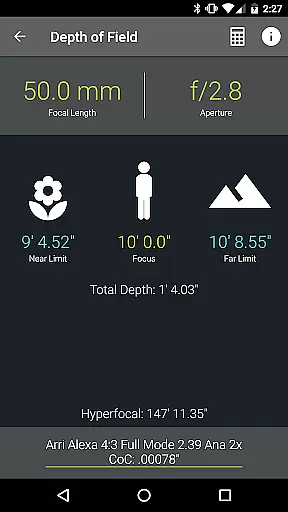
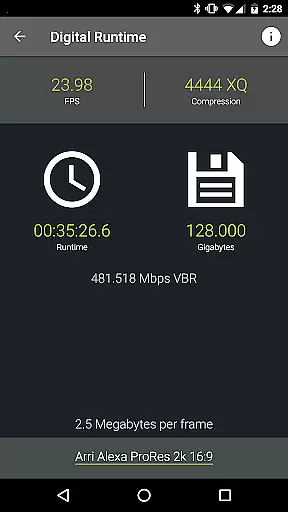
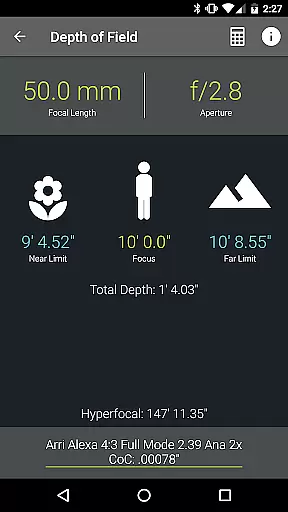
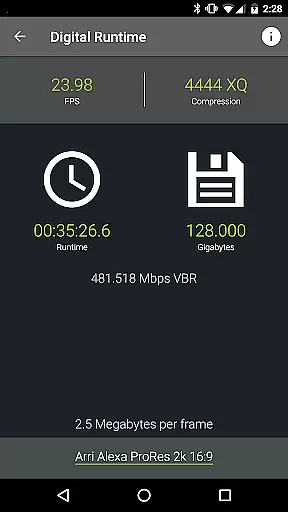
The app boasts an extensive array of features that cater specifically to the needs of camera assistants and cinematographers. Among its most notable tools are the Depth of Field calculator, which helps achieve precise focus, and the Data Transfer calculator, ensuring optimal file sizes and compression rates. Additionally, the Digital Runtime calculator assists in managing recording durations effectively.
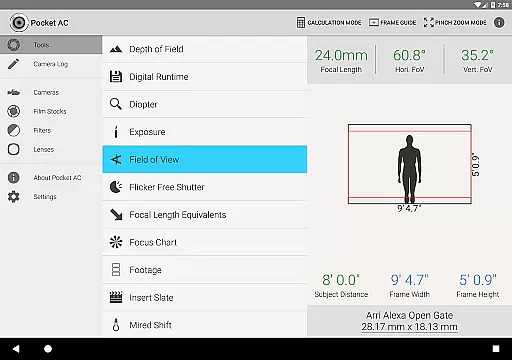
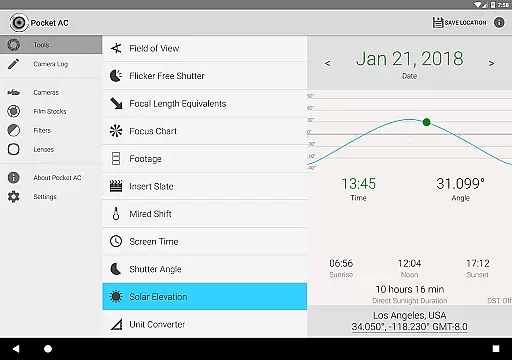
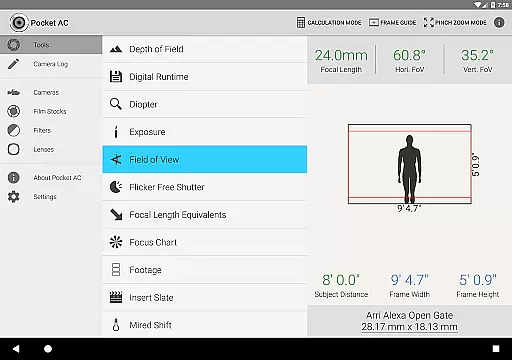
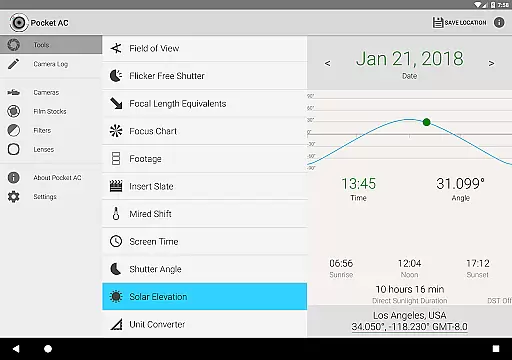
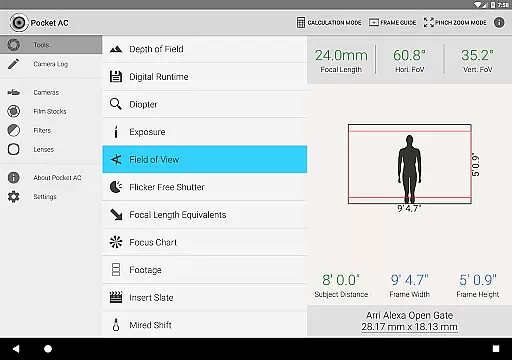
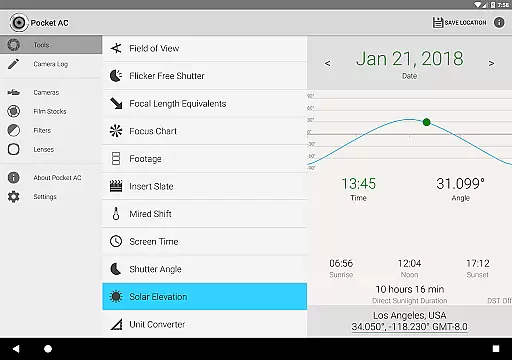
Pocket AC also includes innovative functionalities such as the Field of View preview with focal reducer support and the Solar Elevation tracker, which aids in planning shoots according to natural lighting conditions. The Unit Converter supports various measurement systems, from area and temperature to illumination and weight. Each feature is meticulously crafted to provide practical solutions, empowering filmmakers to concentrate on their creative vision without being hindered by technical challenges.
Pocket AC offers a comprehensive suite of tools that enable real-time capture and preview for cinematographers and videographers. This functionality is crucial in ensuring that every shot meets the desired technical specifications before it's taken, thus saving time and resources on set.
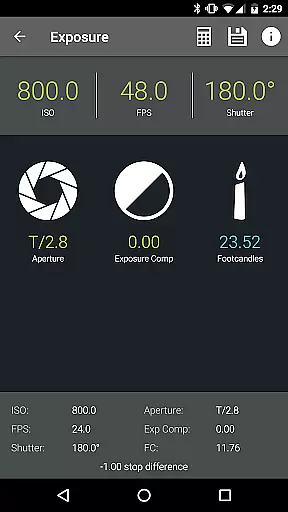
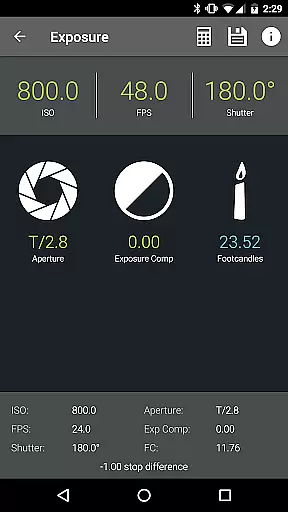
The application provides advanced features such as Depth of Field and Split Focus calculators, Exposure settings, and Field of View previews with support for focal reducers. These tools allow users to visualize how different camera settings will affect the final image, providing an accurate representation of what the camera will capture.
By using Pocket AC's real-time functionalities, professionals can make informed decisions about their shots, leading to improved efficiency during production. The ability to preview changes instantly helps streamline workflows and ensures that creative visions are accurately translated into the captured footage.
Ultimately, this app empowers filmmakers by giving them precise control over their equipment and the images they produce, which is invaluable in high-pressure environments where accuracy and speed are paramount.
While Pocket AC does not focus on AI beauty enhancements typical in photography apps, it excels in providing natural and authentic enhancements through its sophisticated set of calculators and reference tables tailored for professional video production.
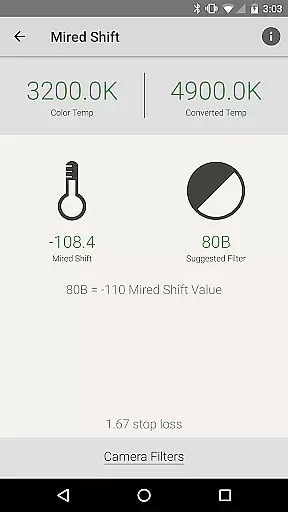
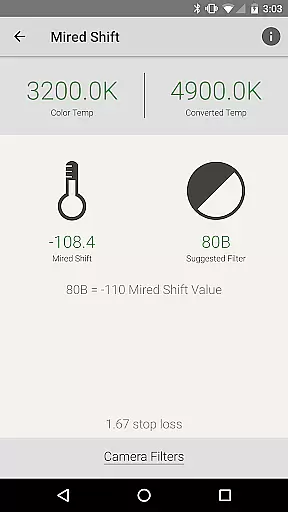
The app includes a variety of technical tools such as the Digital Runtime, Filesize and Compression calculator, and Mired Shift and Filter Suggestions, which contribute to the enhancement of video quality without artificial alterations. These features ensure that the enhancements are in line with professional standards and maintain the integrity of the original footage.
For videographers seeking to preserve the authenticity of their work while optimizing technical parameters, Pocket AC serves as an indispensable tool. Its data-driven approach supports natural-looking results by focusing on accurate calculations and industry-standard practices.
By prioritizing technical precision and offering extensive camera and lens specifications, Pocket AC ensures that any enhancements made to the footage are both subtle and effective, aligning with the expectations of discerning professionals in cinematography.
User-friendly interface
Comprehensive toolset
Real-time collaboration
Multi-format export options
Extensive device compatibility
Steep learning curve
Occasional bugs
Limited free features
High cost for full access
Requires constant updates

Shooting photos and records video easily and efficient with professional Camera
 4.30
4.30
An interval timer to automate photo taking process for timelapse
2.90
Take videos and pictures with the popular TikTok TIME WARP SCAN filter.
4.60
Easily create custom gifts, cards, photo books & more on the Shutterfly app!
4.60
Transform Photos: Edit, Beautify and Craft Memories & Make Collages!
4.10
Your personal guide to the sun and moon. Plan ahead, visualize and predict!
4.70
Professional camera app that brings DSLR manual photography controls to Android.
4.20
Unlock the full potential of your DJI drone with Litchi
4.50
A unique animation app. Powerful, easy to use, and lots of fun.
4.30
Gallery show photo, video, slideshow, is perfect 3D effect private photo albums.
4.80
Photo editor: AI filters, photo enhancer, pic collage maker, AI art generator.
4.80
Safe & smart flight with Go Fly drone controller for 40+ drone camera, zone map
4.50
Search, tag and rate your way to an organized image gallery
4.40
The #1 app for B&W film developing featuring an advanced darkroom timer.
4.10
Catch sunlight, sunrise sunset times and sun phases with the AR sun tracker.
4.10
Photo editor: face & body editor, beauty cam, filters and quality enhancer.
4.00
Turn photos into cartoons & avatars! - Photo Editor, Cartoon Face!
3.90
USB Storage Access for Photos, Videos, Music and Documents
3.80
Application for remote controlling DSLR
3.00


User Reviews