
YouCam Perfect is a comprehensive photo editing app designed for photography enthusiasts and selfie lovers. This ultimate beauty camera app offers an extensive suite of AI-powered tools, including object removal, background editing, and quality enhancement. With over 800 million downloads, it has become a go-to solution for users seeking professional-grade photo retouching and creative effects.
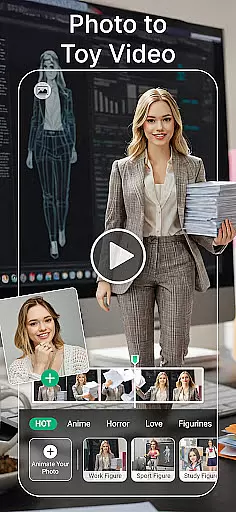
The app provides advanced features such as body tuning, height adjustment, and makeup tools that allow users to enhance their natural beauty effortlessly. Its innovative image-to-video functionality transforms static images into dynamic videos with stylish transitions. Whether you're looking to create stunning collages or decorate photos with trendy filters and animated effects, YouCam Perfect delivers all the necessary tools in one intuitive platform.
Perfect for social media influencers and casual users alike, this app helps elevate your photo editing game by offering generative AI tools like AI Headshot and AI Avatar creation. These features enable users to generate polished profile pictures and unique digital avatars, making it ideal for professional and personal use. The app's versatility ensures that everyone can achieve picture-perfect results with minimal effort.
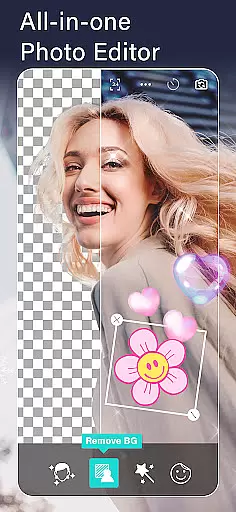
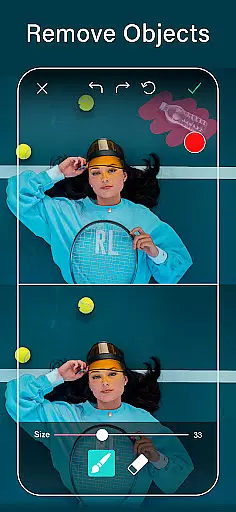
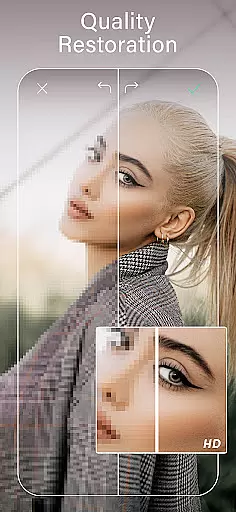
YouCam Perfect stands out with its diverse range of innovative features tailored to meet various photo editing needs. One of its core strengths lies in the powerful AI tools, which include object removal, background erasure, and image enhancement capabilities. Users can instantly erase unwanted objects from photos, cut out subjects with precision, and even expand backgrounds seamlessly using AI technology. These features ensure that every photo looks clean and professional without requiring advanced editing skills.
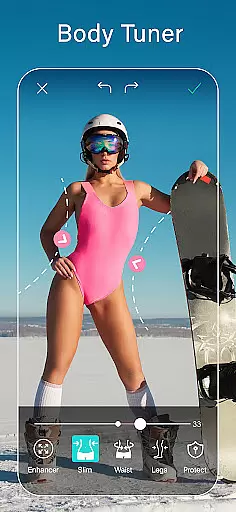
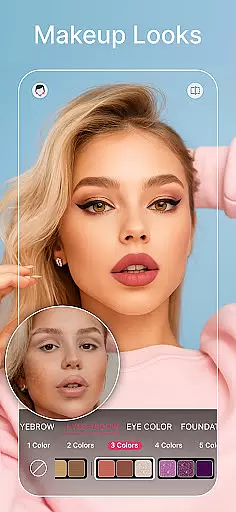
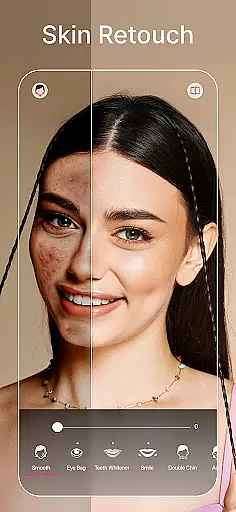
In addition to its AI capabilities, the app offers robust beauty and makeup tools. With just one tap, users can beautify selfies by smoothing skin, whitening teeth, and removing blemishes. For those looking to experiment with different looks, the AI makeup feature provides options for applying lipstick, blush, contour, and full-face transformations. The body tuner and height adjustment tools further enhance user experience by allowing subtle yet impactful modifications to body shape and proportions.
Beyond traditional editing, YouCam Perfect introduces creative functionalities such as image-to-video conversion and animated effects. Users can turn their favorite photos into captivating short videos enhanced with stylish transitions and emotional effects like AI Hug and AI Kiss. Moreover, the app supports multi-layer editing, enabling users to combine stickers, text, and images creatively. With these versatile features, YouCam Perfect empowers users to unleash their creativity while achieving professional-quality results.
YouCam Perfect offers a powerful real-time capture and preview feature that allows users to see the results of their edits instantly. This ensures that every photo taken or edited with the app meets the user's expectations without any guesswork.
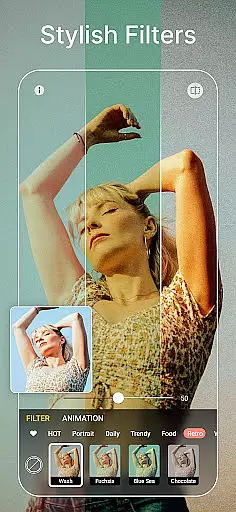
The app provides live previews of filters, effects, and beauty enhancements before the photo is captured. This means you can apply trendy filters, smooth skin, whiten teeth, and remove blemishes in real time, ensuring your selfies look perfect right from the start.
With its intuitive interface, YouCam Perfect makes it easy for users to adjust settings on-the-fly. Whether it's reshaping facial features, trying out different makeup looks, or applying animated effects, the real-time preview ensures that all changes are exactly as desired.
This immediate feedback loop enhances the overall user experience by saving time and effort, allowing users to focus more on creativity rather than trial and error. The result is professional-quality photos that are ready to impress at a momentu2019s notice.
YouCam Perfect leverages advanced AI technology to provide natural-looking beauty enhancements that elevate your photos without making them appear overly edited. This balance between enhancement and authenticity sets the app apart from other photo editors.
Features like skin smoothing, teeth whitening, and blemish removal use sophisticated algorithms to ensure that edits look realistic. The AI tools analyze facial features and apply adjustments that maintain the unique characteristics of each individual, avoiding the plastic or artificial appearance common in lesser apps.
In addition to basic retouching, YouCam Perfect offers AI makeup tools that allow users to try different lipstick shades, blush styles, and full-face looks. These enhancements adapt seamlessly to various skin tones and lighting conditions, providing consistently natural results.
By prioritizing natural enhancement, YouCam Perfect empowers users to create stunning images that still retain their genuine essence. This approach not only boosts confidence but also ensures that every edited photo remains true to the original spirit of the moment captured.
User-friendly interface
Advanced AI tools
Versatile editing options
High-quality results
Regular updates
Premium features locked
Occasional ads
Steep learning curve
Limited free resources
Subscription costs

Search, tag and rate your way to an organized image gallery
 4.40
4.40
[3DSteroid Pro] is a stereoscopic application for Android.
4.30
Perfect body tune & face app - photo retouch, makeup, slim body & beautify face.
4.80
Transform photos into videos! Create realistic or anime-style images easily!
4.50
Pro version: AR sun/moon tracker for any date. Tool for photographers & planners
4.90
live datamoshing
4.00
Enhance, upscale, and transform your images — on your device, without limits
4.70
Try an anime version, cartoon yourself, and generate AI hug or aging videos!
3.70
Photo & Video Gallery app to manage albums and save WA Status easily.
4.70
See your baby AI baby face generator AI baby maker Face generator babymaker fun!
4.70
The original Rarevision VHS look seen everywhere!
4.70
Viewfinder, Light meter, Reciprocity failure time, DOF & Bellows Extension
4.60
Photo Exif Editor allows to view, add and modify EXIF data of multiple photos
4.50
A reflected light meter with spot metering and incident light metering.
4.40
AI portrait generator and polaroid AI selfie, fun AI generated AI photo creator!
4.30
AI-powered video creator by MiniMax - Where ideas meet cinema
4.20
All-in-One Editor & AI Photo Enhancer, Collage, Cartoonify, Funny Stickers & BGS
4.10
Turn photos into cartoons & avatars! - Photo Editor, Cartoon Face!
3.90
USB Storage Access for Photos, Videos, Music and Documents
3.80


User Reviews