
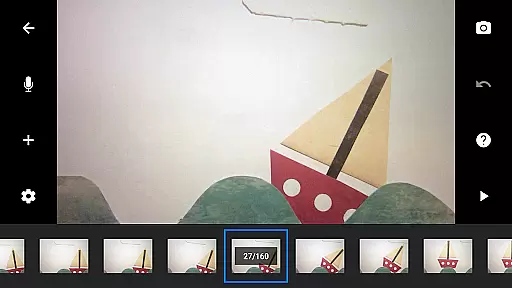
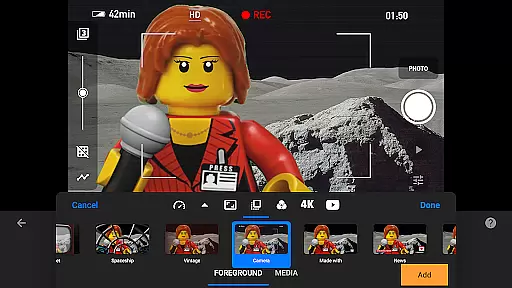
Stop Motion Studio Pro is the ultimate app for creating professional-quality stop motion animations. Designed with both beginners and experts in mind, this app offers an intuitive interface that makes it easy to produce stunning movies reminiscent of classics like Wallace and Gromit or creative Lego shorts seen on YouTube. With its powerful editing tools, users can craft visually appealing films complete with unique titles, credits, and text cards.
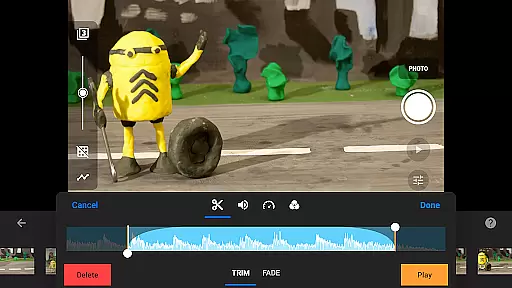
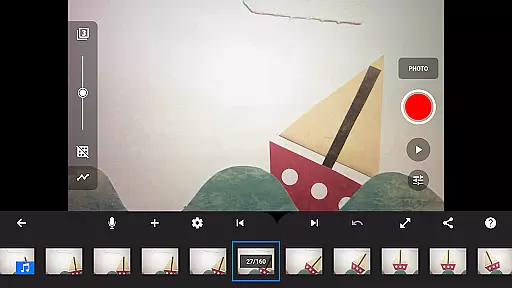
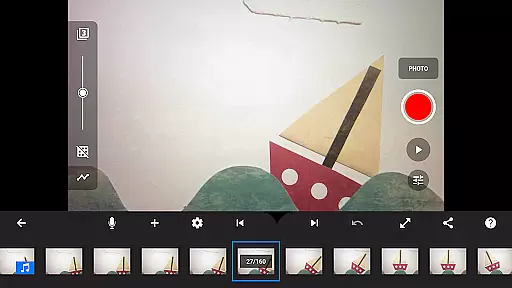
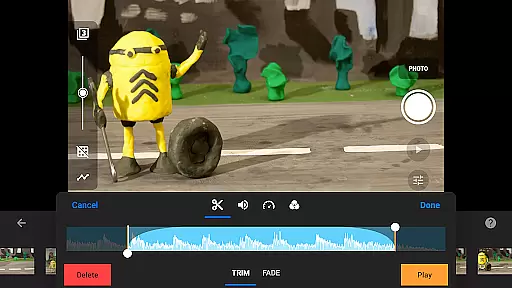
The app stands out with advanced features such as overlay mode, which highlights differences between frames, and animation guides that simplify object positioning. It also includes a robust timeline system, ensuring smooth navigation even with hundreds of frames. Whether you're capturing frame-by-frame animations or importing video clips for rotoscoping, Stop Motion Studio Pro provides all the necessary tools to bring your creative vision to life.
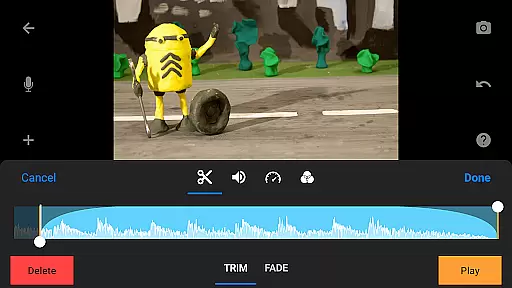
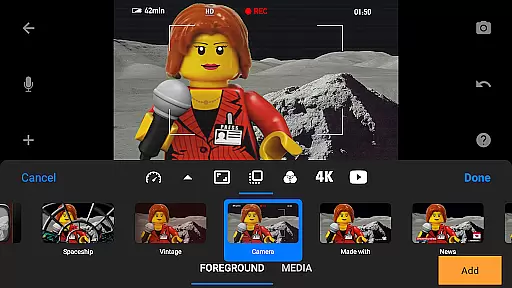
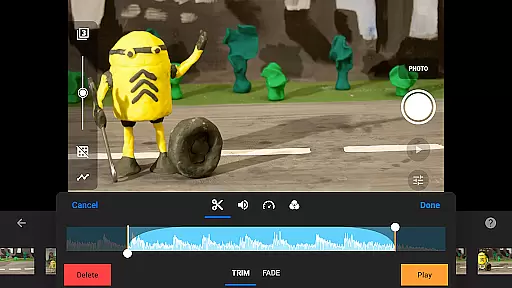
Ideal for hobbyists and professionals alike, this app allows users to create soundtracks using built-in music, sound effects, or personal audio files. The green screen feature enables background changes, while the layer-based image editor lets you add text, speech bubbles, and touch up images. Share your finished projects in 4K or 1080p on platforms like YouTube or save them as animated GIFs. Available on mobile and desktop, it ensures seamless project continuity across devices.
Stop Motion Studio Pro boasts an impressive array of features designed to enhance the animation process. One standout capability is the overlay mode, which visually compares consecutive frames, allowing animators to achieve smoother transitions and more precise movements. This feature is complemented by animation guides that help position objects accurately, ensuring consistent motion throughout the film.
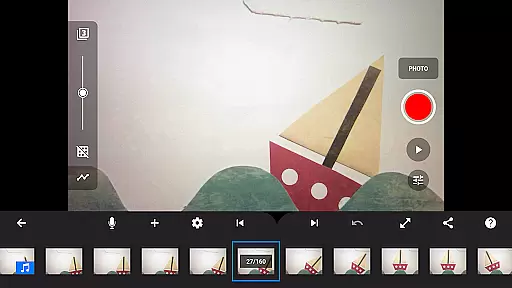
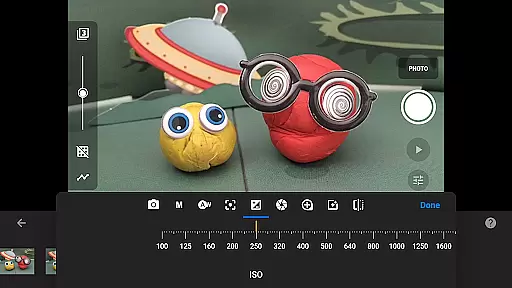
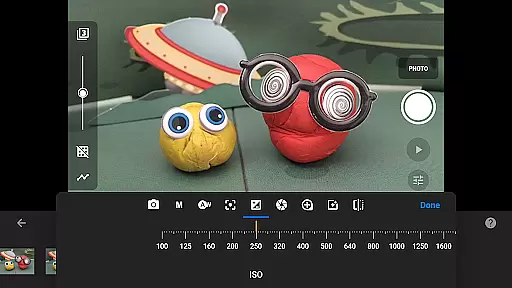
The app's interactive timeline is another key feature, providing users with a clear overview of their project regardless of its complexity. With options to copy, paste, cut, and insert frames at any point, editing becomes effortless. Additionally, the adjustable time interval capture feature gives creators control over their shooting pace, while full camera settings—including manual white balance, focus, exposure, ISO, and shutter speed—deliver professional-grade image quality.
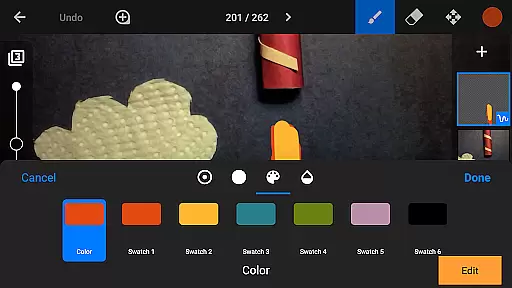
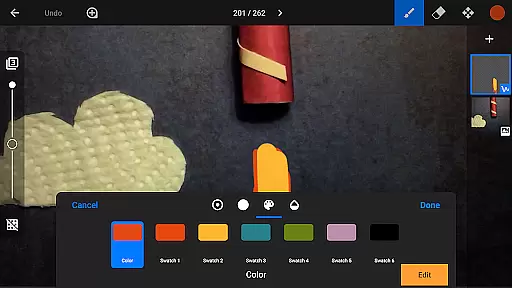
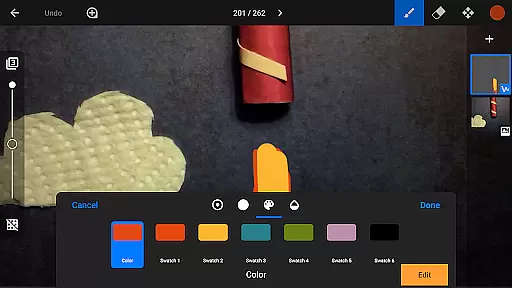
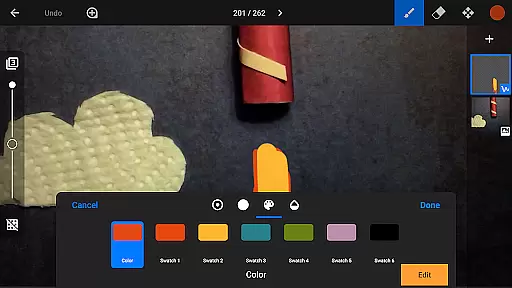
For post-production, the built-in layer-based image editor offers extensive customization options. Users can add text, draw, paint, and even remove unwanted elements with the eraser tool. The green screen functionality allows for limitless creative possibilities by changing backgrounds, while rotoscoping lets animators trace over live-action footage. These innovative tools empower users to produce high-quality animations that rival industry standards.
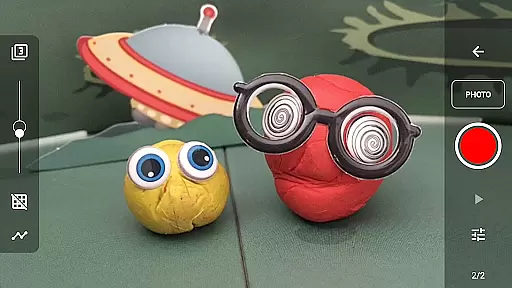
Real-time capture and preview functionality is essential for ensuring that every frame of your stop-motion animation is exactly as you envision it. Stop Motion Studio Pro offers a comprehensive set of tools to enhance this process.
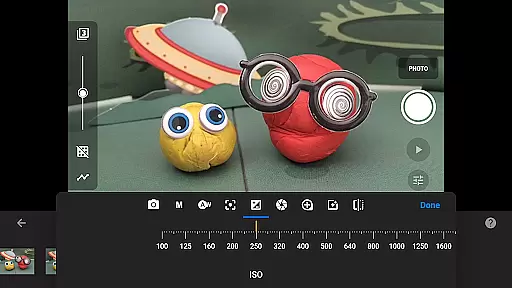
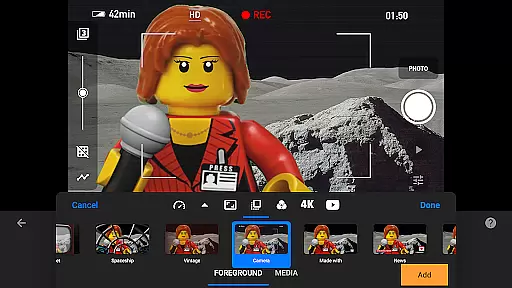
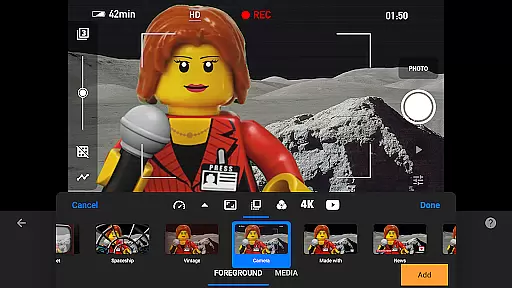
The app provides full camera control, allowing users to adjust settings such as white balance, focus, exposure, ISO, and shutter speed manually or automatically. This ensures that each shot is captured with the desired quality and lighting conditions.
Additionally, the adjustable time interval feature enables creators to automate the capture process, making it easier to maintain consistency across frames. Users can also employ a second device as a remote camera, offering greater flexibility in shooting angles and setups.
This meticulous attention to detail in capturing frames empowers animators to produce high-quality stop-motion videos efficiently, enhancing both the creative process and the final output's visual appeal.
Stop Motion Studio Pro incorporates advanced AI beauty and enhancement features that significantly elevate the naturalness and professionalism of animations. These tools are designed to refine images without compromising their authenticity.
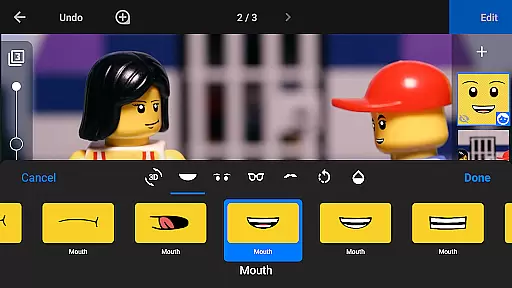
The layer-based image editor allows users to add text, speech bubbles, and titles seamlessly. It also includes tools for sketching, painting, and touching up images, enabling detailed enhancements that bring characters and scenes to life.
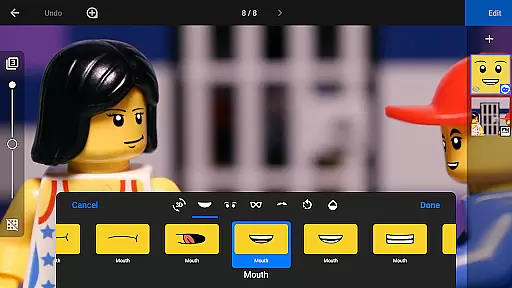
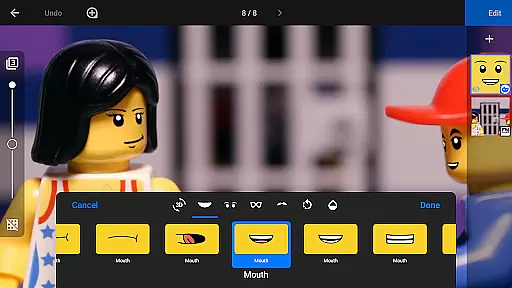
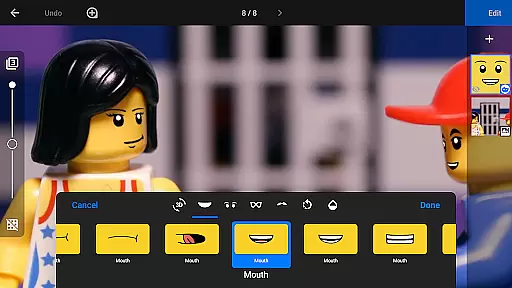
One standout feature is the ability to add facial expressions to figures, which adds depth and emotion to animated characters. The eraser tool helps remove unwanted objects, ensuring clean and polished frames.
These AI-driven enhancements ensure that every element of the animation looks intentional and refined, providing a professional finish that enhances storytelling while maintaining the organic feel of stop-motion artistry.
User-friendly interface
Advanced editing tools
Professional output quality
Cross-device compatibility
Comprehensive learning resources
Steep learning curve
High cost for casual users
Limited free version
Resource-intensive
Occasional bugs

Gallery show photo, video, slideshow, is perfect 3D effect private photo albums.
 4.80
4.80
All-in-One Editor & AI Photo Enhancer, Collage, Cartoonify, Funny Stickers & BGS
4.10
Create Business Headshots, Polaroid Filter, Retake Photos,Profile Pics,AI Photos
4.50
Cartoon and artistic effects for your photos and videos
4.70
Raw Image Viewer. Gallery with support of raw images (.cr3, .cr2, .nef, .raf).
2.00
USB Storage Access for Photos, Videos, Music and Documents
3.80
Future baby face generator: AI kids generator, kid face! What my baby look like?
4.40
Fit multiple photos on one post. Create carousels & scroll layouts for Instagram
4.50
A light meter for true photographers.
4.20
Pro version: AR sun/moon tracker for any date. Tool for photographers & planners
4.90
The original Rarevision VHS look seen everywhere!
4.70
Enhance, upscale, and transform your images — on your device, without limits
4.70
Unblur, enhance & restore photos with powerful AI photo enhancer tools.
4.60
Transform photos into videos! Create realistic or anime-style images easily!
4.50
Photo Exif Editor allows to view, add and modify EXIF data of multiple photos
4.50
Smart, light, and fast photo and video gallery
4.30
Photobooth mini FULL app will allow you to add more fun to your parties
4.00
Gallery Slideshow is slideshow maker app for slideshow from your gallery photos.
3.90
Pet Camera
3.70


User Reviews