
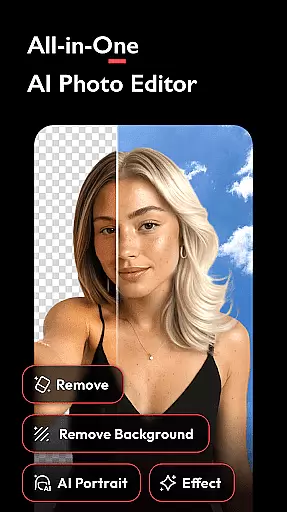


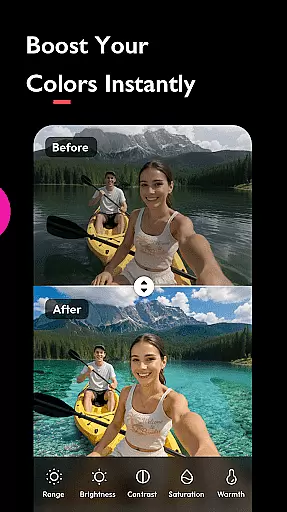
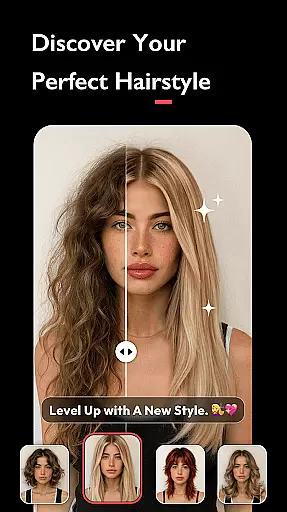
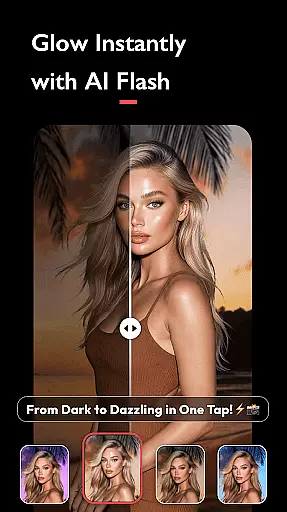
AI Photo Editor - Polish is a powerful photography app designed to transform your photos into stunning works of art through advanced AI technology. The app offers over 500 AI filters, effects, templates, and tools that cater to both amateur and professional users.
Key features include AI photo enhancement, background removal, portrait generation, and beautification tools. Whether you're retouching selfies, creating LinkedIn headshots, or enhancing photo quality, this app provides effortless editing for every creator. Its intuitive interface ensures users can achieve professional results without requiring technical skills.
With Polish, you can enhance images using trendy filters like Y2K and VHS, create photo collages, and apply body and face tuning adjustments. It's perfect for influencers, marketers, and creatives who want to refine their personal brand or capture everyday moments with artistic flair.
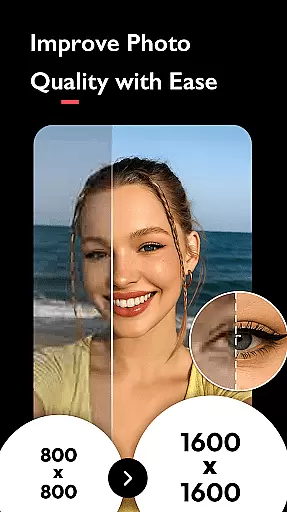
Polish stands out with its comprehensive suite of AI-powered tools tailored for diverse editing needs. The AI Photo Enhancer fixes blurry images and boosts resolution to HD in one tap, while the AI Remove tool effortlessly eliminates unwanted objects from photos.
For creative professionals, the app includes advanced features such as AI Cartoon avatars, AI Expand for resizing images, and Auto Adjust for optimizing brightness and contrast. Users can also experiment with blending images, adding light effects, and applying DSLR-style background blur.
Additional highlights include body and face tuning options like skin smoothing, leg elongation, and facial slimming. With direct sharing capabilities to platforms like Instagram and Facebook, Polish ensures your edited photos are ready for social media in high resolution without watermarks.
Real-time capture and preview functionality is essential for ensuring that users can see the results of photo edits immediately. This feature allows users to visualize changes as they apply filters, effects, and adjustments to their photos.
AI Photo Editor - Polish offers an extensive suite of AI-powered tools that provide instantaneous feedback. Whether it's applying trendy AI filters or enhancing photo quality, users can observe the impact on their images in real time.
The advantage of this immediate feedback loop is significant. Users can make precise modifications without guesswork, ensuring that the final image aligns perfectly with their creative vision. This capability not only saves time but also enhances user satisfaction by delivering professional-grade results effortlessly.
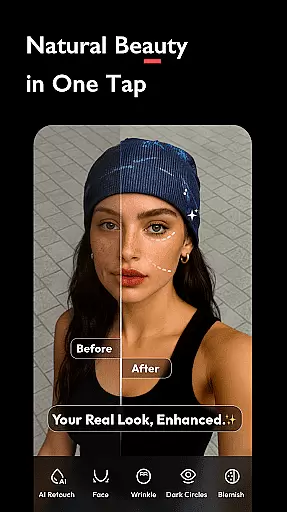
AI beauty and enhancement features are designed to improve the aesthetic appeal of photos while maintaining a natural look. The challenge lies in balancing enhancement with authenticity so that edited images do not appear overly processed or artificial.
In AI Photo Editor - Polish, advanced algorithms work behind the scenes to smooth skin, brighten complexions, and refine facial features subtly. These AI-driven enhancements ensure that subjects look their best without losing their unique characteristics.
Users benefit from these sophisticated tools by achieving polished yet genuine-looking results. By preserving natural beauty, the app supports diverse editing needs, from professional portraits to casual snapshots, all while empowering users to express their creativity confidently.
Easy-to-use interface
Over 500 AI tools
HD photo enhancement
Advanced retouching
No skill required
Premium features locked
Ads may interrupt
Heavy on storage
Subscription costly
Learning curve

Remote control of the phone camera from your Wear OS smartwatch
 3.70
3.70
AI portrait generator and polaroid AI selfie, fun AI generated AI photo creator!
4.30
Gallery show photo, video, slideshow, is perfect 3D effect private photo albums.
4.80
Create funny photos and videos with the popular Time Warp Scan filter.
4.90
Professional video recording application with manual controls for filmmakers!
2.80
Application for remote controlling DSLR
3.00
Amazing Photo Effects - The most fun you can have with your photos!
4.70
Unblur, enhance & restore photos with powerful AI photo enhancer tools.
4.60
PhotoSync Bundle Add-On License. Enables all features and services in PhotoSync.
4.60
Collage your moments in one tap: 1000+ layouts, filters, stickers, and texts.
4.90
A collection of tools and reference tables for DPs, ACs, DITs and Operators.
4.70
1M influencer's special filter
4.60
Automatically backup your photos and videos to computer, NAS and Cloud services
4.60
Easily stitch panoramas from multiple photos or video.
4.40
Luminar: Photo Editor - easy picture editing with AI
4.20
The #1 app for B&W film developing featuring an advanced darkroom timer.
4.10
Professional quality photo edits with the new Snapseed.
4.00
Astrophotography with your smartphone, photo live stacking and much more!
3.90
Pet Camera
3.70


User Reviews