
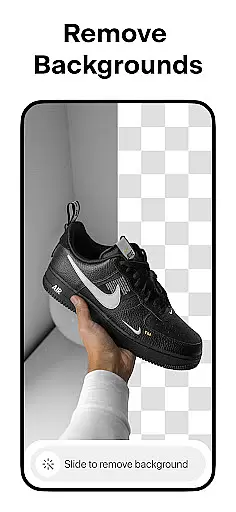



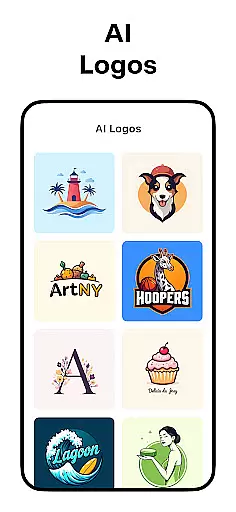
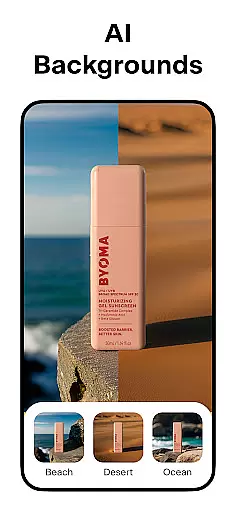
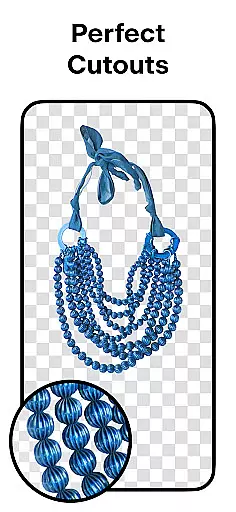
Pixelcut AI Photo Editor is a comprehensive design tool tailored for creators, entrepreneurs, and social media enthusiasts. This all-in-one photo editor leverages artificial intelligence to simplify complex design tasks, enabling users to produce professional-quality visuals in seconds. The app's standout feature is its ability to instantly remove backgrounds with precision, making product photography for e-commerce seamless and efficient.
Beyond background editing, Pixelcut offers tools like the Magic Eraser for cleaning up images, AI Photoshoot for generating unlimited product shots, and Magic Writer, an AI-powered copywriting assistant. These features cater to users looking to enhance their online presence on platforms such as Instagram, Shopify, and Poshmark. Whether you're designing marketing materials or personal projects, Pixelcut provides templates, text styles, and creative layouts that ensure your content stands out.
Pixelcut distinguishes itself through its robust suite of AI-driven features. The Background Remover allows users to erase image backgrounds with a single tap, delivering clean cutouts ideal for product listings. Paired with the AI Photoshoot tool, users can generate studio-quality product photos without needing physical setups. For content creators, the Magic Writer function generates engaging captions, hashtags, and product descriptions using advanced AI technology similar to ChatGPT.
In addition to these core features, Pixelcut supports creative workflows with tools like Reels Maker for video creation, Collage Maker for combining multiple images, and customizable text overlays. Users can experiment with white or colored backdrops, add realistic shadows to products, and choose from thousands of professionally designed templates. With monthly updates to fonts, overlays, and templates, Pixelcut ensures its library remains fresh and relevant for diverse design needs.
Pixelcut AI Photo Editor stands out with its comprehensive suite of creative tools designed for both amateur and professional artists. The application offers an all-in-one solution that includes a background remover, magic eraser, AI photoshoot generator, and much more.
These tools are powered by advanced AI technology, ensuring precision and ease of use. For instance, the background remover instantly deletes backgrounds from photos, providing a perfect cutout every time. This feature is particularly beneficial for e-commerce businesses looking to create clean, professional product images.
In addition to image editing, Pixelcut also provides text styles and collage options, allowing users to add beautiful fonts and create stunning layouts. These features enable creators to produce visually appealing content that can enhance their social media presence and marketing efforts.
The availability of thousands of templates further enriches the creative process, offering ready-to-use designs tailored for various platforms like Instagram, YouTube, and Shopify. With these complete and versatile tools, Pixelcut empowers users to bring their artistic visions to life effortlessly.
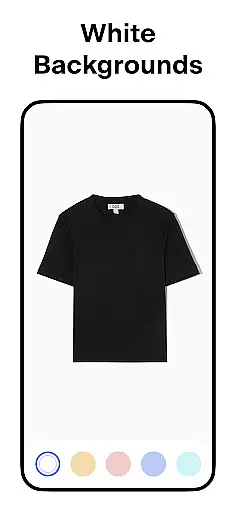
One of Pixelcut AI Photo Editor's key strengths is its remarkable canvas and format flexibility, catering to a wide array of design needs. Users can choose from a palette of stunning colors and backdrops or opt for a simple white background, making it suitable for different types of projects.
This flexibility extends to its layout options as well. Pixelcut offers dozens of creative collage layouts, enabling users to combine multiple images into a single, cohesive design. Whether you're creating a marketing poster or a personal photo album, the adaptable canvas sizes and orientation settings ensure your work fits perfectly within any required format.
Moreover, the inclusion of shadows and text overlay features adds another layer of customization. Shadows can be controlled to make products look realistic, while text styles allow for the integration of quotes or captions directly onto images. Such features provide users with the creative freedom to experiment and innovate.
With cross-compatibility across various digital platforms, Pixelcut ensures that your creations maintain their quality and impact, whether shared on Instagram, Poshmark, or other digital storefronts. This adaptability makes Pixelcut an invaluable tool for anyone looking to elevate their design projects.
AI-powered efficiency
User-friendly interface
Versatile design tools
Regular content updates
Ideal for e-commerce
Premium features locked
Subscription cost high
Limited free templates
Internet connection required
Learning curve for beginners

Transform photos into amazing monochrome dither art with professional algorithms
 4.1
4.1
AI Face Swap, Video Effects Editor, Realtime Morph, Funny Video FX,AI Filters
3.70
Logo Generator powered by AI: Create stunning logos effortlessly!
4.70
Create stunning art with AI.
4.80
Minecraft & Roblox Clothes
4.70
Image resizer to resize, crop, rotate, flip, change dpi photo or picture in bulk
4.60
Inky runs Inkscape on Android devices and Chromebooks
2.90
How to draw anime step by step for beginner easily by AR drawing sketch & paint.
3.60
Multiplayer Drawing game, Coloring, Painting・Sketch, Handwriting・Paint, draw
4.30
Learn how to draw with step-by-step tutorials, fun lessons & multiplayer drawing
4.70
Create color palette from Image, RGB & RYB Color wheel harmonies, Color Scheme
4.50
The perfect place to start sketching! Use Sketchbook to draw and paint sketches.
4.50
Kling AI is an image and video generation and editing studio powered by AI.
4.50
Trace, draw, and create art with AR - from memes to masterpieces!
4.30
Digital Drawing: Draw & Paint
4.10
Sketch and paint on your device with the feel and freedom of drawing on paper
4.00
Apply cartoon, caricature, and portrait effects to make your photos stand out!
3.60
Pose and morph realistic male and female models! 3D poser app
3.00
Download now for a stylish and functional timepiece
4.0


User Reviews