
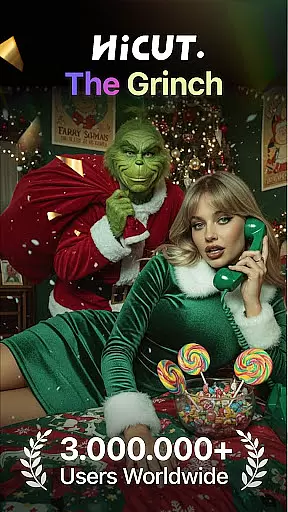
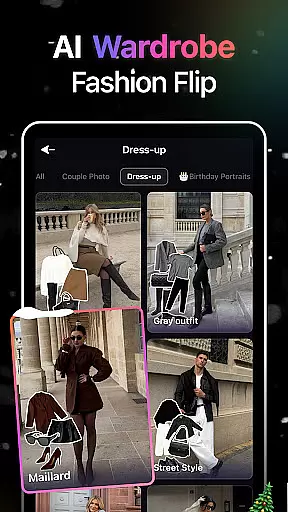
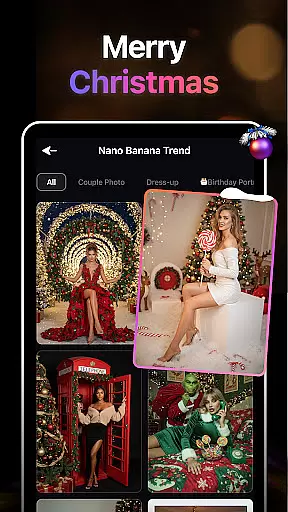
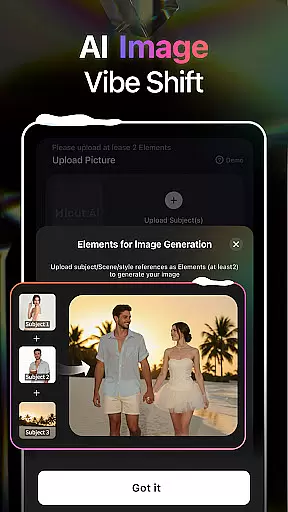
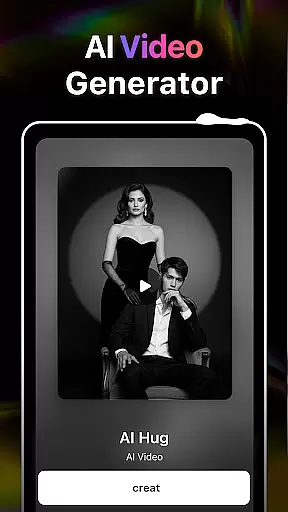
HiCut is an innovative AI-powered application designed for photo editing and video creation, offering users a unique blend of creativity and technology. The app's core functionality lies in its ability to transform ordinary photos into stunning anime, comic, or game character visuals, while also providing realistic video effects such as the AI Hugging Video feature.
With advanced AI filters and style conversion tools, HiCut caters to users seeking personalized avatars, creative content, or memorable moments with loved ones. Whether you're looking to explore anime aesthetics, create virtual hugs, or design custom game characters, this app delivers a comprehensive suite of tools that leverage cutting-edge AI technology.
HiCut is ideal for artists, designers, and casual users who want to experiment with digital art styles or immortalize special memories through enhanced visual storytelling. Its versatility makes it suitable for both professional projects and personal enjoyment, empowering users to express their creativity without limitations.
HiCut stands out with its diverse range of features tailored to meet various artistic needs. One of its most notable capabilities is the Anime Photo Editor, which allows users to convert their photos into two-dimensional anime-style images across hundreds of customizable styles. This feature appeals to fans of Japanese animation and those interested in exploring new aesthetic dimensions.
Another highlight is the AI Hugging Video function, where users can upload two single-person photos to generate a lifelike virtual hug. This emotionally resonant tool bridges gaps between loved ones separated by time or space, making it particularly valuable for preserving cherished relationships. Additionally, the app includes Cartoon Filters and Game Character Maker options, enabling users to cartoonize their images or design unique characters inspired by retro gaming aesthetics.
Each feature within HiCut demonstrates a commitment to innovation, ensuring that users have access to state-of-the-art tools that enhance their creative potential. By combining user-friendly interfaces with powerful AI algorithms, the app ensures accessibility for beginners while still satisfying experienced creators.
In the realm of digital creativity, having a comprehensive suite of tools is paramount. AI Video Generator-HiCut rises to this occasion by offering an extensive array of features that cater to various artistic needs. From anime style transformations to realistic hugging videos, the application leverages advanced AI technology to provide users with unmatched creative freedom.
Users can explore different creative avenues with functionalities such as Anime Photo Editor, which breathes life into still images by converting them into two-dimensional anime art. The Cartoon Filters further enhance this experience by allowing users to cartoonize their photos in styles reminiscent of superhero comics. Each tool within HiCut is designed not only to expand the creative possibilities but also to ensure that users can achieve professional-grade results without needing specialized skills.
The true value of HiCut's complete creative toolkit lies in its ability to transform ordinary photos into extraordinary pieces of art. Whether it's crafting personalized avatars or immortalizing cherished memories with loved ones, the app empowers users to express themselves fully. With hundreds of customizable options and cutting-edge AI filters at their disposal, creators can bring their unique visions to life while enjoying an intuitive and seamless editing process.
Flexibility in canvas and format options is crucial for unleashing full creative potential. AI Video Generator-HiCut understands this need and offers versatile solutions that adapt to various project requirements. The app provides dynamic canvas adjustments and supports multiple formats, ensuring that every creation is perfectly tailored to the user's vision.
HiCut stands out with its capability to generate content in diverse styles, from retro game characters to cyberpunk aesthetics. This versatility allows creators to experiment with different visual narratives without being constrained by format limitations. Whether you're designing a pixel-art character or a cinematic noir scene, the app's flexible framework accommodates all these creative expressions seamlessly.
Moreover, the benefit of HiCut's adaptable canvas extends beyond mere convenience; it enhances the overall quality of the output. By supporting varied dimensions and resolutions, the app ensures that each piece maintains its intended impact across different platforms and devices. Users can confidently share their creations, knowing that the visual integrity will remain intact whether viewed on mobile screens or larger displays. This level of flexibility positions HiCut as an indispensable tool for modern digital artists seeking both precision and creative liberty.
User-friendly interface
Wide variety of styles
Emotionally engaging features
Advanced AI technology
Versatile creative tools
Limited free features
Subscription fees required
High system requirements
Occasional processing delays
Learning curve for beginners

Premium version of Shimeji-ee app with no ads & no limit active shimeji
 4.0
4.0
Trace, draw, and create art with AR - from memes to masterpieces!
4.30
Logo Generator powered by AI: Create stunning logos effortlessly!
4.70
AI Art Generator transforms your words into AI generated art & paintings.
3.70
800+ Drawing, Painting Lessons App to Practice, Sketch & Paint Art.
4.30
Your AI soulmate — meaningful chats, and unique emotional moments
4.70
Turn your drawings into flipbook-style animations with simple creative tools
4.60
Your homescreen as an elegant glass with customized blur, lighting, and visuals.
3.70
Just trace a projected picture on paper and color! Draw & Paint with AR drawing
4.40
Draw on screen: FP sDraw is a simple and lightweight drawing app
4.70
Digital, Abstract, Classic - all types of color wheels in one app!
4.60
Castle is social media for creating and playing games!
4.60
Digital illustration drawing & painting pad app to paint Anime and Manga art
4.50
Kling AI is an image and video generation and editing studio powered by AI.
4.50
Everything you need to create hand drawn animation, anywhere you go!
4.40
Create cute cat emojis & PFPs! Fun, custom avatars for cat lovers.
3.70
Apply cartoon, caricature, and portrait effects to make your photos stand out!
3.60
Draw anime easily with AR guidance, sketch templates & trace tools!
3.10
Art of Combination Wear OS Watch Faces
4.5


User Reviews