

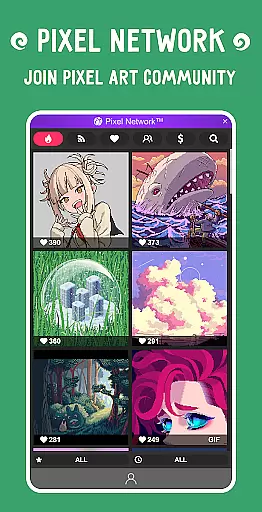
Pixel Studio PRO is a premium pixel art editor tailored for both artists and game developers. This special edition offers all PRO features unlocked without ads or in-app purchases. With support for layers, animations, music integration, and MP4 video export, it provides a complete creative suite for pixel art projects. The app ensures cross-device compatibility through Google Drive sync and fosters a creative community via Pixel Network™.
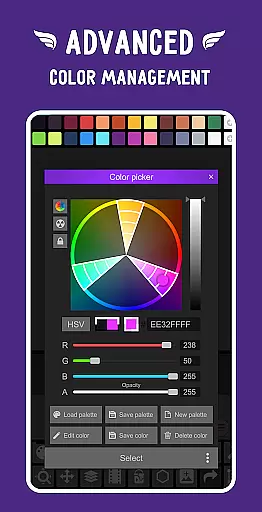
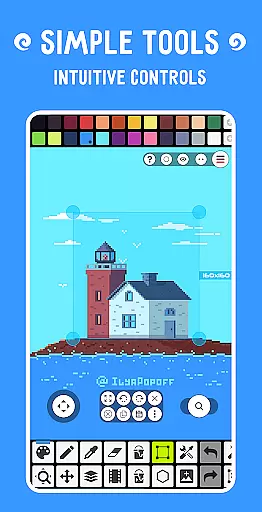
The application stands out with its intuitive interface, customizable settings, and support for professional tools like advanced color pickers and various drawing modes. Whether you're creating simple pixel art or complex animations, this app delivers the necessary tools to produce high-quality work on mobile devices and tablets alike.
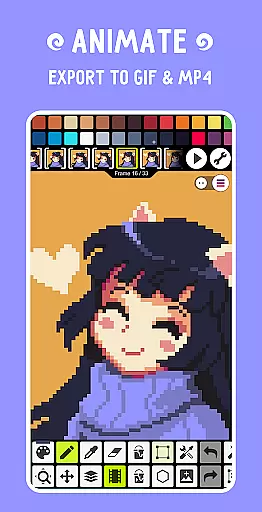
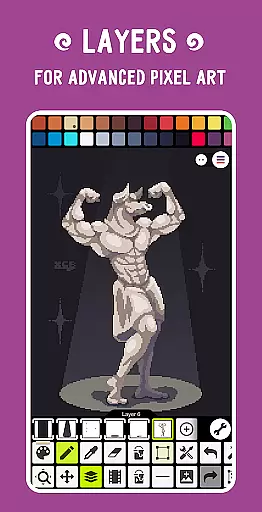
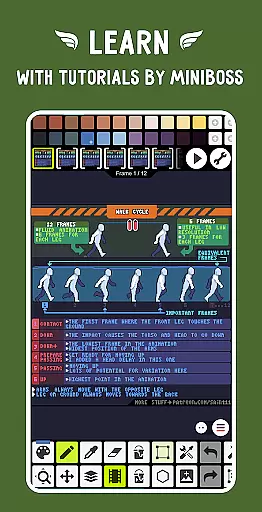
Pixel Studio PRO boasts an extensive feature set that caters to both beginners and professionals. The app supports advanced layer management and frame-by-frame animation creation, allowing users to save their work as GIFs or sprite sheets. Its standout feature is the ability to add music tracks to animations and export them as MP4 files, making it ideal for game developers.
Additional functionalities include customizable toolbars, support for multiple pen types (such as Samsung S-Pen), and compatibility with numerous file formats including PNG, JPG, GIF, BMP, TGA, PSP, PSD, and EXR. The inclusion of professional-grade tools like gradient brushes, symmetry drawing, and dithering pens further enhances its utility for detailed artwork.
PRO features provide enhanced capabilities such as Google Drive synchronization, dark theme options, 256-color palettes, and extended project sizes. These benefits ensure that power users can maximize their creative potential while enjoying seamless performance across different devices.
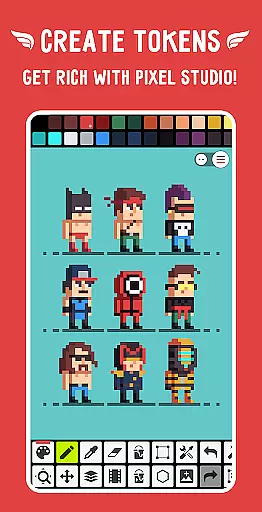
Pixel Studio PRO offers an extensive suite of creative tools that cater to both beginners and professional artists in the pixel art space. The application supports layers, frame-by-frame animations, and provides a variety of drawing tools including Shape Tool, Gradient Tool, and Dithering Pen among others.
Users can benefit from advanced features such as custom brushes, symmetry drawing, and precise drawing with Dot Pen. With support for multiple formats like PNG, JPG, GIF, BMP, TGA, and even Adobe Photoshop files, artists have the flexibility to work on various projects seamlessly.
The inclusion of PRO features ensures that creators can extend their animations with music, export videos to MP4, and use 256-color palettes. This comprehensive toolkit empowers users to create complex pixel art while enjoying the convenience of modern functionalities like Google Drive sync and unlimited color adjustments.
One of Pixel Studio PRO's standout features is its canvas and format flexibility, which allows artists to work without constraints. The software supports an unlimited canvas size, enabling creators to tackle projects of any scale without worrying about space limitations.
Artists can customize their workspace with adjustable background colors and grids, ensuring optimal visibility and organization. Additionally, the ability to resize and rotate the canvas provides further adaptability when refining artwork or experimenting with different perspectives.
With compatibility for over ten file formats including AI, EPS, PDF, and SVG, users can import and export their creations across platforms effortlessly. This versatility not only streamlines workflows but also makes it easier for artists to collaborate and share their work within communities like Pixel Networku2122.
User-friendly interface
Extensive format support
Advanced animation tools
Cross-device syncing
No ads or in-app purchases
High system requirements
Limited free features
Paid PRO version
Complex for beginners
Occasional bugs reported

Digital illustration drawing & painting pad app to paint Anime and Manga art
 4.50
4.50
AI Assistant, powered by ChatGPT GPT-4 & GPT-4o. Your intelligent companion.
3.50
Paint with oils and sketch with natural tools on a realistic virtual canvas.
3.80
800+ Drawing, Painting Lessons App to Practice, Sketch & Paint Art.
4.30
Photo stitcher for automatically screenshot stitching into a long screenshot
4.70
Retouch photos. Create or edit images. Endless capabilities.
2.70
Create and Design Custom Logos in Seconds with AI-Powered Tools!
4.40
Turning simple sketches into captivating tales filled with life and motion
3.90
All-in-One art, logo & collage maker. Design photos and edit video backgrounds
4.80
See Color, Paint Color
4.90
Convert image to JPG PNG HEIC PDF, support almost all kinds of image formats
4.70
Get an overview over all your embroidery threads, projects and more.
4.60
Draw, fidget, and spin glow art! Relax and express your creativity with a finger
4.60
Create neon drawing with magic doodle and fun doodle art effects!
4.50
Unleash your drawing and painting potential
4.50
Create color palette from Image, RGB & RYB Color wheel harmonies, Color Scheme
4.50
Remove Background, Magic Eraser, Photo Enhancer, Story Templates, Collage Maker
4.30
Sketch, plan, take notes and illustrate on an infinite canvas.
4.20
Vidu is an AI video generator made for creators and aspiring makers.
3.30


User Reviews