
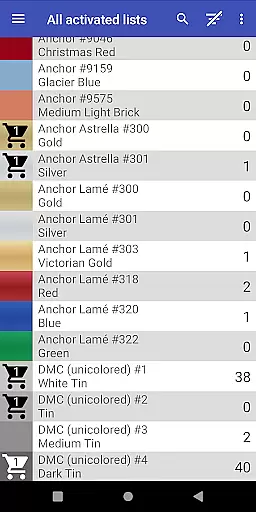
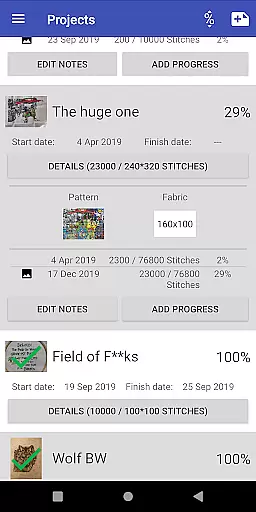
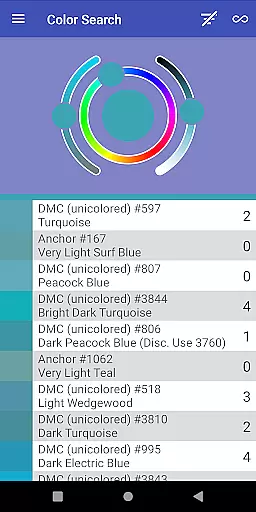
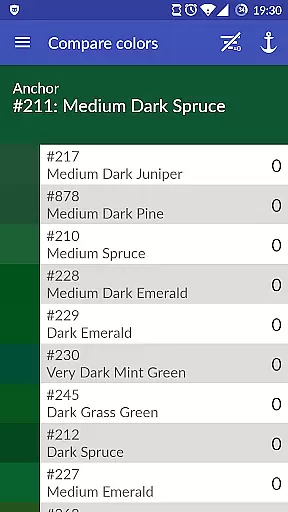
Cross Stitch Thread Organizer is a comprehensive tool designed for cross-stitch enthusiasts, providing an efficient way to manage thread collections on the go. With support for approximately 160 thread vendors, users can easily navigate through extensive lists of threads, fabrics, and patterns.
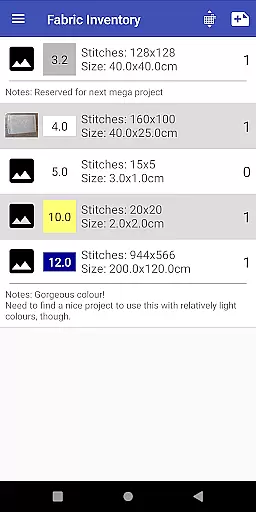
The app allows users to track inventory, search for specific colors, calculate project sizes, and even find frames. Its streamlined interface ensures optimal performance without any unnecessary features or advertisements, making it an essential companion for both amateur and professional stitchers.
This app stands out with its robust set of features tailored specifically for the art and design community. Users can save different threads in their inventory or shopping cart, search by color, and manage all fabric and pattern details effortlessly.
One innovative aspect is the ability to track daily project progress and assign required threads. Additionally, the inclusion of a custom list feature empowers users to add missing vendors themselves, ensuring that everyone's needs are met comprehensively within this digital organizer.
In the realm of cross-stitching and embroidery, having a comprehensive set of creative tools at your disposal is essential. Cross Stitch Thread Organizer offers an extensive suite of features that cater to every need of enthusiasts and professionals alike.
This app allows users to manage their entire thread collection with ease, providing support for approximately 160 individual lists from various vendors. Whether you're dealing with cotton, silk, variegated colors, or metallic threads, this app has got you covered.
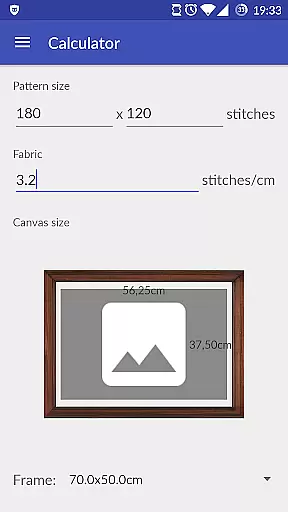
Additionally, it enables users to track project progress daily, calculate final piece sizes, and choose from a range of standard frame sizes. These capabilities ensure that no matter how complex your project is, you have all the necessary tools to bring your creative visions to life.
Flexibility in canvas and format options can significantly enhance the creative process for cross-stitch artists. Cross Stitch Thread Organizer excels in providing users with the versatility needed to manage diverse projects efficiently.
The app supports a wide array of fabric and pattern management features, allowing users to handle everything from basic designs to intricate pieces without hassle. Its ability to adapt to different types of threads and materials ensures that users can focus on their art without being constrained by technical limitations.
Moreover, the inclusion of custom lists means that if a particular vendor or material type isn't already included, users can easily add it themselves. This level of customization empowers creators to work with their preferred resources, making the app an invaluable asset in the world of art and design.
User-friendly navigation
Comprehensive vendor support
No ads or bloatware
Customizable thread lists
Efficient project tracking
Limited to cross-stitch
No integrated shop
Occasional bugs
Missing some vendors
Requires manual updates

Art of Combination Wear OS Watch faces
 4.1
4.1
Easy 3D drawing design maker & creator. Model designing, Sculpting. Create&paint
4.00
AI Face Swap, Video Effects Editor, Realtime Morph, Funny Video FX,AI Filters
3.70
Text to Image, Image to Video & AI Chat
4.20
Unleash your drawing and painting potential
4.50
Nano Banana AI Image Generator, Anime Filter, AI Portrait, AI Photo Generator
4.30
AR Anime Drawing: How to draw anime with AR drawing & sketching apps!
4.00
Sketch and paint on your device with the feel and freedom of drawing on paper
4.00
All-in-One art, logo & collage maker. Design photos and edit video backgrounds
4.80
The ultimate tool for creating animations
4.60
Draw beautiful mandala's very easily
4.60
Image/ Text to Video Generator
4.40
Create Logos, Tattoos, AI Art & more with our AI Photo Generator & Design Editor
4.20
OneUI 8.5 icons ✨ Smooth, modern & based on the latest Play Store design ??
4.10
Design unique, funny and adorable cat stickers that reflect your own style!
3.80
Art of Combination Wear OS Watch Faces
3.30
Art of Combination Wear OS Watch faces (for Wear OS 5+ devices)
3.00
Inky runs Inkscape on Android devices and Chromebooks
2.90
Art of Combination Wear OS Watch faces
4.4


User Reviews