
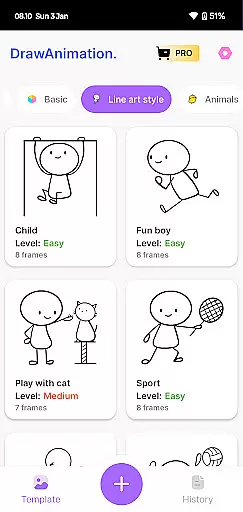
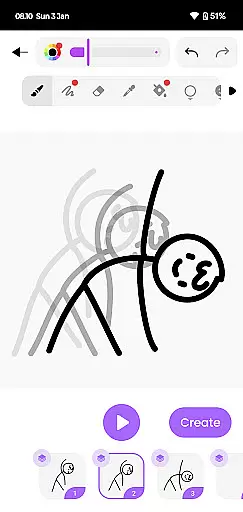
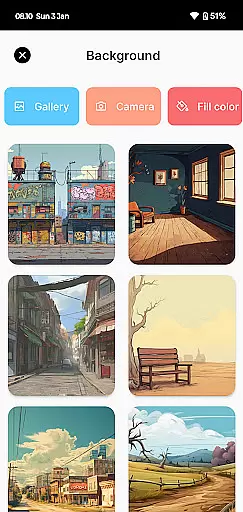
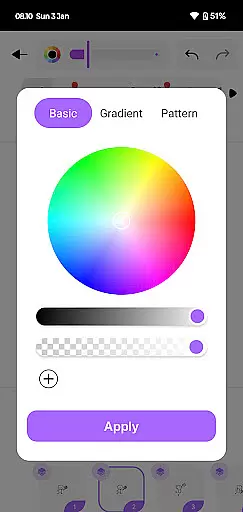
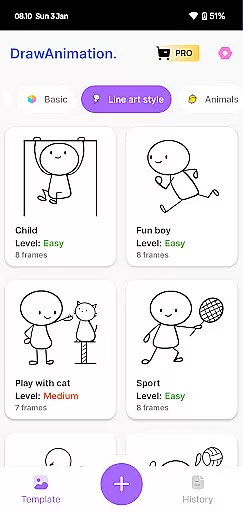
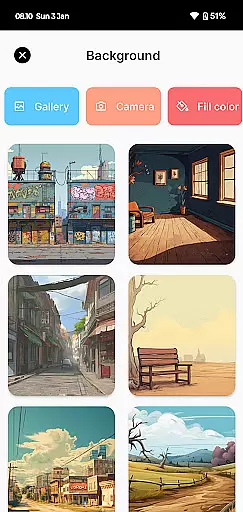
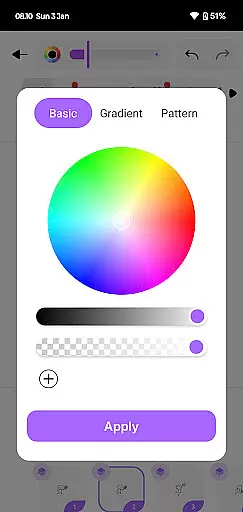
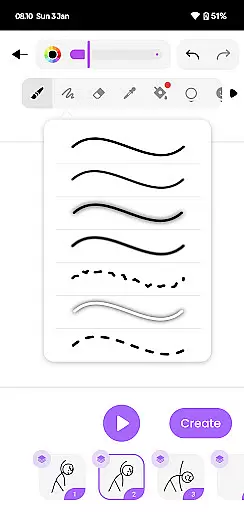
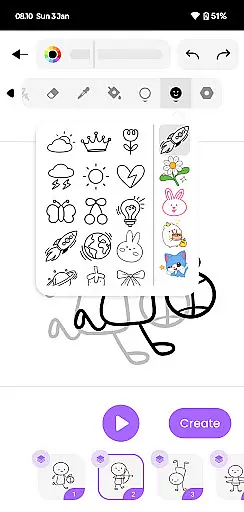
Draw Animation Maker is an innovative app in the Art & Design category that transforms simple doodles into captivating animations. The application serves as a complete animation studio on your mobile device, enabling users to create frame-by-frame flipbook-style animations with ease. Whether you're crafting humorous cartoons or weaving epic animated tales, this app provides all the necessary tools.
The app stands out with its user-friendly interface that invites both beginners and experienced animators to unleash their creativity. With features like detailed frame manipulation and customizable drawing tools, it ensures professional-quality results. Users can save their creations as GIFs or MP4 files, making it easy to share their animated stories on social media or with friends and family.
This versatile animation tool is particularly beneficial for aspiring animators, educators, and anyone interested in visual storytelling. By providing an accessible platform to experiment with animation techniques, Draw Animation Maker helps users develop valuable skills while having fun bringing their ideas to life.
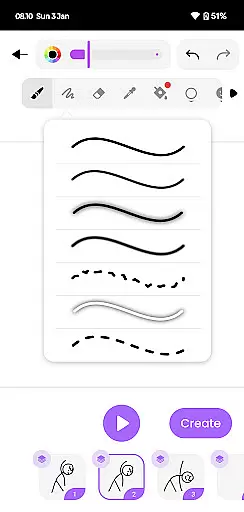
Draw Animation Maker distinguishes itself through a comprehensive set of features designed for creating sophisticated animations. The app's frame-by-frame editing capability allows precise control over each animation segment, while its intuitive drawing tools enable users to craft detailed characters and scenes with ease.
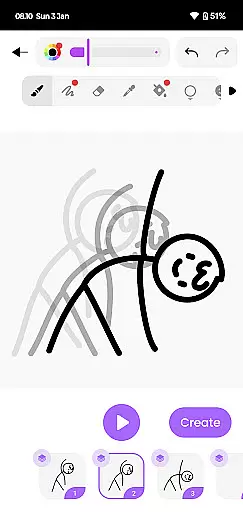
One of the app's notable strengths is its robust export functionality. Users can save their animations in both GIF and MP4 formats, maintaining high quality across different platforms. The application also includes advanced features such as onion skinning, which helps maintain consistency between frames, and adjustable frame rates for optimal animation smoothness.
The app's versatility extends to its customization options, allowing users to adjust canvas size, color palettes, and drawing tool properties. These features, combined with its user-friendly interface, make Draw Animation Maker suitable for various applications, from educational purposes to professional-grade animation projects.
When it comes to creating animations, having a complete set of creative tools is essential. Draw Animation Maker offers a comprehensive suite that allows users to effortlessly transform simple doodles into captivating animated stories. The app provides an intuitive interface where creators can draw frame by frame, similar to traditional flipbook animation, ensuring that the transition from static images to dynamic animations is seamless.
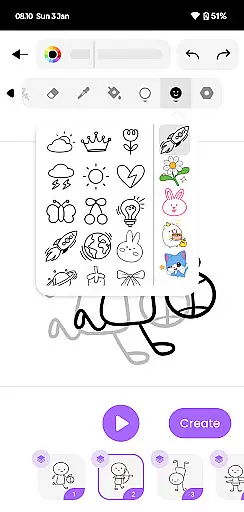
The application stands out by offering various features that cater to both beginners and experienced animators. Users have access to a wide array of drawing tools, which are necessary for crafting detailed and expressive characters. This includes brushes, shapes, colors, and other essential elements that bring animations to life. With these instruments at their disposal, animators can focus on unleashing their creativity without being limited by the software's capabilities.
Moreover, Draw Animation Maker supports the creation of complex narratives through its robust animation engine. Creators can easily manage timelines, layers, and sequences, allowing them to construct intricate plots with ease. By providing all the necessary components in one place, this app ensures that artists can fully realize their vision without needing additional resources or programs.
Flexibility in canvas size and format options is crucial for animators who wish to explore different styles and mediums within their work. Draw Animation - Anim Creator excels in this area by enabling users to customize their workspace according to their specific needs. Whether you're designing a short cartoon clip or a longer animated feature, the app accommodates various project scopes with adjustable canvas dimensions.
In addition to customizable canvas sizes, the app also allows for exporting animations in multiple formats such as GIFs and MP4 files. This versatility ensures that creators can share their work across different platforms, reaching wider audiences without compromising on quality. The ability to save projects in universally compatible formats means that animations retain their vibrancy and clarity regardless of where they are viewed.
Furthermore, the app's support for high-resolution outputs makes it suitable for professional use. Artists looking to publish their work online or even incorporate it into larger multimedia projects will find that Draw Animation Maker provides the flexibility needed to meet diverse requirements. By prioritizing canvas and format adaptability, the app empowers animators to push boundaries and explore new creative horizons.
User-friendly interface
Frame-by-frame control
High-quality exports
Advanced drawing tools
Customizable features
Limited free features
Steep learning curve
Occasional glitches
Heavy file sizes
No collaboration tools

Discover Cartoon Dream : Unleash Your Creativity with CuttingEdge AI
 4.50
4.50
The ultimate tool for creating animations
4.60
Digital illustration drawing & painting pad app to paint Anime and Manga art
4.50
Draw on screen: FP sDraw is a simple and lightweight drawing app
4.70
Draw beautiful mandala's very easily
4.60
Create stunning video, photo & magic from text with FlixAI GPT video generator.
3.10
Minecraft & Roblox Clothes
4.70
Art of Combination Wear OS Watch Faces
3.30
Share the joy of painting with ibis Paint! Drawing anime and manga art.
4.50
Photo stitcher for automatically screenshot stitching into a long screenshot
4.70
Photo blender app to create overlay photos & double exposure.
4.40
Sketch, plan, take notes and illustrate on an infinite canvas.
4.20
Digital Drawing: Draw & Paint
4.10
Sketch and paint on your device with the feel and freedom of drawing on paper
4.00
Design unique, funny and adorable cat stickers that reflect your own style!
3.80
Create sweet, cool and unique couple avatars easily, in just a few steps!
3.40
Sketch, trace and master AR drawing with awesome anime art!
3.30
Draw anime easily with AR guidance, sketch templates & trace tools!
3.10
Art of Combination Wear OS Watch faces
4.3


User Reviews