

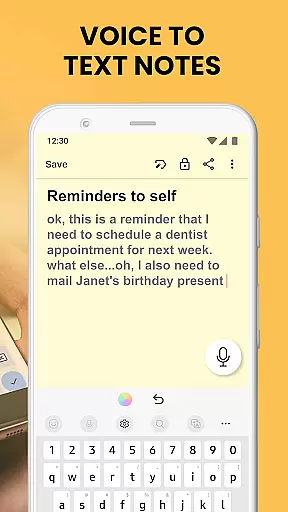
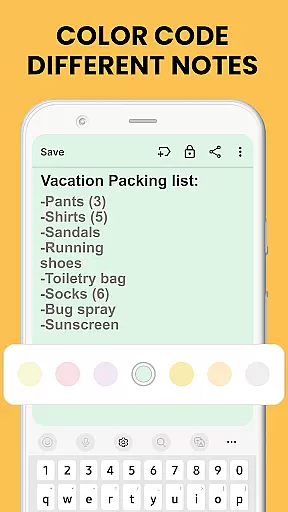
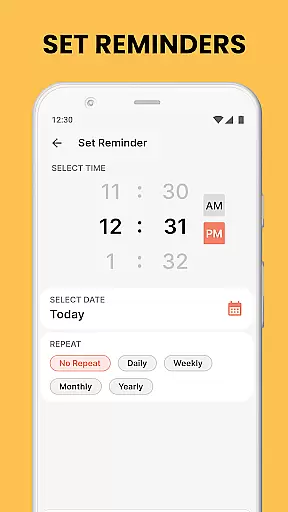
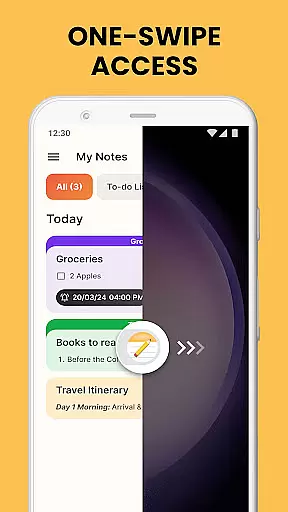
Notes Launcher is a productivity-focused application designed to streamline note-taking and task management. The app allows users to quickly jot down thoughts, create to-do lists, and organize important information through an intuitive interface. With features like one-swipe access from the home screen, users can instantly capture ideas without any hassle. Additionally, the app provides advanced functionalities such as text formatting tools, color-coding for better organization, and locking mechanisms to secure sensitive notes. These capabilities make it particularly useful for professionals, students, and anyone looking to maintain an organized digital workspace.
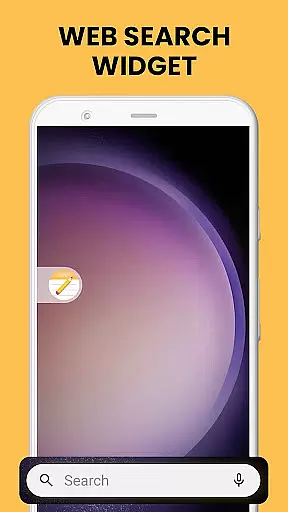
Beyond basic note-taking, Notes Launcher enhances user experience with widgets, wallpapers, and multi-touchpoint search options. Users can personalize their home screens with beautiful themed wallpapers while enjoying quick access to weather updates and other essential information. The app also supports categorization and sorting of notes, ensuring that users can efficiently manage large volumes of information. Whether you're planning a project, organizing personal tasks, or collaborating with a team, Notes Launcher offers the tools necessary to stay productive and focused.
Notes Launcher stands out in the productivity category due to its comprehensive feature set tailored for efficient note management. One of its key highlights is the ability to create notes and checklists with a simple right swipe from the home screen. This instant access ensures that users never miss an important thought or task. The app also includes a rich-text editor, allowing users to format their notes with different font sizes, styles, and list structures, making the content more readable and professional.
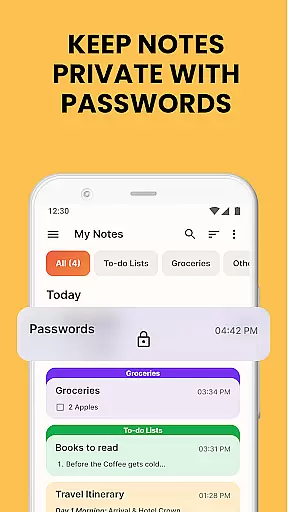
Security and organization are prioritized with features like note locking and color-coding. Users can protect sensitive information using password-protected notes, while color-coded labels help in categorizing and prioritizing tasks effectively. The app's sorting and filtering capabilities enable users to arrange notes by modification date or creation order, simplifying navigation through extensive note collections. Furthermore, the built-in search function allows for quick retrieval of specific notes based on keywords or phrases, saving valuable time when searching for particular information.
Sharing and collaboration are made easy with Notes Launcher's sharing functionality. Users can send notes via email, social media, or messaging apps, facilitating teamwork and communication. Additional features like home screen shortcuts and widgets enhance accessibility and convenience, providing users with constant access to their most important notes and updates. Overall, Notes Launcher combines powerful organizational tools with user-friendly design, making it an indispensable app for anyone seeking to boost their productivity.
Efficient task management is essential for staying organized in today's fast-paced world. Notes Launcher offers a comprehensive suite of tools to help users manage their daily tasks with ease.
The app allows you to create quick notes or to-do lists by simply swiping right from your home screen. This intuitive feature ensures that you never miss an important idea or task, no matter where you are.
With functionalities such as categorizing, sorting, and finding notes, the app provides a structured approach to organizing your thoughts. You can group related notes together, sort them by modification date, and use the search feature to quickly locate specific information.
Additionally, sharing capabilities enable collaboration with friends and family. Whether planning a trip or working on a group project, you can easily share your notes via email or social media platforms.
In our interconnected world, reliable cross-device synchronization is crucial for accessing your data anytime, anywhere. Notes Launcher excels in this area by ensuring that your notes are consistently updated across all your devices.
The app supports real-time updates, meaning any changes you make on one device will instantly reflect on others. This seamless synchronization allows you to start a note on your phone and continue editing it on your tablet without missing a beat.
Security is also a top priority. With features like locking sensitive notes, you can protect your personal information while enjoying the convenience of cloud-based access.
Furthermore, the app's compatibility with various devices ensures a smooth user experience regardless of your preferred platform. Whether you're using an Android phone or tablet, Notes Launcher has got you covered.
User-friendly interface
Secure note locking
Versatile text formatting
Efficient search function
Customizable home screen
Limited cloud sync
No voice-to-text
Basic widget options
Occasional bugs
Premium features cost

 4.20
4.20
When you Focus, so will your Bean in this cozy focus timer
4.30
The long-awaited modern gallery app for your Nextcloud server
4.70
Experience real multitasking on your Android!
4.00
Planet Free VPN - The best Fast Unlimited and Secure VPN Without Logs
4.50
Send files, sync SMS, notifications & clipboard across devices via local network
4.40
Multilingual translator for text, voice, and image translation!
4.90
A Pixel Art watchface inspired by other iconic 90s designs for Wear OS devices!
4.40
Lightweight PDF, Word, Excel reader.
4.60
Android Wallet Password Manager
4.80
aCalendar+ makes your day, week and month
4.70
Quickly and easily keep track of your work shifts
4.70
Translate text/voice/photos in 150+ languages. Offline & fast translator app.
4.50
Enjoy classic gameplay with customizable features and retro-style graphics.
4.30
Professional calendar app for Google Calendar, MS Outlook & Exchange
4.20
Access your phone's notifications, calls, apps, photos & texts on your PC
3.90
Make your handwriting beautiful, even more than pen on paper.
3.60
Code on-the-go with VScode for Android. Edit,debug and collaborate from mobile!!
3.10
A simple, portable logger for POTA, SOTA, Field Day, and more
4.5


User Reviews