
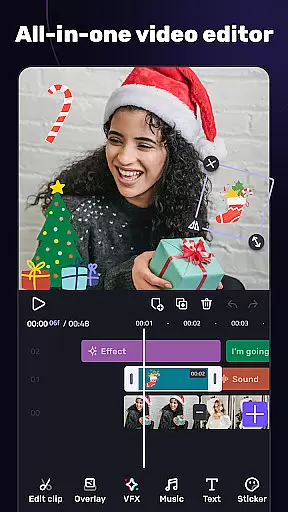
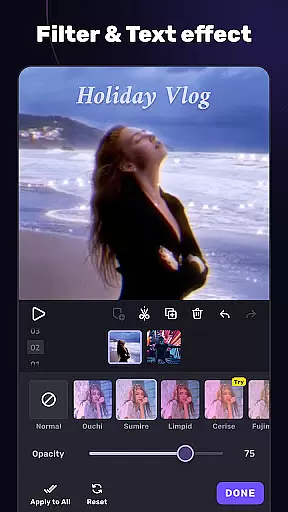
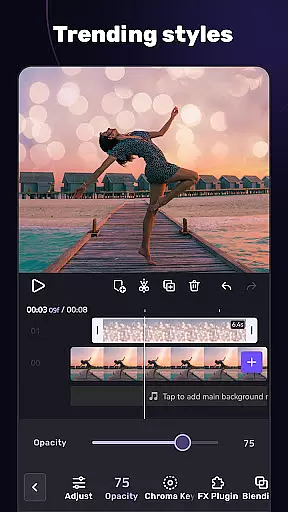
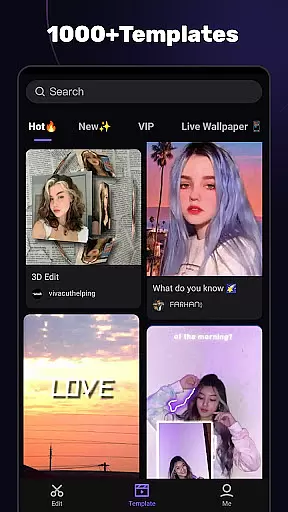
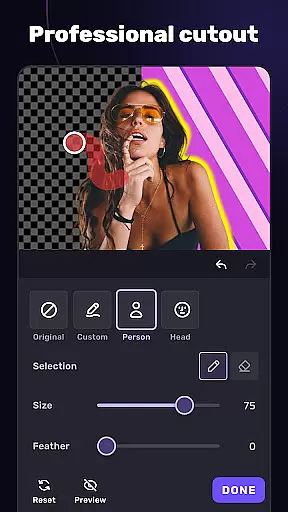
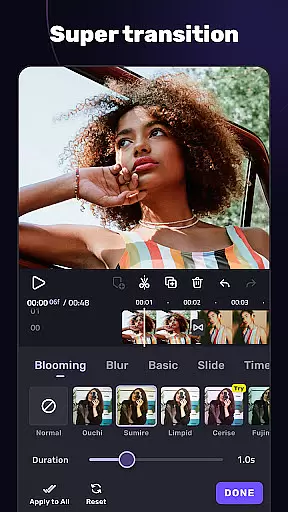
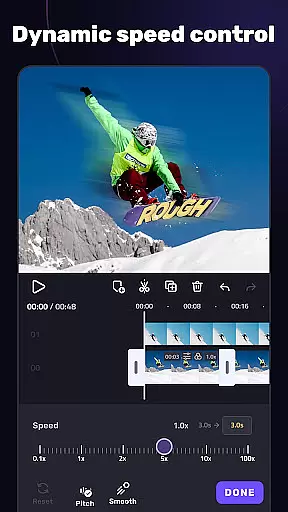
VivaCut is a versatile video editing application that combines professional-grade features with user-friendly tools, making it suitable for both casual creators and advanced video editors. The app offers a complete suite of basic and advanced editing capabilities, including multi-layer timelines, chroma key effects, and speed controls, enabling users to produce high-quality videos for platforms like YouTube, Instagram, and TikTok.
One standout feature is its green screen functionality, which allows users to create Hollywood-style video effects by layering and blending clips. Additionally, VivaCut provides an array of customizable transitions, filters, and glitch effects, empowering users to enhance their storytelling with visually stunning elements. Whether you're looking to trim clips, add music, or apply complex animations, this app delivers the tools necessary to bring creative visions to life.
The app's intuitive interface ensures ease of use while maintaining precision for detailed edits. With support for exporting in resolutions up to 4K, VivaCut caters to users who demand top-tier quality. Its seamless integration with social media platforms also makes sharing polished content effortless, helping creators maximize engagement and reach wider audiences.
VivaCut distinguishes itself through a robust set of features designed to meet diverse video editing needs. At its core, the app provides fundamental tools such as trimming, splitting, and merging clips, alongside more sophisticated options like keyframe animation and picture-in-picture effects. These functionalities allow users to craft dynamic compositions with layered visuals, mimicking techniques used in professional filmmaking.
A notable highlight is the chroma key feature, which lets users replace video backgrounds or blend multiple clips seamlessly. This capability is complemented by masking tools and blending modes, giving creators full control over how their footage interacts visually. Furthermore, VivaCut includes pre-designed templates and trendy music markers, simplifying the process of syncing edits with audio beats for rhythmic precision.
For those focused on aesthetics, the app offers a variety of filters, transitions, and glitch effects that can transform ordinary footage into cinematic masterpieces. Users can also adjust playback speeds, overlay text, and customize resolutions before exporting. By combining these powerful features with an accessible design, VivaCut bridges the gap between simplicity and sophistication, ensuring that every creator can achieve their desired outcome efficiently.
Video format compatibility is a crucial feature for any video editing application, ensuring that users can work with a wide range of video file types. AI Video Editor supports an extensive array of formats, allowing creators to import and export videos without worrying about compatibility issues.
The app's dedication to format versatility means that whether you're working with MP4, AVI, MOV, or other common formats, the editor maintains the quality and integrity of your footage throughout the editing process. This flexibility empowers content creators to focus on their creative vision rather than technical limitations.
Moreover, the ability to export in high resolutions such as 1080p and 4K ensures that final outputs meet professional standards, making it suitable for platforms like YouTube and Instagram where video quality significantly impacts viewer engagement.
By providing robust video format support, AI Video Editor not only simplifies the editing workflow but also enhances the overall user experience, enabling seamless integration into various digital ecosystems and maximizing reach across different devices and platforms.
AI-powered editing features represent the cutting-edge of video editing technology, automating complex tasks and offering smart suggestions to enhance creativity. AI Video Editor incorporates these advanced capabilities to streamline workflows and elevate the quality of edits with minimal effort from the user.
One standout feature is the automatic generation of transitions and effects based on the rhythm of the soundtrack, which intelligently synchronizes visual changes with audio beats. This creates dynamic, engaging content that resonates well with audiences on social media platforms like TikTok and Instagram.
In addition to music-based editing, the software utilizes AI for tasks such as object removal, background replacement using chroma key techniques, and even upscaling lower resolution footage to higher definitions without noticeable quality loss. These tools not only save time but also open new avenues for artistic expression.
With AI assistance, both amateur and professional editors can achieve polished results faster, making sophisticated editing techniques accessible to a broader audience while still delivering content that meets today's high standards for visual storytelling.
User-friendly interface
Advanced chroma key
High-resolution export
Customizable effects
Seamless social sharing
Paid subscription model
Steep learning curve
Limited free features
Occasional lag
No desktop version

Connect 2 UVC devices for recording and broadcast video/audio stream
 3.90
3.90
A Quick and Pro Video Editor
4.70
Cast to Chromecast, Xbox, Fire Stick, Roku, DLNA, Smart TV & No Feature Limited!
4.50
Powerful HD video player with support for all formats & subtitles.
4.2
VLC Remote lets you control your VLC Media Player on Mac, PC or Linux.
4.60
AirMirror is Receiver for Screen Mirroring and Casting from Apple Devices.
3.60
LumaFusion: The Ultimate Storytelling Experience for Video Editing
4.10
Enjoy your favorite videos and channels with the official YouTube app.
3.90
Create, Publish & Maximize
4.70
Tik & Story Saver-Download ALL social media videos, photos & reels no watermark.
4.80
AI Video Editor with Music, Filter, Slideshow, Effect, Merge & Trim Video.
4.80
Create photo video with music & template. AI video maker for stunning slideshow.
4.60
Fast & Private HD Video Downloader with Built-in Proxy Browser and Video Player.
4.50
Photo and Music Video Creator into Stunning Videos—Effortlessly
4.40
Fast & Private Video Downloader App. Save all videos easily from the Internet.
4.40
Web Browser for LG TV to stream webvideos, online movies and livestreams in HD
4.20
Make your own Animations, Video and Photo Edits, Visual Effects, and more!
4.00
Livestream, news, & gaming content. Watch, chat, and upload. Join Rumble today!
3.80
The essential companion to your Blue Iris PC software
2.50


User Reviews