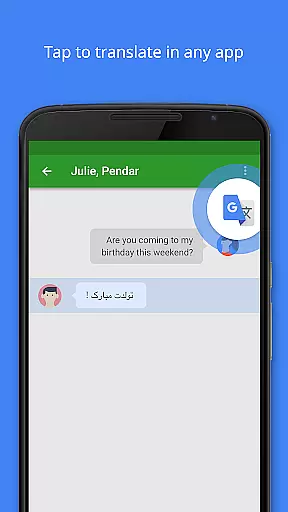
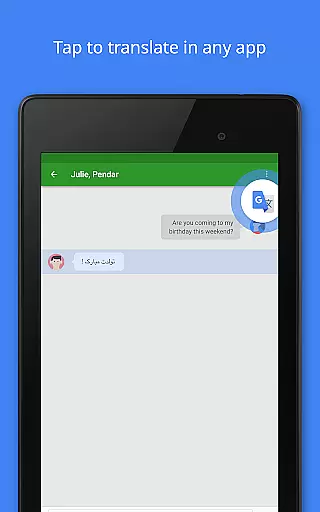
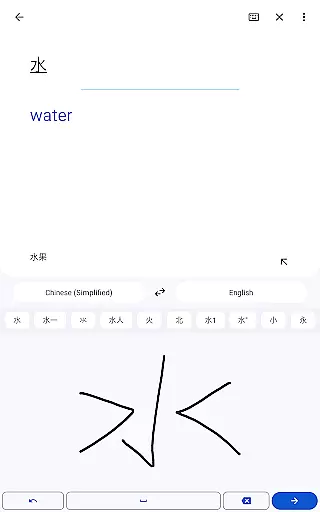
Google Translate is a versatile translation tool that supports text translation between 108 languages, making cross-language communication seamless. Key features include Tap to Translate functionality, offline translations for 59 languages, and instant camera translations for 94 languages.
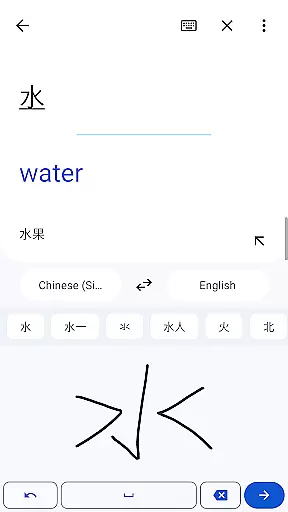
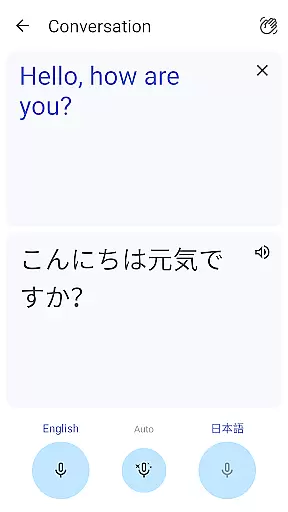
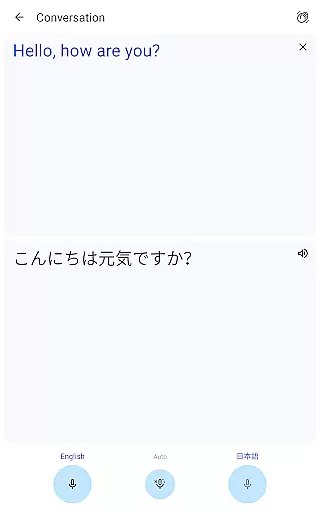
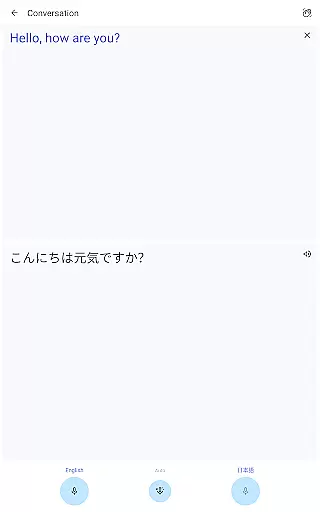
The app also offers bilingual conversation mode for real-time dialogue translation, handwriting recognition for 96 languages, and a Phrasebook function to save frequently-used translations. With cross-device syncing and transcription capabilities, it provides comprehensive language support for travelers, students, and professionals alike.
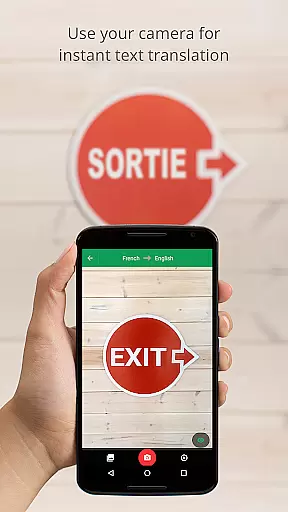
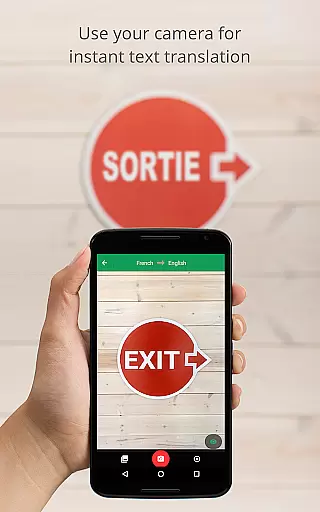
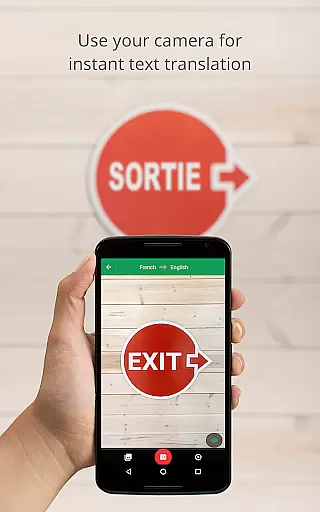
One of the standout features of Google Translate is its Instant Camera Translation, which allows users to translate text from images in 94 languages by simply pointing their device's camera. This feature is particularly useful when navigating foreign environments or deciphering menus and signs.
In addition to text and camera-based translations, the app supports speech translation, enabling users to communicate verbally in different languages. The Phrasebook function lets users star and save important phrases, while offline mode ensures usability without an internet connection. These robust features make it an essential tool for international travel and language learning.
Google Translate's core functionality lies in its ability to deliver accurate translations across 108 languages. This is achieved through Google's advanced machine learning algorithms, which continuously improve based on user input and corrections.
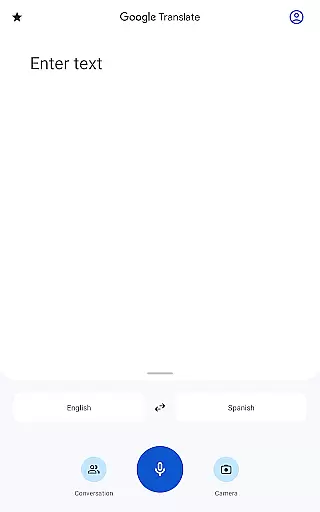
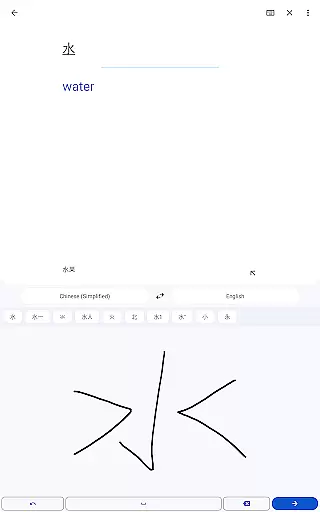
The app offers multiple translation modes including text, voice, camera, and even handwriting recognition, ensuring users can communicate effectively in various scenarios. Each mode is designed to provide quick and reliable results, whether it's translating a written sentence, spoken word, or text within images.
For travelers and professionals alike, the offline translation feature supports 59 languages, allowing users to access crucial information without an internet connection. This ensures that language barriers don't hinder communication when network availability is limited.
Users benefit from the app's integration with Google's ecosystem, enabling features like cross-device syncing of saved phrases and near real-time transcription services. These capabilities make Google Translate an indispensable tool for both casual and professional translation needs.
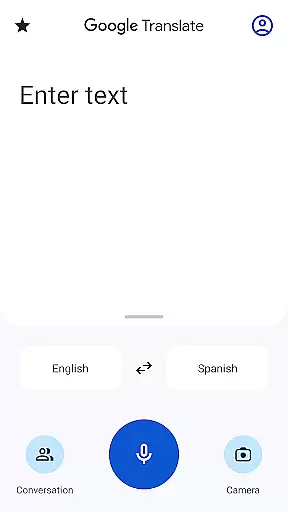
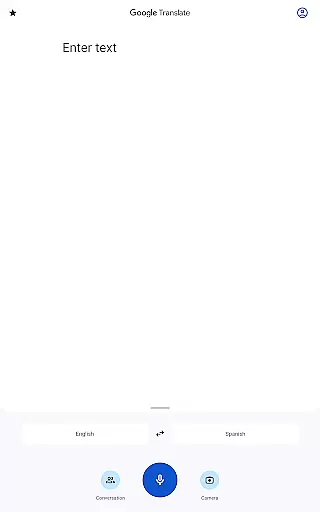
The interface of Google Translate is designed to be user-friendly and accessible to individuals of all technical backgrounds. Its clean layout prioritizes functionality, presenting key features like text input, voice recognition, and camera translation in an easily navigable manner.
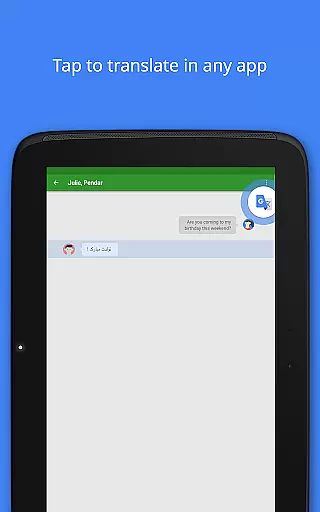
Tap to Translate allows users to copy text from any app and instantly see the translation without switching between applications. This seamless integration enhances workflow efficiency and makes multilingual communication more fluid across different platforms.
Visual elements such as clear icons and intuitive gestures guide users through various translation modes. For instance, the instant camera translation feature provides real-time visual feedback by overlaying translated text directly onto the camera viewfinder.
Despite offering complex functionalities, the app maintains a minimal learning curve. New users can quickly grasp essential features while power users appreciate advanced options like phrasebook management and transcription settings, making it suitable for diverse user groups.
User-friendly interface
Wide language support
Offline functionality
Real-time conversation mode
Accurate text translation
Limited offline languages
Occasional accuracy issues
Requires storage space
Ads in free version
Advanced features need login

Unlock your Essential Key. Create custom shortcuts to your favorite apps!
 4.2
4.2
ADB support Android 4.X-Android 13(Support wireless pair mode).No root required!
4.70
Detect hidden spy camera with advanced scanning {{ Premium version }}
4.00
Navigate with Ease and Style
4.90
Mirror your screen to Chromecast and Android TV - Super fast and simple
4.60
Screen Mirroring for Roku Sticks, Roku TCL TV and Roku Hisense TV
4.50
Download any file easily and quickly with Downloader
4.1
Clean up your phone, find files, play media, and share files offline
4.50
fast and easy mp3 music downloader
4.80
Enjoy smooth gameplay with Game Booster
4.90
NFC Tools can read and write NFC tags.
4.70
Keep track of your Palia friendships, tasks, and inventory with Palia Notebook
4.60
Head tracking for PC sim games such as MSFS 2024 or Elite:Dangerous. No headset!
4.50
Just swipe the edge to do something!
4.40
Effortlessly run ADB commands directly on your device without a PC.
4.20
Signal Strength, Mobile, Wifi, Speed Test, Bad Signals, Cellular, 5G, LTE, 4G
4.20
Unleash gamepad precision for ultimate mobile gaming dominance.
3.90
A non-root local ADB shell client. READ BELOW!
3.40
Transfer Files, APK from Phone to Watch & Install.
4.3


User Reviews