
Network Cell Info & Wifi is a comprehensive mobile network monitoring tool designed for users seeking to optimize their cellular and Wi-Fi connectivity. The app provides detailed diagnostic data on 5G, LTE, CDMA, WCDMA, GSM networks, along with Wi-Fi signals, making it an essential utility for troubleshooting reception issues.
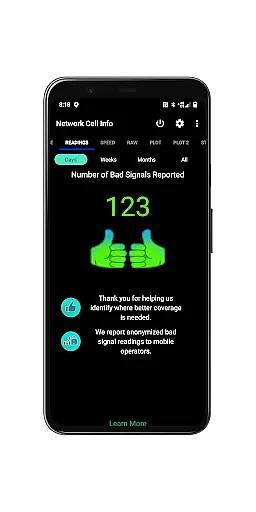
A standout feature of the app is its Bad Signal Reporter functionality, which allows users to automatically report poor signal experiences to their mobile network operators. This crowdsourced data helps improve overall network quality. Additionally, Network Cell Info offers advanced tools like real-time signal monitoring, speed tests, dual-SIM support, and historical signal strength tracking, empowering users to maximize their mobile experience.
This app is particularly useful for individuals who frequently travel or work in areas with inconsistent network coverage. By providing insights into connected cell towers, signal history, and location-based signal mapping, it ensures users can identify optimal connectivity spots and maintain reliable communication.
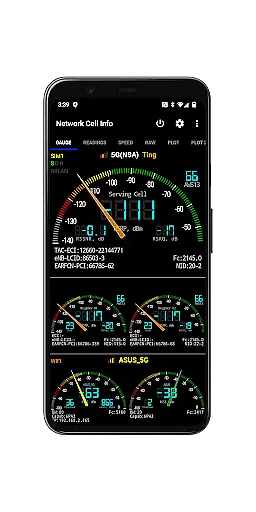
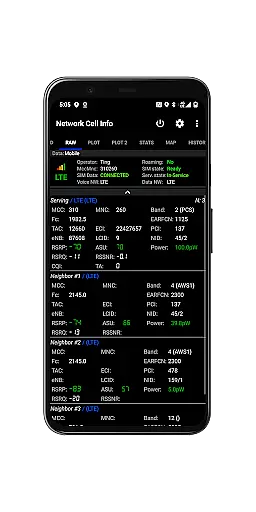
Network Cell Info & Wifi stands out with its extensive range of features tailored for network diagnostics and optimization. One of its core capabilities is almost real-time (1-second interval) monitoring of cellular and Wi-Fi signals, presented through intuitive gauge and raw data tabs. It supports multiple network types including 5G, LTE+, LTE, CDMA, UMTS, and GSM, ensuring compatibility across various devices and carriers.
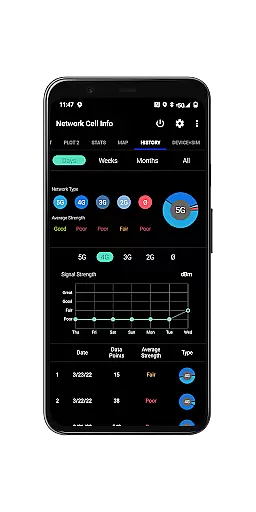
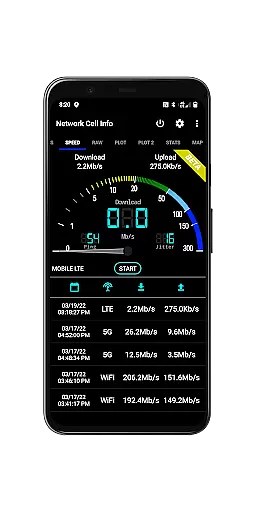
The app includes specialized tools such as one-tap speed tests that measure download, upload, ping, and jitter performance. Its dual-SIM support and multi-signal meter gauges provide flexibility for users managing multiple connections. Advanced mapping functionalities allow users to visualize network coverage, locate nearby cell towers, and analyze personal best signal histories over time.
Additional highlights include detailed connection statistics, SIM/device information, customizable measurement settings, and exportable database logs. These features collectively enable both casual users and professionals to gain actionable insights into their network performance while addressing connectivity challenges effectively.
Network Cell Info & Wifi stands out for its precise monitoring and diagnostic capabilities, which are essential for any network analysis tool. The app provides almost real-time (1 sec.) updates on cellular carrier and WiFi signals, ensuring users have the most current data at their fingertips.
The application supports a wide range of network types including 5G, LTE+, LTE, CDMA, WCDMA, and GSM, making it versatile for various mobile environments. This extensive support allows users to troubleshoot effectively, regardless of their network type.
One of the key features is the one-tap performance speed test, which measures download, upload, ping, and jitter. This functionality not only simplifies the process of evaluating internet performance but also ensures that the results are both accurate and actionable.
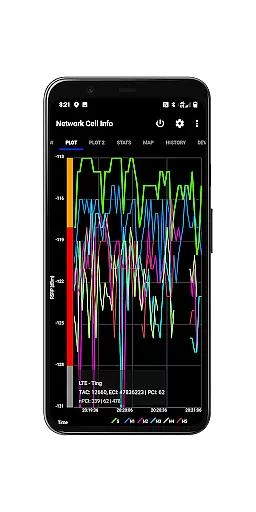
By offering dual-SIM support and detailed signal plots for up to six cells, Network Cell Info & Wifi empowers users with comprehensive insights into their connectivity. These tools help in identifying issues quickly and maintaining optimal network performance.
The user interface of Network Cell Info & Wifi is designed to be straightforward and easy to navigate, which significantly enhances the overall user experience. With clearly labeled tabs such as Gauge and Raw, users can effortlessly access the information they need without any confusion.
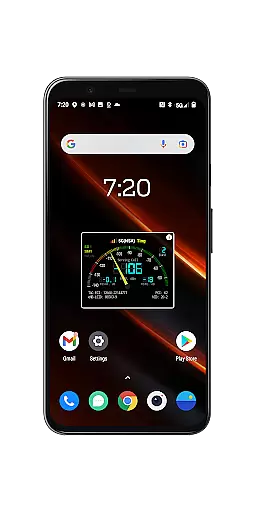
Signal-meter gauges for both SIMs and WiFi provide a visual representation of signal strength, making it simple for users to understand their connectivity status at a glance. This intuitive design reduces the learning curve and makes the app accessible even to those who may not be tech-savvy.
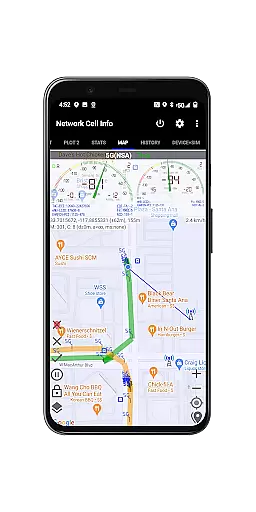
In addition to the visual aids, the app includes a map feature that displays network cellular info and signal-meter gauges. This integration of geographical data with network stats offers an intuitive way to visualize coverage areas and pinpoint problem zones.
Overall, the combination of clear visuals, logical layout, and helpful features like personal best signal finder maps ensures that users can efficiently manage and optimize their network settings without feeling overwhelmed by complex controls or settings.
Comprehensive network diagnostics
Real-time signal monitoring
Dual-SIM support
Free Bad Signal Reporter
Exportable data logs
Complex for beginners
Requires technical knowledge
No offline maps
Limited CDMA support
Premium version needed

FV File Manager Pro, Fast and powerful file manager for Android
 4.60
4.60
Head tracking for PC sim games such as MSFS 2024 or Elite:Dangerous. No headset!
4.50
Optimize your WiFi network, turn your phone into Wifi Analyzer
4.70
ADB support Android 4.X-Android 13(Support wireless pair mode).No root required!
4.70
With videos, electrical calculators, and built-in ebook, Ugly’s has your answer.
4.50
Quickly check the frequency of the Earth
4.30
Play your X-Box games remotely in 1080p with any controller and zero latency
4.60
Button mapper, mouse toggle, sleep timer and a lot of another features
4.50
Enhance your Beats
3.70
Bedrock Together: Join any bedrock server on Xbox/PS
4.80
Easily install aab(Android App Bundle) files on your Android device with our app
4.80
Remote Play with FSR upscaling, low latency & full controller support
4.80 4.50
4.50
Game Booster, GFX Tool is now compatible with newer game update
4.50
Remote for Roku, Fire TV, Samsung TV, LG TV, Android TV, Chromecast and VIZIO TV
4.20
Screen Mirroring with sound for Samsung TV, LG TV, Sony TV, Smart TV and Browser
4.20
This app unlocks the Pro features of the Central for DayZ app
3.60
PDF Reader - Document Viewer: Read, Manage & Organize Your Documents
3.10
Unlock your Essential Key. Create custom shortcuts to your favorite apps!
4.5


User Reviews