
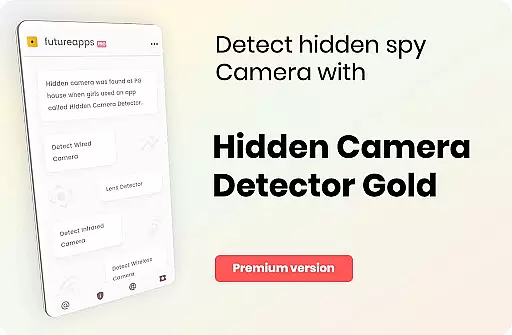
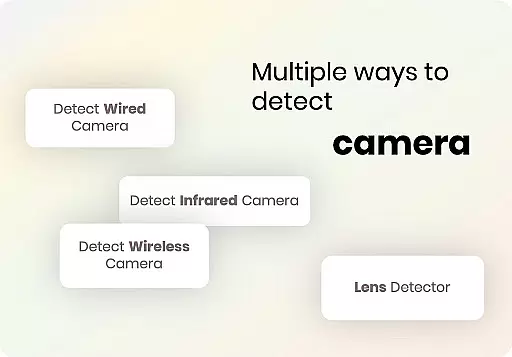
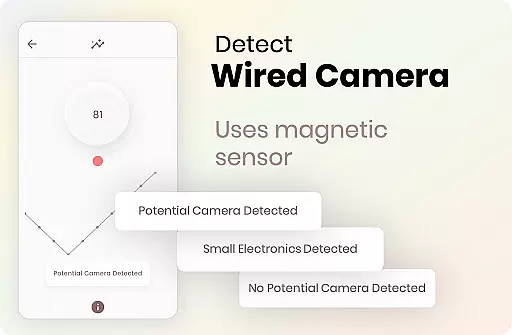
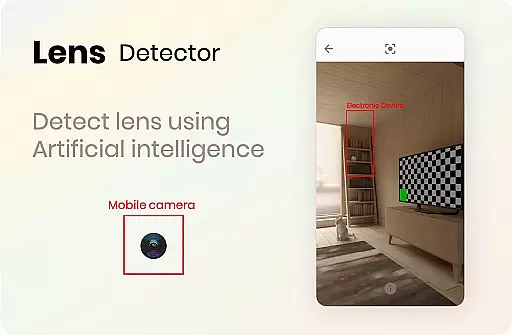
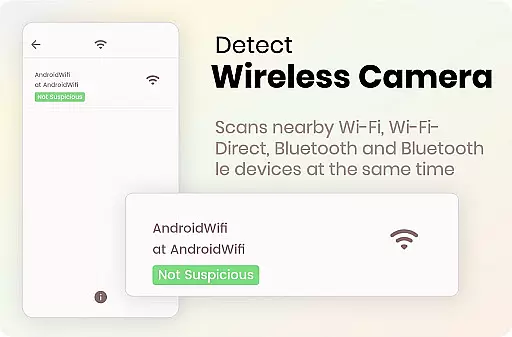
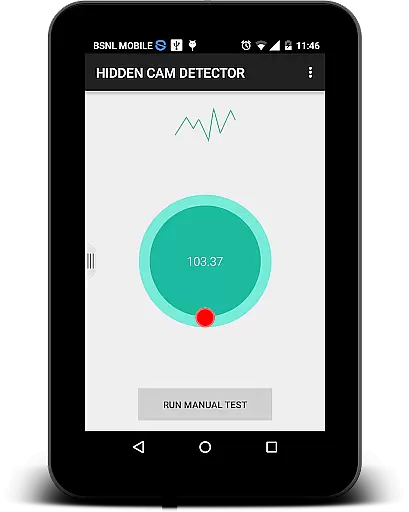
Hidden Camera Detector Gold is a specialized security application designed to help users identify potential hidden cameras in their surroundings. The app utilizes the magnetic sensor present in most smartphones to detect magnetic activity patterns similar to those emitted by camera devices. By moving your phone near suspicious objects like mirrors, showerheads, or flowerpots, the app can alert you with an alarm if it detects something resembling a camera's magnetic signature.
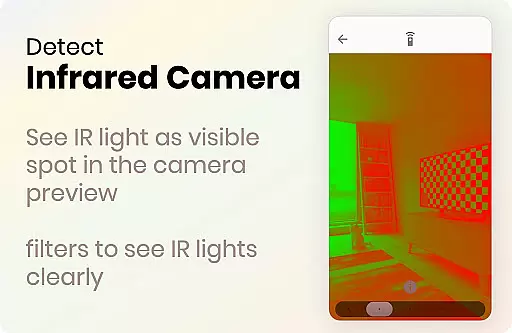
In addition to its magnetic detection feature, the app also includes an infrared camera detector. This tool allows users to scan for infrared lights that are invisible to the naked eye but may indicate the presence of infrared cameras. The app highlights these lights as white spots on your screen, providing an additional layer of security. With both features combined, Hidden Camera Detector Gold offers a comprehensive solution for maintaining privacy in potentially compromised spaces.
This app is particularly useful when staying in hotels, changing rooms, or any unfamiliar environment where privacy is crucial. By identifying hidden cameras, users can protect themselves from unauthorized surveillance and safeguard their personal information. The app also allows sharing locations with friends if a camera is detected, enabling others to take necessary precautions.
Hidden Camera Detector Gold stands out with its dual detection system, offering both magnetic and infrared scanning capabilities. The magnetic detection feature works by analyzing the magnetic field around your smartphone. When you move the device near potential camera locations, the app compares the detected magnetic activity with known camera signatures. If a match is found, the app triggers an audible alarm, alerting you to investigate further.
The infrared detection tool provides another layer of security by identifying infrared lights that are not visible to the human eye. Simply open the infrared detector and scan the area. If the app displays white spots on the screen, it indicates the presence of infrared light sources, which could be linked to hidden cameras. This feature uses your phone's camera with enhanced luminescence effects to make detection easier and more reliable.
Additional features include user guidance on locating your phone's magnetic sensor and tips for interpreting results. The app also offers practical advice on what to do when a potential threat is identified. Users can share locations via messaging apps when a camera is detected, helping friends and family avoid similar risks. These comprehensive features make Hidden Camera Detector Gold a valuable tool for anyone concerned about privacy and security in shared or public spaces.
Hidden Camera Detector Gold delivers precise detection capabilities through its magnetic sensor feature. The app analyzes magnetic activity around suspicious devices, providing accurate alerts when camera-like magnetic signatures are detected. This ensures users can trust the app's ability to identify potential hidden cameras in their environment.
The application employs a sophisticated algorithm that differentiates between normal electromagnetic interference from metals and actual camera signatures. By requiring users to move their phone's sensor towards suspected objects, it maximizes detection accuracy while minimizing false positives. This methodical approach guarantees reliable results during security sweeps.
For devices without magnetic sensors, the app offers an infrared detector as an alternative detection method. While not as precise as magnetic detection, this feature still provides value by identifying infrared light sources that may indicate hidden cameras. The combination of these detection methods demonstrates the app's commitment to comprehensive security solutions.
The user interface of Hidden Camera Detector Gold maintains a straightforward design that prioritizes functionality over complexity. Users can easily navigate between the magnetic detection and infrared scanning features through clearly labeled buttons and intuitive controls. This simplicity ensures that even non-technical users can operate the app effectively during security checks.
A key strength lies in its step-by-step guidance for first-time users. The app provides clear instructions on locating your device's sensor position and proper scanning techniques. These visual and textual cues help users understand how to move their device for optimal detection results, making the security process more accessible to everyone.
Despite its technical nature, the application avoids overwhelming users with unnecessary data or complicated settings. Instead, it focuses on delivering immediate, actionable information through simple audiovisual alerts. When the app detects suspicious activity, it responds with straightforward beeping sounds and visible warnings, ensuring users can quickly interpret the results without confusion.
Effective magnetic detection
Reliable infrared scanning
User-friendly interface
Comprehensive privacy tips
Location sharing option
Requires magnetic sensor
Occasional false alarms
Dependent on hardware quality
Limited without camera access
Premium version costs

Complete kernel toolbox with features to manage and tweak your rooted device
 4.30
4.30
Unlock your Essential Key. Create custom shortcuts to your favorite apps!
4.5
Best leveling tool for your Android device. Hang paintings like a pro.
4.90
MS-DOS in your pocket. Play old DOS games anywhere you are ;)
4.10
Navigate with Ease and Style
4.90
Monitor car performance in real time and troubleshoot malfunctions.
4.80
Game Booster, GFX Tool is now compatible with newer game update
4.50
Pro Emulator is an easy to use game console emulator for a range of consoles.
4.40
Mobile Security with Scam Protection | Malware & Virus Cleaner | Safe Browser
4.70
WiFi Signal Strength Meter help you detect WiFi Signal Strength in real time.
4.80
Protect your device with antivirus, storage cleanup, and system monitoring
4.70
FV File Manager Pro, Fast and powerful file manager for Android
4.60
Play your X-Box games remotely in 1080p with any controller and zero latency
4.60 4.50
4.50 4.50
4.50
VESC Tool can monitor and configure VESC-compatible devices over BLE and Wifi
4.20
Introducing Smart Printer, your ultimate destination for printing solutions!
4.00
Undelete and recover your lost or deleted files with DiskDigger!
3.40
card-reader app
2.20


User Reviews