
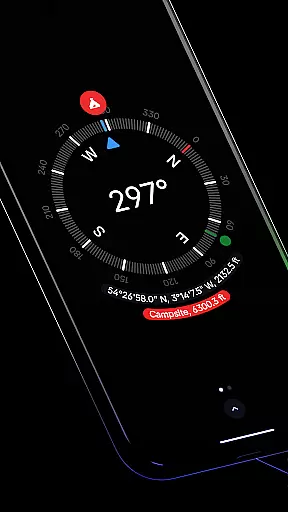
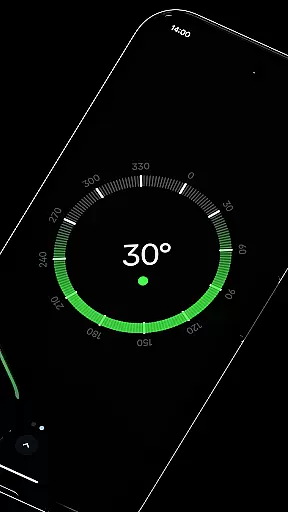
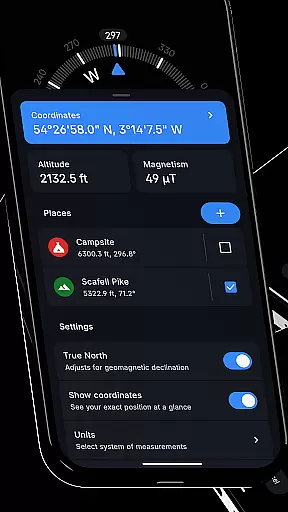
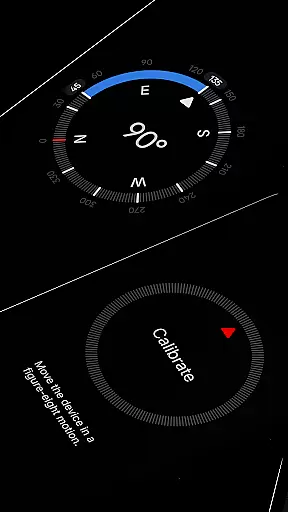
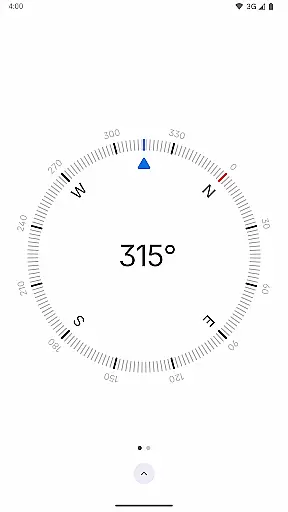
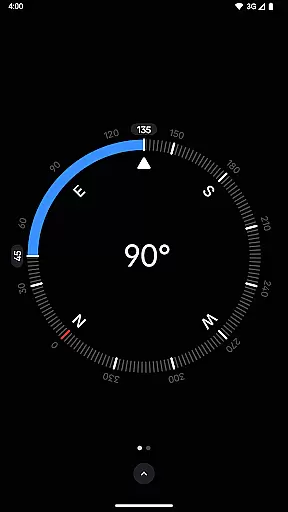
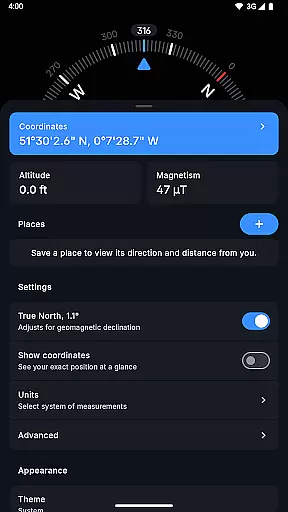
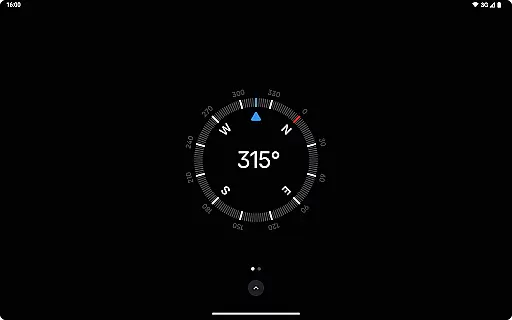
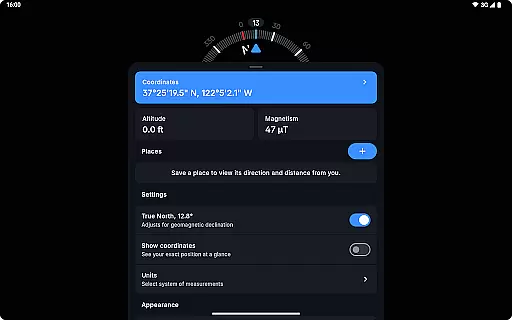
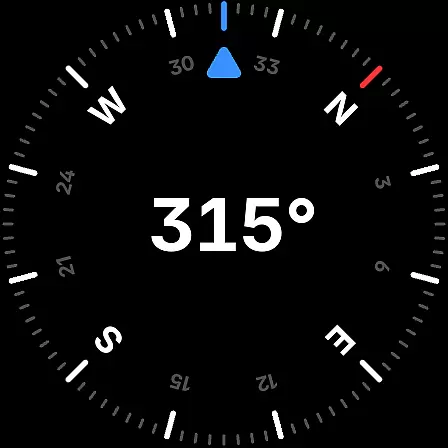
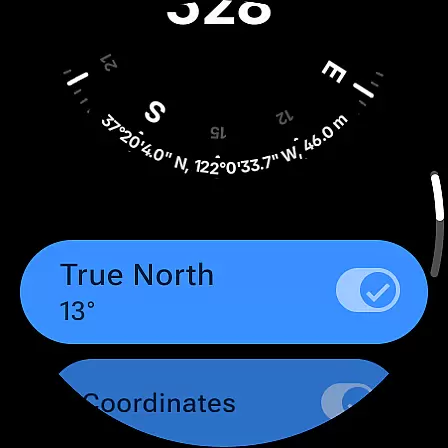
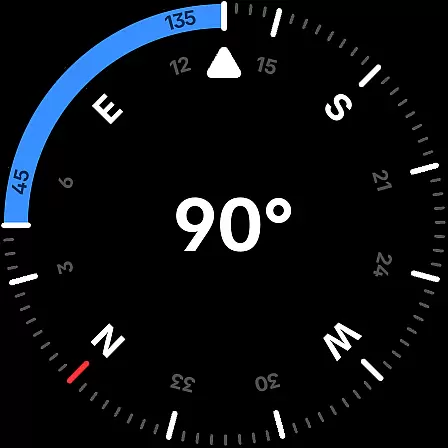
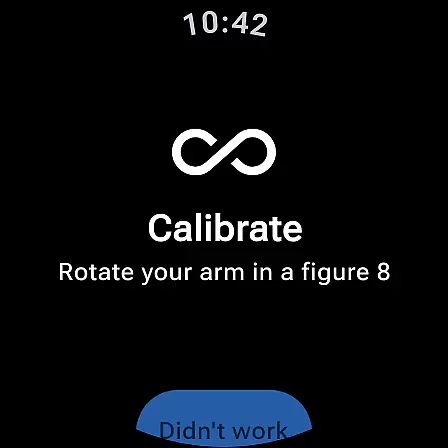
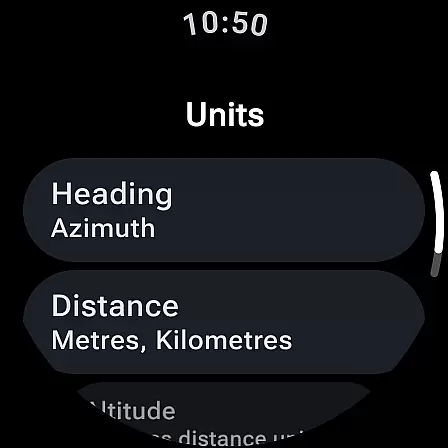
Compass is a sleek and minimalistic navigation app that combines simplicity with elegance. Designed for both Android phones and select Wear OS smartwatches, it offers users precise direction and location data through an intuitive dark-themed interface. The app provides essential navigation tools like coordinates in multiple formats, altitude information, and true north alignment, making it ideal for outdoor activities.
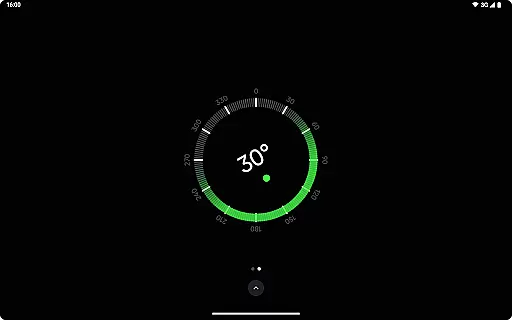
Beyond basic navigation, Compass includes practical features such as a bubble level, angle measurement, and a high-contrast display option. Users can personalize their experience with dynamic color themes and switch between units for angles and distances. With offline functionality, no ads, and a commitment to privacy, this app is perfect for explorers, hikers, and DIY enthusiasts who need reliable guidance without distractions.
Compass stands out with its comprehensive set of navigation and utility features. It supports various coordinate formats including DMS, UTM, and MGRS, while offering altitude readings in metric or imperial units. The app allows users to save specific locations and view their distance and direction relative to the current position, ensuring efficient route planning.
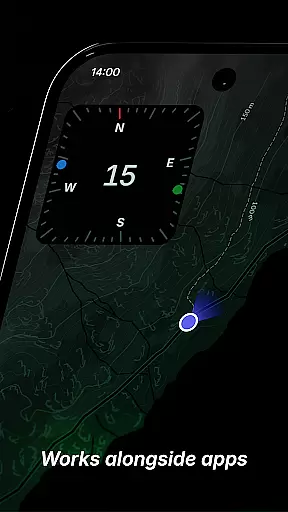
Additional functionalities enhance usability, such as the ability to dock the compass on the screen edge while multitasking. A built-in anomaly detector alerts users to magnetic interference, while rich haptic feedback provides tactile responses during navigation. With customizable themes, red screen filters for nighttime use, and privacy-focused design, Compass delivers both innovation and practicality in one package.
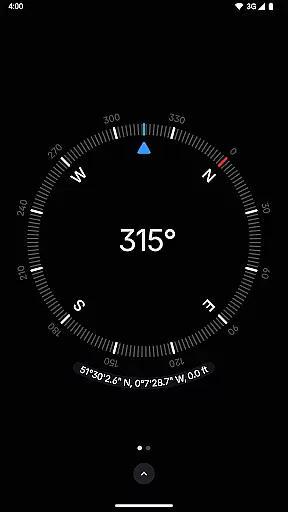
Compass stands out for its precision and reliability in delivering navigation data. The app provides users with exact location coordinates, including altitude, in multiple formats such as DMS, DDM, DD, UTM, MGRS, and OLC (Plus Codes). This versatility ensures that users can access geographical information in the format most useful to them, whether they are hikers, travelers, or professionals requiring specific data presentations.
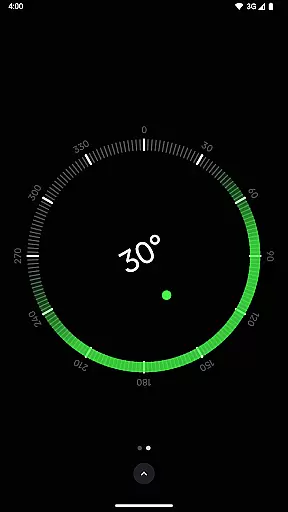
The application's ability to adjust for geomagnetic declination by aligning with true north enhances its navigational accuracy. This feature is crucial for explorers who depend on precise bearings in their journeys. Additionally, the integrated bubble level and angle difference measurement tools offer carpenters and DIY enthusiasts practical utilities beyond basic navigation, making Compass a multifunctional tool.
Users benefit from the app's high responsiveness and real-time data processing capabilities. Whether it's through rich haptic feedback that provides a tactile experience during navigation or the anomaly detector that alerts users to magnetic field interferences, Compass ensures an effective and uninterrupted user experience. These features collectively contribute to the app's core function accuracy, making it an indispensable tool for those who value both aesthetics and functionality.
The interface of Compass is designed with simplicity and user-friendliness at its core. Featuring a modern, dark-themed display, the app offers a clear and intuitive layout that ensures ease of use even for those unfamiliar with digital compasses. The option to switch between dark and light themes further enhances accessibility, allowing users to adapt the app to different lighting conditions or personal preferences.
Customization options abound within Compass, enabling users to personalize their experience. With Android 12's dynamic colours feature, the app's appearance can be tailored to match the user's wallpaper, creating a cohesive and personalized visual experience. Furthermore, the red screen filter option caters to nighttime use, reducing light pollution and improving visibility in low-light environments without compromising usability.
Compass also includes practical features like the ability to dock the compass to the edge of the screen while using other apps, ensuring that directional information remains accessible without interrupting other tasks. This seamless integration into daily activities underscores the app's commitment to providing an intuitive and hassle-free interface, making navigation and utility functions readily available at users' fingertips.
User-friendly interface
Accurate navigation tools
Customizable themes
Offline functionality
No ads or trackers
Limited Wear OS support
No voice guidance
Premium feature cost
Occasional calibration
Device compatibility

Quickly switch to an encrypted DNS server on Android TV
 4.50
4.50
A powerful, easy-to-use flight computer on your phone or tablet!
3.80
A recovery soft,it features photo recovery, video recovery, file recovery.
3.40
Unlock your Essential Key. Create custom shortcuts to your favorite apps!
4.1
Clean the junk files on your device
3.40
Unleash gamepad precision for ultimate mobile gaming dominance.
3.90
Planner and Tracker for Stardew Valley
4.60
Quickly check the frequency of the Earth
4.30
Fast VPN USA for any country. Super secure VPN for calls, streaming, games, TV.
4.40
FV File Manager Pro, Fast and powerful file manager for Android
4.60
The Ultimate Bluetooth Keyboard & Mouse. Securely control your PC, Mac, and more
4.50
Screen Mirroring for Roku Sticks, Roku TCL TV and Roku Hisense TV
4.50
pdf merge, word to pdf, jpg to pdf, edit pdf, convert to pdf and much more!
4.20
App that Recover your pictures, videos or files after you delete them.
4.20
Quickly & easily calculate the spacing of handrail balusters
4.20 4.10
4.10
A simple app to back up and restore SMS & MMS messages and call logs.
4.10
Create your own custom widget with endless possibilities
3.90
Fun lie-detection pranks for friends and parties.
3.80


User Reviews