
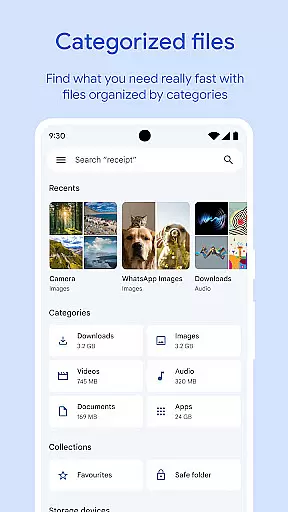
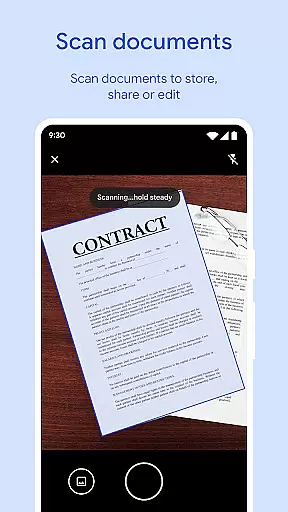
Files by Google is a powerful file management tool designed to help users efficiently organize, secure, and optimize their mobile storage. The app provides comprehensive features such as cleaning recommendations to free up space, advanced search capabilities for faster file retrieval, and offline file sharing through Quick Share. With support for cloud backup and enhanced security options like PIN protection, it ensures both convenience and safety. Whether you need to manage media files, documents, or app data, Files by Google offers a complete solution for Android users seeking smarter storage management.
In addition to its core functionalities, the app also includes smart recommendations that adapt to user behavior, helping them maintain an organized device. Its intuitive interface allows for seamless navigation while consuming minimal system resources, making it an ideal choice for users who want a reliable and ad-free file management experience.
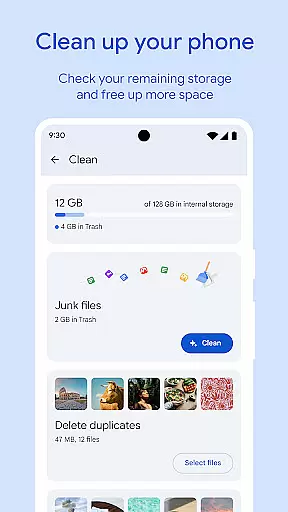
One of the standout features of Files by Google is its ability to provide actionable cleaning recommendations. By identifying old photos, duplicate files, and cached data, the app helps users reclaim valuable storage space on their devices, SD cards, and USB drives. This functionality not only simplifies the process of freeing up space but also ensures that users can maintain optimal performance without manual effort.
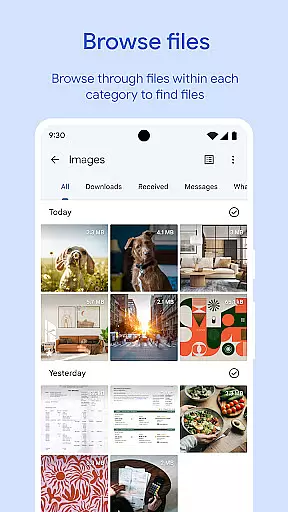
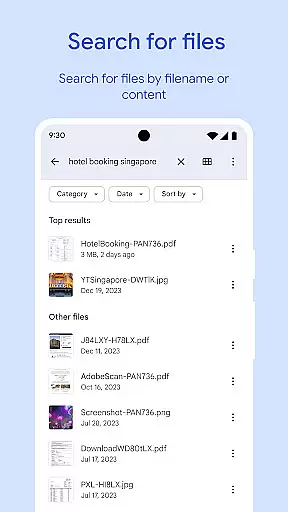
Another key aspect is its robust search and browsing system. Users can quickly locate specific files using the search bar or browse through categories such as photos, videos, and documents. Sorting options allow for better understanding of storage usage, enabling users to make informed decisions about which files to keep or remove. Additionally, the Quick Share feature facilitates fast and secure offline transfers at speeds up to 480 Mbps, ensuring privacy with end-to-end encryption.
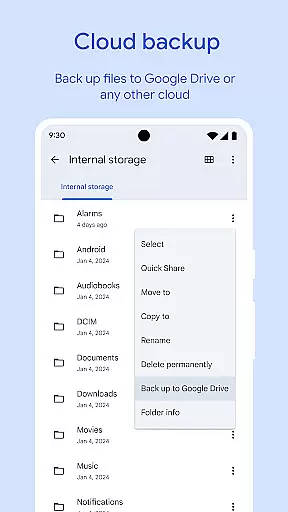
For added security, Files by Google allows users to protect sensitive files with a unique PIN or pattern lock separate from the device's primary security settings. Combined with cloud backup options to Google Drive or other services, this creates a versatile environment where users can confidently store and access their important data.
Files by Google excels in providing accurate and effective core functions that cater to users' file management needs. The app offers precise recommendations for freeing up space by identifying old photos, duplicate files, and cache data. This targeted approach ensures users can efficiently manage their device storage.
The search and browsing functionality is designed for speed and accuracy. Users can quickly locate specific files, sort them by size, and understand what's consuming their storage space. This level of detail helps users make informed decisions about their file management.
When it comes to file sharing, the app delivers fast transfer speeds of up to 480 Mbps through Quick Share, even without an internet connection. The end-to-end encryption ensures that file transfers are not only quick but also secure, maintaining the integrity and privacy of shared content.
Additionally, the app provides smart recommendations that improve over time, offering users increasingly relevant suggestions for managing their files. This adaptive feature enhances the overall effectiveness of the app, making it an invaluable tool for maintaining an organized digital environment.
Files by Google stands out for its simple and intuitive interface, which makes file management accessible to users of all technical backgrounds. The app's design emphasizes ease of use, allowing users to easily navigate through different file types such as photos, videos, and documents without a steep learning curve.
The layout is clean and uncluttered, presenting users with straightforward options for managing their files. Whether it's clearing space or securing sensitive files with a unique PIN or pattern, the app ensures that these tasks are easy to accomplish without unnecessary complexity.
Playback controls for offline media further demonstrate the app's commitment to user-friendly design. With features like playback speed adjustment and shuffle, users can enjoy a customizable media experience that remains intuitive and easy to control.
Moreover, Files by Google maintains a small footprint, using less than 20 MB of storage, and operates ad-free. This streamlined approach not only conserves valuable device resources but also contributes to a seamless and distraction-free user experience, reinforcing the app's dedication to simplicity and intuitive interaction.
User-friendly interface
Efficient storage optimization
Fast offline sharing
Enhanced file security
Smart recommendations
Limited iOS compatibility
No built-in video editor
Occasional bugs reported
Cloud requires Google account
Offline ads in some regions

A powerful, easy-to-use flight computer on your phone or tablet!
 3.80
3.80
Transfer Files, APK from Phone to Watch & Install.
4.1
Connect instantly to a fast, encrypted VPN with one tap
4.60
This app unlocks the Pro features of the Central for DayZ app
3.60
Safely recover deleted photos, videos, and files with a single easy tap.
3.70
Keep track of your Palia friendships, tasks, and inventory with Palia Notebook
4.60
Signal Strength, Mobile, Wifi, Speed Test, Bad Signals, Cellular, 5G, LTE, 4G
4.20
View detailed information about your Nissan Leaf the dealer never shows you.
4.10
Create your own custom widget with endless possibilities
3.90
Connect wirelessly to your computer to watch movies, browse the web, play games
5.00
Change your GPS location instantly. Simulate routes anywhere in the world.
4.90
Optimize your WiFi network, turn your phone into Wifi Analyzer
4.70
The Ultimate Flex Drivers Utility App - Convenient Tapping & Block Filters
4.70 4.50
4.50 4.50
4.50 4.50
4.50
With videos, electrical calculators, and built-in ebook, Ugly’s has your answer.
4.50
1-Click close all background apps on Android TV
3.90
Family Locator, Share location, StayConnect with your family in real time
3.90


User Reviews