
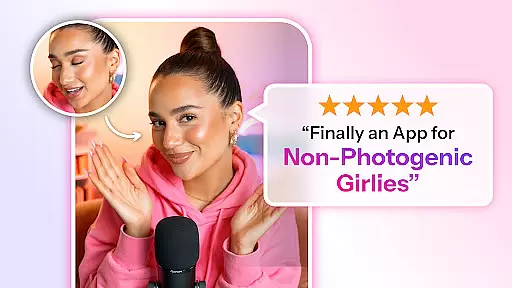
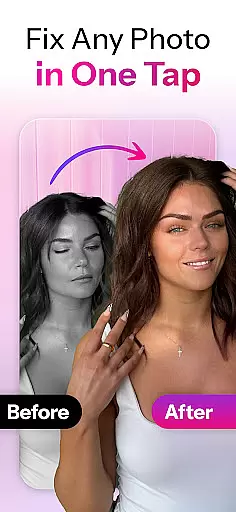

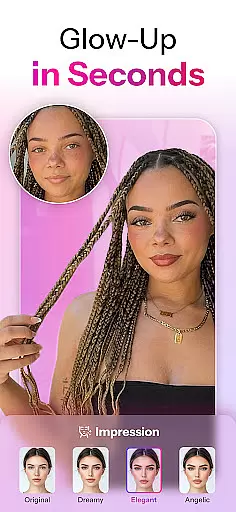
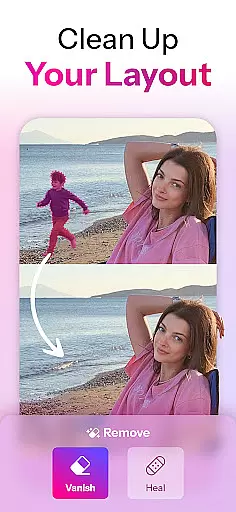
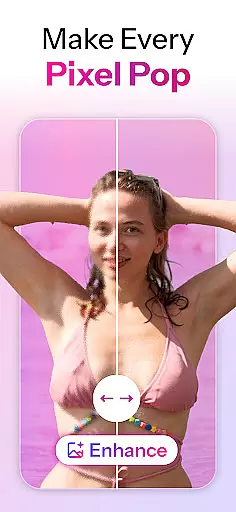
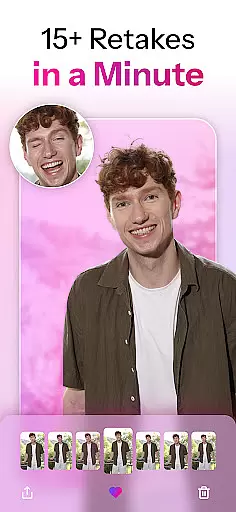
Retake AI is a revolutionary photography app that redefines photo editing by transforming any snap into a cherished memory with a single tap. Unlike traditional photo editing tools, Retake uses advanced AI technology to reimagine and refine images while preserving their natural essence. Whether it's an old photo from years ago or a recent shot, the app ensures every image looks its best without artificial enhancements.
The app's core strength lies in its ability to create realistic retakes that are indistinguishable from original shots. By uploading just 12 favorite pictures, users can generate a personalized AI model tailored to their unique features. This eliminates the need for endless retakes and complex editing sessions, allowing users to capture moments effortlessly and share them confidently on social media platforms like Instagram and TikTok.
Retake AI stands out with its unprecedented AI engine that crafts perfection tailored to each user. The app doesn't rely on artificial filters or unnecessary makeovers but instead focuses on enhancing the true spirit of the subject. This approach ensures that every edited photo maintains a natural look while presenting the user at their absolute best.
A key feature is the one-tap wizard functionality, which simplifies the editing process significantly. Users can upload photos and let the AI handle the rest, offering multiple refined versions of the original image. The app works equally well for selfies and candid shots, making every picture look its best while keeping the essence of the moment intact. This seamless blend of technology and authenticity sets Retake apart from other face and photo editing apps.
Real-time capture and preview functionality is essential for any photography app, allowing users to see exactly what the camera sees before taking a shot. Retake AI excels in this area by providing an intuitive interface that ensures every snap reflects the user's intended composition.
The app leverages advanced AI algorithms to optimize the live view, ensuring accurate color representation, proper exposure, and balanced lighting. This real-time optimization helps users capture the perfect moment without needing extensive post-processing.
With Retake AI, photographers can trust that their images will look as vibrant and detailed on their device as they do in reality. The app's sophisticated processing engine delivers crisp previews, empowering users to focus on creativity rather than technical adjustments.
This feature not only enhances the photography experience but also saves time, making it ideal for both amateur and professional photographers who need reliable results quickly.
AI beauty and enhancement features are crucial for modern photo editing apps, aiming to improve images while maintaining a natural look. Retake AI stands out by offering enhancements that preserve authenticity, avoiding the artificial appearance often associated with heavy editing.
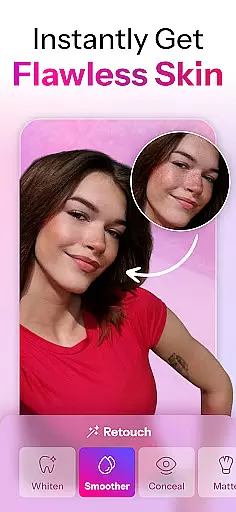
The app uses a unique AI engine to analyze facial features and apply subtle adjustments that enhance natural beauty. It focuses on refining skin texture, brightening eyes, and perfecting smiles without altering the subject's true essence.
Retake AI ensures that every edit looks genuine, blending seamlessly with the original photo. This approach allows users to achieve polished yet realistic results, whether editing selfies or candid shots.
By prioritizing natural enhancement, Retake AI empowers users to share their photos confidently, knowing that each image reflects their true self in the best possible light.
User-friendly interface
Advanced AI technology
Natural-looking edits
Personalized photo enhancement
Social media optimization
Requires initial photo upload
Limited free features
Subscription-based model
Privacy concerns with photo uploads
Learning curve for new users

Natural Beauty, Selfie Retouch
 4.30
4.30
Create amazing frames with up to five photos. Rounded corners, effects and more!
3.60
Add a dreamy vibe to your selfies and videos with soft style filters
4.0
USB Storage Access for Photos, Videos, Music and Documents
3.80
Luminar: Photo Editor - easy picture editing with AI
4.20
AI Photo Editor with 100+ Filters, Effects! Remove BG, Retouch & Photo Enhancer.
4.80
Collage your moments in one tap: 1000+ layouts, filters, stickers, and texts.
4.90
Hair color changer, AI haircut app, fun hair editor and buzz cut filter for all!
3.80
Solocator stamps photos you take with GPS location, Compass Direction, Date/Time
3.80
Enhance, upscale, and transform your images — on your device, without limits
4.70
Automatically backup your photos and videos to computer, NAS and Cloud services
4.60
HD Camera Pro with HD Video shooting, Panorama, Photo editor , Beauty Camera.
4.50
AI photo enhancer with Sora 2! Enhance, descratch, and colorize your old photos.
4.50
Trendy TikTok time warp scan funny filter app brings you unique photos & videos.
4.40
The #1 app for B&W film developing featuring an advanced darkroom timer.
4.10
Remote control of the phone camera from your Wear OS smartwatch
3.70
Pet Camera
3.70
An interval timer to automate photo taking process for timelapse
2.90
Photo Album Watch Face shows your favorite pictures as a Watchface.
1.90


User Reviews