


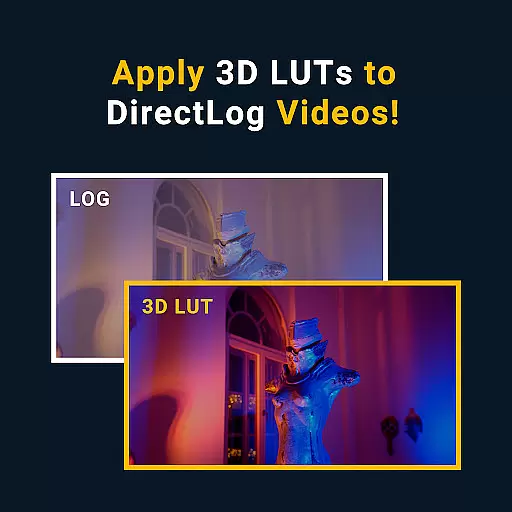
MotionCam Pro is a revolutionary photography and videography app that brings professional-grade tools to smartphone users. Designed for both amateur enthusiasts and seasoned photographers, this app offers advanced features such as RAW video capture, a first for mobile devices. By replacing the default camera software with its own computational photography algorithms, MotionCam Pro ensures every photo taken is of exceptional quality.
Whether you're capturing high-resolution images or recording professional-quality videos, MotionCam Pro provides an intuitive interface and powerful editing options. The app's innovative technology enhances image clarity, color accuracy, and dynamic range, making it an indispensable tool for anyone serious about mobile photography.
MotionCam Pro stands out with its unique ability to capture RAW video, allowing users to retain maximum detail and flexibility in post-production. This feature alone sets it apart from other camera apps on the market. Additionally, the app employs sophisticated computational photography techniques to optimize image quality, ensuring every shot is vibrant and sharp.
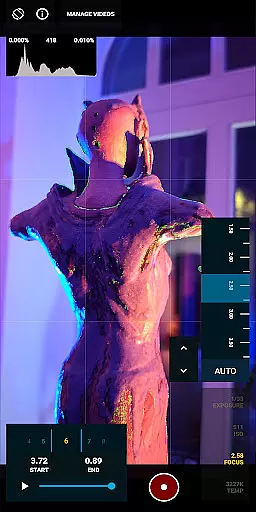
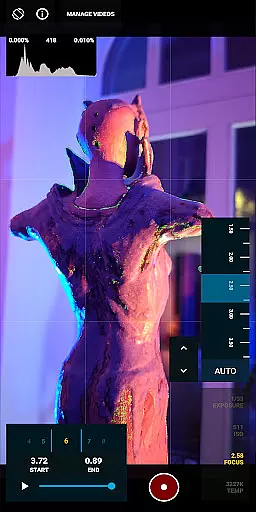
Users can take advantage of manual controls for exposure, focus, and white balance, giving them complete creative freedom. The app also supports various shooting modes, including time-lapse and slow-motion, catering to diverse photographic needs. With its seamless integration into existing workflows and compatibility with popular editing software, MotionCam Pro is a versatile tool for content creators.
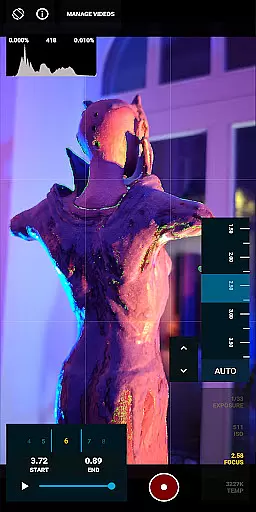
Real-time capture and preview functionality is essential for photographers who need to see the exact image or video they are capturing. MotionCam Pro excels in this area by providing users with a live view of their shot before they take it, ensuring that every detail is captured as intended.
The app's computational photography algorithms enhance the preview experience by adjusting settings such as exposure, white balance, and focus in real time. This allows users to make precise adjustments on the fly, resulting in professional-quality images without the need for post-processing.
With MotionCam Pro, users can also capture RAW videos, a feature not commonly found in smartphone camera apps. This provides videographers with greater flexibility during editing, as RAW files retain more information than compressed formats, leading to higher-quality final products.
MotionCam Pro incorporates advanced AI beauty and enhancement features that bring out the best in every photo while maintaining a natural look. Unlike other apps that may over-process images, MotionCam focuses on subtle enhancements that preserve the authenticity of the original shot.
The AI-driven tools intelligently identify facial features and skin tones to apply enhancements that look realistic and flattering. This ensures that subjects in the photos appear as they would in real life, with improved but not artificial-looking details.
Additionally, MotionCam Pro offers a range of customizable filters and effects that users can apply to their photos. These filters are designed to enhance the natural beauty of the image without overwhelming it, giving photographers the creative freedom to produce stunning yet genuine photographs.
RAW video capture
Advanced computational algorithms
Manual control settings
Vibrant image quality
Multiple shooting modes
Premium pricing
Steep learning curve
High storage requirements
Limited device compatibility
Occasional performance lags

Photo editor: face & body editor, beauty cam, filters and quality enhancer.
 4.00
4.00
All-in-One Editor & AI Photo Enhancer, Beautify & Retouch, Collage, Cartoonify
4.20
Search, tag and rate your way to an organized image gallery
4.40
Easily stitch panoramas from multiple photos or video.
4.40
Find time and duration of different sunlight phases at any location
4.90
Create & Edit with AI: AI Remove, Enhance, Retouch, Filter
4.10
Transform photos into videos! Create realistic or anime-style images easily!
4.50
Turn your phone into a professional camera - full DSLR manual photography
4.30
Add a dreamy vibe to your selfies and videos with soft style filters
4.1
Pro version: AR sun/moon tracker for any date. Tool for photographers & planners
4.90
AI Photo Editor with 100+ Filters, Effects! Remove BG, Retouch & Photo Enhancer.
4.80
Photo editor: AI filters, photo enhancer, pic collage maker, AI art generator.
4.80
See your baby AI baby face generator AI baby maker Face generator babymaker fun!
4.70
Light-weight Media Gallery app for Android made with Jetpack Compose
4.60
Use AI Video Generator to turn your words to ai generated videos.
4.50
Professional quality photo edits with the new Snapseed.
4.00
Remote control of the phone camera from your Wear OS smartwatch
3.70
Application for remote controlling DSLR
3.00
Photo Album Watch Face shows your favorite pictures as a Watchface.
1.90


User Reviews