
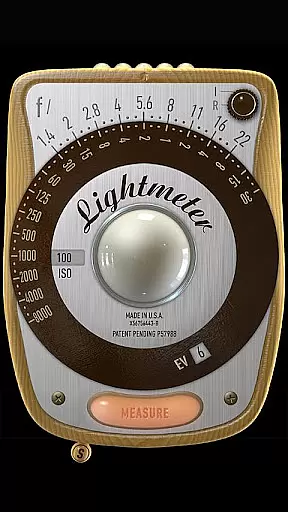
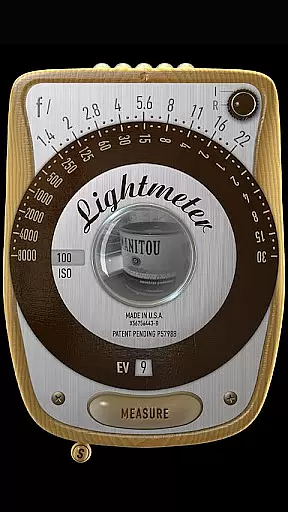
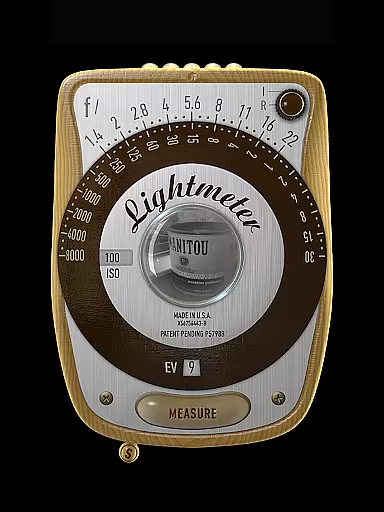
LightMeter is a specialized photography app designed for analog photographers who appreciate the art of old-school photography. This app transforms your mobile device into a precise light meter, offering both reflected and incident light metering options. With compatibility dependent on device hardware, it supports features like ISO range from 3 to 6400, low light alerts, and Exif data display. Ideal for advanced amateurs, this tool ensures accurate exposure readings, enhancing your analog shooting experience while supporting the photographer's creative vision.
The app's reflected light metering works best with devices that can save exposure data to Exif, providing reliable precision. For incident light metering, a device light sensor is required. Although phone-based light meters have limitations based on the hardware, LightMeter offers calibration features and alternative ISO selectors to maximize accuracy. Whether you're shooting in spot mode using your camera’s zoom or muting the camera for discreet operation, this app provides essential tools for capturing perfectly exposed images every time.
LightMeter stands out with its comprehensive set of features tailored specifically for analog photographers. The app includes an extensive ISO range from 3 to 6400, catering to various lighting conditions and film types. Its dual light metering system offers both incident and reflected light measurements, although functionality depends on device capabilities such as the presence of a light sensor or compatible camera. Additional features include a low light alert, optional Exif and sensor info display, and vibration feedback when taking measurements.
One of the app's notable innovations is its ability to hold incident light readings, allowing photographers to take measurements and then reposition their devices without losing data. The app also remembers its state and selected ISO upon resuming, ensuring continuity during photo sessions. With support for high-resolution screens and spot measurement functionality for devices with zoom cameras, LightMeter delivers a professional-grade toolset in a portable package. These features collectively help photographers achieve consistent, accurate exposures across different shooting scenarios.
LightMeter offers a unique real-time capture and preview feature that caters to the needs of old school photographers and advanced amateurs in analog photography. This functionality allows users to accurately measure light conditions through their device's camera, ensuring optimal exposure settings before capturing an image.
The app supports reflected light metering on compatible devices, providing reliable readings directly from the environment being photographed. With its ISO range spanning from 3 to 6400, LightMeter accommodates various lighting scenarios, making it versatile for different types of photography projects.
Additionally, the inclusion of low light alerts ensures photographers are aware of challenging lighting conditions, enabling them to adjust settings or use additional lighting equipment as needed. This attention to detail enhances the overall user experience by offering precise control over photographic outcomes.
While primarily focused on traditional light metering techniques, LightMeter also incorporates features aimed at enhancing photo quality naturally without relying heavily on artificial intelligence enhancements. The app provides incident light metering which uses the device's sensor to gauge ambient light levels effectively.
Users can benefit from calibration options within the app, allowing fine-tuning of measurements based on specific camera characteristics or environmental factors. This level of customization ensures that each photograph maintains its intended aesthetic qualities while benefiting from accurate exposure data provided by the app.
Furthermore, with functionalities such as vibration feedback upon measurement hold and alternative ISO selectors, LightMeter prioritizes intuitive interaction and ease-of-use. These thoughtful design elements contribute towards achieving high-quality images with minimal digital manipulation, preserving the authenticity of analog photography.
Accurate light readings
Wide ISO range
User-friendly interface
Supports Exif data
Customizable settings
Device compatibility issues
Limited precision on some devices
Incident mode needs sensor
Reflected mode has restrictions
No multilingual support

Photo editor: face & body editor, beauty cam, filters and quality enhancer.
 4.00
4.00
Photo editor: AI filters, photo enhancer, pic collage maker, AI art generator.
4.80
Transform photos into videos! Create realistic or anime-style images easily!
4.50
Gallery Slideshow is slideshow maker app for slideshow from your gallery photos.
3.90
Movie camera, supports pro recording settings for filming. Try it and be amazed!
4.50
Professional photography on your mobile phone
4.20
Unblur, enhance & restore photos with powerful AI photo enhancer tools.
4.60
Welcome to ProShot, the most powerful camera app on Android.
4.20
Discover How to Plan any Sun, Moon and Milky Way Photo You Imagine in Seconds
4.70
AI Photo Editor with 100+ Filters, Effects! Remove BG, Retouch & Photo Enhancer.
4.80
Cut and paste photo editor & eraser to customize photos easy and swap faces fun
4.50
Fit multiple photos on one post. Create carousels & scroll layouts for Instagram
4.50
Virtual makeup, hair filters & body tuner—edit from face to full body!
4.20
The #1 app for B&W film developing featuring an advanced darkroom timer.
4.10
Perfect photos with body shaping, BG changer and object remover.
3.70
Application for remote controlling DSLR
3.00
Long exposure camera with computational photography
2.60
Photo Album Watch Face shows your favorite pictures as a Watchface.
1.90
Snap photos remotely using your Garmin watch as the camera trigger
4.5


User Reviews