
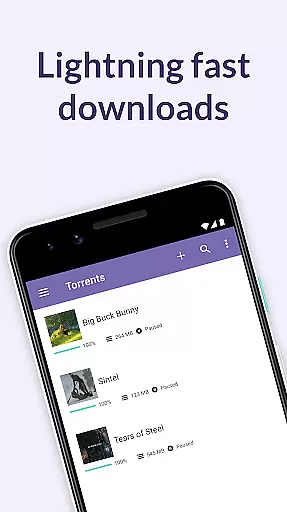
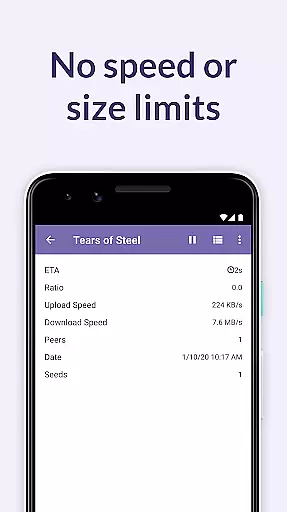
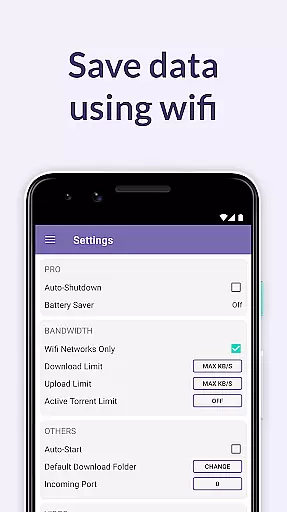
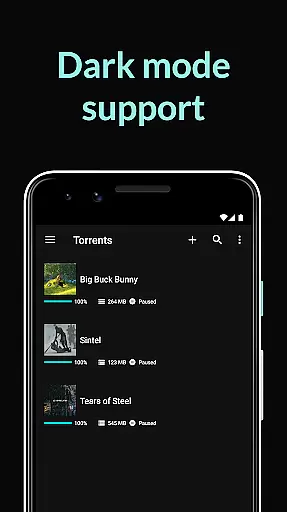
BitTorrent Pro is a premium torrent client designed specifically for Android devices, offering users the ability to search and download torrents directly to their mobile device without any advertisements. As the official BitTorrent application, it incorporates advanced features such as battery saving modes and automatic shutdown capabilities to enhance user experience while conserving device resources.
This app stands out by providing uninterrupted media downloading with additional functionalities like Wi-Fi only mode and integrated media libraries for easy access to downloaded content. Whether you're on the go or relaxing at home, BitTorrent Pro ensures that your media consumption isn't limited by location or device type.
The true value of BitTorrent Pro lies in its comprehensive feature set tailored for both casual downloaders and power users. With innovations like Canonical Peer Priority and support for magnet links, the app optimizes download speeds and reliability. This makes it an indispensable tool for anyone looking to manage their digital media library efficiently on their Android device.
BitTorrent Pro boasts a range of sophisticated features that cater to diverse user needs. One standout aspect is its energy-efficient design; the app includes a Battery Saver feature which halts downloads when the battery level drops below a certain threshold, ensuring your device remains functional throughout the day.
In addition to resource management tools, BitTorrent Pro offers unparalleled flexibility in handling torrent files. Users can select specific files within a torrent for download, choose download locations, and even delete torrents independently of their associated files. These options provide greater control over storage usage and organization.
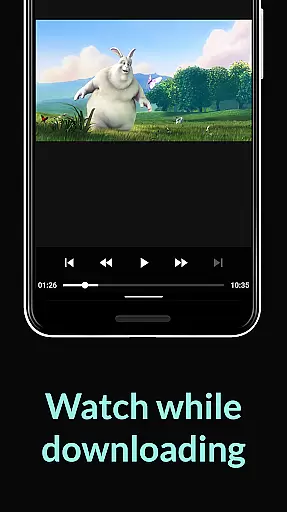
Furthermore, the app enhances multimedia engagement through dedicated music and video players, allowing seamless playback of downloaded media. Coupled with playlist functionality for multiple audio files and continuous updates from core engineers, BitTorrent Pro delivers a robust platform for managing and enjoying digital content on Android devices.
BitTorrent Pro stands out in video format compatibility, ensuring users can download and play a wide range of video files without hassle. The app supports virtually all popular video formats, allowing seamless integration with its built-in video player.
This flexibility is crucial for users who engage with diverse content sources. Whether downloading licensed media or personal files, the capacity to handle different formats ensures an uninterrupted experience. BitTorrent Pro's integrated video player enhances this further by offering a smooth playback, irrespective of the file's original format.
Moreover, the app's design emphasizes accessibility and ease of use. Users can easily navigate through their downloaded media, thanks to the app's intuitive interface that categorizes video content efficiently. This approach not only saves time but also significantly improves the overall user experience.
By focusing on comprehensive video format support, BitTorrent Pro enables users to enjoy their media on the go, without being constrained by format incompatibilities. This feature underscores the app's commitment to delivering a versatile and user-friendly torrenting solution.
While BitTorrent Pro focuses primarily on torrent downloading, it incorporates AI-powered features that enhance media management and playback. Although not a traditional video editor, its intelligent management system simplifies how users interact with their downloaded content, optimizing the viewing experience.
The app intelligently categorizes media into music and video libraries, streamlining access to content. This smart organization is akin to AI-driven editing features, where content is automatically sorted and made readily available for consumption, thus eliminating manual sorting and tagging.
Additionally, BitTorrent Pro offers advanced playback options that mimic editing capabilities. For instance, users downloading multiple music files within a single torrent can play them as a continuous playlist, creating a personalized listening experience without needing external software.
These innovative features highlight BitTorrent Pro's dedication to integrating cutting-edge technology that simplifies media consumption. By leveraging AI to anticipate user needs, the app delivers a streamlined, efficient way to manage and enjoy digital content on mobile devices.
AD-FREE experience
Battery Saver mode
Auto-shutdown option
No speed restrictions
Integrated media players
Paid subscription model
Limited free version
Requires technical knowledge
Occasional bugs reported
Not available on iOS

Video player, file manager for all formats, 4K/HD media player supports subtitle
 4.30
4.30
A Quick and Pro Video Editor
4.70
Search & download videos from net with all video downloader, auto-detect & safe.
4.60
Create photo video with music & template. AI video maker for stunning slideshow.
4.60
1)AirPlay/DLNA Mirroring/Streaming, up to 4 connections; 2)Samba/NAS/DMS Player.
4.00
Download website videos fast&privacy
4.40
Browser for Fire TV to stream webvideos, online movies, livestreams in HD
4.40
Livestream, news, & gaming content. Watch, chat, and upload. Join Rumble today!
3.80
Photo editor & video maker with music and slideshows.
4.10
An easy-to-use and all-round screen recorder with audio
4.80
All in one HD video downloader & player for multiple formats with full privacy
4.70
Screen recorder with audio to take live videos & Screenshot in high quality!
4.70
VLC Remote lets you control your VLC Media Player on Mac, PC or Linux.
4.60
Watch IPTV on your Android device
4.60
Photo and Music Video Creator into Stunning Videos—Effortlessly
4.40
Viddo: Generate Action Figure, AI Anime, AI kiss, AI hug Video from image & text
4.40
Create & edit videos with AI
4.30
All format media Player, no need video converter any more!
4.00
A full editing room to accompany your Insta360 cameras and handheld gimbals.
3.30


User Reviews