

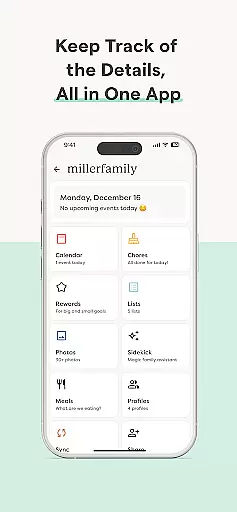


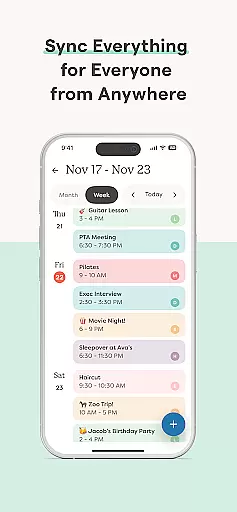
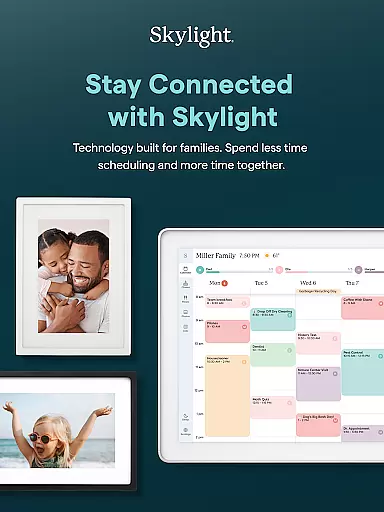

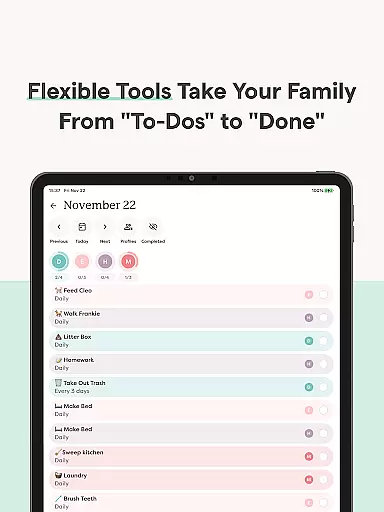
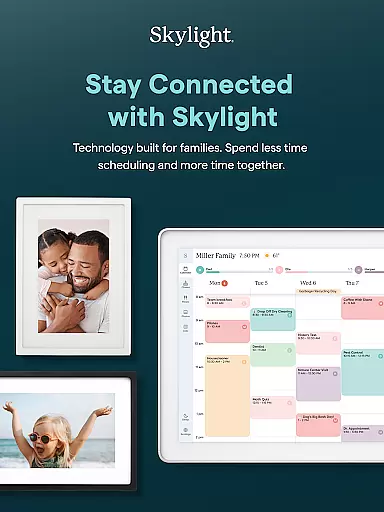

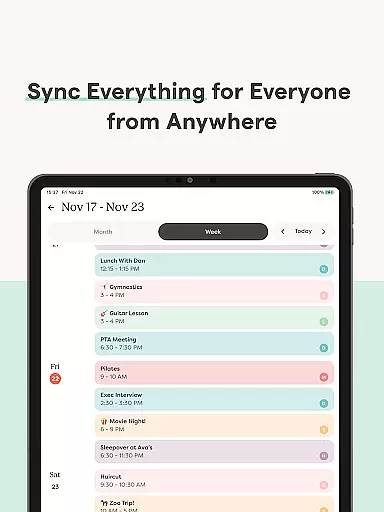
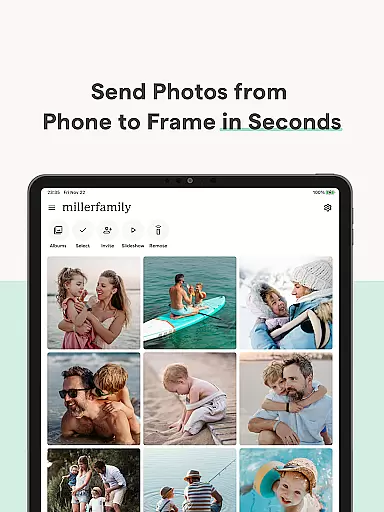
Skylight is a comprehensive family management application that consolidates calendars, lists, routines, and memories into a unified platform. Designed for families seeking better organization and connection, the app offers robust features through its Skylight Calendar and Skylight Frame functionalities.
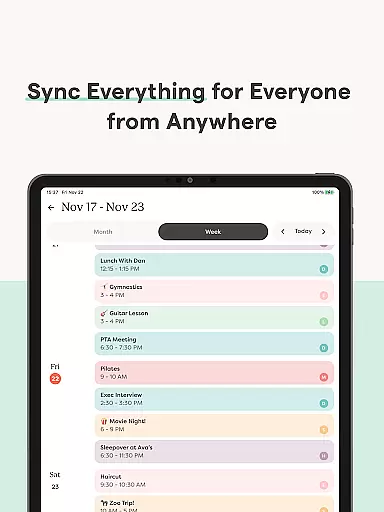
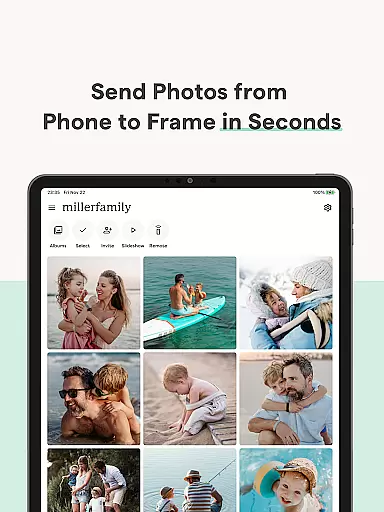
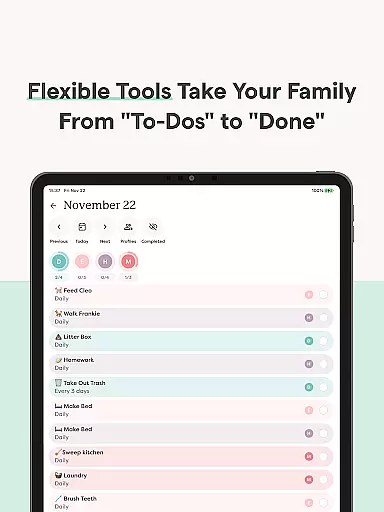
The Skylight Calendar allows users to sync unlimited external calendars, create recurring tasks, share grocery lists, and even earn rewards for task completion via its premium subscription. Additionally, it supports recipe book creation and photo uploads for screensavers. The Skylight Frame feature enables easy WiFi setup, photo uploads from anywhere, album creation with captions, and video display customization.
Whether managing daily chores or preserving cherished memories, Skylight enhances both productivity and family bonding by centralizing essential tools in one accessible location.
Skylight stands out with its dual functionality focused on family organization and memory preservation. The Skylight Calendar provides advanced scheduling capabilities such as syncing multiple calendars, setting recurring routines, and sharing collaborative lists like groceries and to-dos. Its PLUS tier introduces gamification elements where users can earn stars for completing tasks, alongside unique features like building recipe books and meal plans.
On the other hand, the Skylight Frame transforms digital displays into personalized galleries. Users can upload photos and videos directly via the app or email, create unlimited albums with customizable captions, and tailor their frame's appearance. This combination of practicality and sentimentality ensures that families not only stay organized but also maintain an ongoing visual narrative of their lives.
With seamless integration across devices and user-friendly interfaces, Skylight caters to modern families looking to streamline their routines while celebrating shared moments.
Real-time capture and preview functionality is essential for ensuring that every photo or video taken meets the user's expectations without delay. Skylight provides an intuitive interface where users can see exactly what the camera captures before taking a shot, allowing for precise framing and composition.
The app ensures that all adjustments, such as exposure and focus, are reflected instantly in the preview window. This real-time feedback empowers users to make necessary changes on the fly, enhancing the overall quality of their photos and videos.
For families using Skylight Frames, this feature allows them to upload high-quality images directly from their daily lives, knowing that what they see is what they get. The result is a seamless experience that keeps family memories vivid and true to life.
AI beauty and enhancement features have become a staple in modern photography apps, offering tools that improve image quality while maintaining a natural look. Skylight leverages advanced AI algorithms to enhance facial features gently, ensuring that edited photos retain authenticity and do not appear overly processed.
Users can apply these enhancements across various types of media, including family portraits and candid shots captured through the app. The AI intelligently identifies areas for subtle improvements, such as skin smoothing and eye brightening, without compromising the original character of the subject.
This balance between enhancement and realism is particularly beneficial for families who wish to preserve genuine moments without sacrificing the natural essence of their memories. With Skylight, every uploaded photo or video reflects the true beauty of family life.
User-friendly interface
Comprehensive calendar sync
Premium customization options
Task gamification
Memory preservation tools
Limited free features
Premium subscription required
Dependent on WiFi connectivity
Complexity for new users
Device compatibility issues

Perfect photos with body shaping, BG changer and object remover.
 3.70
3.70
Android Native system HD camera app. Never been so simple and faster.
4.70
The #1 app for B&W film developing featuring an advanced darkroom timer.
4.10
Photo editor & gallery. Crop pictures & edit photos offline, no wifi!
4.50
USB Storage Access for Photos, Videos, Music and Documents
3.80
Luminar: Photo Editor - easy picture editing with AI
4.20
Enhance, retouch & create your story - Share the moment with Photoshop Express.
4.60
A unique animation app. Powerful, easy to use, and lots of fun.
4.30
Discover How to Plan any Sun, Moon and Milky Way Photo You Imagine in Seconds
4.70
A collection of tools and reference tables for DPs, ACs, DITs and Operators.
4.70
See your baby AI baby face generator AI baby maker Face generator babymaker fun!
4.70
Automatically backup your photos and videos to computer, NAS and Cloud services
4.60
Create collages easily! Nice pic collage maker & background eraser for Instagram
4.50
Fit multiple photos on one post. Create carousels & scroll layouts for Instagram
4.50
[3DSteroid Pro] is a stereoscopic application for Android.
4.30
AI-powered video creator by MiniMax - Where ideas meet cinema
4.20
Create & Edit with AI: AI Remove, Enhance, Retouch, Filter
4.10
Superimpose one photo on top of another using the original Superimpose app!
3.20
HD Photo gallery and photo manager to edit, hide private photos, videos & albums
4.3


User Reviews