
Luminar: Photo Editor is a comprehensive mobile photo editing application designed for both Android and ChromeOS users. This app combines powerful AI-driven tools with an intuitive, interactive interface that responds to touch gestures, making photo editing more engaging and efficient. The app features a streamlined design that allows users to edit photos using simple gestures like gliding sliders and spinning dials, eliminating complicated processes and enhancing creativity.
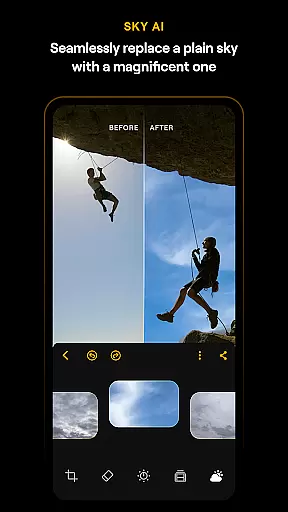
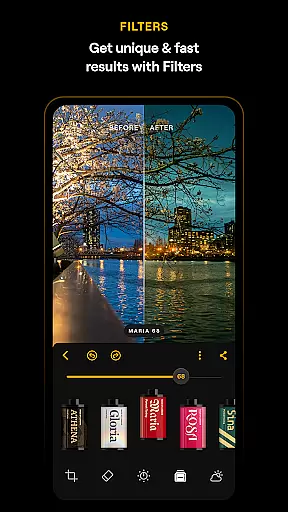
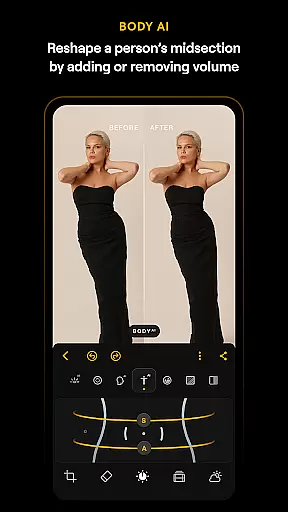
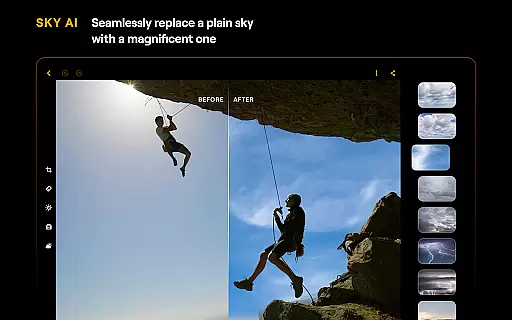
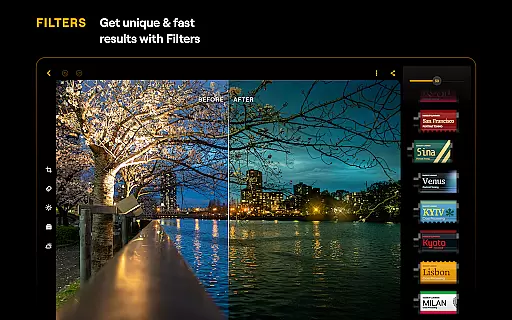
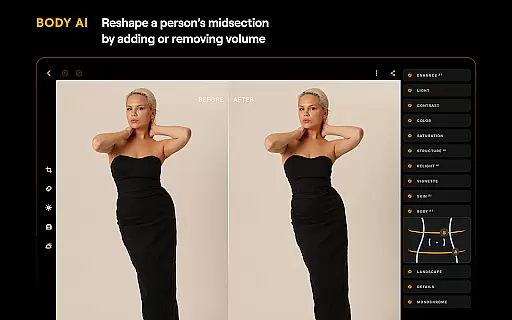
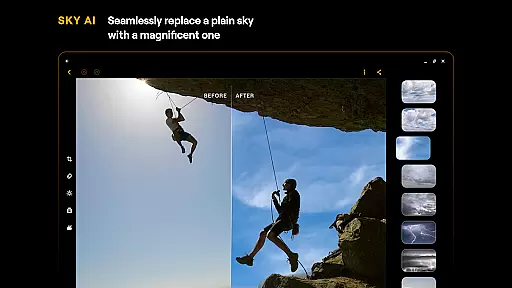
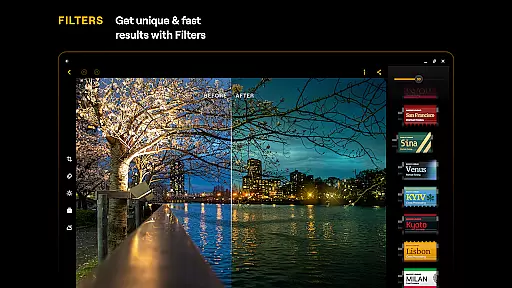
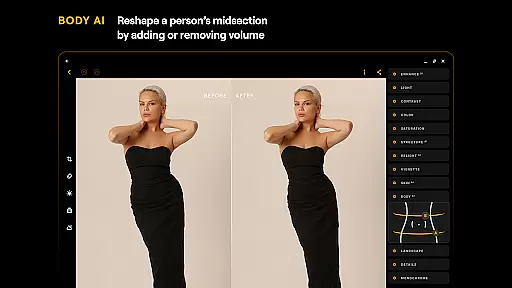
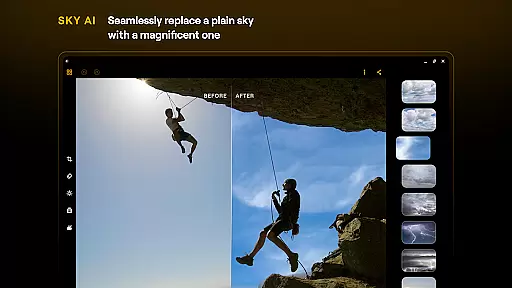
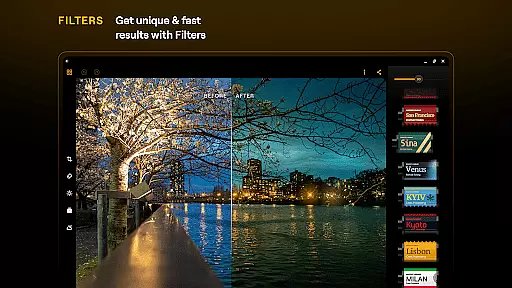
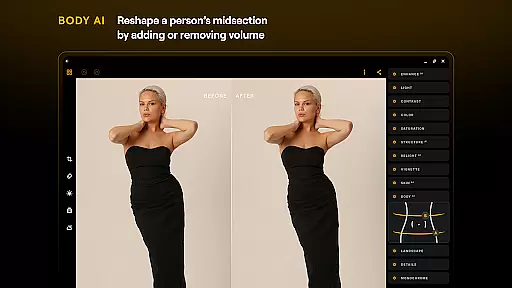
One of Luminar's standout features is its suite of Smart AI enhancements. These include tools like SkyAI for sky replacement, EnhanceAI for quick photo quality adjustments, StructureAI for detail enhancement, RelightAI for dynamic lighting control, SkinAI for automatic skin retouching, and BodyAI for realistic body shaping. Additionally, the app offers advanced editing tools such as Curves for precise color adjustments, Details for clarity enhancement, Crop for perfect composition, Landscape for transforming outdoor scenes, Monochrome for black-and-white conversions, Erase for removing unwanted elements, and Photo Filters for adding unique styles. With support for RAW files, Luminar ensures maximum image quality and flexibility in post-processing.
Luminar: Photo Editor is optimized for devices running Android 11 or later and ChromeOS with Android Runtime support. Whether you're a beginner or a professional photographer, this app provides a range of features including detail enhancement, photo retouching, and color adjustment, all accessible through a smooth and responsive interface. Its seamless integration with Android devices makes it an ideal creative companion for on-the-go photo editing.
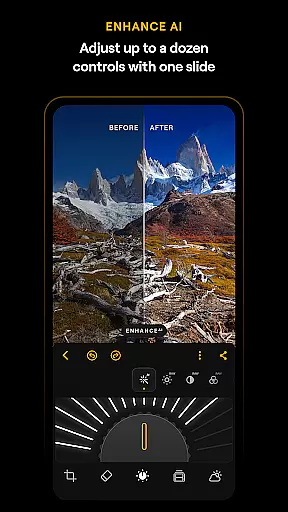
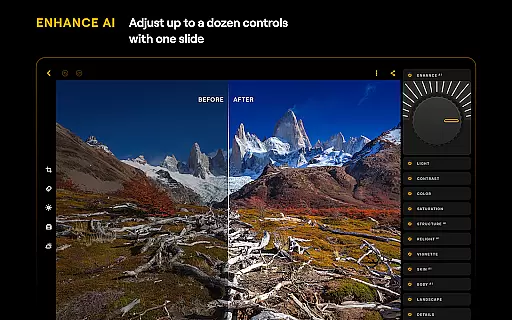
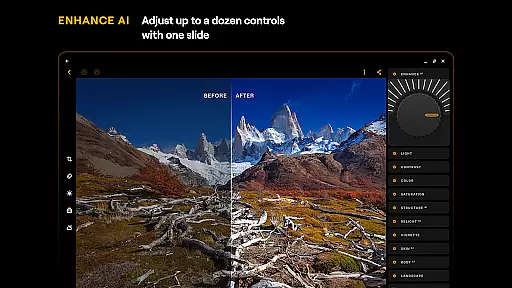
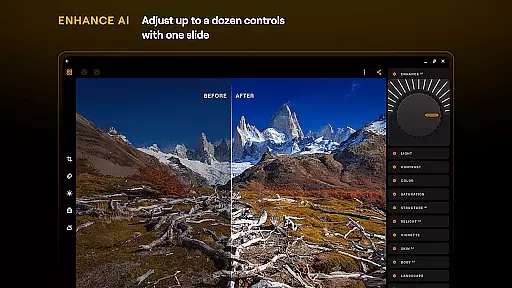
Luminar: Photo Editor stands out due to its innovative combination of AI technology and user-friendly design. One of the key features is its AI-driven tools, which automate complex editing tasks while maintaining high-quality results. For instance, EnhanceAI allows users to adjust color, tone, and clarity with a single slide, delivering professional-grade edits in seconds. Similarly, tools like SkyAI and StructureAI provide specialized functions such as sky replacement and detail enhancement, enabling users to create visually striking images without manual effort.
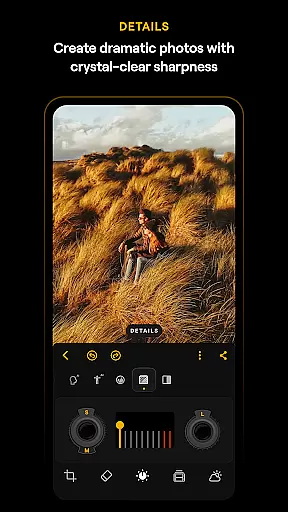
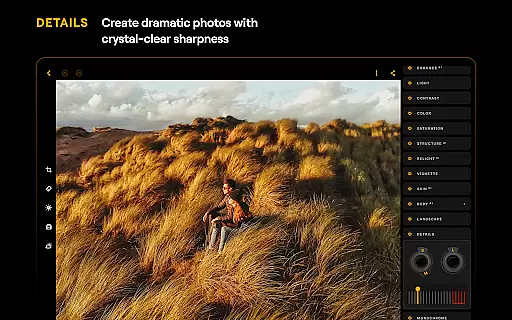
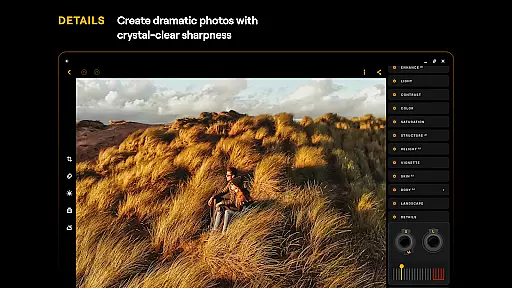
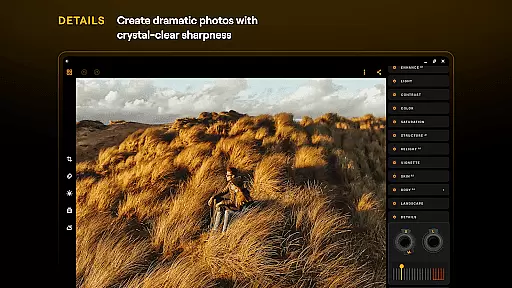
The app also includes traditional editing tools that cater to more experienced users. Features like Curves and Details offer precise control over color balance and image sharpness, while the Crop tool helps achieve perfect composition by allowing users to trim, align, flip, and rotate images effortlessly. Additionally, the Monochrome and Landscape tools add artistic flair by converting images to black-and-white masterpieces or enhancing natural scenery with golden hour lighting effects. Another notable feature is RAW file support, which ensures that photographers can work with uncompressed image files directly on their mobile devices, preserving maximum detail and flexibility during post-processing.
Beyond its technical capabilities, Luminar: Photo Editor emphasizes accessibility and ease of use. Its motion-responsive sliders and sound effects create an immersive editing experience, while the overall design minimizes complexity. This makes the app suitable for both beginners who need straightforward tools and professionals seeking advanced functionality. Furthermore, its compatibility with Android 11+ and ChromeOS ensures broad device support, making it a versatile choice for anyone looking to enhance their photography workflow.
Real-time capture and preview functionality is essential for ensuring that users can immediately see the results of their photo edits. Luminar: Photo Editor offers a seamless experience where every adjustment made is instantly reflected in the preview window. This allows photographers to make precise modifications without any lag, enhancing the overall editing workflow.
The application's interface is designed to respond realistically to touch, with smoothly gliding sliders and spinning dials. These interactive elements provide tactile feedback through motion and sound, making the editing process not only efficient but also engaging. Users can easily manipulate various parameters such as brightness, contrast, and saturation with intuitive gestures.
For those who need to work on-the-go, Luminar ensures that all changes are applied in real time, regardless of whether you're using an Android phone or a Chromebook. The app supports devices running Android 11 or later and ChromeOS with Android Runtime support, delivering a consistent performance across different platforms. This compatibility guarantees that creatives can rely on Luminar for quick yet high-quality edits whenever inspiration strikes.
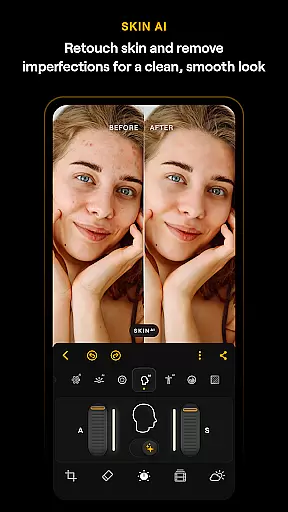
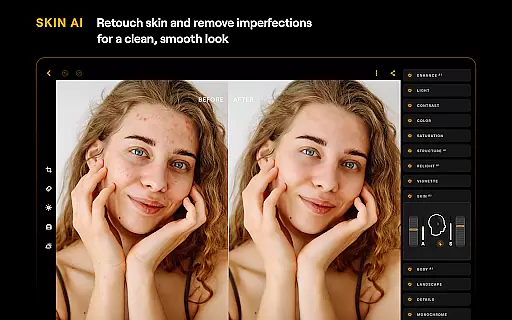
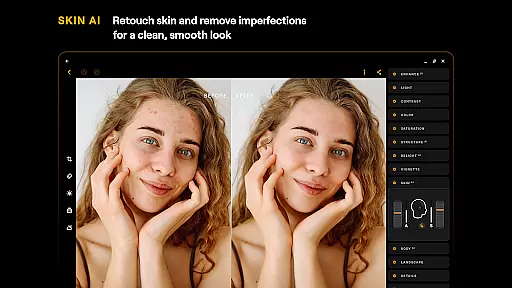
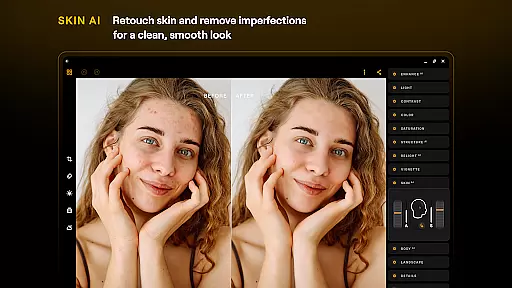
Luminar: Photo Editor leverages advanced AI-driven tools to enhance beauty and naturalness in photos, providing users with professional-grade enhancements at their fingertips. One standout feature is SkinAI, which automatically retouches skin to remove imperfections while maintaining a clean and smooth result. This tool intelligently detects facial features and applies adjustments that look authentic rather than over-processed.
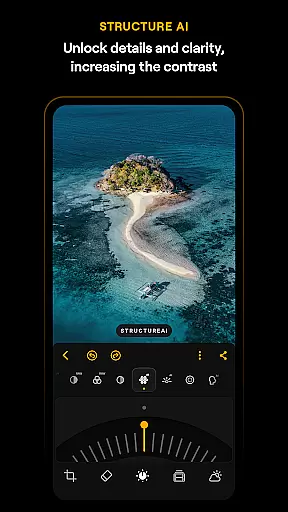
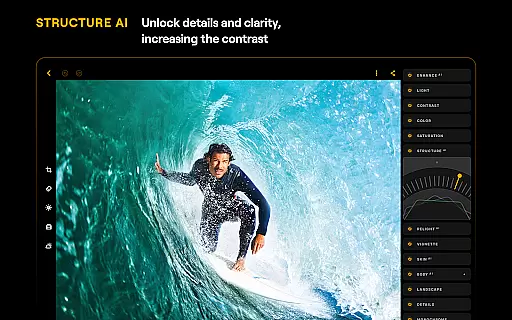
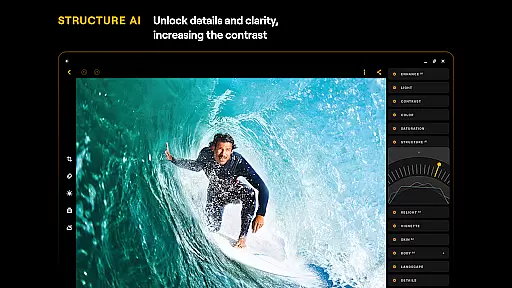
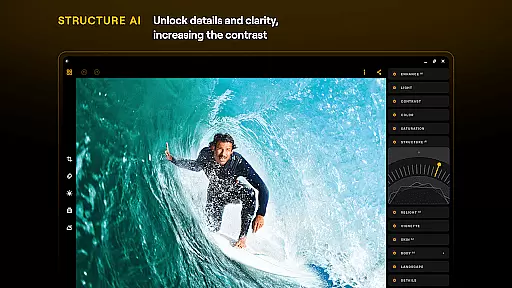
In addition to SkinAI, other AI-powered features like EnhanceAI allow users to improve photo quality effortlessly. With just a single slide, this function adjusts color, tone, and clarity, delivering polished images within seconds. StructureAI further refines details by enhancing contrast and texture, ensuring each image has striking visual impact without appearing artificial.
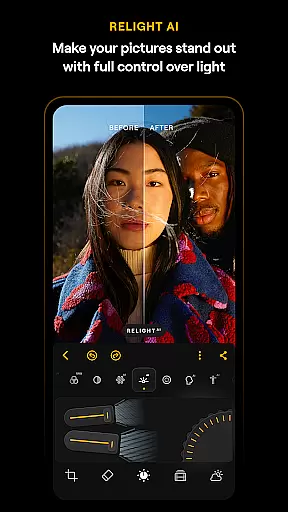
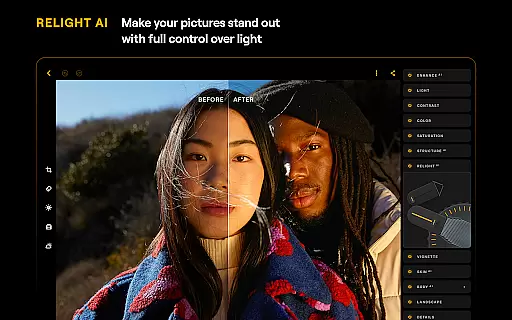
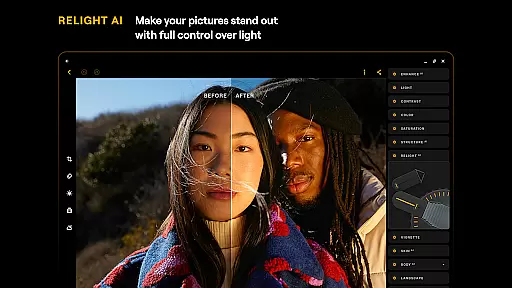
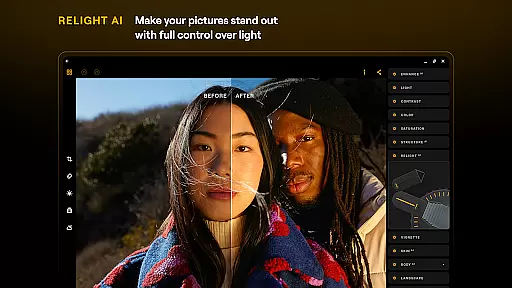
RelightAI gives photographers full control over exposure and light sources, dynamically adjusting lighting conditions to suit artistic visions. Whether itu2019s brightening up a dimly lit portrait or adding drama to landscape shots, these intelligent enhancements ensure that every edit looks both natural and impressive. By combining powerful AI capabilities with user-friendly controls, Luminar makes sophisticated photo editing accessible to everyone.
User-friendly interface
Advanced AI tools
RAW file support
Wide range of filters
Cross-platform compatibility
Paid subscription required
High system requirements
Limited free features
No desktop version
Occasional bugs

A collection of tools and reference tables for DPs, ACs, DITs and Operators.
 4.70
4.70
Gallery show photo, video, slideshow, is perfect 3D effect private photo albums.
4.80
Professional video recording application with manual controls for filmmakers!
2.80
Create collages easily! Nice pic collage maker & background eraser for Instagram
4.50
Over 800 film simulation recipes for Fujifilm. Black Friday Offer!
4.1
A must-have app for landscape photographers
4.60
Future baby face generator: AI kids generator, kid face! What my baby look like?
4.40
Use AI Video Generator to turn your words to ai generated videos.
4.50
Photo & Video Gallery app to manage albums and save WA Status easily.
4.70
The original Rarevision VHS look seen everywhere!
4.70
Unblur, enhance & restore photos with powerful AI photo enhancer tools.
4.60
Add Watermark - Sign your pictures with a text or logo. Effective, quick, easy!
4.50
Create AI photos & videos with Enhancer; restore, fix, beautify, enhance photos
4.50
Edit like a pro with Hypic. Apply filters, AI effects, & magic touch.
4.40
Shooting photos and records video easily and efficient with professional Camera
4.30
Professional photography on your mobile phone
4.20
Professional camera app that brings DSLR manual photography controls to Android.
4.20
Photo editor: face & body editor, beauty cam, filters and quality enhancer.
4.00
Professional quality photo edits with the new Snapseed.
4.00


User Reviews