
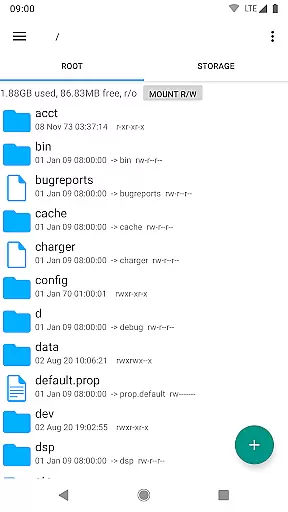
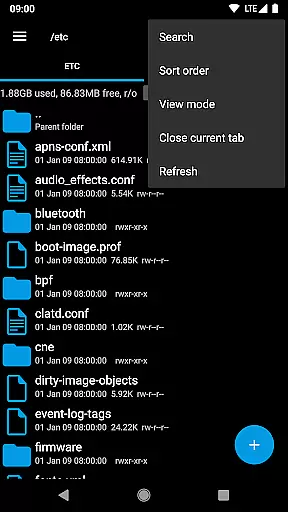
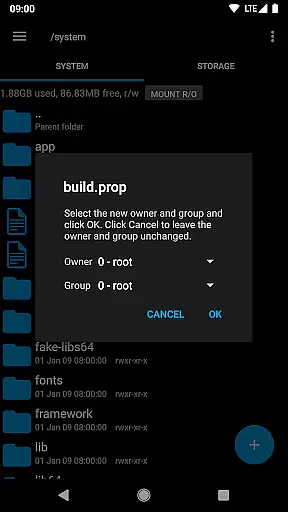
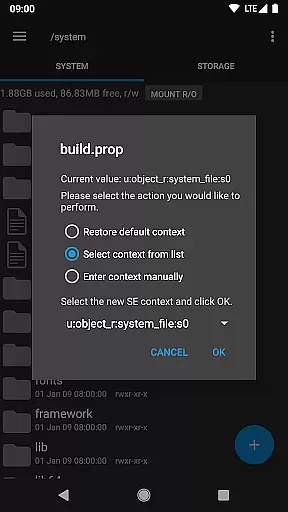
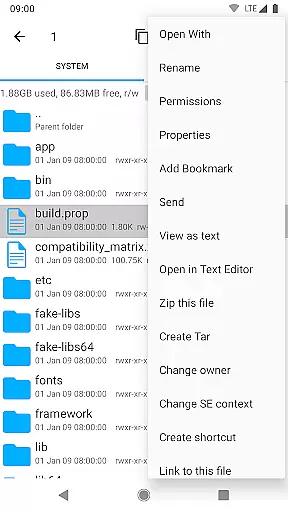
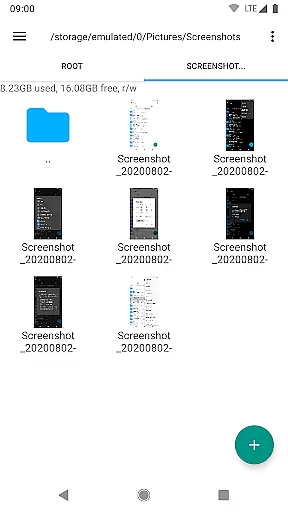
Root Explorer stands as a premier file management solution tailored for advanced Android users who require root access. This powerful app provides complete access to Android's entire file system, including the critical data folder that is typically inaccessible through standard means. With its robust feature set, Root Explorer enables users to efficiently manage files and folders with precision and control.
The application supports multiple tabs for seamless navigation and integrates with cloud services like Google Drive, Box, and Dropbox. It also offers network (SMB) support, an SQLite database viewer, and a Text Editor, making it indispensable for developers and power users. Whether you need to create and extract zip or tar/gzip files, execute scripts, or remount partitions, this app delivers the tools necessary for comprehensive file management.
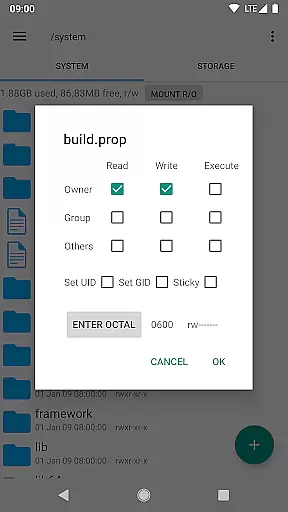
Root Explorer proves especially valuable in scenarios requiring advanced file operations, such as modifying system files or managing permissions. Its ability to handle APK binary XML viewing and change file ownership enhances its utility for those engaged in app development or system customization. The inclusion of MD5 checksums and symbolic link creation further underscores its versatility and commitment to user empowerment.
Root Explorer distinguishes itself through an array of sophisticated features designed to enhance productivity and streamline file management tasks. One standout capability is its support for multiple tabs, allowing users to navigate different directories simultaneously without losing context or efficiency. This multitasking-friendly approach significantly boosts workflow speed and organization.
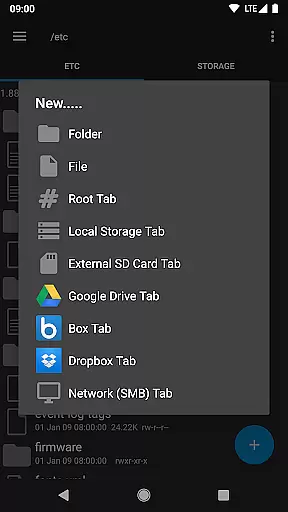
In addition to local file management, Root Explorer extends its functionality to cloud storage services. Users can seamlessly connect to Google Drive, Box, and Dropbox accounts, ensuring that important files are always accessible regardless of location. Network (SMB) support further expands connectivity options, enabling smooth interaction with shared drives and remote servers. These integrations make collaboration and backup processes more efficient and reliable.
The app also incorporates specialized tools like an SQLite database viewer and Text Editor, catering to developers' needs. Advanced operations such as script execution, permission modification, and APK binary XML viewing demonstrate Root Explorer's technical depth. Furthermore, features like MD5 checksum generation and symbolic link creation showcase its attention to detail and security-conscious design. Each function is meticulously implemented to provide maximum value while maintaining intuitive usability.
Root Explorer excels in core task management by offering a comprehensive suite of tools for file handling. This includes multiple tabs for easy navigation, support for cloud services like Google Drive, and network (SMB) access.
The app allows users to perform complex operations such as creating and extracting zip or tar/gzip files, extracting rar archives, and executing scripts. These features ensure that users can manage their files and data efficiently and effectively.
With additional functionalities like SQLite database viewer, Text Editor, and APK binary XML viewer, Root Explorer provides an all-in-one solution for managing various file types and formats. This makes it an indispensable tool for power users who require advanced file management capabilities.
Cross-device synchronization is a critical feature of Root Explorer, ensuring that users can access their files across different devices reliably. The app supports major cloud services such as Google Drive, Box, and Dropbox, allowing seamless file synchronization.
Users can send files via email or Bluetooth, making it easy to share documents and media with other devices. Image thumbnails provide a visual preview, enhancing the user experience when browsing through files.
Root Explorer's ability to handle permissions, remount drives, and create symbolic links adds another layer of reliability to its synchronization features. This ensures that files are not only transferred but also retain their properties and security settings across devices.
Comprehensive file access
Multiple tab support
Cloud service integration
Advanced developer tools
Intuitive user interface
Requires root access
Complex for beginners
Premium price point
Limited official support
Occasional stability issues

Seamlessly integrate data and reports to build your presentation to impress
 4.80
4.80
PDF scanner & converter for files, photos, lottery, QR codes. One swipe away!
4.50
Activate Two Factor Authentication (2FA or Multi OTP), Password manager and more
4.10
ID.me Authenticator is a simple and free Two Factor Authentication solution
3.50
Enjoy classic gameplay with customizable features and retro-style graphics.
4.30
Subscribe to Webcal & .ics calendars and keep them up-to-date!
4.50
Tally and goal counter for Wear OS & mobile
4.50
Set up, print, and get support—in one place
4.20
Note taking, handwriting, record audio, PDF annotation, planner & journal
4.20
Scientific calculator for Android - looks and operates like the real thing!
4.90
Client for Nextcloud Deck
4.60
Stay on top of your to-dos with Google Tasks, part of Google Workspace.
4.60
Lightweight PDF, Word, Excel reader.
4.60
A Pixel Art watchface inspired by other iconic 90s designs for Wear OS devices!
4.40
Intelligent AI Assistant
4.10
⏰ Finally a timer app which can run multiple timers simultaneously on your watch
3.90
Easiest event planning, volunteer signups & parent teacher conference scheduling
2.20
A simple, portable logger for POTA, SOTA, Field Day, and more
4.5
A comprehensive suite of tools designed specifically for Lactation Consultants
4.4


User Reviews