


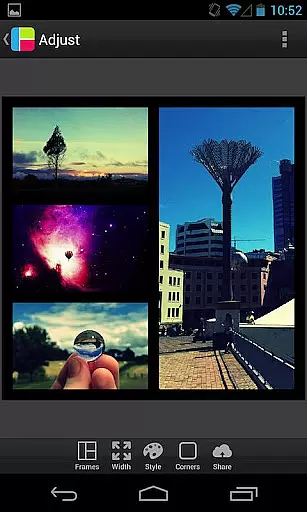
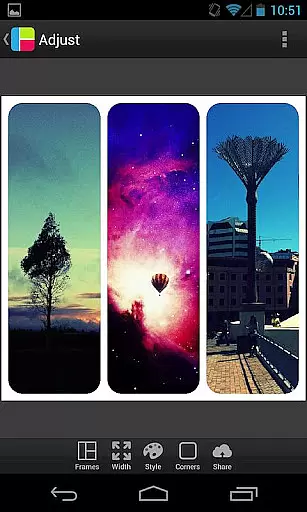

PicFrame is a versatile photography app that allows users to create stunning photo collages by combining multiple images into customizable frames. With 36 adjustable frame layouts supporting up to five photos each, the app offers extensive creative control. Key features include rounded corners, shape customization (circle, heart, hexagon), and precise border adjustments. The intuitive interface lets users modify brightness, contrast, saturation, and zoom levels while providing various background patterns and color options.
This app is particularly useful for social media enthusiasts and content creators who need to produce visually appealing posts. Whether you're preparing images for Instagram or creating personalized gifts, PicFrame helps you achieve professional-looking results with minimal effort. The ability to save high-resolution images and share them directly to platforms like Facebook and Twitter makes it an essential tool for digital creatives.
PicFrame distinguishes itself through its comprehensive set of customization tools. The app's 36 fully adjustable frames can be modified by dragging inner borders, allowing for endless layout possibilities. Advanced editing features include individual photo adjustments for brightness, contrast, and saturation, plus rotation controls and pinch-to-zoom functionality. Users can choose from six different aspect ratios, making the app suitable for various social media platforms.
The application's design capabilities extend to shape modification, where photos can be transformed into circles, hearts, or hexagons. An easy-to-use color picker enables precise border customization, while 52 background patterns provide additional creative options. The app supports high-resolution output and seamless sharing to popular applications like Instagram and Facebook, ensuring your creations maintain their quality across different platforms.
PicFrame offers a dynamic photo editing experience by allowing users to create stunning frames in real-time. This feature is crucial for those who want immediate visual feedback while arranging their photos.
The app provides 36 fully adjustable frames where users can drag inner borders for endless customization. With additional options like rounded corners, adjustable border width, and various shapes, the real-time preview ensures that every modification is displayed instantly.
Users benefit from this feature as it allows them to fine-tune each detail precisely, ensuring their final frame looks exactly how they envisioned. The ability to see changes immediately greatly enhances the creative process.
This real-time functionality adds significant value by making the editing process more interactive and engaging, thus providing an enjoyable user experience while maintaining high-quality output.
While PicFrame does not focus on AI beauty enhancements, it excels in offering natural and authentic photo adjustments that preserve the original essence of images. This approach is vital for users who prefer genuine-looking enhancements over artificial modifications.
The app includes features such as brightness, contrast, and saturation adjustments for each photo within the frame. These tools allow users to enhance their photos naturally without compromising the image's integrity.
By using these practical enhancement tools, users can achieve professional-looking results that remain true to the original photographs. This method respects the authenticity of memories captured in pictures.
PicFrame's commitment to natural enhancement ensures that all edited frames retain a realistic appearance, which is highly valued by users who appreciate sincere and unaltered visual content.
User-friendly interface
Extensive customization options
High-quality image output
Direct social media sharing
Versatile frame adjustments
Limited to five photos per frame
No advanced photo editing tools
Some features may feel overwhelming
Occasional performance issues
Learning curve for beginners

Effortlessly organize, view and share your photos & videos with Gallery app!
 4.40
4.40
Shooting photos and records video easily and efficient with professional Camera
4.30
Light-weight Media Gallery app for Android made with Jetpack Compose
4.60
HD Camera Pro with HD Video shooting, Panorama, Photo editor , Beauty Camera.
4.50
Luminar: Photo Editor - easy picture editing with AI
4.20
AI-powered video creator by MiniMax - Where ideas meet cinema
4.20
live datamoshing
4.00
RAW video capture with advanced controls
4.40
Effortlessly make high-quality GIFs from images & videos without any watermarks.
4.70
Photo editor: AI filters, photo enhancer, pic collage maker, AI art generator.
4.80
Cartoon and artistic effects for your photos and videos
4.70
Take videos and pictures with the popular TikTok TIME WARP SCAN filter.
4.60
Automatically backup your photos and videos to computer, NAS and Cloud services
4.60
A must-have app for landscape photographers
4.60
Add Watermark - Sign your pictures with a text or logo. Effective, quick, easy!
4.50
Use AI Video Generator to turn your words to ai generated videos.
4.50
Future baby face generator: AI kids generator, kid face! What my baby look like?
4.40
Superimpose one photo on top of another using the original Superimpose app!
3.20
Application for remote controlling DSLR
3.00


User Reviews