
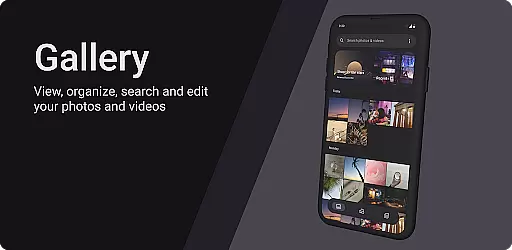
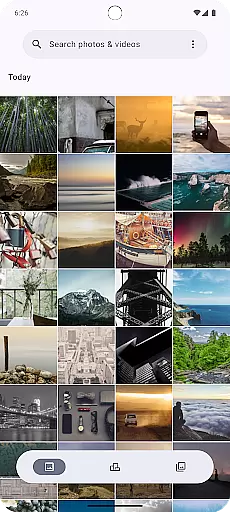
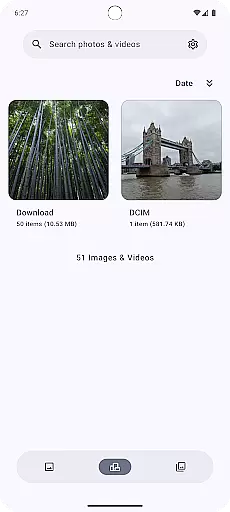
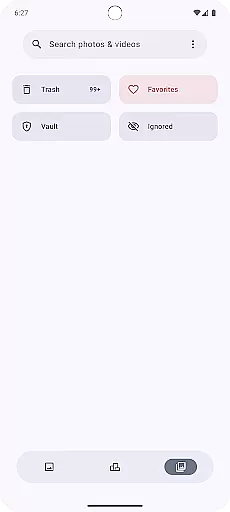
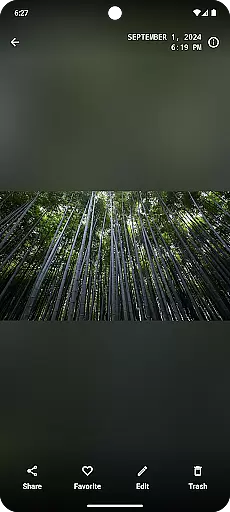
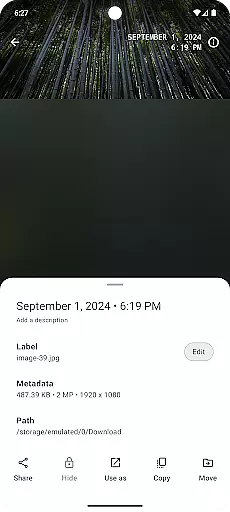
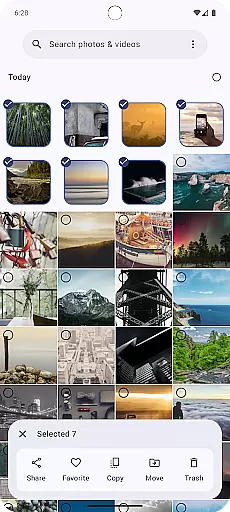
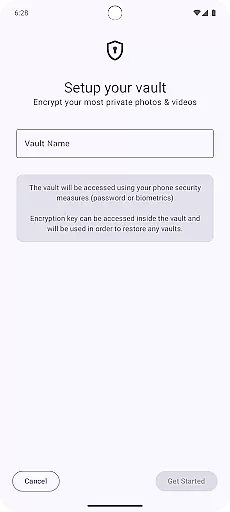
Gallery is a modern photography app designed for Android users who appreciate an intuitive and visually appealing interface. Built with Jetpack Compose, this app offers a seamless experience for managing and viewing your photo collections. The application supports various image formats and provides smooth navigation through albums and individual photos.
One of the standout features of Gallery is its customizable layout options, allowing users to tailor their browsing experience according to personal preferences. Whether you're looking to quickly scroll through snapshots or enjoy a more detailed view of your high-resolution images, this app caters to all needs. Additionally, it includes basic editing tools that enable quick adjustments without leaving the gallery interface.
For photographers and casual users alike, Gallery ensures that your precious moments are always organized and easily accessible. Its integration with cloud services means you can back up important memories automatically, providing peace of mind against data loss.
Gallery stands out in the Photography category due to its innovative use of Jetpack Compose, which results in a fluid and responsive user interface. This technology allows for dynamic transitions between views and ensures that even large libraries load quickly and efficiently. Users will appreciate the smart organization features that automatically sort photos by date, location, or tags.
Another notable feature is the built-in editor, which, although simple, covers essential functions such as cropping, rotating, and adjusting brightness/contrast levels. These tools make it easy to enhance your photos without needing to switch to another application. Furthermore, privacy-conscious users will value the secure folder option, which protects sensitive images behind a password or biometric authentication.
The app also supports sharing directly to social media platforms and other apps, streamlining the process of distributing your favorite shots. With regular updates and active development, Gallery continues to evolve, ensuring compatibility with new devices and operating systems while adding requested features based on user feedback.
Real-time capture and preview functionality is essential for any photography application as it allows users to frame their shots accurately. Gallery app ensures that every photo taken through the app provides an instantaneous feedback loop, enabling users to adjust settings on-the-fly.
The app leverages Jetpack Compose to deliver a seamless interface where what you see is what you get. This modern toolkit helps in creating a responsive UI that updates in real time as users interact with the camera controls.
Users benefit from this feature by being able to take perfectly framed photos without delay. The immediate visual feedback empowers photographers to make quick adjustments, ensuring they never miss a crucial moment due to lag or unresponsive controls.
AI beauty and enhancement features are increasingly popular in photography apps, aiming to improve images while maintaining natural aesthetics. Gallery app employs advanced algorithms to enhance facial features subtly without making them appear artificial or overly processed.
With its AI-driven tools, the app intelligently identifies key elements within each photo such as skin tone, lighting conditions, and facial expressions. It then applies enhancements that preserve authenticity while smoothing out imperfections.
This approach not only boosts image quality but also respects the originality of each shot. Users can enjoy enhanced portraits that look genuinely improved rather than digitally altered, providing professional-grade results at their fingertips.
User-friendly interface
Fast loading times
Customizable layouts
Basic editing tools included
Cloud backup support
Limited advanced editing
No RAW format support
Occasional bugs reported
Ads in free version
Some features require premium

Remote control of the phone camera from your Wear OS smartwatch
 3.70
3.70
1M influencer's special filter
4.60
Be your best in every shot! Fix, edit and retouch your face in selfies & photos.
3.70
Photo editor & gallery. Crop pictures & edit photos offline, no wifi!
4.50
Luminar: Photo Editor - easy picture editing with AI
4.20
Collage your moments in one tap: 1000+ layouts, filters, stickers, and texts.
4.90
Easily view, share, delete photos with Gallery.
4.70
Easily create custom gifts, cards, photo books & more on the Shutterfly app!
4.60
Use AI Video Generator to turn your words to ai generated videos.
4.50
Find time and duration of different sunlight phases at any location
4.90
Pro version: AR sun/moon tracker for any date. Tool for photographers & planners
4.90
Photo prints, cards, & gifts at Walgreens. Easy ordering & fast local pickup !
4.80
Your personal guide to the sun and moon. Plan ahead, visualize and predict!
4.70
Enhance, upscale, and transform your images — on your device, without limits
4.70
Unblur, enhance & restore photos with powerful AI photo enhancer tools.
4.60
PhotoSync Bundle Add-On License. Enables all features and services in PhotoSync.
4.60
Professional camera app that brings DSLR manual photography controls to Android.
4.20
Photo editor: face & body editor, beauty cam, filters and quality enhancer.
4.00
Superimpose one photo on top of another using the original Superimpose app!
3.20


User Reviews