

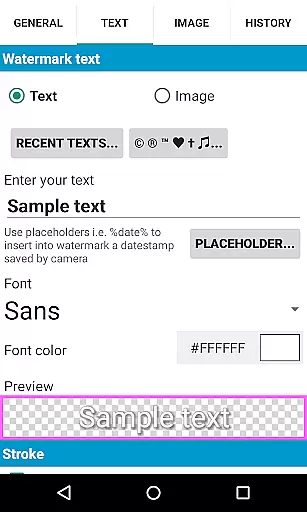
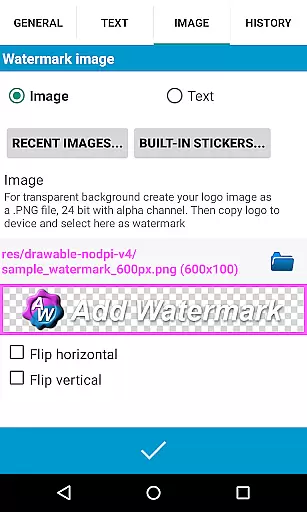
Add Watermark is a powerful photography app designed to help users protect their digital images by adding customizable watermarks. The application allows you to embed text or logo watermarks into your photos with precise control over size, transparency, rotation, and alignment.
Whether you're a professional photographer or a casual blogger, this app offers essential features like batch processing, auto-processing through sharing, and support for transparent PNG images. With 72 built-in fonts and the ability to import custom fonts, Add Watermark ensures your branding remains consistent across all images. Additionally, it supports EXIF metadata, timestamp insertion, and saving in both JPG and PNG formats.
This app is particularly useful for professionals who need to watermark large volumes of images efficiently while maintaining high-quality output. Its intuitive interface and advanced customization options make it an indispensable tool for anyone looking to safeguard their creative work.
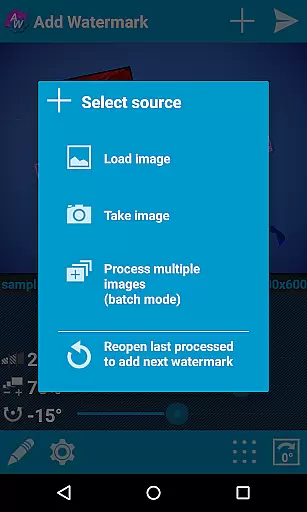
Add Watermark stands out with its comprehensive set of features tailored for photographers and content creators. One of its key strengths is the batch mode, which allows users to process multiple images simultaneously, significantly reducing the time required for large projects.
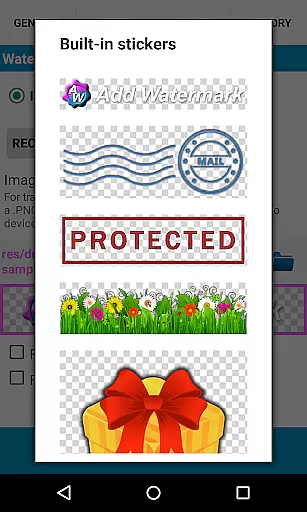
The app also supports automatic processing when images are shared from other applications, streamlining workflows. Users can choose from a variety of fonts, colors, and effects for text-based watermarks, or use transparent PNGs as image watermarks. The inclusion of a built-in sticker collection adds a creative touch to the watermarking process.
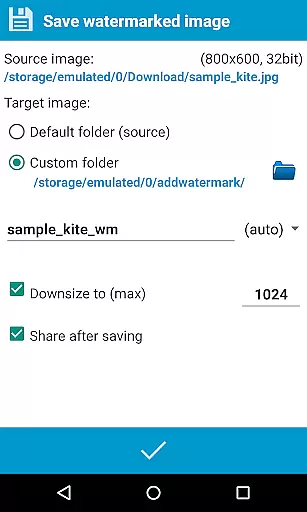
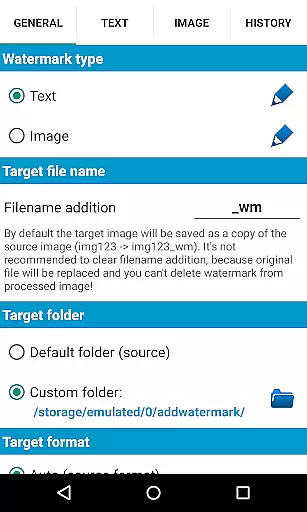
Advanced functionalities include EXIF metadata support, timestamp insertion, and compatibility with 360° panoramas. The app provides flexible saving options, allowing users to rename, resize, and choose between JPG or PNG formats. These robust features ensure that Add Watermark meets the diverse needs of professional photographers and bloggers alike.
Real-time capture and preview functionality is essential for ensuring that the watermark you add to your images appears exactly as intended before finalizing the process. Add Watermark offers a seamless experience in this regard, allowing users to see instant previews of their watermarked images.
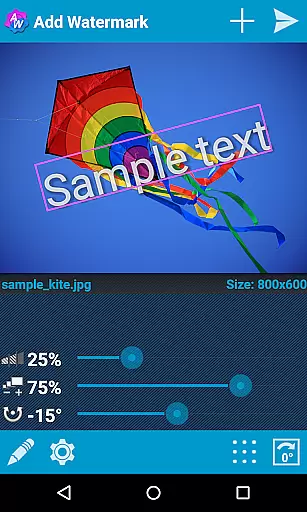
The application provides an intuitive interface where users can adjust various parameters such as size, transparency, rotation, and alignment of the watermark. As these adjustments are made, the real-time preview updates immediately, giving users a clear understanding of how the final image will look.
This feature significantly enhances user control over the watermarking process, ensuring precision and satisfaction with the outcome. By being able to visualize changes instantly, users can fine-tune their watermarks to perfectly match their requirements.
Overall, the real-time capture and preview capability of Add Watermark not only streamlines the workflow for professionals like photographers and bloggers but also makes the process accessible and efficient for casual users who demand high-quality results.
While primarily focused on watermarking, Add Watermark also integrates features related to AI beauty and enhancement naturalness, which can subtly improve the visual appeal of images without compromising their authenticity. This ensures that while protecting your work with a watermark, you can simultaneously enhance its aesthetic quality.
The app includes options for adjusting colors, applying effects, and importing custom fonts, all of which contribute to the overall enhancement of the image. These tools allow users to maintain a natural look even after adding textual or logo-based watermarks, preserving the original intent and feel of the photograph.
For those utilizing the full version, advanced functionalities such as EXIF metadata support and 360u00b0 panorama compatibility further augment the enhancement capabilities. Users can thus achieve professional-grade enhancements while retaining the integrity of their original content.
By combining robust watermarking features with thoughtful enhancement tools, Add Watermark delivers a comprehensive solution that meets both security and aesthetic needs, making it a valuable asset for anyone looking to protect and enhance their digital imagery.
User-friendly interface
Batch processing capability
Extensive font options
Supports transparent PNGs
Auto-processing feature
Limited free version
No video support
Occasional bugs
Ads in free version
Learning curve for new users

AI portrait generator and polaroid AI selfie, fun AI generated AI photo creator!
 4.30
4.30
[3DSteroid Pro] is a stereoscopic application for Android.
4.30
An interval timer to automate photo taking process for timelapse
2.90
Transform photos into videos! Create realistic or anime-style images easily!
4.50
Luminar: Photo Editor - easy picture editing with AI
4.20
Professional quality photo edits with the new Snapseed.
4.00
live datamoshing
4.00
RAW video capture with advanced controls
4.40
Edit photos with the picture generator: PS2 & AI Clay filters, cartoon effects.
4.50
Create funny photos and videos with the popular Time Warp Scan filter.
4.90
Easily view, share, delete photos with Gallery.
4.70
Viewfinder, Light meter, Reciprocity failure time, DOF & Bellows Extension
4.60
Virtual makeup, hair filters & body tuner—edit from face to full body!
4.20
Photo editor: face & body editor, beauty cam, filters and quality enhancer.
4.00
Turn photos into cartoons & avatars! - Photo Editor, Cartoon Face!
3.90
USB Storage Access for Photos, Videos, Music and Documents
3.80
Professional video recording application with manual controls for filmmakers!
2.80
Raw Image Viewer. Gallery with support of raw images (.cr3, .cr2, .nef, .raf).
2.00
Photo Album Watch Face shows your favorite pictures as a Watchface.
1.90


User Reviews