
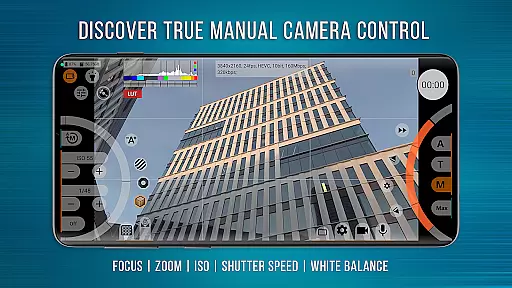
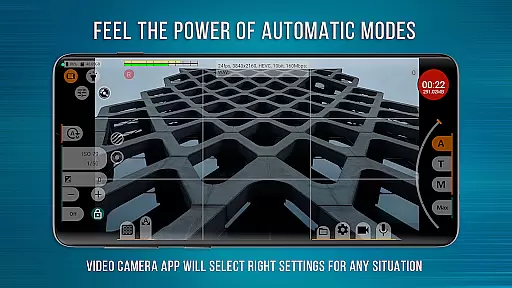
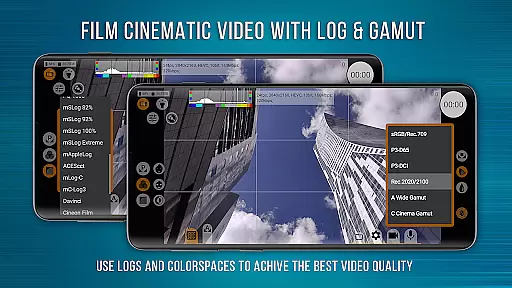
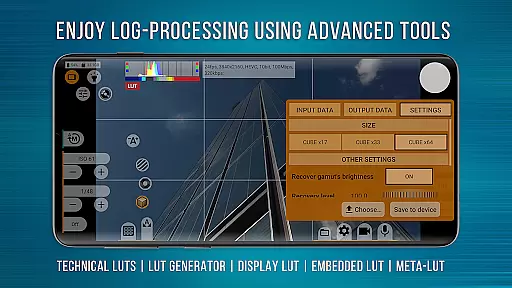
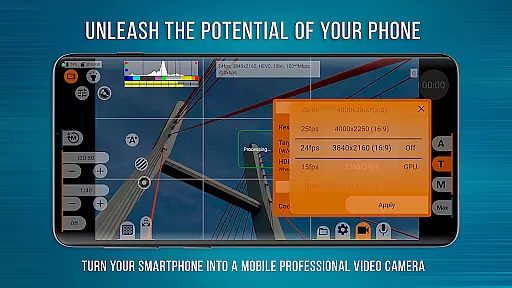
mcpro24fps Manual Video Camera represents the pinnacle of professional mobile videography on Android devices. Designed for advanced users, this app transforms your smartphone into a powerful cinema-grade camera. It supports shooting in 10-bit color depth and offers HLG/HDR10 video capabilities, making it ideal for capturing high-quality footage.
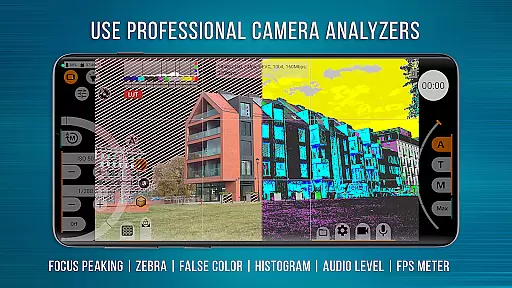
The application provides an extensive range of professional features including Log recording without GPU activation, numerous Log modes, technical LUTs for post-production, and precise on-screen controls. Videographers can utilize functionalities like Focus Peaking, Expo Peaking, and Spectral Zebra for complete frame control. With support for external lenses and programmable focus/zoom settings, mcpro24fps is suitable for creating festival films, music videos, live reports, and commercials.
One of mcpro24fps's standout features is its ability to leverage the Camera2 API to deliver advanced video capabilities previously exclusive to professional camcorders. The app supports multiple cameras and saves individual settings for each, allowing seamless switching between lenses.
Video recording options are vast, with support for 24 fps, 25 fps, 30 fps, 60 fps, and beyond. Users can choose between AVC (h264) and HEVC (h265) codecs, record at bitrates up to 500 Mb/s, and apply optical/digital stabilization. Additional features include tone curve adjustments via GPU, hardware noise reduction, variable bitrate mode, and three distinct focus modes. Audio capabilities are equally impressive, with support for different sound sources, AAC/WAV formats, and the option to integrate WAV into MP4 files.
Real-time capture and preview functionality is essential for any professional-grade camera application. mcpro24fps excels in this area by offering users the ability to shoot in 10-bit color depth, supporting HLG/HDR10 HDR video on a wide range of devices.
The app provides videographers with advanced shooting modes such as Log recording without utilizing the GPU, akin to professional camcorders. This allows for greater flexibility during post-production while maintaining optimal performance.
With features like Focus Peaking and Expo Peaking, mcpro24fps ensures precise control over the frame, empowering creators to capture their vision accurately. Spectral and Zebra tools further assist in managing exposure effortlessly.
By transforming smartphones into powerful cinematic tools, mcpro24fps enables filmmakers worldwide to produce high-quality festival films, music videos, live reports, commercials, and moreu2014all from their Android device.
While primarily focused on professional video capabilities, mcpro24fps also integrates advanced AI beauty and enhancement features that maintain naturalness. The app's sophisticated algorithms ensure that enhancements are seamlessly applied without compromising authenticity.
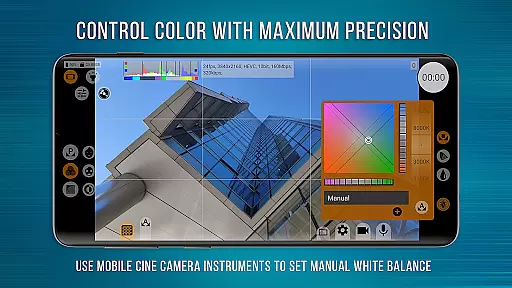
Utilizing technical LUTs (Look-Up Tables), mcpro24fps facilitates seamless interpretation of Log footage during post-production. These LUTs help preserve skin tones and other critical visual elements, ensuring edits appear genuine and unforced.
Moreover, mcpro24fps offers extensive options for image adjustment through additional GPU filters, allowing fine-tuning of the visual output. This results in enhanced yet natural-looking videos suitable for various professional applications.
By balancing cutting-edge technology with an emphasis on natural enhancement, mcpro24fps stands out among photography apps, providing videographers with reliable tools to create visually stunning content while retaining true-to-life quality.
Advanced video settings
Professional Log modes
Focus Peaking feature
Supports external lenses
Extensive audio options
Complex for beginners
Requires capable device
No iOS version
Premium price point
Occasional stability issues

Remote control of the phone camera from your Wear OS smartwatch
 3.70
3.70
Viewfinder, Light meter, Reciprocity failure time, DOF & Bellows Extension
4.60
A must-have app for landscape photographers
4.60
AI photo enhancer with Sora 2! Enhance, descratch, and colorize your old photos.
4.50
Easily create custom gifts, cards, photo books & more on the Shutterfly app!
4.60
The original Rarevision VHS look seen everywhere!
4.70
Discover & download millions of art for The Frame TV or Hisense CanvasTV
4.60
Effortlessly make high-quality GIFs from images & videos without any watermarks.
4.70
Try an anime version, cartoon yourself, and generate AI hug or aging videos!
3.70
Easily view, share, delete photos with Gallery.
4.70
1M influencer's special filter
4.60
Light-weight Media Gallery app for Android made with Jetpack Compose
4.60
Professional photography on your mobile phone
4.20
Catch sunlight, sunrise sunset times and sun phases with the AR sun tracker.
4.10
Photobooth mini FULL app will allow you to add more fun to your parties
4.00
USB Storage Access for Photos, Videos, Music and Documents
3.80
Perfect photos with body shaping, BG changer and object remover.
3.70
Remote control the phone camera shutter from your smartwatch and take a picture
1.60
Snap photos remotely using your Garmin watch as the camera trigger
4.1


User Reviews