

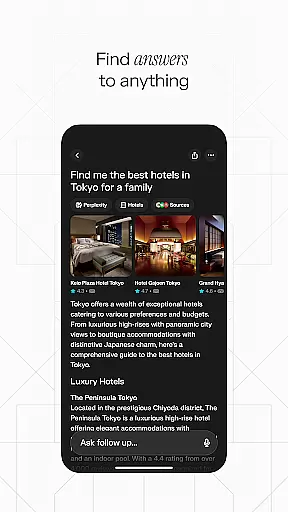
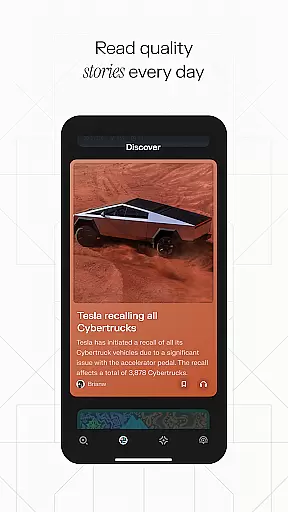
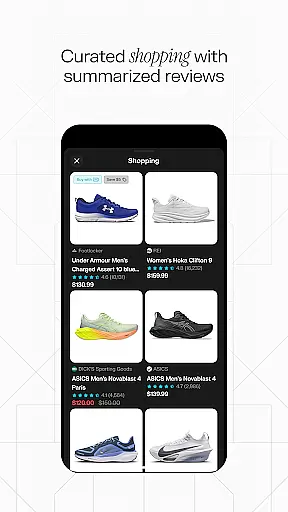
Perplexity is a productivity-focused AI search app that delivers credible, up-to-date answers by leveraging top AI models from OpenAI, Anthropic, Meta, and others. With its powerful search capabilities, the app allows users to cut through information clutter and access verified knowledge quickly. Available on multiple devices, Perplexity syncs seamlessly across platforms, making it an essential tool for research, learning, and staying informed.
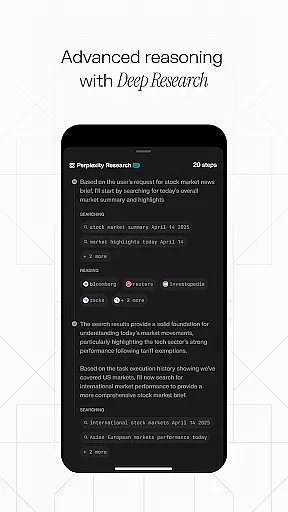
The app offers specialized features like Perplexity Pro Search for deeper exploration, Thread Follow-Up for extended understanding, and Voice support for hands-free queries. Whether you're looking for quick answers or diving into complex topics, Perplexity ensures accuracy and reliability with cited sources for every response. Its user-friendly design and innovative tools make it ideal for students, professionals, and curious minds alike.
Perplexity stands out with its advanced AI-driven search functionalities tailored for productivity. The app's Pro Search feature provides guided exploration, enabling users to delve deeper into topics while maintaining clarity and precision. Thread Follow-Up enhances comprehension by allowing continuous conversations, ensuring users can build upon previous queries for richer insights.
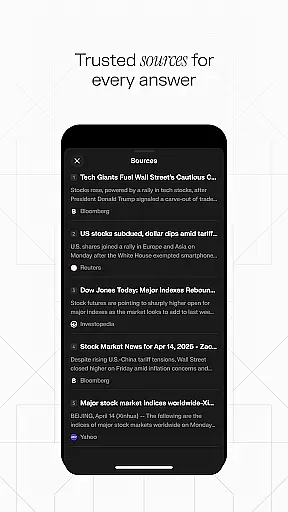
Voice functionality adds convenience, supporting both typed and spoken questions for instant responses. Every answer is backed by trustworthy sources, offering transparency and credibility. Additionally, the Discover feature connects users with community-shared knowledge, while Your Library helps curate personal findings beyond simple search history. These robust features collectively empower users to achieve more in less time.
Task management is a cornerstone of productivity applications, and Perplexity excels in this area by offering users an intuitive way to organize their information quests. The app's 'Your Library' feature acts as more than just a search history; it curates your discoveries, enabling you to manage and revisit important information effortlessly.
Perplexity Pro Search facilitates deeper exploration with guided AI search capabilities that help refine and direct your inquiries for more efficient outcomes. This ensures that every task or question you pursue can be managed effectively, without losing track of the original objective.
The Thread Follow-Up functionality allows users to maintain continuity in their research or tasks. By keeping the conversation going, Perplexity enables a deeper understanding of topics over time, which is essential for comprehensive task management.
Cross-device synchronization is vital for users who operate on multiple platforms throughout their day. Perplexity addresses this need by providing reliable sync services across devices, ensuring that all your searches, threads, and libraries are up-to-date regardless of where you left off.
This seamless integration means that whether you're switching from your phone to your tablet or desktop, your data remains consistent and accessible. It leverages top AI models from industry leaders like OpenAI, Anthropic, and Meta to maintain performance and reliability.
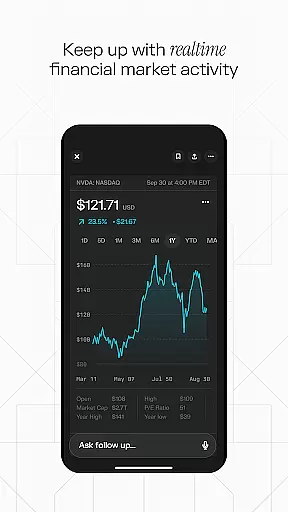
Moreover, the ability to access instant, up-to-date answers via voice or text on any device enhances the user experience. With Perplexityu2019s robust cross-device support, users can trust that their productivity will not be hindered by technical inconsistencies or lost data.
Accurate results
User-friendly interface
Cross-device syncing
Trusted source citations
Voice command support
Limited offline use
Premium model costs
Occasional slow load
Complex for beginners
Dependent on internet

Auto-shutoff Alarm with Sunrise, Sunset & Fixed Options.
 3.50
3.50
Unlock AutoNotification
4.00
Send files, sync SMS, notifications & clipboard across devices via local network
4.40
The Pro Version of Android's tiniest Notepad app. Just 0.3MB but feature-packed!
4.60
A lightweight JSON & XML files creator, editor and viewer (Premium Version)
4.40
aCalendar+ makes your day, week and month
4.70
PDF scanner & converter for files, photos, lottery, QR codes. One swipe away!
4.50
A simple Whisper AI keyboard for reliable speech transcription and rewording
4.60
Put a lock on your cloud: Take the security of your data into your own hands
3.70
Best Tool for the professionals Electrician, Electrical contractors, etc.
4.90
Protect and view your important info on your phone and tablet with eWallet®
4.80
The AI assistant that thinks with you - write, code, and solve complex tasks
4.60
Planet Free VPN - The best Fast Unlimited and Secure VPN Without Logs
4.50
Experience Reading - Night Mode for Documents
4.40
Pwnagotchi companion app
4.20
The ultimate file manager for rooted devices. The original and still the best.
4.00
Access your phone's notifications, calls, apps, photos & texts on your PC
3.90
Smart PDF reader & editor to view, organize and manage PDF documents easily.
3.70
Create study competitions, track your hours, and stay consistent with friends
4.1


User Reviews