
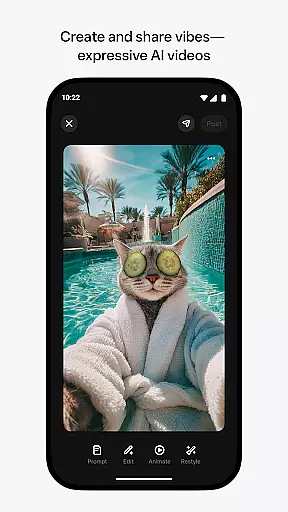
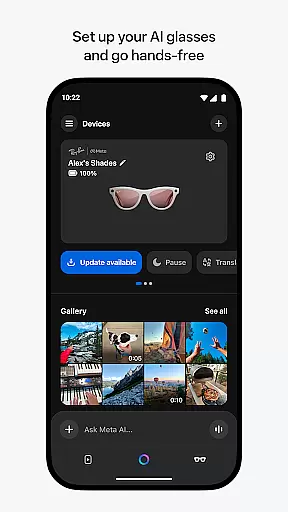
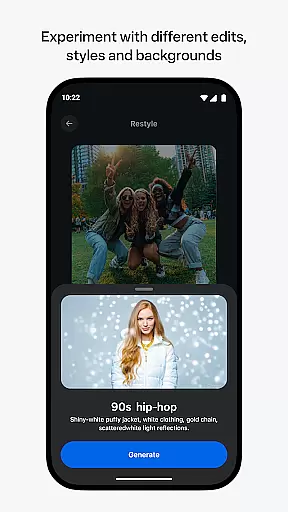
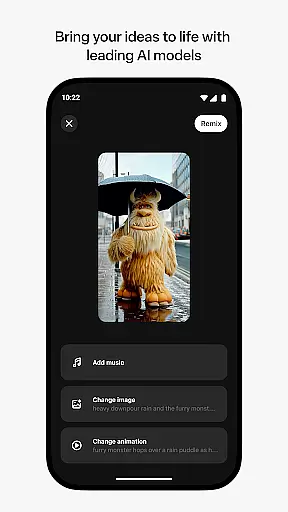
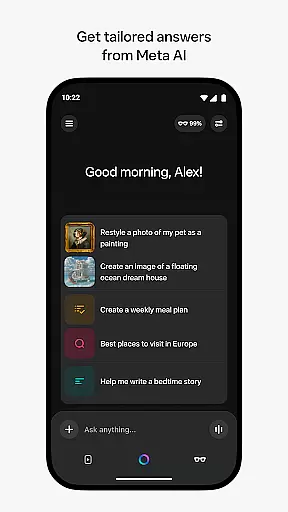
Meta AI is a productivity-focused application that allows users to create and share AI-generated videos with custom animations and music. The app serves as a creative platform where users can describe their desired video concept and experiment with various edits and styles to produce unique content. Additionally, it provides tailored answers and inspiration through conversational AI, making it a versatile tool for both content creation and daily assistance. Available on mobile platforms, Meta AI also pairs with AI glasses for hands-free operation, enhancing its utility for professionals and creatives alike.
The true value of Meta AI lies in its ability to streamline the creative process while offering practical functionalities such as managing devices and providing instant recommendations. Whether you're looking to generate engaging videos or seeking an intelligent assistant to support your workflow, this app delivers a comprehensive solution designed to boost productivity and foster creativity.
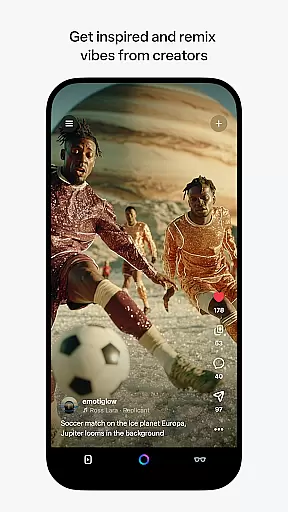
Meta AI stands out with its robust set of features tailored for creative professionals and everyday users. One of its core capabilities is the generation of AI-driven videos, complete with customizable animations, soundtracks, and visual effects. This feature empowers users to bring their ideas to life by simply describing their vision, after which they can refine the output using intuitive editing tools. Furthermore, the app's built-in feed showcases content from other creators, enabling users to remix existing projects and explore new creative possibilities.
Beyond content creation, Meta AI offers voice and text-based conversational AI, delivering personalized assistance for tasks like answering questions and offering recommendations. It also acts as the companion app for Meta AI glasses, allowing users to manage device settings, import media, and share files seamlessly. With certain features rolling out gradually across specific regions, Meta AI ensures a dynamic and evolving user experience that adapts to individual needs.
Meta AI offers a robust platform for creating and managing AI-generated videos, making it an essential tool for productivity. The app allows users to describe their vision and instantly generate custom animations, music, and more.
This functionality is particularly useful for content creators who need tailored answers and inspiration on-the-go. By leveraging industry-leading AI models, users can efficiently produce creative videos that meet their specific needs.
The ability to remix and share vibes adds another layer of productivity, enabling users to collaborate and build upon each other's work seamlessly. This feature fosters a community of AI creators who can instantly transform ideas into polished projects.
One of the standout features of Meta AI is its capability to pair and manage AI glasses, ensuring reliable cross-device synchronization. This functionality allows users to go hands-free and manage their media with ease.
Through the Meta AI app, users can import, share, and manage media across devices, streamlining their workflow. This seamless integration is crucial for professionals who rely on multiple devices for their creative processes.
Although certain features are only available in select countries and languages, the app provides a solid foundation for dependable device management. Users can confidently utilize Meta AI as their primary tool for synchronized, cross-device productivity.
User-friendly interface
Customizable animations
Voice assistance
AI glasses integration
Inspiring creator community
Limited regional availability
Feature rollout delays
Premium pricing model
Device compatibility issues
Learning curve for beginners

A Revolutionary All-in-One Artificial Intelligence Tools
 3.80
3.80
Total remote control for your Android device, PC and cloud services (IFTTT)!
4.20
The upgraded version of Name Wheel with AI and the power to add your own wheels.
4.0
Device's storage information in a simple and clear graphical form (infographics)
4.10
⏰ Finally a timer app which can run multiple timers simultaneously on your watch
3.90
PDF scanner & converter for files, photos, lottery, QR codes. One swipe away!
4.50
All document reader, all in one file viewer read PDF, DOCX, XLS, PPT, TXT files.
4.60
Secure, open-source, SPICE and SSH Remote Desktop for QEMU KVM virtual machines
4.00
Okta MFA
4.70
Use powerful, industry-leading AI tools to generate visual charts from any data
4.80
Quickly and easily keep track of your work shifts
4.70
Secure, fast, open-source, VNC and SSH Remote Desktop for Windows, Linux and Mac
4.70
Calendar 2023 widget for Android. Appointment scheduler, planner, and reminder
4.60
When you Focus, so will your Bean in this cozy focus timer
4.30
Access, manage and transfer files on Android, PC, Mac, NAS and cloud storages.
4.30
Make apps & sites with natural language prompts
4.10
Cloud storage, automatic phone backup, and more.
4.10
Mega cloud explorer plugin for Solid Explorer
3.80
A simple, portable logger for POTA, SOTA, Field Day, and more
4.1


User Reviews