
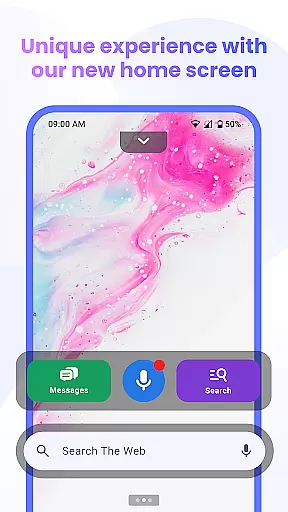
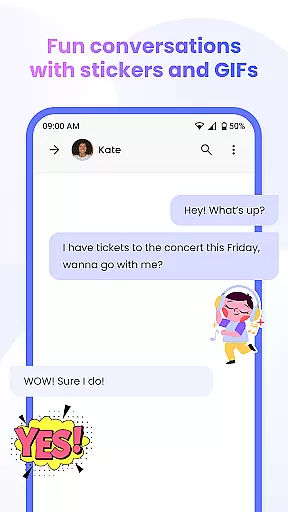
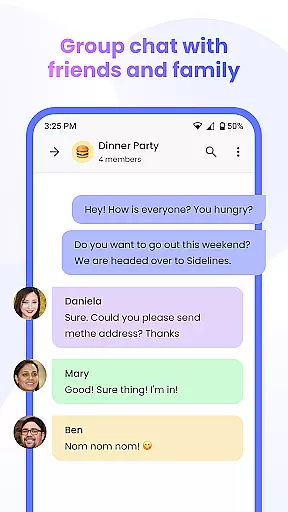
Messenger Chat Home is a unique personalization app that transforms your Android home screen into an efficient messaging hub. This innovative application allows users to send and receive SMS & MMS messages, initiate group chats, and express themselves with free stickers, GIFs, and emojis directly from their home screen. The app combines the simplicity of traditional texting with the advanced functionality of a modern Android launcher, offering a clutter-free communication experience.
Designed for users seeking speed and organization, Messenger Chat Home provides essential features like Home Screen Launcher Access, smart widgets for quick previews, and voice-to-text capabilities. Whether you're managing individual conversations or group discussions, this app ensures every interaction is smooth, private, and easily accessible. Its ad-light design and focus on privacy make it an ideal choice for those who value both functionality and security in their daily communications.
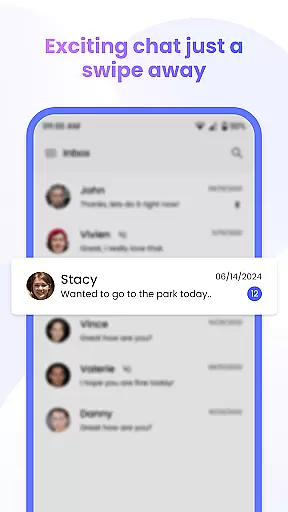
Messenger Chat Home stands out with its comprehensive feature set tailored for seamless communication. One of its key highlights is the Home Screen Launcher Access, which lets users open their inbox and recent chats with a single swipe. This feature eliminates the need to switch between multiple apps, streamlining the messaging process significantly.
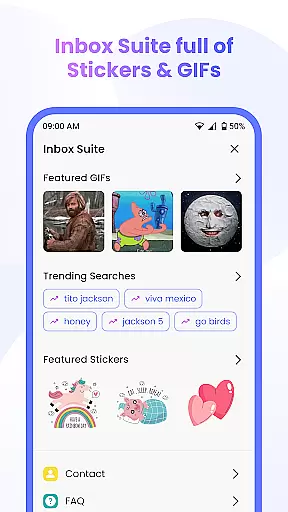
The app also offers a rich expressive toolkit including thousands of free stickers, GIFs, and emojis, allowing users to personalize their conversations effortlessly. With reliable SMS & MMS support, group chat capabilities, and media sharing options, staying connected with friends and family has never been easier. Additionally, the smart widget feature enables users to preview unread texts and reply instantly without fully opening the app, enhancing overall efficiency.
Other notable features include Voice-to-Text functionality for hands-free messaging and an ad-light experience designed to minimize distractions while maintaining focus on meaningful interactions. These aspects collectively contribute to making Messenger Chat Home not just a messaging app but a complete personalization solution for your Android device.
Messenger Chat Home offers a diverse range of customization options that allow users to personalize their messaging experience. The app provides free stickers, GIFs, and emojis, enabling users to express themselves in creative ways.
With the ability to customize your home screen launcher, you can access your inbox and recent chats with just one swipe. This level of personalization ensures that your most-used features are always at your fingertips, streamlining your communication process.
The inclusion of a smart widget for messages further enhances customization by allowing users to preview unread texts and reply quickly without fully opening the app. This feature saves time and keeps conversations flowing seamlessly.
Voice-to-text functionality adds another layer of customization, catering to those who prefer hands-free operation. Overall, Messenger Chat Home's extensive customization options make it a versatile choice for users seeking a personalized approach to messaging.
Theme compatibility is a crucial aspect of any personalization-focused app, and Messenger Chat Home excels in this area. The application supports various visual themes, ensuring that users can tailor the appearance of their messaging interface to suit their preferences.
Whether you prefer a light or dark theme, Messenger Chat Home maintains visual consistency across all elements of the app. This attention to detail enhances the user experience by providing a cohesive look and feel throughout the messaging process.
The app's design philosophy emphasizes both aesthetics and functionality, making sure that theme changes don't compromise usability. Users can switch between themes without losing any core features or experiencing interface inconsistencies.
This robust theme compatibility system demonstrates Messenger Chat Home's commitment to delivering a personalized yet reliable messaging solution that adapts to each user's unique style while maintaining optimal performance.
User-friendly interface
Free stickers and GIFs
Voice-to-text feature
Ad-light experience
Smart widget functionality
Limited customization options
No end-to-end encryption
Occasional bugs reported
Requires constant updates
Privacy concerns with data collection

Stunningly Different look with Line Icons and Neon Colors
 4.60
4.60
Classic analogue watch face. For wear os devices.
4.60
More than 3000+ themes and 9000+ wallpapers for everybody!
4.10
Run multiple accounts of the same app on a single device
4.10
Aesthetic Widgets, HD Wallpapers, Themes in Mico Widget for Home and Lock Screen
4.50
Organize and manage your photos and videos effortlessly with Photo Gallery
4.20
400+ Beautifully crafted widgets inspired by NOTHING.
4.70
Transform your phone with stunning video wallpapers and a unique, personal touch
3.80
set a new experience for the Android mobile phone
4.20
Enjoy a variety of amazing live wallpapers and colorful EDGE lighting borders!
4.80
Make your phone look simple & luxury, like iDevice
4.60
Try creating your own keyboard with "Keyboard theme for android" app now!
4.50
A light in the dark, a unique style and an andless cutomization!
4.30 4.10
4.10
Customizable flower power digital watch face for Wear OS watches.
4.00
Design your screen with unique, vibrant clocks
3.80
HappyLighting is a Bluetooth lamp control software.
3.40
Prank your friends with realistic broken screen and cracked HD effects!
4.2
Custom edge gestures for volume control, brightness, apps, and shortcuts.
4.0


User Reviews