
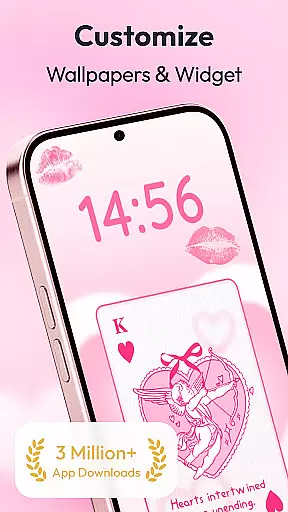
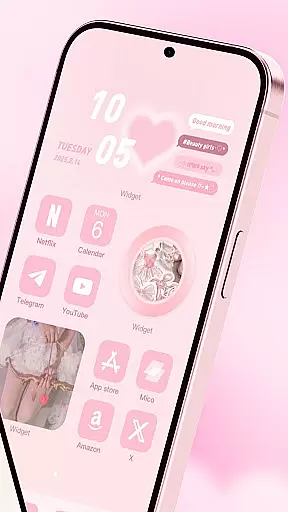
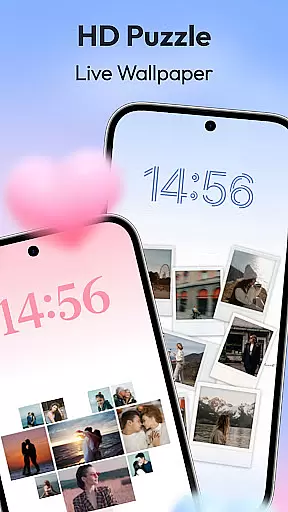
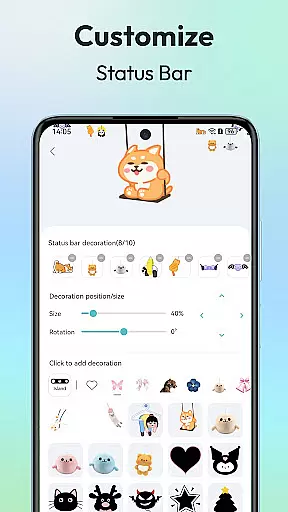
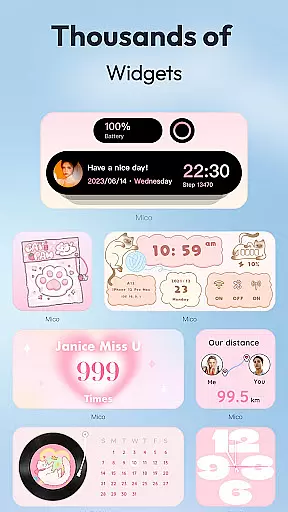
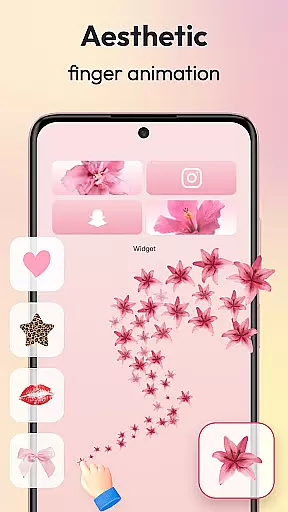
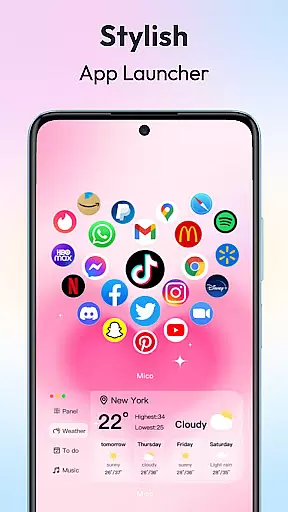
Mico is a powerful personalization app that transforms your mobile device into a creative canvas. With over 1000 customization tools, the app offers an extensive range of widgets including couple widgets, battery indicators, and music players, alongside 4K live wallpapers. These features allow users to design a unique home screen that reflects their personal style.
The app stands out with its innovative WidgetSmith and Widgify tools, enabling users to create custom widgets from their favorite content. The Locket Widget provides both security and personalization options while the Themify Design feature lets users apply custom themes with a single tap. Mico also includes a Photo Widget with diverse frame styles for further personalization.
Whether you're looking to enhance your device's aesthetics or improve its functionality, Mico offers solutions for both. Its cross-platform sync capability ensures a seamless experience across different devices, making it a versatile tool for personalizing your digital space.
Mico distinguishes itself through its comprehensive suite of personalization features. The app's WidgetSmith tool provides countless widget options, allowing users to decorate their phones anytime, anywhere. Meanwhile, the Widgify Tool empowers users to turn any content into a widget, offering unparalleled customization possibilities.
In addition to widgets, Mico boasts a 4K Live Wallpaper Maker. This feature enables users to transform personal photos or artistic designs into vibrant wallpapers. With AI-powered filters and depth effects, users can create stunning portrait wallpapers. The Daily Updated Collections ensure there's always fresh content available, ranging from manga to abstract art.
For lock screen customization, Mico presents Dynamic Widgets and a Smart Text Designer with motivational quotes. Health Tracking widgets provide real-time step counters, integrating wellness into daily phone use. The Pro Customization Tools include a DIY Widget Builder, Smart Layout Engine, and over 2000 Icon Packs, catering to every user's unique aesthetic preferences.
Customization is at the heart of personalizing your digital experience, and Mico excels in providing a vast array of options to tailor your device's appearance and functionality. With over 1000 creative widgets, the app allows users to add practical functions and aesthetic enhancements to their home screens, ranging from cute battery indicators to music players.
Mico stands out with its Widgify Tool and WidgetSmith features, empowering users to transform favorite images or concepts into functional widgets. Whether you're looking to integrate beloved characters like Labubu or seeking high-quality designs from top international designers, Mico caters to diverse tastes and preferences.
The app also includes a Photo Widget feature that offers numerous styles of photo frames, allowing for further personal expression through themes such as retro gaming consoles or cinematic film effects. This extensive toolkit ensures that each user can craft an entirely unique 'iScreen' reflective of their individuality.
Theme compatibility is crucial for ensuring a cohesive look across all elements of a personalized smartphone interface. Mico addresses this by enabling seamless integration between various customization components, including live wallpapers, icon packs, and widgets. Users can enjoy daily updated collections featuring manga, anime, landscapes, abstract art, and more without worrying about mismatched aesthetics.
With advanced features like AI-powered filters and depth effects for portrait wallpapers, Mico enhances visual harmony on lock screens while maintaining performance standards. The Smart Layout Engine provides one-tap presets for different stylesu2014such as Ins, Gaming, or Kawaiiu2014ensuring every element aligns perfectly within chosen themes.
Furthermore, cross-platform sync capabilities allow users to transfer customized styles between iOS and Android devices effortlessly. By focusing on comprehensive theme support, Mico guarantees that whether you choose trendy neon glow icons or classic marble textures, your device will maintain a polished and professional appearance throughout.
User-friendly interface
Extensive customization options
Cross-platform compatibility
Daily updated content
Innovative widget creation tools
Some features may require premium access
Highly detailed options might overwhelm new users
Occasional performance issues on older devices
Limited customer support channels
Large app size may concern storage-limited users

Classic analogue watch face. For wear os devices.
 4.60
4.60
Dark icon pack based on One 8
4.80
Interactive Miniature Painting Catalogue
3.30
App Icon Changer & Shortcut Creator. Customize your icons without any watermarks
4.30
Organize and manage your photos and videos effortlessly with Photo Gallery
4.20
HappyLighting is a Bluetooth lamp control software.
3.40
Transform your device in a game console
4.40
Create stunning widgets with Widget 2026: Aesthetic Widgets for Android!
4.60
Transform your phone with stylish zipper lock themes and 4D live wallpaper
4.10
Gun Chase - Let the chase begin.
4.80
Wallpaper HD 4K Live - Thousands of high-quality Anime backgrounds for you.
4.80
Personalize your phone with stunning HD and 4K wallpapers!
4.70
Glass style colourful icons with a One UI look and feel
4.60
Unique Android Launcher
4.60
Ultimate Gallery Lock App - Hide Pictures, Videos and Lock Apps Instantly!
4.60
Icons made of colorful linear lines
4.60 4.50
4.50
Fingerprint Lock Screen & Live Animations with 4K Wallpapers as Live Wallpaper
4.40
Launcher OS™ Pro without ads help make your phone simple and pretty
4.30


User Reviews