
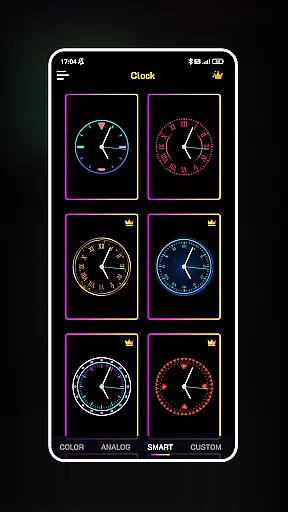
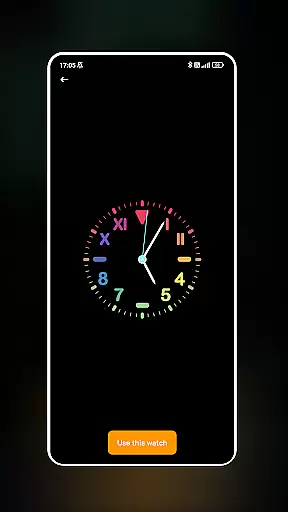
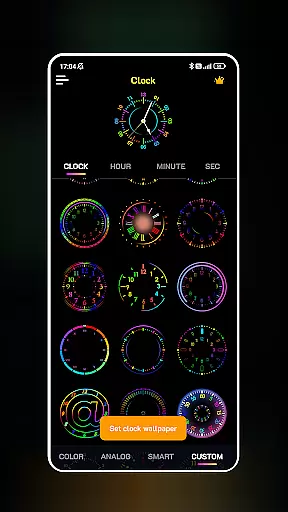
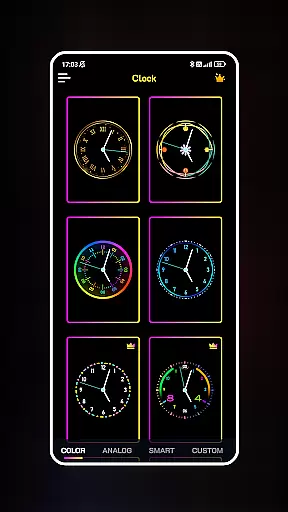
Neon Clock Wallpaper is a dynamic personalization app that allows users to design and create unique, artistic clock wallpapers for both home screens and lock screens. The app provides diverse pre-made templates with various styles and color options, enabling users to customize their devices like never before.
One of the standout features is the ability to build custom clocks by selecting components, adjusting colors, sizes, and styles, and applying stunning neon effects. This makes each clock not only functional but also a personalized piece of art. Whether you're looking to enhance your phone's aesthetics or simply want a clock that matches your personal style, Neon Clock Wallpaper offers an engaging solution that combines creativity with utility.
Neon Clock Wallpaper stands out with its rich feature set tailored for creative personalization. First, it offers a wide variety of ready-to-use clock templates, ranging from classic designs to modern neon styles, ensuring there's something for every user's taste.
The customization capabilities are where the app truly shines. Users can mix and match clock components, adjust visual elements such as colors and sizes, and apply eye-catching neon effects to make their clocks pop. Additionally, the app supports setting these creations as both wallpaper and lock screen displays, giving users full control over their device's appearance while maintaining functionality.
These features collectively provide a platform for self-expression, allowing users to turn their everyday devices into personalized works of art that reflect individuality and style.
Customization is at the heart of Neon Clock Wallpaper, offering users an extensive array of options to personalize their device's appearance. With a vast selection of clock templates available, each user can find a design that resonates with their personal style. The app goes beyond simple template selection by allowing users to mix and match components, creating truly unique timepieces that stand out.
The level of customization extends to adjusting colors, sizes, and styles, ensuring that no two clocks need to be alike. Whether you prefer minimalist designs or vibrant displays, Neon Clock Wallpaper caters to all tastes. This flexibility empowers users to refresh their device's aesthetics regularly, keeping their home and lock screens engaging and reflective of their evolving preferences.
Moreover, the inclusion of stunning neon effects adds another layer of personal expression. These effects not only enhance the visual appeal of the clocks but also allow for a dynamic and eye-catching display that captures attention. By providing such diverse customization options, Neon Clock Wallpaper ensures that every user can craft a personalized experience that is both functional and visually captivating.
Theme compatibility is a crucial aspect of any personalization app, and Neon Clock Wallpaper excels in this area. The app is designed to seamlessly integrate with various device themes, ensuring that your custom clock creations maintain their intended appearance across different settings. This compatibility means that whether you prefer a dark mode or a light theme, your neon clock will look just as stunning without clashing with your overall device aesthetic.
Furthermore, the app supports both home screen and lock screen displays, providing consistent theming throughout your device. This dual compatibility allows users to enjoy their personalized clocks in multiple contexts, from casual glances at the home screen to security checks on the lock screen. The ability to set matching or complementary themes across these interfaces creates a cohesive and professional-looking device appearance.
Neon Clock Wallpaper's commitment to theme compatibility extends to its support for various aspect ratios and resolutions. Regardless of your device's specifications, the app ensures that your custom clocks will display correctly without distortion or cropping. This attention to detail in maintaining theme integrity across different devices and settings demonstrates the app's dedication to providing a versatile and reliable personalization solution for all users.
User-friendly interface
Vibrant neon effects
Customizable templates
Wide design selection
Unique personalization
Limited free options
High battery usage
Occasional glitches
Ads in free version
Complex for beginners

More than 3000+ themes and 9000+ wallpapers for everybody!
 4.10
4.10
The definitive Icon pack maker and editor
4.30
Romantic Kiss Stickers App. Start romantic messaging now!
4.30
Icons made of colorful linear lines
4.60
HappyLighting is a Bluetooth lamp control software.
3.40
Choose your keyboard with RGB colors effect, themes, fonts, emojis.
4.60
Stylish Pink Cute Hippo keyboard with 10000+ customized keyboard themes!
4.60
One 8 icons glass color version
4.80
Modern Glass Icon Pack with glossy icons, clean minimal theme & aesthetic style
4.0
Glass style colourful icons with a One UI look and feel
4.60
Over 28,000 high quality icons to bring color & homogeneity to your phone.
4.60
Customizable screen pets that play, climb, and keep you company.
4.50 4.50
4.50
A light in the dark, a unique style and an andless cutomization!
4.30
Launcher OS™ Pro without ads help make your phone simple and pretty
4.30
Wear Os Watch Face - Seasonal - Animated Snow Effect - 9 Animals
4.20
Transfer your live wallpapers from Windows to Android using Wallpaper Engine!
4.00
Crystal-clear, square icon provides a sleek and sophisticated visual upgrade
4.00
Adaptive Dot Style IconPack with Light & Dark Theme.
3.70


User Reviews