
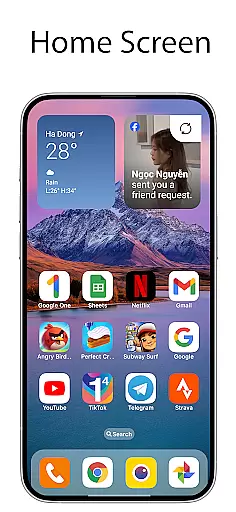
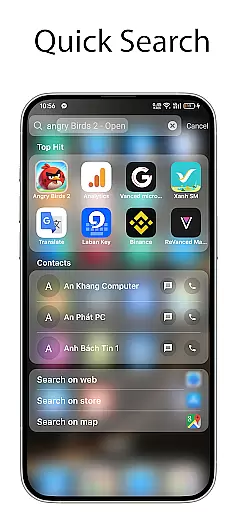
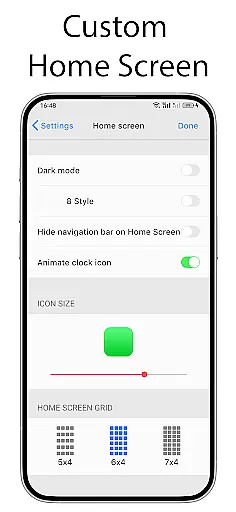
OS Launcher 18 - Phone 16 Max offers a unique way to customize the Android device interface with a simple and luxury visual appearance. This launcher app allows users to modify their device's look and feel by providing customized app icons, wallpapers, and other specific features that emulate the Simple interface while retaining the full functionality of the Android operating system.
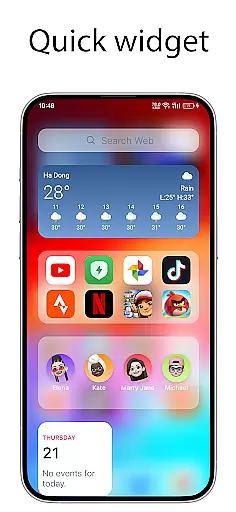
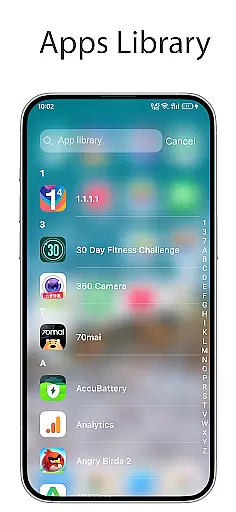
The app includes an Apps Library for organizing apps into categories, a Lock App feature for added security, and a Today View that displays weather information, favorite contacts, and calendar events. Users can also create folders, access detailed weather forecasts, add widgets to their home screen, customize app icons, hide apps, and receive unread notification dots.
This application is ideal for Android users who want to give their devices a personalized touch without sacrificing the versatility and performance of their smartphones. With its comprehensive customization options, OS Launcher 18 - Phone 16 Max enhances user experience by combining aesthetics with practicality.
OS Launcher 18 - Phone 16 Max stands out with its rich set of features designed to enhance the user experience on Android devices. The app provides an Apps Library that intelligently groups applications into categories, making it easier for users to navigate and manage their apps efficiently.
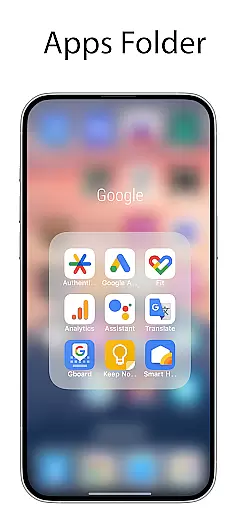
Security is addressed with the Lock App feature, which prevents unauthorized access to selected applications. The Today View is another highlight, offering at-a-glance information such as weather updates, favorite contacts, and upcoming calendar events. Additionally, users can create organized app folders, enjoy beautiful weather forecasts, and personalize their home screens with various widgets and customizable app icons.
Other notable features include the ability to hide apps from the home screen and display unread notification dots for quick access to message notifications. These functionalities collectively ensure that users have a highly tailored and efficient mobile experience.
OS Launcher 18 - Phone 16 Max offers a wide array of customization options that allow users to personalize their Android devices extensively. This app provides features such as customizable app icons, wallpapers, and the ability to modify both the icon and name of applications.
Users can organize their apps into categories through the Apps Library, create folders by dragging and dropping apps, and even hide apps from the home screen. These options ensure that each user's device can be tailored to their specific preferences and needs.
In addition to visual customization, the launcher also includes functional personalizations like the Unread Notification Dot, which helps users manage notifications more effectively. By turning on App Notified settings and granting necessary permissions, users can stay informed about unread messages without cluttering their interface.
Theme compatibility is a crucial aspect of OS Launcher 18 - Phone 16 Max, ensuring that all customizations maintain visual consistency across the device. The launcher supports various themes that align with different user preferences, allowing for a seamless transition between distinct visual styles while preserving usability.
With features like Today View and beautiful weather forecasts, users can enjoy a cohesive look that integrates essential information such as weather details, favorite contacts, and calendar events directly into their home screens. This integration enhances both aesthetics and functionality.
Moreover, the availability of many cool widgets further extends theme compatibility by enabling users to add visually appealing and informative elements to their home screens. These widgets not only enhance personalization but also provide quick access to frequently used functions, maintaining an intuitive user experience throughout the customization process.
User-friendly interface
Highly customizable options
Comprehensive security features
Efficient app organization tools
Beautiful and functional widgets
May consume additional system resources
Limited to Android platform
Potential learning curve for new users
Some features may require permissions
Occasional compatibility issues

Themes - Widget & Wallpaper: Customize home screen, icon changer w unique themes
 4.30
4.30
Add cute Shimeji pets to screen, interact with them and relax with cute motions
4.60
Turn your lock screen into fun with smile live wallpapers & animated wallpapers!
2.50
Dark icon pack based on One 8
4.80
Want to make your phone more special than ever?
4.60
Unleash Your Creativity and Connect with Loved Ones with Lockscreen Drawing!
4.20
Modern Glass Icon Pack with glossy icons, clean minimal theme & aesthetic style
4.0
Create unique, fun emojis with Funny Emoji Maker! Unlimited creativity!
4.00
Transform your phone with stunning video wallpapers and a unique, personal touch
3.80
100+ Stylish Fonts, Emojis, Symbols keyboard for Instagram & TikTok!
4.80
Stunningly Different look with Line Icons and Neon Colors
4.60
Glass style colourful icons with a One UI look and feel
4.60
Unique Android Launcher
4.60
Bring adorable pets to life on your screen. Playful, interactive and full of fun
4.60 4.50
4.50
Transform your device in a game console
4.40
App Icon Changer & Shortcut Creator. Customize your icons without any watermarks
4.30
Emoji Maker app - Design custom emojis and effortlessly blend them with Mixer
3.80
Struggling to find apps? Use this app to locate and open any app on your phone!
2.20


User Reviews