
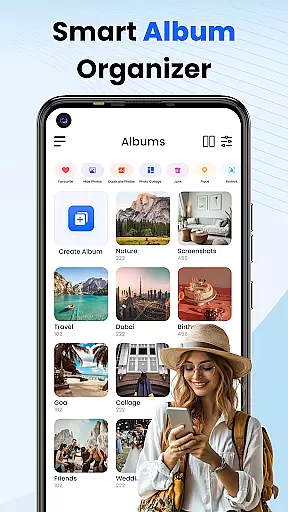
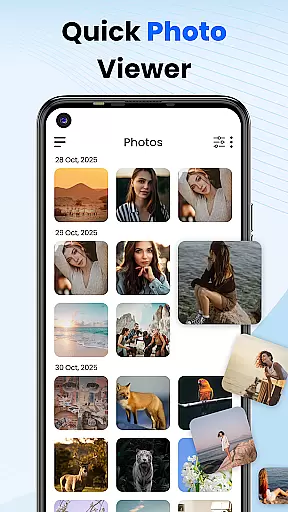
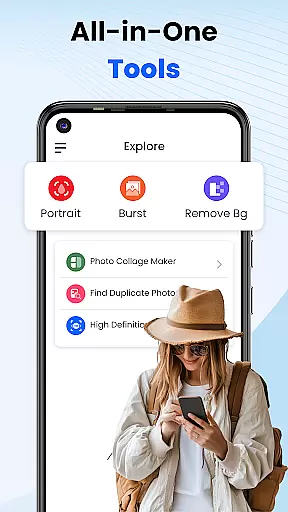
Gallery 2025 is a comprehensive photo management app designed to simplify the organization and enhancement of your digital memories. This feature-rich application offers smart organization tools that automatically categorize photos and videos by timeline, location, and path, making it effortless to manage large media libraries. With built-in editing capabilities, users can easily enhance their images directly within the app.
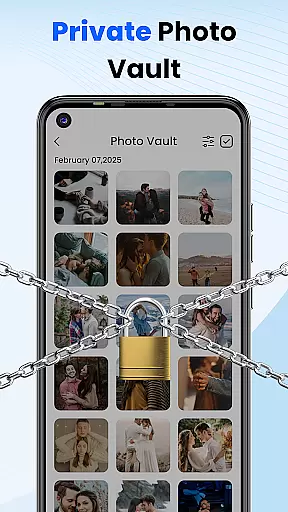
The app places a strong emphasis on user privacy and security. It includes a secure vault protected by PIN, pattern, or security question, ensuring sensitive media remains private. Gallery 2025 also provides recovery options for accidentally deleted files and supports easy file transfer to and from SD cards. Whether you're looking to organize your personal collection or protect confidential images, this app delivers a complete solution for Android users.
Gallery 2025 distinguishes itself through its robust feature set tailored for both casual users and photography enthusiasts. The app's Smart Organization functionality uses advanced algorithms to automatically sort media files, while its Effortless Search feature allows quick retrieval of specific photos or videos sorted by date or location. These features save considerable time when managing extensive media collections.
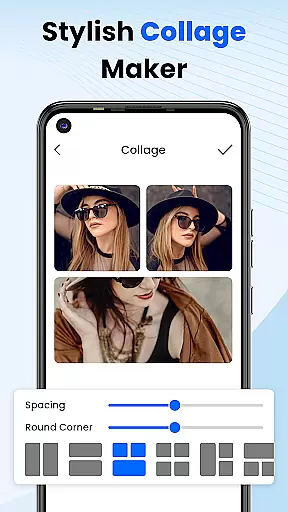
A key highlight is the Private Vault system, which employs multiple layers of security including numeric PIN, pattern lock, and security questions. The integrated photo editor provides essential editing tools without the complexity of professional software. Additionally, the app supports various media management functions like album locking, collage creation, and video playback. These features combine to create a versatile photo management solution that keeps user data safe while maintaining ease of use.
Customization is at the heart of Photo Gallery, allowing users to tailor their photo management experience to their personal preferences. This app offers a diverse range of customization options that cater to different user needs, from organizing and editing photos to securing private content.
The Smart Organization feature automatically sorts your media by timeline, location, and path, making it easy to manage large collections of photos and videos. Additionally, the Effortless Search functionality empowers you to quickly find specific items using advanced sorting methods such as places or dates.
Photo Gallery also includes creative tools like collage creation, providing an avenue for artistic expression. Users can experiment with various layouts and designs to create personalized collages that capture their unique moments in a visually appealing way.
With these comprehensive customization features, Photo Gallery ensures that every user can enjoy a personalized and efficient photo management experience, enhancing both the functionality and enjoyment of preserving memories.
Theme compatibility is a crucial aspect of any personalization app, ensuring that visual enhancements do not compromise usability. Photo Gallery excels in this area by offering themes that maintain consistency across the application while providing a fresh look and feel.
The app's lightweight design supports a full suite of functionalities without overburdening the system. This means that whether you choose a default theme or opt for something more customized, the performance remains smooth and responsive.
Users can seamlessly switch between different themes, adjusting the visual presentation to match their mood or preference. This flexibility extends to other aspects of the app, such as album locking and photo editing, which are all designed to integrate smoothly with whatever theme is selected.
By prioritizing theme compatibility, Photo Gallery provides a cohesive and visually pleasing environment that enhances the overall user experience, making it not just a tool for managing photos but also a platform for expressing individual style.
User-friendly interface
Advanced security features
Comprehensive editing tools
Efficient file organization
Reliable recovery system
Limited cloud integration
Occasional performance lag
Basic editing capabilities
Subscription fees apply
Android only support

A retro cartoon style watch face and a punch right in the face of the copyright
 4.60
4.60
Ninja Turtles Cowabunga SE watch face for Wear OS
4.50
More than 3000+ themes and 9000+ wallpapers for everybody!
4.10
Transfer your live wallpapers from Windows to Android using Wallpaper Engine!
4.00 4.50
4.50
Design your screen with unique, vibrant clocks
3.80
300+ Beautifully crafted widgets inspired by OneUI.
4.60
300+ widgets inspired by Material You and Material 3 expressive design.
4.60
Fast SMS & group chat - use GIFs and emojis from your home screen launcher.
4.50
100+ Stylish Fonts, Emojis, Symbols keyboard for Instagram & TikTok!
4.80
Make your phone look simple & luxury, like iDevice
4.60
Unique Android Launcher
4.60
Bring adorable pets to life on your screen. Playful, interactive and full of fun
4.60
Customize your home screen with stunning themes, blur, widgets & icons.
4.60
Embrace the Night. Unleash the power of darkness with Raven Dark Icon Pack
4.60
Magic fluids wallpaper 4D: Relax with stunning fluid simulation wallpaper app
4.20
Crystal-clear, square icon provides a sleek and sophisticated visual upgrade
4.00
Ultimate widget creator. Design custom widgets for a truly unique home screen!
3.90
Turn your lock screen into fun with smile live wallpapers & animated wallpapers!
2.50


User Reviews