
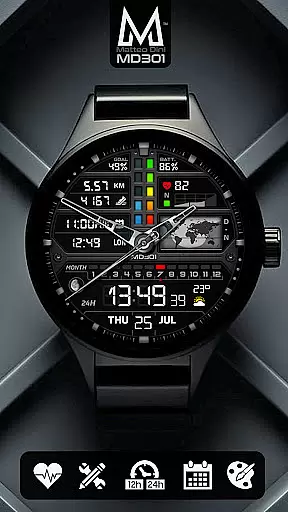
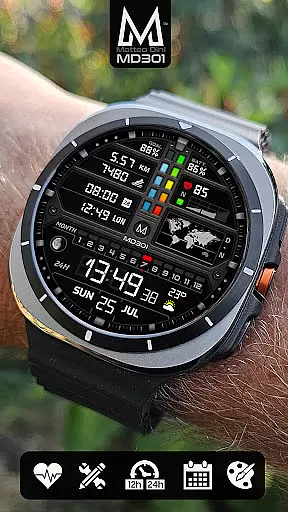
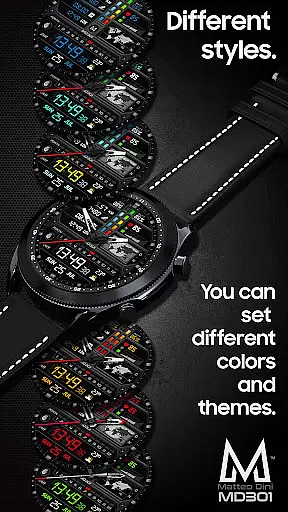
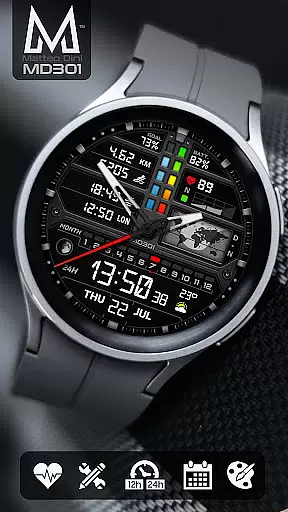
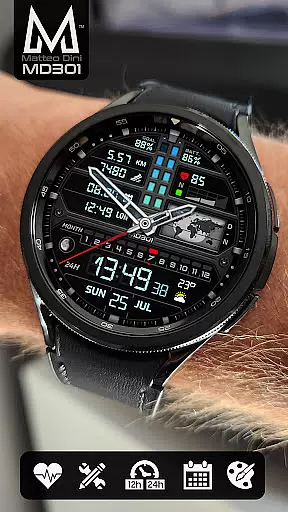
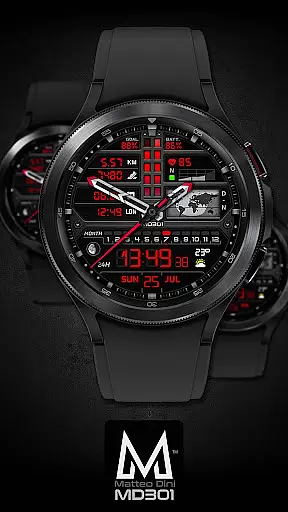
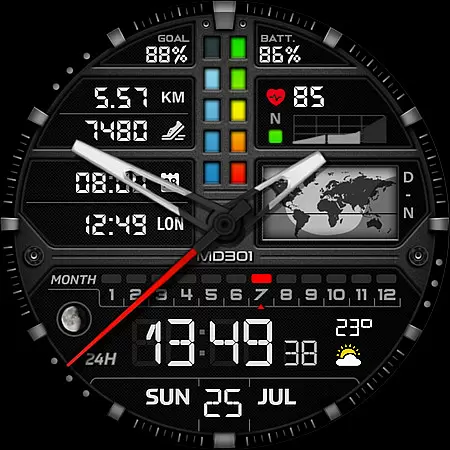
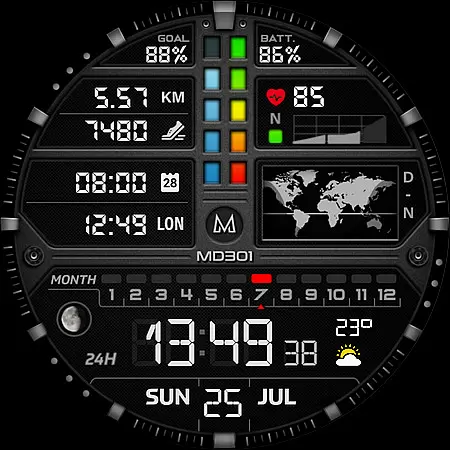
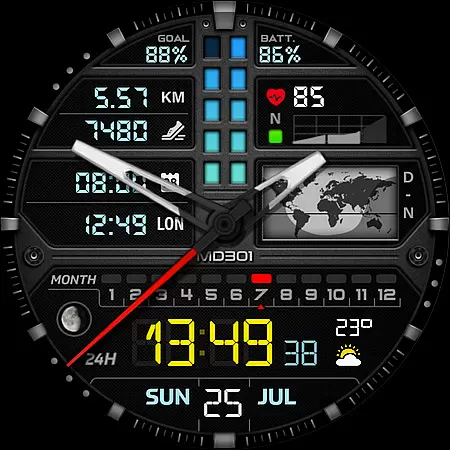
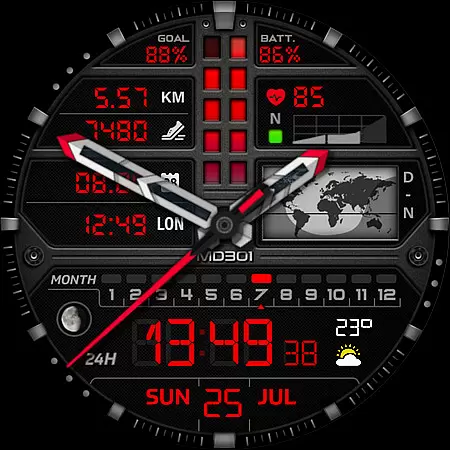
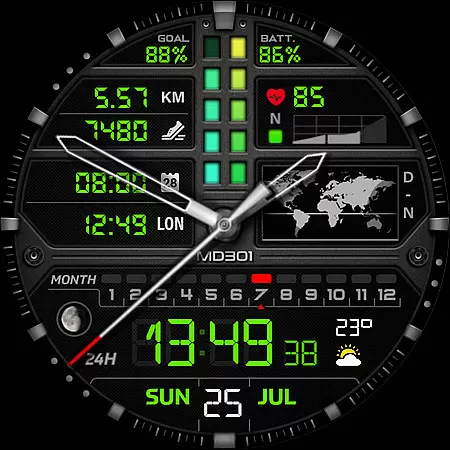
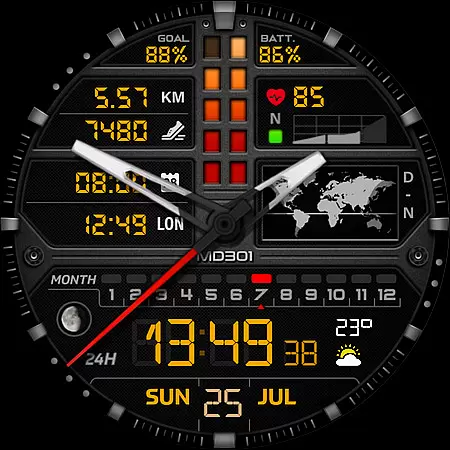
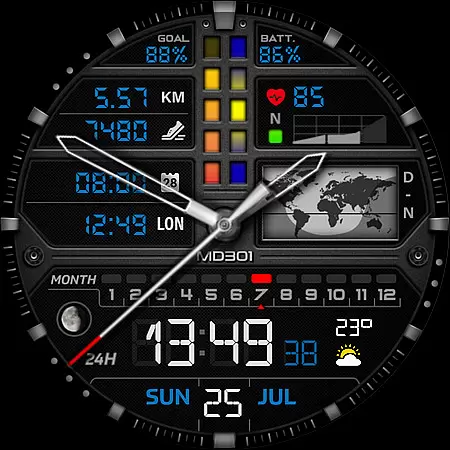
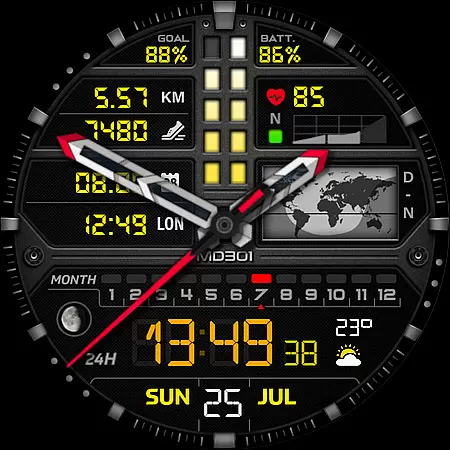
MD301 Hybrid watch face represents a new generation of watch faces for Wear OS devices, offering users an advanced and customizable timekeeping experience. This feature-rich watch face supports all Wear OS devices with API Level 33+ and includes options like 3 Preset App shortcuts, 3 customizable shortcuts, day & night world map, steps tracking, heart rate monitoring, date display, moon phase, and more.
Designed for Samsung Galaxy Watch 4-8, Ultra, Pixel Watch, and other compatible devices, MD301 allows users to personalize their watch face with changeable colors, hands, digital time, and complications. The Always ON Display feature ensures that key information is visible at a glance, while the customization options provide flexibility to tailor the watch face to individual preferences.
Whether you're tracking daily fitness goals or staying informed about global time zones, MD301 Hybrid watch face delivers both functionality and style, making it an ideal choice for tech-savvy users who value utility and aesthetics in wearable technology.
MD301 Hybrid watch face stands out with its comprehensive set of features designed to enhance user interaction and personalization. It offers digital and analog time display, date, month, moon phase, day and night world map, battery status, heart rate monitoring, daily step goals, and steps tracking. These features ensure that users have access to essential information at a glance.
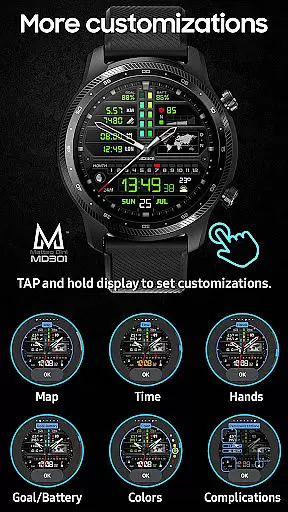
The watch face also includes 3 Preset App shortcuts (Calendar, Battery, Measure HR) and 3 customizable shortcuts, allowing quick access to frequently used apps. Additionally, it provides 4 customizable complications where users can choose data such as weather, time zone, sunset/sunrise, barometer, and more. The Always ON Display feature is supported with changeable colors, ensuring visibility and personalization even when the watch is idle.
Customization is straightforward - simply touch and hold the display, then tap on the customize option. With Matteo Dini MD's reputation for quality and innovation, MD301 Hybrid watch face continues to deliver a premium user experience through its versatile and adaptable design.
For the MD301 Hybrid watch face, companion app integration is crucial for a seamless user experience. This feature ensures that data from your smartphone is accurately reflected on your wearable device.
The Samsung Wearable app allows users to customize their watch faces, although it may struggle with more complex designs. As a workaround, direct customization on the watch itself is recommended until improvements are made by Samsung.
By integrating with companion apps, users can access real-time information such as weather updates, heart rate monitoring, and calendar events directly on their watch face. This enhances convenience and accessibility throughout the day.
Overall, companion app integration in this watch face provides an interconnected ecosystem where users benefit from having all essential data at their fingertips, making daily tasks easier and more efficient.
The MD301 Hybrid watch face boasts extensive compatibility with various Wear OS devices, ensuring a broad user base can enjoy its features. Supporting all Wear OS devices with API Level 33+ (Wear OS 4 and later), including Samsung Galaxy Watch 4-8, Ultra, and Pixel Watch models.
This wide-ranging support means that whether you have a newer model or one of the older but still capable smartwatches, you will be able to utilize this versatile watch face without issues. The design takes full advantage of the hardware capabilities present across these different devices.
With functionalities like Always ON Display supported with changeable colors, customizable complications, and multiple shortcuts, users get a tailored experience regardless of their specific device within the supported range.
Ultimately, this level of device compatibility not only expands market reach but also guarantees that every user enjoys optimal performance and visual appeal tailored specifically for their smartwatch model.
Highly customizable
Feature-rich interface
Always ON Display
Wide device compatibility
Premium brand reputation
Complex setup process
Limited customer support
Requires additional apps
Occasional loading issues
Premium cost

Highly customizable hybrid watch face for Wear OS, perfect for everyday use.
 4.60
4.60
Deck out your Wear OS Watch face with a beautifully decorated pine wreath!
4.50
Bold, Modern Hybrid Watch Face for Wear OS. 10 Colors, Rich Info Display.
4.30
Digital watch face. For Wear OS devices.
4.40
Hyperlocal rain alerts by MyRadar using patent-pending technology, radar & more
4.80
To-Do List: daily schedule planner, task organizer, to do reminder app, calendar
4.60
Bold weather Digital watchface with forecast & optional animated background
4.40
Viewer for Wyze/Yi/Eufy/Arlo/ONVIF/RTSP/P2P IP cams w/ adv. features & DIY DVR
4.00
Spam call blocker and caller ID for automatic call protection!
4.40
Digital, flexibly customizable watch face. For Wear OS 5.0, API 34+ and later.
5.00
Real-time weather radar with temperatures, warnings, hurricanes, and widgets
4.80
Nutrition, Macro tracker: Food, fitness & healthy diet tracking for weight loss
4.60
Christmas watch face. For Wear OS devices.
4.30
Locate your family members by GPS phone location tracker everywhere and anytime
4.30
Watch face for Wear OS.
4.20
Wear Os Watch Face - Animated Snow Effect & Magic Spark - 6 Scenes
4.10
Hyper-Realistic Airplane Dashboard Watch Face With 10 Skins and Custom AOD
4.00
Structured watch face with seven complications and modular UI elements
3.90
Analog watch face with 8 complications and expedition styling
4.4


User Reviews