
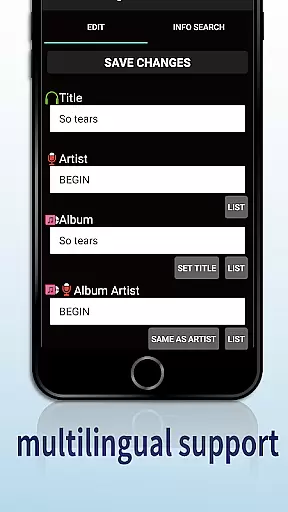
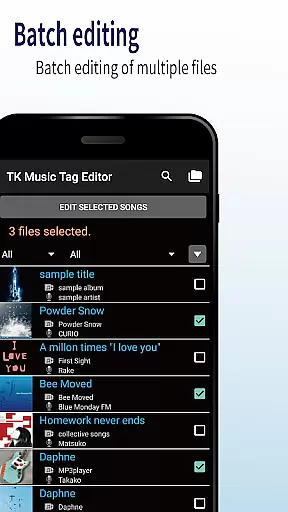
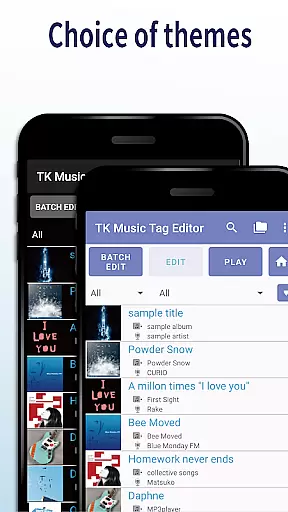
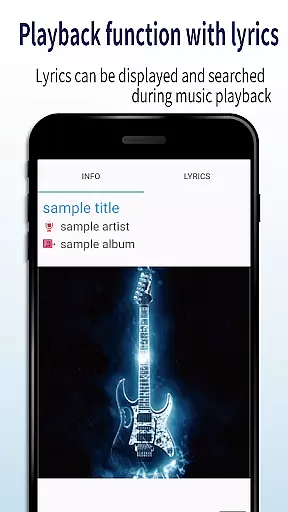
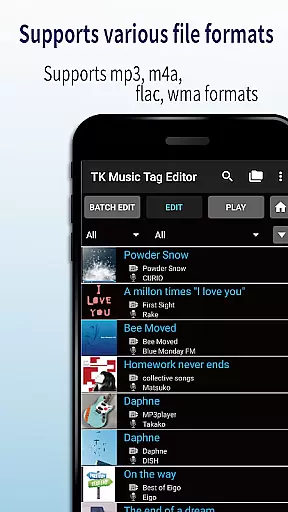
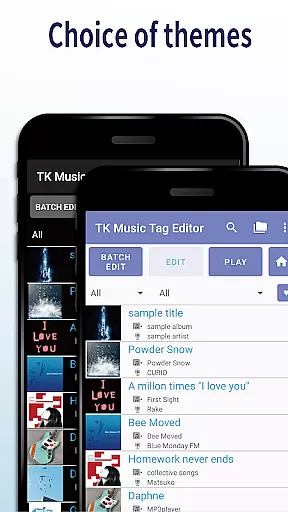
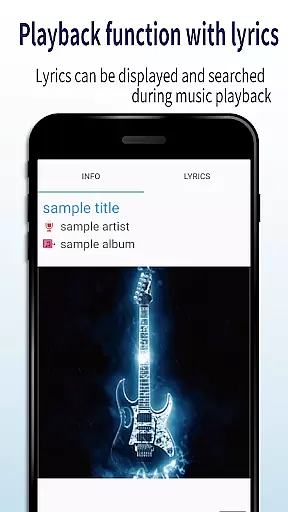
TK Music Tag Editor -Complete- is a comprehensive metadata editing tool designed specifically for music enthusiasts who need precise control over their audio files. This application allows users to directly modify essential metadata fields such as artist, album, cover art, and lyrics within mp3, m4a, flac, and wma files. The changes are written directly into the music files, ensuring that the metadata remains intact regardless of the device or platform used for playback.
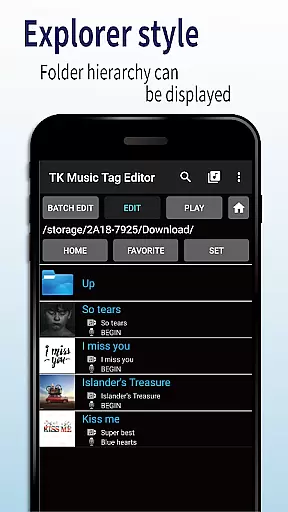
In addition to basic tag editing, the app offers advanced features like simultaneous filename editing, which allows users to standardize their music library's file naming conventions. It also includes playlist creation capabilities, giving users the power to curate custom playlists easily. With support for multiple file formats and planned future enhancements, TK Music Tag Editor -Complete- provides a reliable solution for organizing and managing digital music collections.
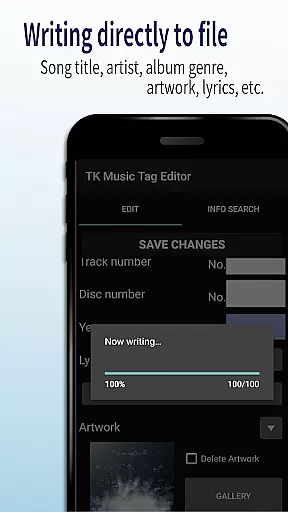
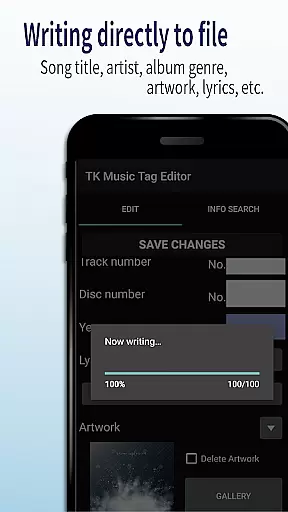
One of the standout features of TK Music Tag Editor -Complete- is its ability to write tags directly into music files. This ensures that metadata such as title, artist, album, and cover art remains consistent across different devices and platforms. Users can edit a wide range of metadata fields, including lyrics, providing a comprehensive tagging solution that enhances music organization and playback experience.
The app also supports simultaneous editing of music filenames, allowing users to rename files in a standardized format like 'Song Title (Artist).' This feature is particularly useful for those looking to bring uniformity to their music libraries. Additionally, the playlist creation functionality enables users to build and manage playlists effortlessly, making it easy to group favorite tracks or create themed collections.
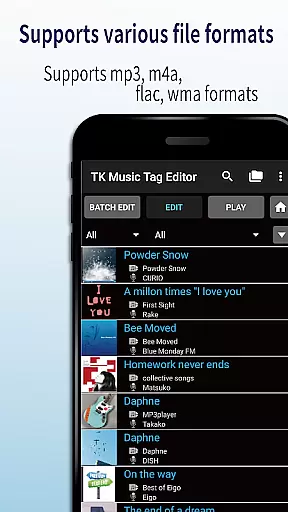
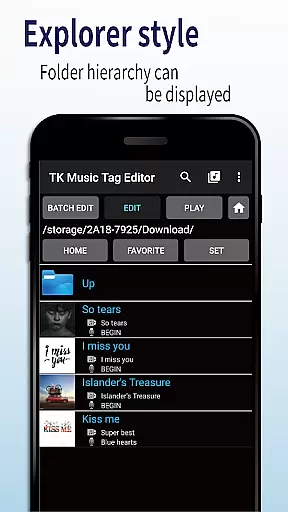
TK Music Tag Editor -Complete- extends its compatibility to various file formats, including mp3, m4a, flac, and wma. It even detects mp3 files mistakenly labeled with an m4a extension and allows users to correct the file extension. This versatility ensures that users can manage metadata across their entire music collection without limitations.
Video Players & Editors like TK Music Tag Editor -Complete- excel in their ability to handle a variety of file formats, ensuring users can manage multimedia across different platforms. This app supports mp3, m4a, flac, and wma files, providing comprehensive metadata editing capabilities.
The application's robust architecture allows for direct writing of tags into music files, which means that whether you're accessing your files from a PC or any other device, the metadata remains intact and consistent. This feature is crucial for maintaining an organized library regardless of where or how you access your files.
Additionally, the app offers the unique ability to detect mp3 files with incorrect m4a formats and correct the extension to .m4a, making it universally accessible. This ensures that all devices, including PCs, can read the metadata without issues, enhancing cross-device compatibility.
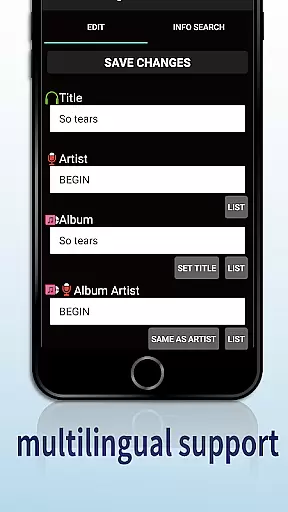
TK Music Tag Editor -Complete- incorporates AI-powered editing features that streamline the process of managing music libraries. The app allows simultaneous editing of both music filenames and metadata, such as artist, album, cover art, and lyrics, saving users significant time and effort.
One standout feature is its playlist creation tool, which leverages AI to help users easily compile and edit playlists. This functionality not only simplifies the organization of songs but also enhances user engagement by allowing personalized music experiences.
Moreover, future updates promise even more advanced AI-driven capabilities, such as additional editable metadata fields. Users are encouraged to reach out with feature requests, ensuring the app evolves according to user needs while maintaining its position at the forefront of music editing technology.
User-friendly interface
Comprehensive tag editing
Direct file writing
Playlist management
Multi-format support
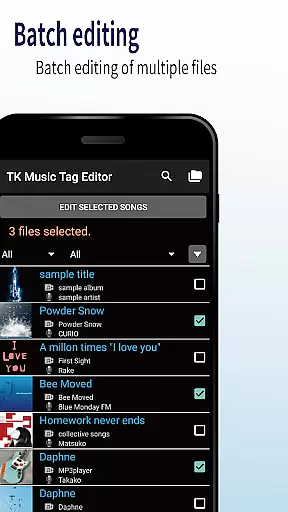
No batch editing
Limited advanced options
Occasional bugs
Basic UI design
No cloud sync

IPTV-Smarters Player Pro M3U - Watch Live Stream TV Channels with Chromecast
 4.00
4.00
KMPlayer Plus (Divx Codec) officially support Divx codec.
4.30
AirMirror Receiver - Screen mirroring/cast web videos to Android TV by AirPlay.
4.40
An easy-to-use and all-round screen recorder with audio
4.80
Movie maker & video editing app with AI effects and green screen
4.30
All in one multi protocols stream receiver for AirPlay, Cast and DLNA.
3.60
Fast private browser with secure, seamless access & supported video downloads!
4.00
Enjoy your favorite videos and channels with the official YouTube app.
3.90
Make videos you’re proud to share with Edits, a video editor for creators.
4.70
Video Trimmer, Video to MP3 Converter. Extract music from video, Easy & Fast.
4.80
Download videos and play them offline
4.70
A Simple app to download Video & Music from the Internet.
4.70
Cast to Chromecast, Xbox, Fire Stick, Roku, DLNA, Smart TV & No Feature Limited!
4.50
Video Downloader, Multiple Resolution Options, Video Player
4.50
Fast video downloader & private browser. Save HD clips to watch offline.
4.40
All format media Player, no need video converter any more!
4.00
Connect 2 UVC devices for recording and broadcast video/audio stream
3.90
Browser for Sony TV to stream web videos, online movies and live tv
3.20
Play and download HD videos from all sources — fast, simple, and all-in-one.
4.5


User Reviews