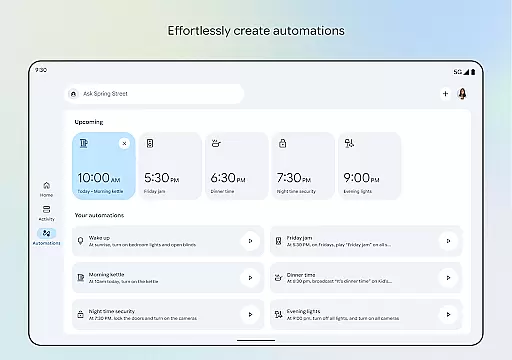
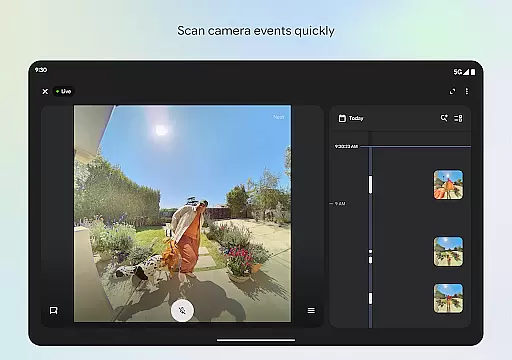
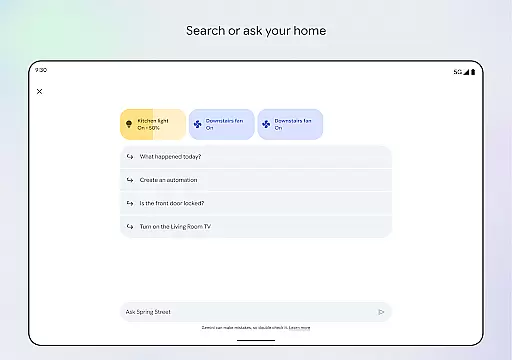
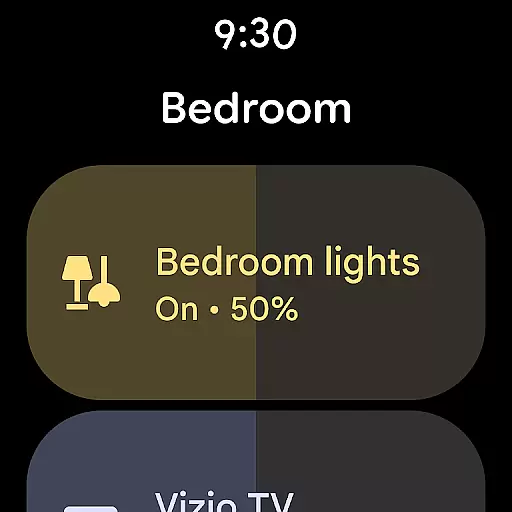

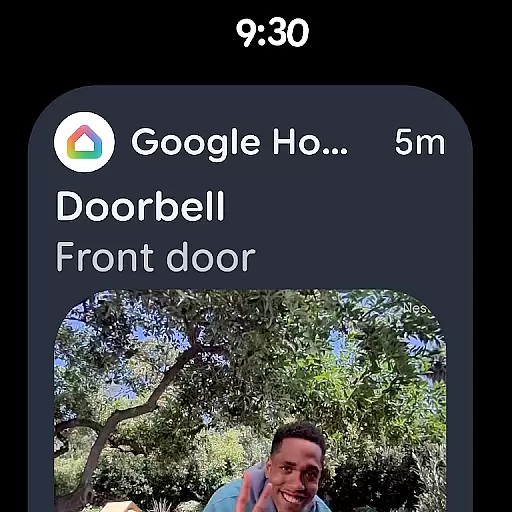
Google Home is a comprehensive smart home management app designed for Android Wear devices. It allows users to control and monitor their smart home devices directly from their wearable technology. The app provides real-time updates on device statuses, missed notifications, and important events within the home environment.
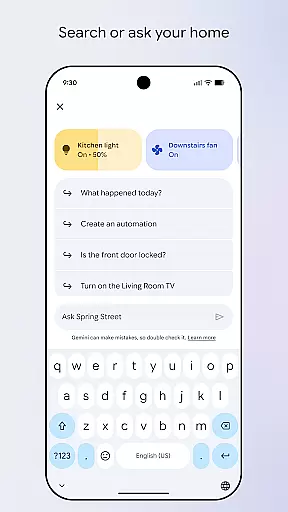
With its intuitive interface, Google Home organizes your smart devices into easy-to-navigate dashboards. This feature enables quick access to settings and controls, ensuring that you stay connected with your home at all times. Additionally, the app supports voice commands through Gemini for Home, offering hands-free operation for various smart devices.
Whether you're checking security camera footage or adjusting thermostat settings, Google Home ensures seamless interaction with your smart home ecosystem right from your wrist. This makes it an essential tool for managing modern smart homes efficiently and conveniently.
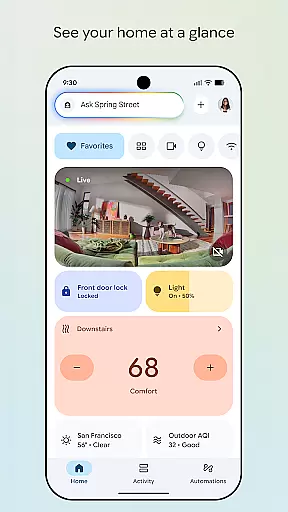
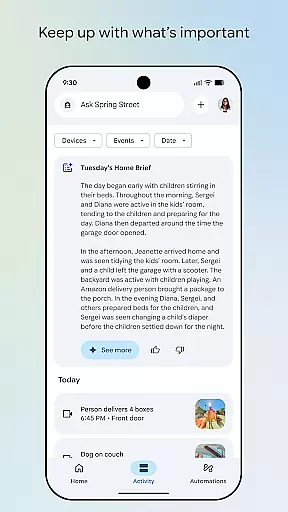
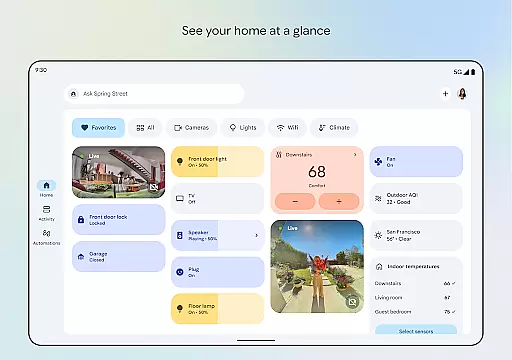
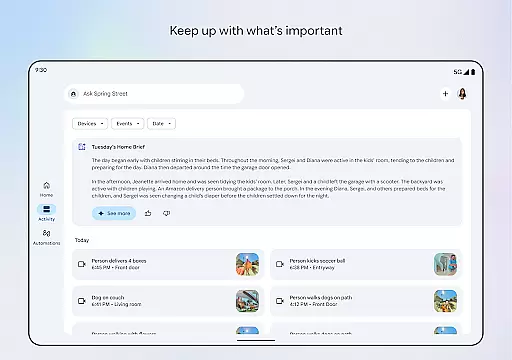
Google Home stands out with its advanced features tailored for smart home enthusiasts. One of its key features is the ability to view your home's status at a glance. This includes real-time updates on device activities and notifications, which are presented in a streamlined dashboard format.
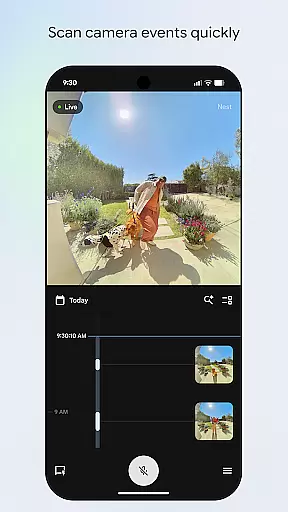
The app also excels in organizing your smart devices. With updated design elements, users can group their devices into customizable dashboards. This makes navigation intuitive and efficient, allowing you to manage settings with ease. Furthermore, the camera live view and history interface provide quick access to past events, enhancing home security monitoring.
Voice control is another standout feature. By integrating with Gemini for Home, Google Home allows users to issue voice commands to control their devices. This hands-free approach not only simplifies device management but also enhances accessibility for users who prefer vocal interactions over manual inputs.
Companion app integration is essential for seamless control and management of wearable devices. Google Home ensures that your Android Wear device works in harmony with other smart devices in your home ecosystem.
The app provides a centralized platform where users can easily connect, monitor, and control their smart home devices. This includes adjusting settings, receiving real-time updates, and managing notifications directly from their wearable device.
By integrating with the Google Home app, Android Wear users benefit from enhanced convenience and accessibility. Whether you're checking the status of your home security system or controlling your thermostat, everything is accessible right from your wrist.
This level of integration not only simplifies daily tasks but also enhances the overall user experience by providing quick access to important features without needing to reach for a phone or computer.
Ensuring compatibility between Wear OS and various devices is crucial for a cohesive smart home experience. The Google Home app supports a wide range of Wear OS devices, allowing users to seamlessly interact with their smart home ecosystem.
Google Home's compatibility extends to numerous smart home products, ensuring that whether you have smart lights, cameras, or appliances, they can all be controlled through your Wear OS device. This broad support makes it easier for users to create a connected home environment tailored to their needs.
Moreover, regular updates and improvements to the app ensure ongoing compatibility with new devices and firmware versions. Users can trust that as technology evolves, their Wear OS device will remain an integral part of their smart home setup.
Ultimately, this compatibility empowers users to enjoy a more integrated and efficient smart home experience, enhancing both convenience and peace of mind.
User-friendly interface
Real-time updates
Voice command support
Customizable dashboards
Enhanced security features
Limited regional availability
Requires compatible devices
Potential connectivity issues
Subscription fees for some features
Privacy concerns with data sharing

A full-featured Amazon Alexa voice assistant that can show you things.
 3.70
3.70
Wear Os Watch Face - Animated Snow Effect & Magic Spark - 6 Scenes
4.10
Beautiful, colorful and practical watch face. For Wear OS devices.
5.00
Sleek, highly customizable watch face inspired by Galaxy Watch Circle Dashboard.
4.0
Authentic military-tactical design with ZULU time! Realistic and functional!
3.80
Ideal for surviving in the wasteland left after nuclear fallout
4.50
Locate your family members by GPS phone location tracker everywhere and anytime
4.30
Reliable phone calls with spam protection, caller ID and more helpful features
4.40
Viewer for Wyze/Yi/Eufy/Arlo/ONVIF/RTSP/P2P IP cams w/ adv. features & DIY DVR
4.00
Christmas - Festive - Christmas Village - Winter - Christmas lights
5.00
WTW M17 is a premium and luxurious hybrid watch face
4.70
Monitor health with the stress test and pulse checker in the heart rate app.
4.60
Current temperature, weather hourly, weather radar by the weather forecast app
4.40
Beautiful artistic animated digital watch face, with a customizable layout!
4.40
A customizable Christmas watch face for Wear OS with a countdown.
4.20
Elegant animated Christmas tree with multiple customization options
4.20
Embrace the festive spirit with our Christmas Countdown watchface for Wear OS
4.10
A digital watch face that celebrates Christmas.
4.00
A Wintery Snow Globe on Your Wrist; now celebrating Christmas!
4.4


User Reviews