
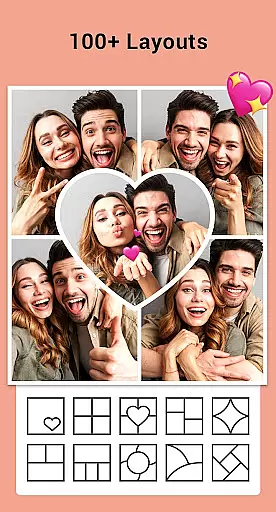


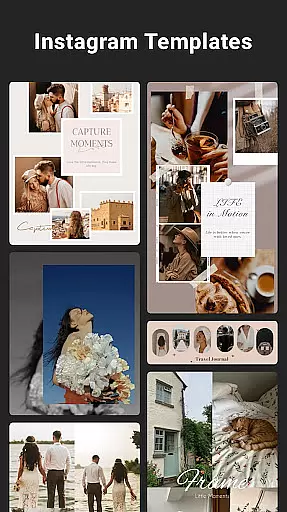
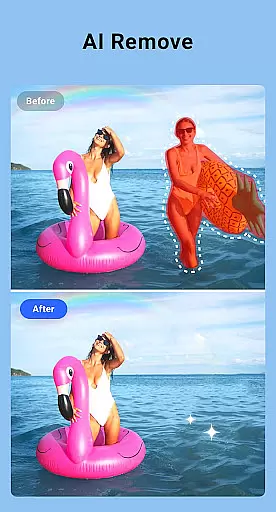
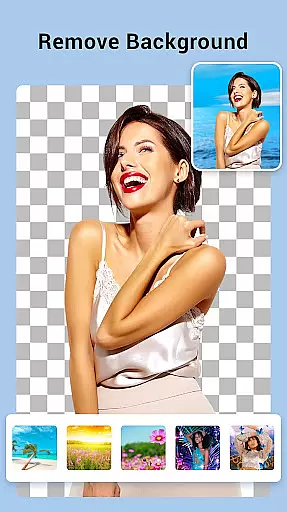
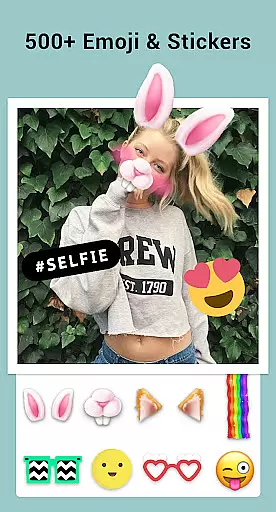
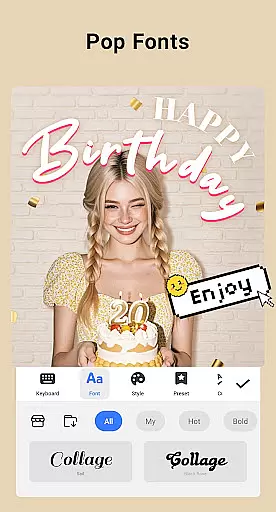
Collage Maker is a versatile photo collage and editing application designed for creative enthusiasts. This app allows users to instantly combine multiple photos into stunning collages using over 100 layouts, various backgrounds, stickers, fonts, and other customization tools. With its AI Photo Enhancer feature, users can transform low-quality or damaged images into high-definition masterpieces with just one tap. The app supports both grid-style and free-style collage creation, making it suitable for Instagram posts, YouTube thumbnails, and more.
Beyond basic collage creation, Collage Maker offers advanced features such as photo editing tools, including filters, text overlays, cropping, and doodles. Users can also create scrapbooks, design story templates, and adjust photo ratios to fit different social media platforms. Whether you're looking to enhance your photos or create visually appealing content, this app provides all the necessary tools in one place.
The app is particularly useful for social media influencers, photographers, and casual users who want to create professional-looking visuals without needing advanced design skills. By offering multi-fit options for Instagram and other platforms, Collage Maker ensures that every image looks perfect before posting. Its intuitive interface and extensive customization options make it an essential tool for anyone interested in digital creativity.
Collage Maker stands out with its comprehensive set of features tailored for photo enthusiasts. One of its key highlights is the ability to combine up to 100 photos into a single collage, providing users with unparalleled flexibility in creating complex designs. With over 100 layout options, users can choose from various grids and frames to suit their specific needs. Additionally, the app includes a vast library of backgrounds, stickers, fonts, and photo frames, allowing for endless customization possibilities.
The app's AI Photo Enhancer is another standout feature, capable of transforming blurry or old photos into sharp, high-definition images effortlessly. This tool is especially valuable for restoring cherished memories or improving low-quality shots. Furthermore, Collage Maker offers specialized modes like Freestyle and Grid Style, enabling users to create unique compositions ranging from scrapbooks to professional-grade collages. The inclusion of story templates adds another layer of creativity, perfect for Instagram and Snapchat stories.
For those focused on social media optimization, Collage Maker provides multi-fit options that automatically adjust photo ratios to match platform requirements. Whether you need square photos for Instagram or vertical formats for YouTube, the app ensures your images are always ready for posting. These robust features, combined with user-friendly editing tools, make Collage Maker an indispensable resource for anyone looking to elevate their digital content.
Real-time capture and preview functionality is essential for photography apps like Collage Maker. This feature allows users to see exactly what their final composition will look like before capturing the image.
Collage Maker excels in this area by providing instant previews of photo collages. As users select different layouts, backgrounds, and stickers, they can immediately visualize the changes. This real-time feedback enables precise adjustments and creative freedom.
The app's advanced rendering engine ensures that all elements - from text overlays to complex filters - appear accurately in the preview window. Users can experiment with various design options without any lag or distortion.
This immediate visual confirmation helps users create professional-quality collages efficiently. The ability to preview work in real-time significantly enhances user satisfaction and productivity, making collage creation both intuitive and enjoyable.
AI-powered beauty and enhancement features have become crucial in modern photo editing applications. These tools help users improve image quality while maintaining natural-looking results.
Collage Maker incorporates sophisticated AI algorithms that can transform low-quality images into stunning visuals. The app's AI Photo Enhancer can upgrade blurry or old photos to high-definition quality with a single tap, preserving original details and colors.
The application offers a range of natural enhancement options, including skin smoothing, color correction, and detail sharpening. These features work together to create polished yet authentic-looking images that avoid the artificial appearance often associated with heavy editing.
By combining powerful AI technology with user-friendly controls, Collage Maker ensures that even novice users can achieve professional-grade results. This balance between advanced technology and natural outcomes makes the app suitable for both casual sharing and professional projects.
User-friendly interface
Extensive customization options
AI-powered photo enhancement
Versatile collage styles
Social media optimization
Limited free features
Occasional ads
Premium subscription required
Storage-intensive
Learning curve for beginners

Effortlessly organize, view and share your photos & videos with Gallery app!
 4.40
4.40
Easily stitch panoramas from multiple photos or video.
4.40
1M influencer's special filter
4.60
How old age camera Gender Swap App Face Shape Hairstyle App Hair Styler App fun!
4.00
Photo editor: AI filters, photo enhancer, pic collage maker, AI art generator.
4.80
Light-weight Media Gallery app for Android made with Jetpack Compose
4.60
Create amazing frames with up to five photos. Rounded corners, effects and more!
3.60
Unlock the full potential of your DJI drone with Litchi
4.50
Edit photos with the picture generator: PS2 & AI Clay filters, cartoon effects.
4.50
Pro version: AR sun/moon tracker for any date. Tool for photographers & planners
4.90
Discover & download millions of art for The Frame TV or Hisense CanvasTV
4.60
Fit multiple photos on one post. Create carousels & scroll layouts for Instagram
4.50
Turn your phone into a professional camera - full DSLR manual photography
4.30
Luminar: Photo Editor - easy picture editing with AI
4.20
Catch sunlight, sunrise sunset times and sun phases with the AR sun tracker.
4.10
Photo editor: face & body editor, beauty cam, filters and quality enhancer.
4.00
Photobooth mini FULL app will allow you to add more fun to your parties
4.00
GCamera allows all GCam features on all phone models! Better photos with GCamera
3.30
Long exposure camera with computational photography
2.60


User Reviews