
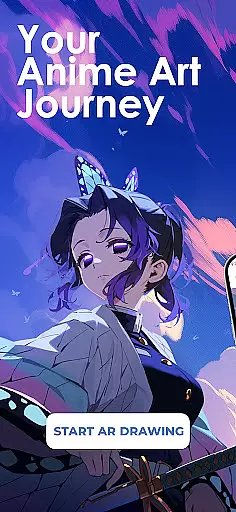
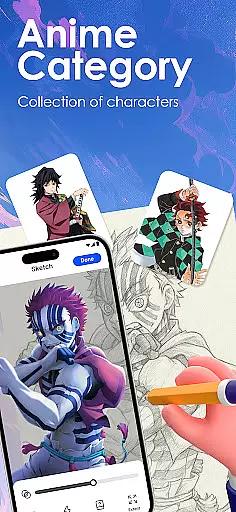
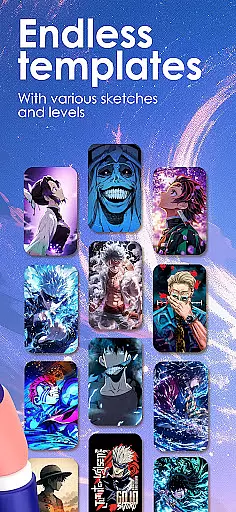
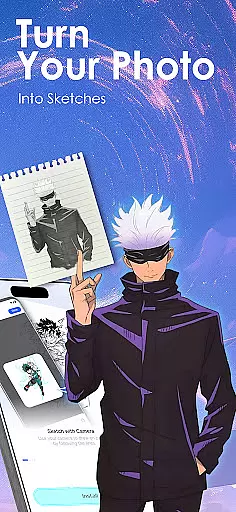
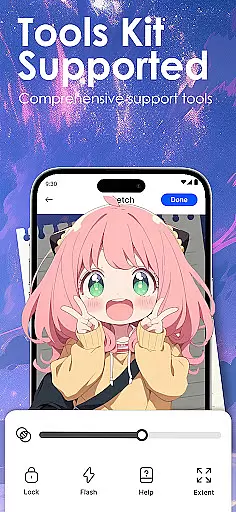
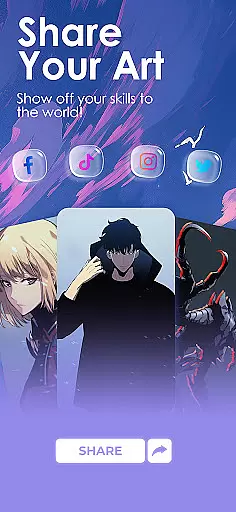
Draw Anime: AR Sketch & Trace is an innovative drawing application designed specifically for anime art enthusiasts. This app combines traditional sketching techniques with cutting-edge Augmented Reality (AR) technology, allowing users to trace and draw anime characters with precision. Whether you're a beginner or a professional artist, the app provides various tools and templates that cater to all skill levels.
The core functionality includes AR-guided tracing, where users can project outlines onto paper through their device's camera. The app also features a vast library of anime-specific content, including manga, chibi, and fanart templates. Additionally, it offers step-by-step tutorials that help improve anatomy and proportion skills, making it an ideal tool for anyone looking to enhance their anime art abilities.
This app is particularly useful for those who want to learn anime drawing in a structured way. By providing adjustable opacity, zoom controls, and recording features, Draw Anime ensures a personalized and efficient learning experience. Users can track their progress, import custom images, and even share their artwork with a community of like-minded creators.
Draw Anime: AR Sketch & Trace stands out due to its comprehensive feature set tailored for anime artists. One of the key highlights is the AR guidance system, which projects clear outlines onto paper, enabling users to trace characters and objects accurately. This feature is complemented by a growing library of anime templates, covering various styles such as manga, chibi, and fanart, ensuring there's something for every artist.
The app also emphasizes learning and skill development. It offers simplified sketch outlines from complex pictures, catering to different proficiency levels. Users can practice anatomy and proportions through structured lessons, gradually advancing from beginner to expert levels. Moreover, the app allows importing personal photos, converting them into traceable outlines, and adjusting settings like opacity and zoom for a customized drawing experience.
Additional features include video recording of the drawing process, detailed video tutorials, and a supportive community platform for sharing finished artwork. These functionalities not only enhance individual learning but also foster a sense of community among users. With regular updates and new content additions, Draw Anime continues to provide value to its users, helping them refine their skills and explore new creative avenues.
In the realm of digital artistry, having a comprehensive set of creative tools is paramount. Draw Anime: AR Sketch & Trace offers an extensive suite designed for anime enthusiasts and artists alike.
This application leverages advanced Augmented Reality (AR) technology to provide users with functionalities such as AR Guidance, which allows tracing through the camera onto paper, offering confidence to sketch with precise outlines.
Additionally, it houses a growing library filled with templates catering to various styles including anime, manga, and chibi, alongside features for importing personal photos and converting them into traceable outlines.
Such robust capabilities ensure that whether you're a beginner or a professional artist, this app supports your creative process from inception to completion.
A canvas in the digital space refers to the area where creativity unfolds; its flexibility can greatly influence artistic expression. Draw Anime: AR Sketch & Trace recognizes this need and delivers a highly adaptable drawing environment.
Artists have the freedom to adjust their workspace with options to modify opacity and zoom levels, tailoring the canvas to their preference for detailed work or broader strokes.
The app also enables recording of the drawing process, allowing creators to review their artistic journey or share it as a time-lapse video.
With these versatile formatting options at hand, users are empowered to explore unlimited creative possibilities while honing their skills within a personalized learning framework.
User-friendly interface
Extensive template library
AR-guided tracing
Customizable drawing tools
Active community support
Limited free content
Requires steady hand
Occasional bugs
Premium subscription needed
Device compatibility issues

Premium version of Shimeji-ee app with no ads & no limit active shimeji
 4.3
4.3
Customizable Outlined Fonts. Watch Face Format. Battery friendly Digital Clock.
4.20
Floor Plan Creator lets you create, edit and share floor plans.
4.00
Draw beautiful mandala's very easily
4.60
Design unique, funny and adorable cat stickers that reflect your own style!
3.80
Your AI soulmate — meaningful chats, and unique emotional moments
4.70
Image resizer to resize, crop, rotate, flip, change dpi photo or picture in bulk
4.60
OneUI 8.5 icons ✨ Smooth, modern & based on the latest Play Store design ??
4.10
Just trace a projected picture on paper and color! Draw & Paint with AR drawing
4.40
Turn your drawings into flipbook-style animations with simple creative tools
4.60
Draw, fidget, and spin glow art! Relax and express your creativity with a finger
4.60
The perfect place to start sketching! Use Sketchbook to draw and paint sketches.
4.50
Stylish letters, Stylish Keyboard, Symbols, Emojis, Cool nickname
4.40
Text to Image, Image to Video & AI Chat
4.20
Paint with oils and sketch with natural tools on a realistic virtual canvas.
3.80
AI Assistant, powered by ChatGPT GPT-4 & GPT-4o. Your intelligent companion.
3.50
Create trending AI photos & videos with powerful effects and 3D styles.
3.20
Create stunning video, photo & magic from text with FlixAI GPT video generator.
3.10
Pose and morph realistic male and female models! 3D poser app
3.00


User Reviews