
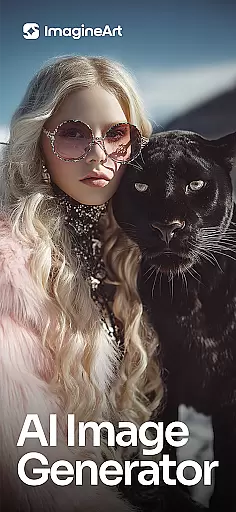
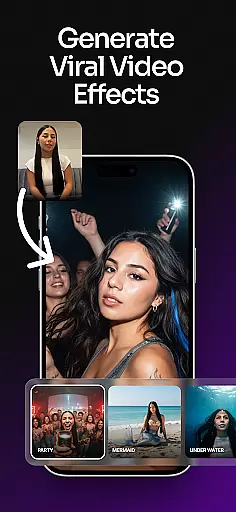
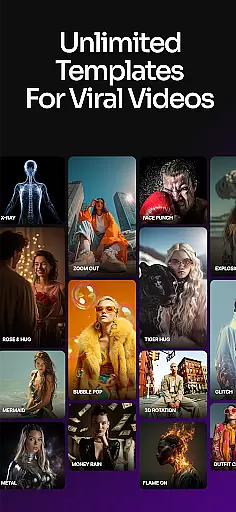
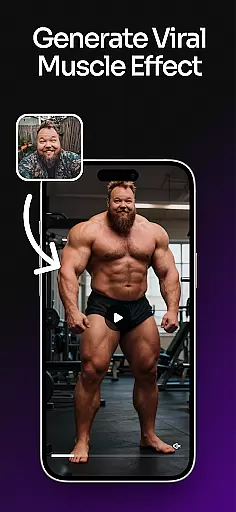
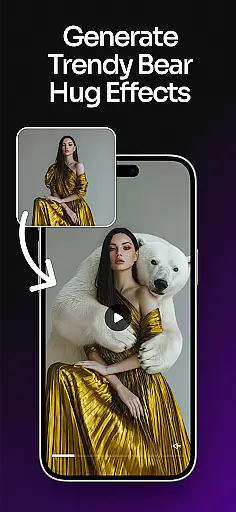
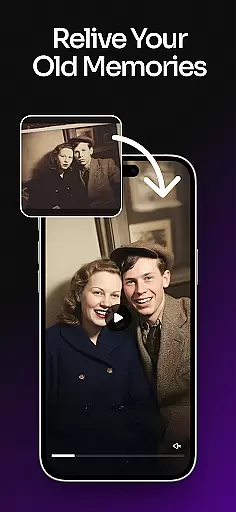
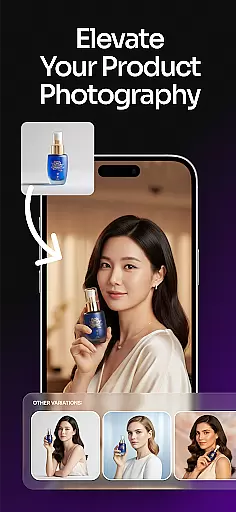
ImagineArt is a comprehensive AI-powered art design studio that enables users to create stunning visuals across various formats, including images, logos, posters, and more. With its powerful Generative AI capabilities, the app caters to both professional and casual creators, offering tools for business branding, social media content, and personal projects. Available on mobile platforms, ImagineArt democratizes design by allowing anyone to generate high-quality visuals from simple text prompts.
The app stands out with its ability to produce realistic and professional-grade designs comparable to industry leaders like MidJourney and DALL-E. Users can customize styles, sizes, colors, and effects while leveraging over 100 AI-generated templates tailored for specific use cases such as event promotions, product photography, and illustrations. This versatility makes ImagineArt an essential tool for entrepreneurs, marketers, and creatives seeking efficient design solutions.
ImagineArt offers an extensive suite of AI-powered features designed to streamline the creative process. The AI Image Generator and Art Generator allow users to produce diverse content types—logos, portraits, stickers, social media posts, and more—within seconds through intuitive text prompts. Advanced customization options enable precise control over design elements, ensuring each output aligns perfectly with user intent.
Beyond image generation, ImagineArt includes specialized tools such as the AI Logo Generator, which simplifies brand identity creation with customizable templates and layout adjustments. Additional functionalities include generative fill for seamless object insertion or removal, image upscaling to 4K/8K resolution without quality loss, and robust editing capabilities like text manipulation, filters, and cropping. These features collectively empower users to refine their designs effortlessly while maintaining professional standards.
In the realm of digital art and design, having a comprehensive suite of creative tools is essential for bringing visions to life. ImagineArt stands out by offering an extensive array of features that cater to both amateur enthusiasts and professional designers. The application includes powerful AI-driven functionalities such as text editing, generative fill, image resizing, and upscaling to 4K or 8K quality, ensuring that users can enhance their projects without losing detail.
Moreover, ImagineArt's capabilities extend beyond basic editing. Users have access to sophisticated instruments like flyer makers, poster makers, and an AI photo editor that refines visuals with filters, effects, adjustments, and cropping. These tools are seamlessly integrated into the platform, providing a smooth workflow that encourages creativity and efficiency. Whether it's adjusting layouts, experimenting with effects, or incorporating elements such as shapes and stickers, ImagineArt equips its users with everything needed to craft compelling designs.
The true value of ImagineArt lies in its ability to transform ideas into professional-grade artwork effortlessly. By leveraging these complete and versatile creative tools, users can execute their artistic visions with precision and flair. This not only enhances the quality of the output but also significantly reduces the time and effort required to produce visually stunning content, making ImagineArt an indispensable asset for anyone involved in art and design.
Flexibility in canvas and format options is crucial for designers who need to adapt their work across various mediums and platforms. ImagineArt addresses this need by providing unparalleled versatility in its design editor. Users can easily resize images to fit different formats such as banners, wallpapers, or social media posts without compromising on quality. This adaptability ensures that whether you're working on a detailed poster or a compact logo, ImagineArt supports your creative process every step of the way.
ImagineArt further empowers creators with customizable dimensions and resolutions, allowing for precise control over the final output. Need a specific size for an Instagram post or a high-resolution image for print? ImagineArt has got you covered. The platform's intuitive interface makes it simple to adjust settings and see real-time previews, giving designers the confidence that their work will look impeccable on any platform or medium.
This level of canvas and format flexibility not only broadens the scope of projects that can be undertaken using ImagineArt but also enhances productivity. Designers can switch between different formats quickly and efficiently, focusing more on the creative aspects rather than technical limitations. With ImagineArt, the possibilities are endless, enabling artists to push the boundaries of their creativity while maintaining professional standards in all their projects.
User-friendly interface
Extensive template library
High-resolution outputs
Versatile design tools
Realistic AI-generated results
Limited free tier options
Advanced features require subscription
Occasional rendering delays
Learning curve for new users
Internet connection required

Meet the magic aı 3d photo generator and smart AI video generator app.
 3.20
3.20
Unleash your drawing and painting potential
4.50
AR Anime Drawing: How to draw anime with AR drawing & sketching apps!
4.00
800+ Drawing, Painting Lessons App to Practice, Sketch & Paint Art.
4.30
Powerful home decoration & house design that allows you to design dream home.
3.80
Art of Combination Wear OS Watch faces (for Wear OS 5+ devices)
3.90
Photo stitcher for automatically screenshot stitching into a long screenshot
4.70
Inky runs Inkscape on Android devices and Chromebooks
2.90
Draw, make movies & animate cartoons easily with our 2D animation maker app
4.40
Logo Generator powered by AI: Create stunning logos effortlessly!
4.70
Turn your drawings into flipbook-style animations with simple creative tools
4.60
Get an overview over all your embroidery threads, projects and more.
4.60
Remove Background, Magic Eraser, Photo Enhancer, Story Templates, Collage Maker
4.30
Custom Character Creator & PFP Maker!
4.20
AI Art Generator transforms your words into AI generated art & paintings.
3.70
AI Assistant, powered by ChatGPT GPT-4 & GPT-4o. Your intelligent companion.
3.50
Art of Combination Wear OS Watch Faces
3.30
Premium version of Shimeji-ee app with no ads & no limit active shimeji
4.1
Transform photos into amazing monochrome dither art with professional algorithms
4.0


User Reviews