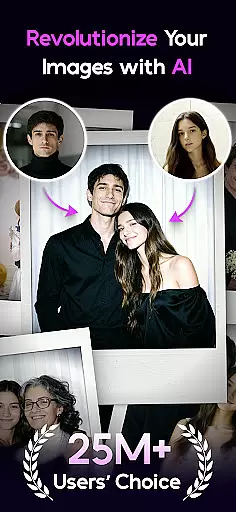

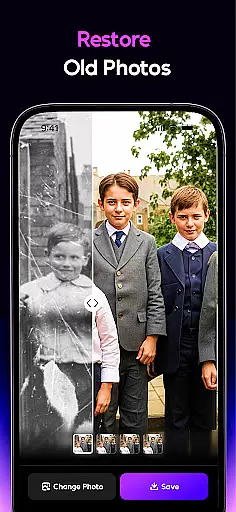
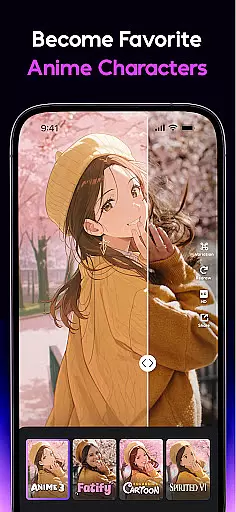

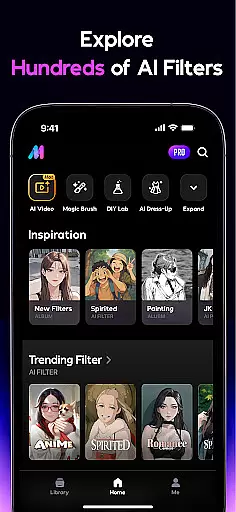

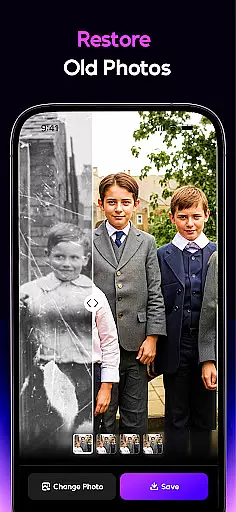
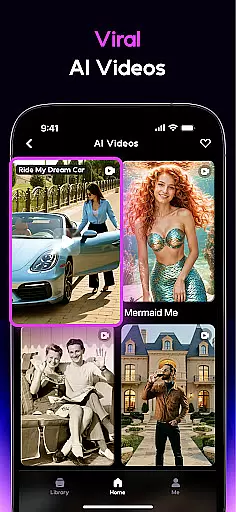
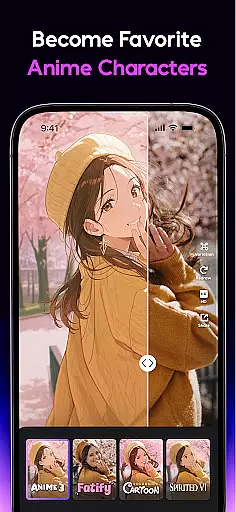

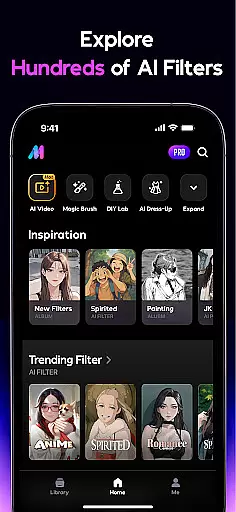
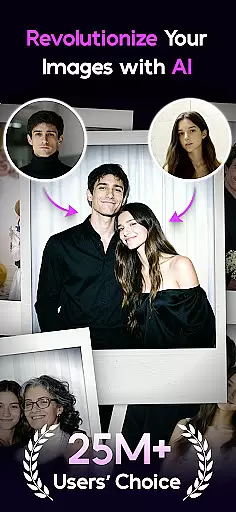

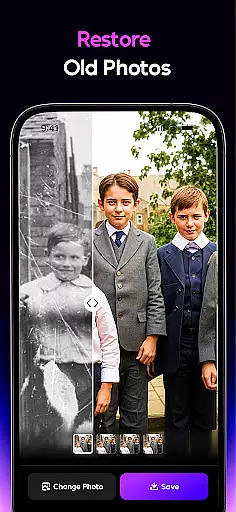
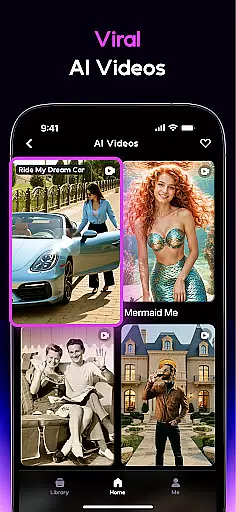

AI Mirror is a cutting-edge photography app that leverages artificial intelligence to revolutionize photo and video editing. With its powerful suite of AI-driven tools, users can effortlessly transform images and videos using dozens of filters and style transformations. Whether you're looking to create anime characters, restore old photos, or generate viral TikTok content, AI Mirror delivers professional-grade results with ease.
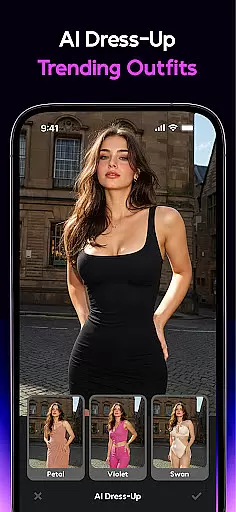
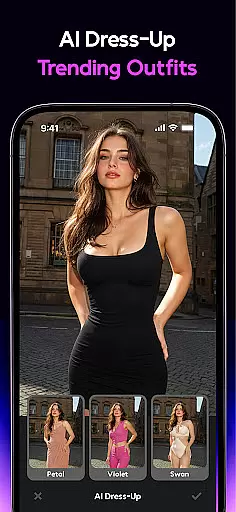
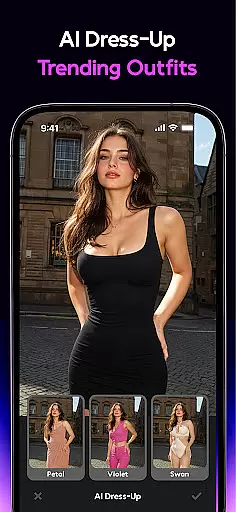
The app's standout features include the Image-to-Video function, which brings still photos to life, and advanced restoration technology that revitalizes damaged or faded images. Additionally, AI Mirror offers creative tools like the AI Magic Brush, AI Photo Enhancer, and AI Dress-Up, allowing users to edit photos with unprecedented precision and creativity. Perfect for social media enthusiasts and content creators, this app ensures your visuals stand out in today’s digital landscape.
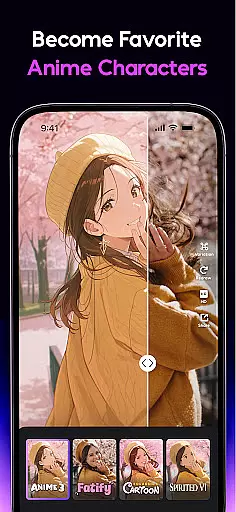
AI Mirror boasts an impressive array of features designed to cater to diverse creative needs. The app includes specialized tools such as the Cosplay Creator, Anime Generator, and Cartoon Filters, enabling users to experiment with various artistic styles. For instance, the Anime Generator converts regular photos into anime-style avatars, while the Cartoon Filters transform images into comic book-like illustrations.
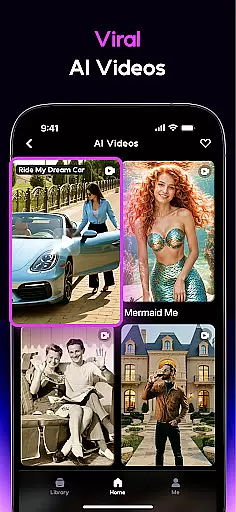
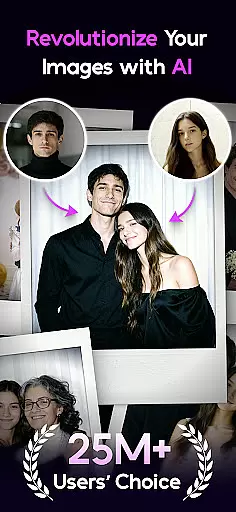
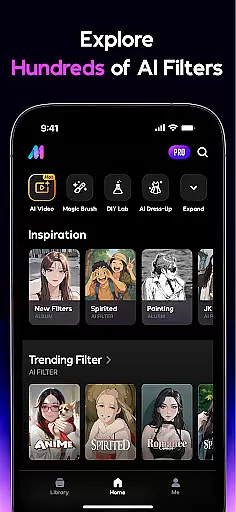
Another highlight is the AI Video suite, which offers effects like Magic Live Photo and AI Hugging. These features allow users to animate static images or combine multiple photos into dynamic interactions, such as hugs or kisses. Furthermore, the AI Editor provides practical solutions like background replacement, object removal, and photo enhancement. With weekly updates introducing new templates and filters, AI Mirror consistently keeps users ahead of social media trends.
Real-time capture and preview functionality is essential for any photography app, allowing users to see exactly what their final image will look like before taking the shot. AI Mirror excels in this area by providing instantaneous feedback on applied filters and effects, ensuring that users can make adjustments on-the-fly. This feature leverages advanced AI algorithms to process images quickly, giving users a seamless experience as they experiment with different styles.
The app's real-time capabilities extend beyond static images, enabling users to preview video effects dynamically. Whether applying trending AI video effects or transforming stills into live photos, AI Mirror ensures that every change is reflected immediately in the preview window. This empowers creators to fine-tune their content precisely as envisioned, saving time and enhancing creative control.
For users, this means no more guesswork when editing photos or videos. The ability to preview changes in real-time significantly improves the overall user experience, making it easier to achieve professional-quality results without needing extensive technical knowledge. With AI Mirror, capturing the perfect moment with the desired artistic flair becomes an intuitive and enjoyable process.
AI-powered beauty and enhancement features have become a cornerstone of modern photo editing, offering users the ability to refine and perfect their images while maintaining a natural appearance. AI Mirror stands out by employing sophisticated AI models that intelligently enhance facial features, skin texture, and overall image quality without over-processing. This ensures that edited photos retain authenticity and do not appear overly artificial.
The app provides a suite of tools such as AI Photo Enhancer and AI Magic Brush, which work together to elevate photo quality subtly. These tools focus on bringing clarity to every shot, removing unwanted elements, and even restoring old photos with remarkable precision. By prioritizing naturalness, AI Mirror allows users to enhance their photos in a way that feels genuine and true to life.
Ultimately, the value of AI Mirror's enhancement features lies in their ability to empower users to create stunning visuals effortlessly. Whether preparing images for social media or preserving cherished memories, the app ensures that every edit enhances the original's beauty without compromising its realism. This approach resonates well with users who seek polished yet authentic results, setting AI Mirror apart from other photography apps.
User-friendly interface
Advanced AI filters
Regular feature updates
High-quality photo restoration
Versatile editing options
Premium features require subscription
Some tools may overwhelm beginners
Limited free usage
Occasional processing delays
Resource-intensive on older devices

Gallery show photo, video, slideshow, is perfect 3D effect private photo albums.
 4.80
4.80
Find time and duration of different sunlight phases at any location
4.90
HD Photo gallery and photo manager to edit, hide private photos, videos & albums
4.2
Photo Exif Editor allows to view, add and modify EXIF data of multiple photos
4.50
Add a dreamy vibe to your selfies and videos with soft style filters
4.5
Easily view, share, delete photos with Gallery.
4.70
A light meter for true photographers.
4.20
Catch sunlight, sunrise sunset times and sun phases with the AR sun tracker.
4.10
The original Rarevision VHS look seen everywhere!
4.70
AI Photo Editor with 100+ Filters, Effects! Remove BG, Retouch & Photo Enhancer.
4.80
Android Native system HD camera app. Never been so simple and faster.
4.70
Create AI photos & videos with Enhancer; restore, fix, beautify, enhance photos
4.50
Edit like a pro with Hypic. Apply filters, AI effects, & magic touch.
4.40
[3DSteroid Pro] is a stereoscopic application for Android.
4.30
All-in-One Editor & AI Photo Enhancer, Collage, Cartoonify, Funny Stickers & BGS
4.10
Gallery Slideshow is slideshow maker app for slideshow from your gallery photos.
3.90
Superimpose one photo on top of another using the original Superimpose app!
3.20
Long exposure camera with computational photography
2.60
Remote control the phone camera shutter from your smartwatch and take a picture
1.60


User Reviews